
Access Point Internet

I have just re-configured my RE450 WiFi extender from being in range extender mode, to being in access point mode, and connected it to my router by ethernet cable. It is working fine, and I can access the internet via WiFi connection to the RE450 and onwards to my router by cable. And yet the Tether App says "RE450 has no internet". Why is this?
- Copy Link
- Subscribe
- Bookmark
- Report Inappropriate Content

Ok. Then the RE450 V3 behaves just like my RE365, which is of the same age.
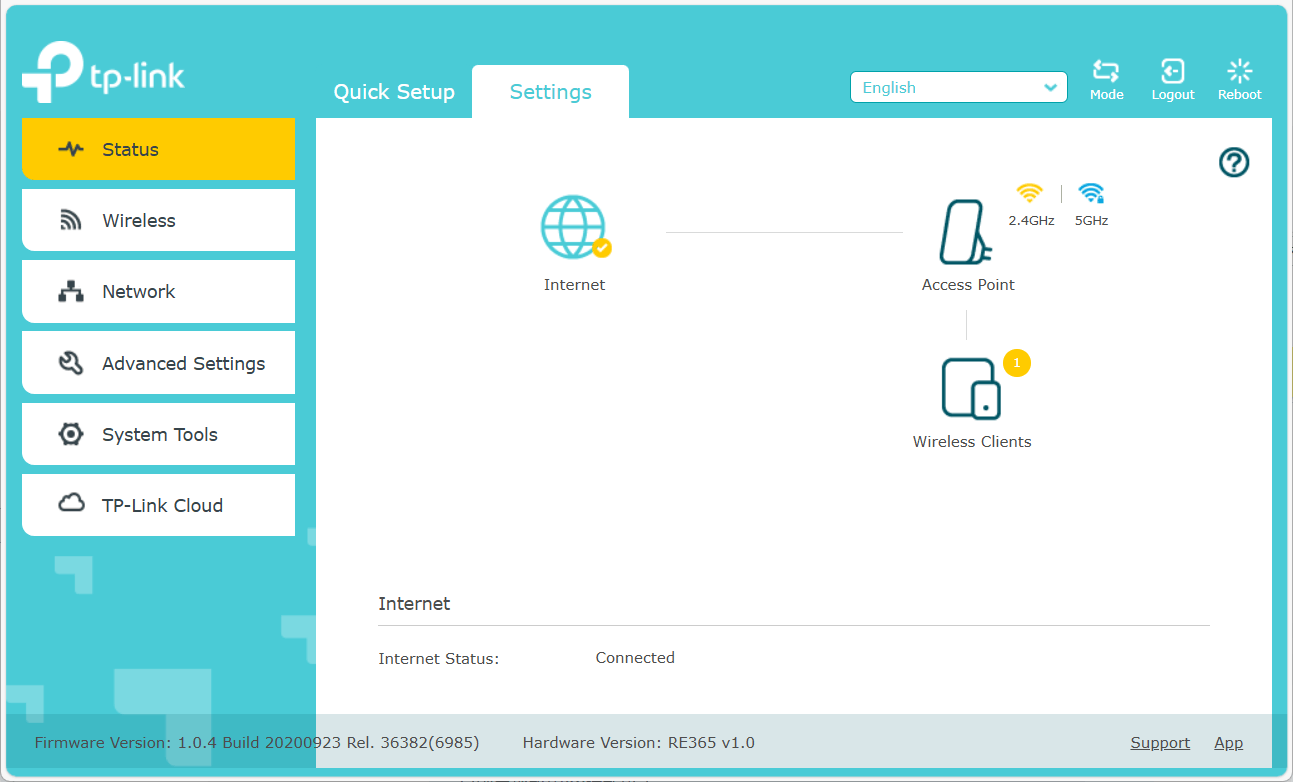
If I check the status of "Internet" on my RE365 V1 via its web interface, then it always says "Connected". I guess it will be the same for your RE450 V3. So, I suggest you confirm the Internet status via the web interface and just ignore the Tether app.
- Copy Link
- Report Inappropriate Content
Hi,
This is likely a bug in the Tether app.
I've tested this with my RE450 V4 and noticed no issues. What hardware version is yours?
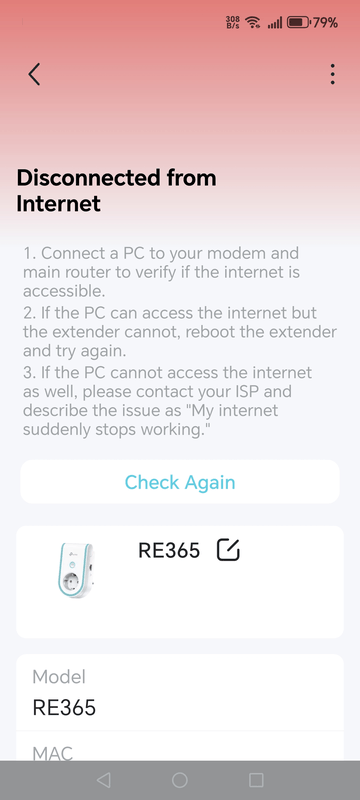
With an older RE365 V1 I can also see that the Tether app changes from "Working Well" to "No Internet" after a while.
Can you get your RE450 to say "Working Well" after tapping on "Check Again"?
- Copy Link
- Report Inappropriate Content
Sorry for slow reply to your question, I'm new to the TP-Link community and wasn't sure how to reply. I tried to update my original post with software and firmware versions but site only lets me post once every 24hours. Anyway, my RE450 is on hardware V3.0 firmware, 1.0.1 Build 20190124 Rel. 56886. When I first login to the RE450 through the Tether app it briefly says "Working Well" then flips to "No Internet Connection." Logging out & back in, or turning off & on make no difference. Thanks for looking.
- Copy Link
- Report Inappropriate Content
Ok. Then the RE450 V3 behaves just like my RE365, which is of the same age.
If I check the status of "Internet" on my RE365 V1 via its web interface, then it always says "Connected". I guess it will be the same for your RE450 V3. So, I suggest you confirm the Internet status via the web interface and just ignore the Tether app.
- Copy Link
- Report Inappropriate Content
@woozle . Yes thank you, logging in via the web interface I get the same result as you. I'll ignore the Tether app.
- Copy Link
- Report Inappropriate Content
Information
Helpful: 0
Views: 536
Replies: 4
Voters 0
No one has voted for it yet.