
Deco BE25 WireGuard - VPN connected, but no access to other LAN devices

Hi everyone,
I’m having a routing issue with the WireGuard VPN server running directly on my Deco BE25.
The Setup:
-
VPN Server: Deco BE25 (Firmware: Latest)
-
Local Network: 192.168.21.0/24 (Deco is at 192.168.21.1)
-
Client Connection: Connecting from a remote location via a DS-Lite internet connection.
-
VPN Tunnel: Connects successfully.
The Problem: Once connected, I can access the internet through the tunnel and I can successfully ping/access the Deco itself at 192.168.21.1. However, I cannot reach any other devices in my home network (e.g., a NAS at 192.168.21.100 or any other Deco f.e. at 192.168.21.245).
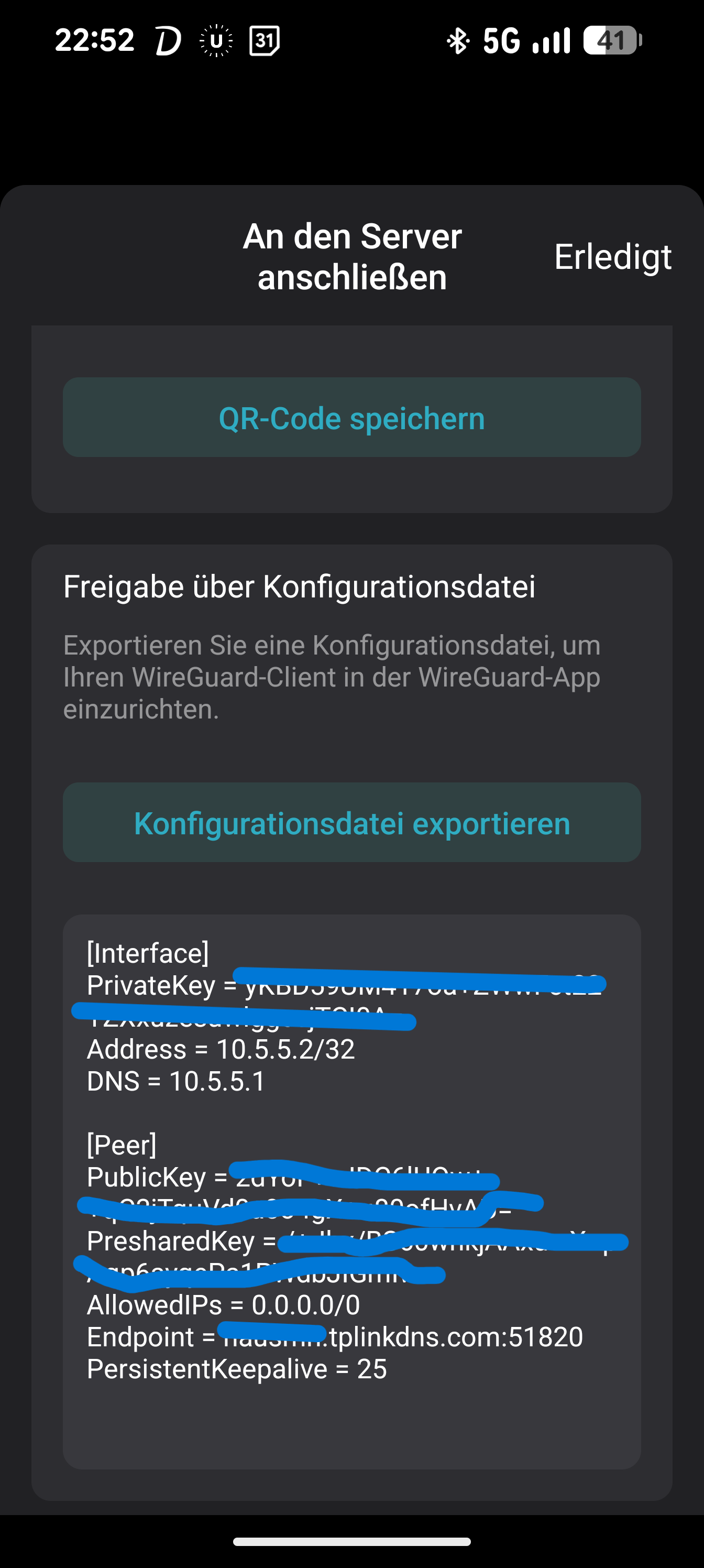
My Client Config:
What I've checked so far:
-
"Access Home Network" Toggle: I have checked the VPN settings in the Deco app, but I'm still restricted to the router's IP only.
-
Firewalls: The local devices (like the NAS) don't seem to be the issue, as they are reachable when I'm physically at home.
-
Routing: It feels like the Deco isn't correctly routing/forwarding traffic from the 10.5.5.x subnet to the rest of the 192.168.21.x LAN.
I've tried in Allowed Ips 0.0.0.0/0 AND
0.0.0.0/0, 192.168.21.0/24 AND
0.0.0.0/0, ::0 AND
0.0.0.0/0, ::0, 192.168.21.0/24
Is there a specific setting in the BE25 or the Deco App that I might be missing to allow "Internal-to-Internal" routing? Could the DS-Lite connection at my remote location be causing issues even though the tunnel itself is up? Or a Firmware Bug?
Any help or suggestions would be greatly appreciated!
 Caption

