Issue with TP-Link Archer AX3600 Router - 2.4GHz Band Devices Not Connecting After Some Time

Issue with TP-Link Archer AX3600 Router - 2.4GHz Band Devices Not Connecting After Some Time

Issue with TP-Link Archer AX3600 Router - 2.4GHz Band Devices Not Connecting After Some Time
a week ago - last edited a week ago
Model: Archer BE3600  
Hardware Version: V1
Firmware Version:

Dear TP-Link Technical Support,

I am writing to report a problem with my TP-Link Archer AX3600 WiFi router. The router has the latest firmware installed and was working flawlessly for about six months after purchase. However, starting yesterday, out of nowhere, my Tapo camera and other devices that use the 2.4GHz band stopped functioning. I discovered that the router is no longer detecting or connecting to any of these 2.4GHz devices.

I restarted the router, and after the restart, all the affected devices began working again normally. Unfortunately, approximately 12 hours later, the same issue occurred again—the 2.4GHz devices disconnected and became undetectable until another restart.

I have tried basic troubleshooting steps, such as ensuring no interference from other devices and confirming the firmware is up to date, but the problem persists.

Could you please advise on what might be causing this? Is this likely a hardware fault that requires warranty repair or replacement, or could it be a firmware-related issue? Any suggestions for further troubleshooting or a potential fix would be greatly appreciated.

Thank you for your assistance.

  0      
  0      
#1
Options
6 Reply
Re:Issue with TP-Link Archer AX3600 Router - 2.4GHz Band Devices Not Connecting After Some Time
a week ago - last edited a week ago

Hello @DavidU ,

Welcome to our community.


May I confirm the model of your router? Is it Archer BE3600? What is the firmware of it? How to find the hardware and firmware version of my TP-Link device


Please check if your network topology diagram is as follows:

ISP modem—router )))((( client devices

(Note: — stands for wired connection,)))((( stands for wireless connection )


When the 2.4G drops, will 5G and wired connections still work?


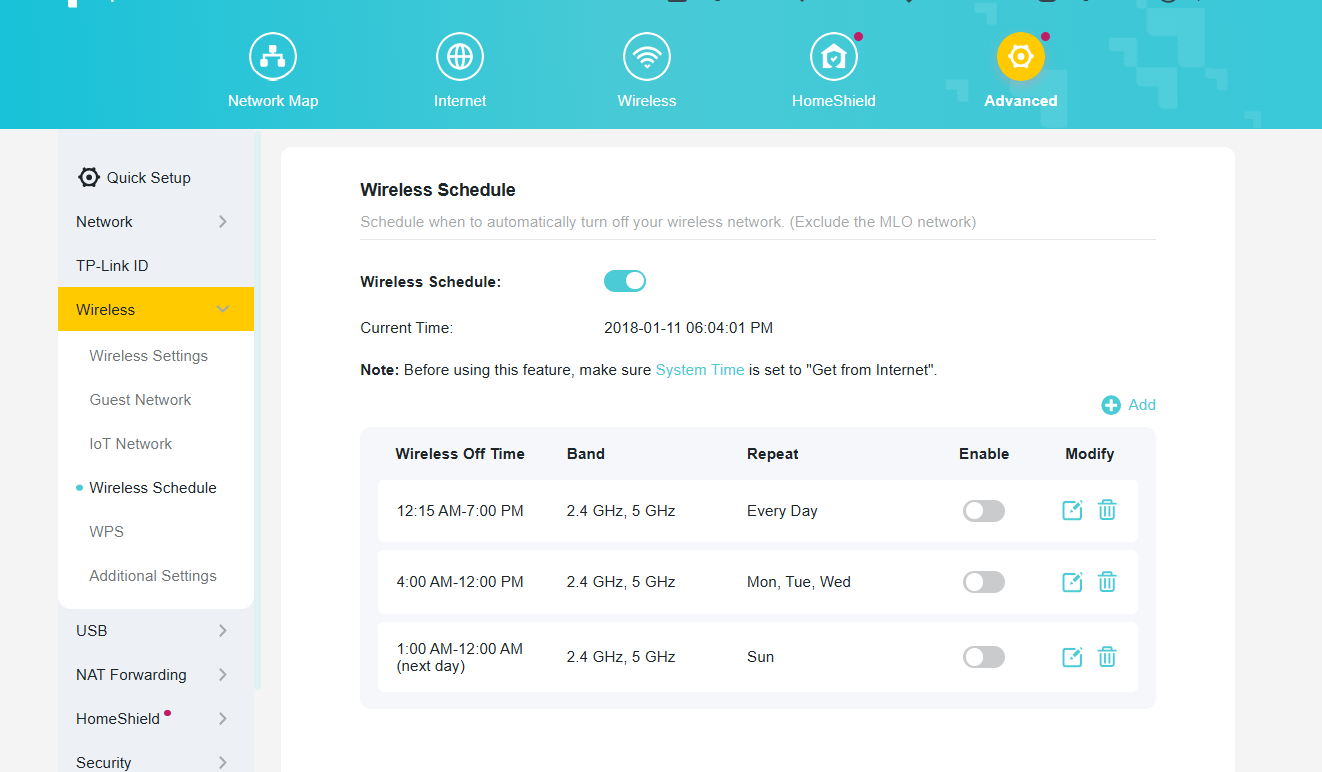
In addition, please check if you set the wireless schedule for 2.4G? Please disable it for comparison.

  0  
  0  
#2
Options
Re:Issue with TP-Link Archer AX3600 Router - 2.4GHz Band Devices Not Connecting After Some Time
a week ago

  @Joseph-TP  thank you for reply.


my router is Archer BE3600 with latest fw 1.2.5 build 20260108 rel. 68570


Topology is as you described and router worked just fine for approx three months. No changes made to config or so. It just starts to fail in 2,4ghz band spontaneously. After router restart, 2,4 ghz starts ok, but fail again within random count of hours. Sometime 10, sometime 20.. but fail. 


Yes, when 2,4 stops work, wire and 5ghz continue ok.


Schedule is off, 2,4 band changed to 20mhz from auto, fast roaming, air fairness, mu mimo, beam forming all off.


Thank you for your help – looking forward to your suggestions.

Best regards,

David U.

  0  
  0  
#3
Options
Re:Issue with TP-Link Archer AX3600 Router - 2.4GHz Band Devices Not Connecting After Some Time
a week ago

Hello @DavidU ,

Thanks for getting back to us.

We would like to escalate your case to the support engineers, and they will follow up on it. If you are willing to conduct further analysis, please check your inbox and respond.    

  0  
  0  
#4
Options
Re:Issue with TP-Link Archer AX3600 Router - 2.4GHz Band Devices Not Connecting After Some Time
Sunday

  @DavidU 

Hello,


Right now I`m testing older fw 1.2.1 Build 20250804 rel.79639(4555) and will let you know if the problem persists or not.


Thank you

David

  1  
  1  
#5
Options
Re:Issue with TP-Link Archer AX3600 Router - 2.4GHz Band Devices Not Connecting After Some Time
Yesterday

  @Joseph-TP 

I have the exact same issue, 2.4ghz devices just drop out, no matter if it is smart devices, phones or computers - they see the SSID and just fail to connect. the System Log does not show anything. This started happening after 1.2.5 firmware.


I also downgraded to 1.2.1 and every device just connects up again.


Firmware Version:

1.2.1 Build 20250804 rel.79639(4555)

Hardware Version:

Archer BE230 v1.0

Latest Firmware Version:

1.2.5 Build 20260108 rel.68570

  0  
  0  
#6
Options
Re:Issue with TP-Link Archer AX3600 Router - 2.4GHz Band Devices Not Connecting After Some Time
Yesterday

Hello @mremn ,

Thanks for your feedback.

We are aware of this anomaly and are working quickly to reproduce it. If convenient, we might need your help collecting the logs.

The tech team has been made aware of your case; they will likely reach out to you via email to continue troubleshooting. Please check your email inbox and confirm.

  0  
  0  
#7
Options