
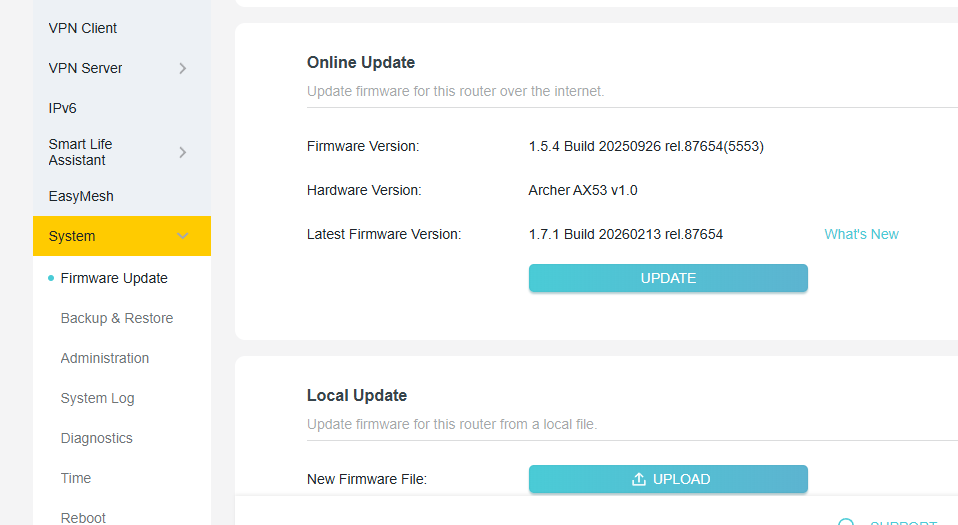
TP-link Archer AX53 Firmware Version 1.7.1 Build 20260213 rel.87654 (Wi-Fi 5 Device Speed Capped)

Hello,
This is to confirm that last night I updated the firmware to version 1.7.1 Build 20260213 rel.87654 on my Archer AX53 and since then I have been facing the following issues:
- Wi-Fi range has significantly decreased. At the same distance, I am now getting slower speeds on Wi-Fi 6 devices while using channel 149 and 80 MHz channel width on 5 GHz. Previously, I used to get 800 Mbps+, but now I am getting around 400 Mbps. However, when I move very close to the router, I can still get 700 Mbps+.
- Wi-Fi range has also decreased on Wi-Fi 5 devices, and the speed appears capped at about one-fourth of the previous performance while using the same channel settings. On my gigabit internet connection, the speed now rarely exceeds 250 Mbps in the same environment. Previously it was 500 Mbps+ on the same device.
- The 2.4 GHz band is also behaving similarly with reduced range and speed.
- The web interface has become very slow and less responsive after the update.
Solutions I have already tried are as follows:
- Factory reset and reconfigured everything, but no improvement.
- Enabled and disabled QoS, but no improvement.
We would really appreciate a quick fix for these issues.
Thank you for your attention,
TP-Link Support Team
- Copy Link
- Subscribe
- Bookmark
- Report Inappropriate Content
@BanglaShoppers use 160mhz channel
- Copy Link
- Report Inappropriate Content


Hello All
Thank you for all your feedback. It seems these anomalies are strongly related to the new firmware. We have noticed the feedback on this post and will prioritize following up on this case.
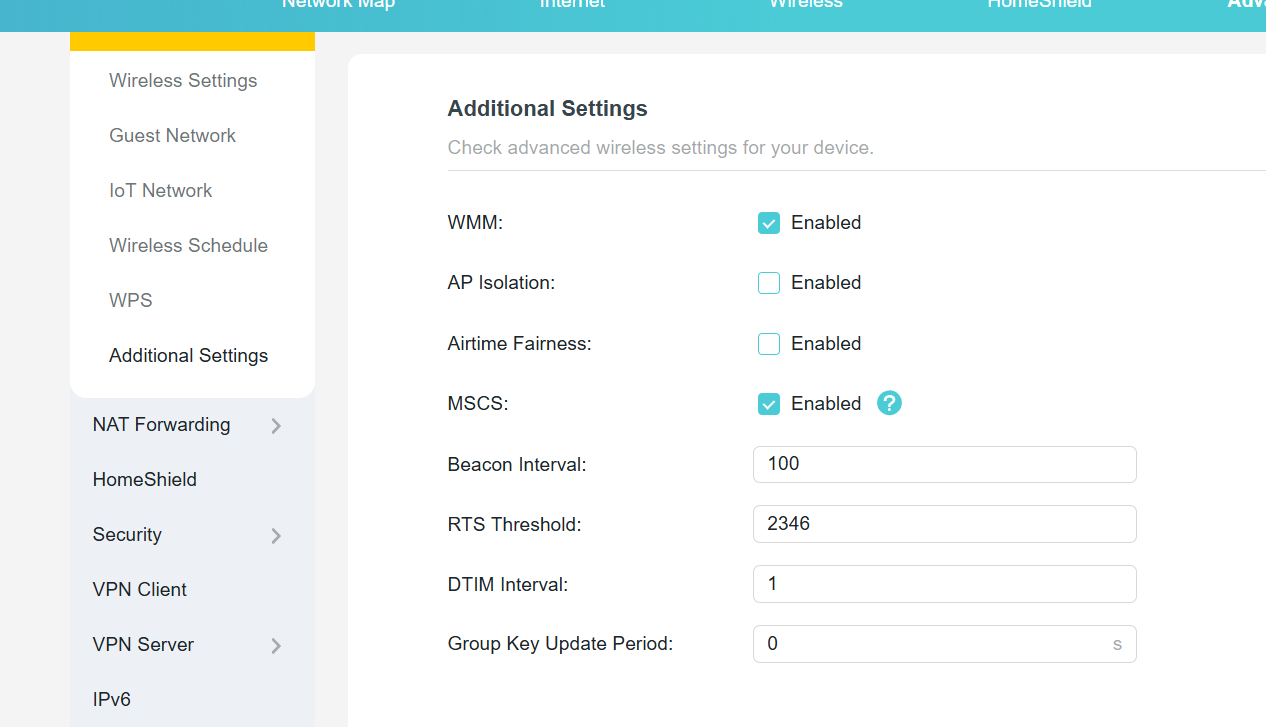
By the way, please try to turn off the MSCS option under the Additional Settings and see if it can help.
- Copy Link
- Report Inappropriate Content
Hello @BanglaShoppers ,
We would like to escalate your case to the support engineers, and they will follow up on it. If you are willing to conduct further analysis, please check your inbox and respond.
- Copy Link
- Report Inappropriate Content
Thank you my friend for the reply, this solution didn't help for me. So still need investigation from the support engineers.
- Copy Link
- Report Inappropriate Content
Hello @Pankajuuuuu
If you use 160MHz channel width, will throughput be improved? Or will wireless speed and coverage be improved?
May I know your complete topology? For example, ISP modem—AX53—AX12(AP mode) — client devices
(Note: — stands for wired connection,)))((( stands for wireless connection )
The tech team has been made aware of your case; they will likely reach out to you via email to continue troubleshooting. Please check your email inbox and confirm.
Pankajuuuuu wrote
@BanglaShoppers use 160mhz channel
- Copy Link
- Report Inappropriate Content
Thank you for your test results. We will also prioritize processing your case.
- Copy Link
- Report Inappropriate Content
Joseph-TP wrote
Hello @Pankajuuuuu
If you use 160MHz channel width, will throughput be improved? Or will wireless speed and coverage be improved?
May I know your complete topology? For example, ISP modem—AX53—AX12(AP mode) — client devices
(Note: — stands for wired connection,)))((( stands for wireless connection )
The tech team has been made aware of your case; they will likely reach out to you via email to continue troubleshooting. Please check your email inbox and confirm.
Pankajuuuuu wrote
@BanglaShoppers use 160mhz channel
- Copy Link
- Report Inappropriate Content
Hello @Niojar ,
After upgrading to version 1.7.1, has there been any significant change in the overall performance of the wireless connection, including speed, stability, and coverage? You previously mentioned that everything seemed to be working fine after upgrading to version 1.7.1.
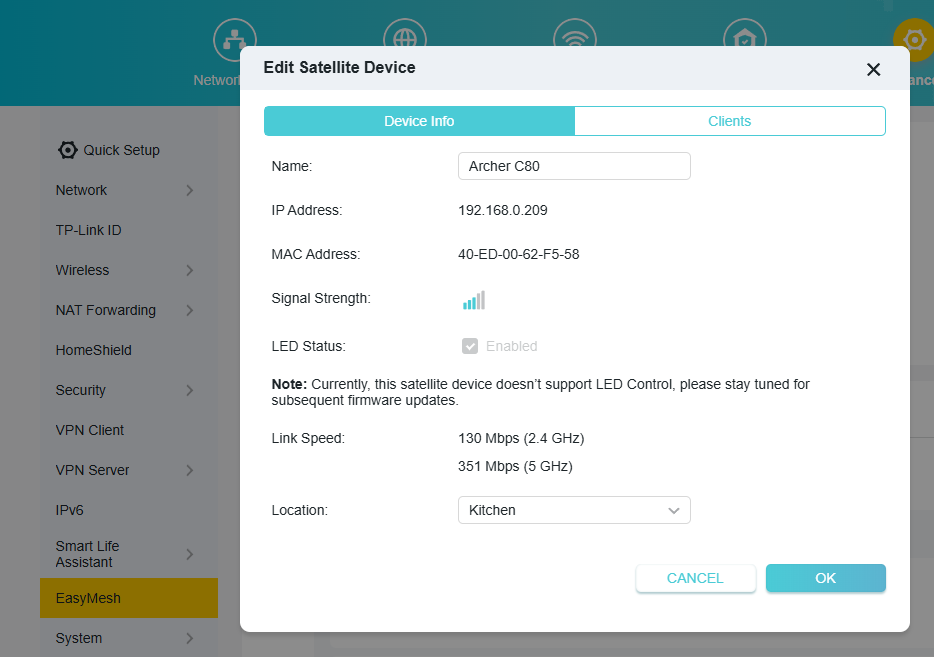
You seem to have created an EasyMesh network, and I noticed a slight speed improvement in Satellite after downgrading to 1.5.4.
Could I know your complete network topology? For example, ISP modem—router )))((( client devices
(Note: — stands for wired connection,)))((( stands for wireless connection )
We would like to escalate your case to the support engineers, and they will follow up on it. If you are willing to conduct further analysis, please check your inbox and respond.
Niojar wrote
I've reverted to version 1.5.4 and noticed that my satellite connection is once again exceeding 300 Mbps. In version 1.7.1, it wouldn't go above 250, so I guess there really is an issue with the latest version.
- Copy Link
- Report Inappropriate Content
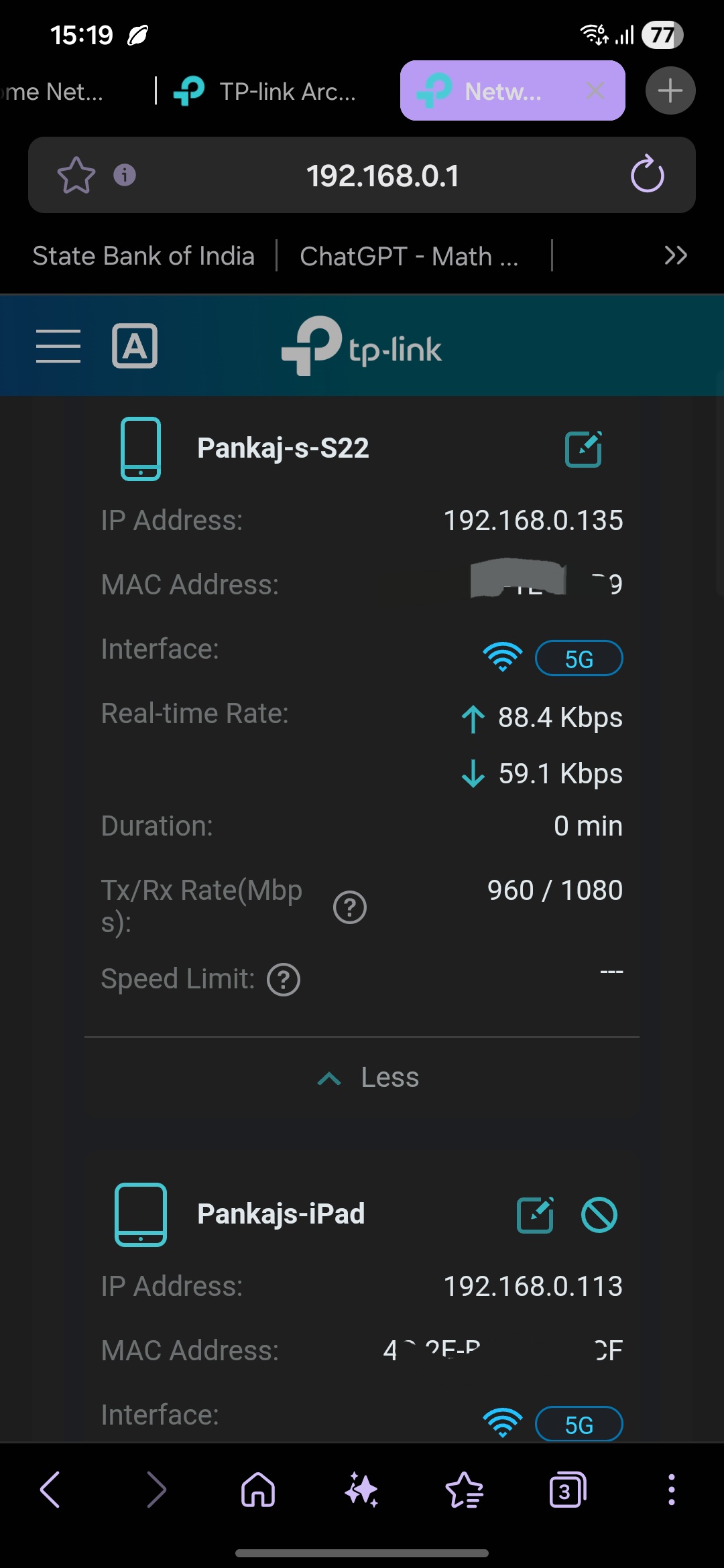
The overall throughput capability hasn’t changed, but the effective range has decreased across all channel widths.
For example, on 160 MHz, I used to get around 1200 Mbps (Tx/Rx) at a distance of one room from the router. Now, at the same location, the speed drops to around 840 Mbps.
A similar pattern is observed on 80 MHz as well, where the speeds at the same distance are lower than before.
Even on the 2.4 GHz band, the range has significantly reduced, and the signal performance is noticeably weaker compared to earlier.
And the topology is isp onu 2.5 gbps port ( bridge mode ) ---- ax 53 Main ------- ax 12 in ap
Additionally, QoS behavior appears inconsistent: while upload latency is now stable and well-controlled, download latency still shows spikes and higher jitter under load, suggesting that download-side QoS or queue management is not functioning properly
@Joseph-TP
- Copy Link
- Report Inappropriate Content
Joseph-TP wrote
Hello @Pankajuuuuu
If you use 160MHz channel width, will throughput be improved? Or will wireless speed and coverage be improved?
May I know your complete topology? For example, ISP modem—AX53—AX12(AP mode) — client devices
(Note: — stands for wired connection,)))((( stands for wireless connection )
The tech team has been made aware of your case; they will likely reach out to you via email to continue troubleshooting. Please check your email inbox and confirm.
Pankajuuuuu wrote
@BanglaShoppers use 160mhz channel
My friend, when I use 160 MHz, the 5 GHz SSID does not appear on my iPhone 14 Pro Max, Samsung Galaxy Note 20 Ultra, or any of the other devices at home. I’m not sure why it doesn’t support devices that operate at lower bandwidths (those that don’t support 160 MHz).
I’ve tested several units, and the results are the same in every case. However, with my UniFi U7 Pro Max access point, when I set them to 160 MHz, my phones that don’t support 160 MHz can still connect automatically at 80 MHz, even though the channel is set to 160 MHz.
- Copy Link
- Report Inappropriate Content
Information
Helpful: 11
Views: 1811
Replies: 36
Voters 2
