Tether app don't update firmware correctly

Tether app don't update firmware correctly

Tether app don't update firmware correctly
Yesterday - last edited 9 hours ago
Model: Archer NX200  
Hardware Version: V1
Firmware Version: 1.7.0

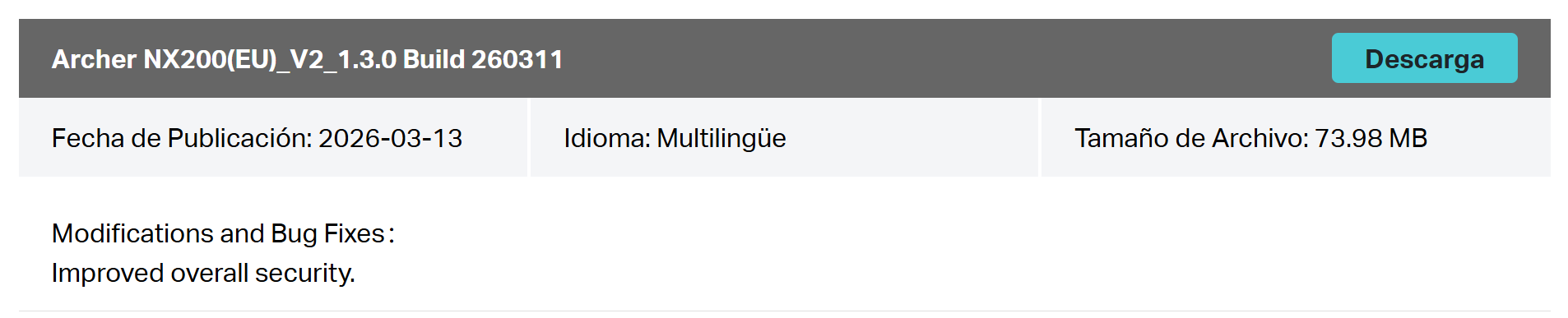
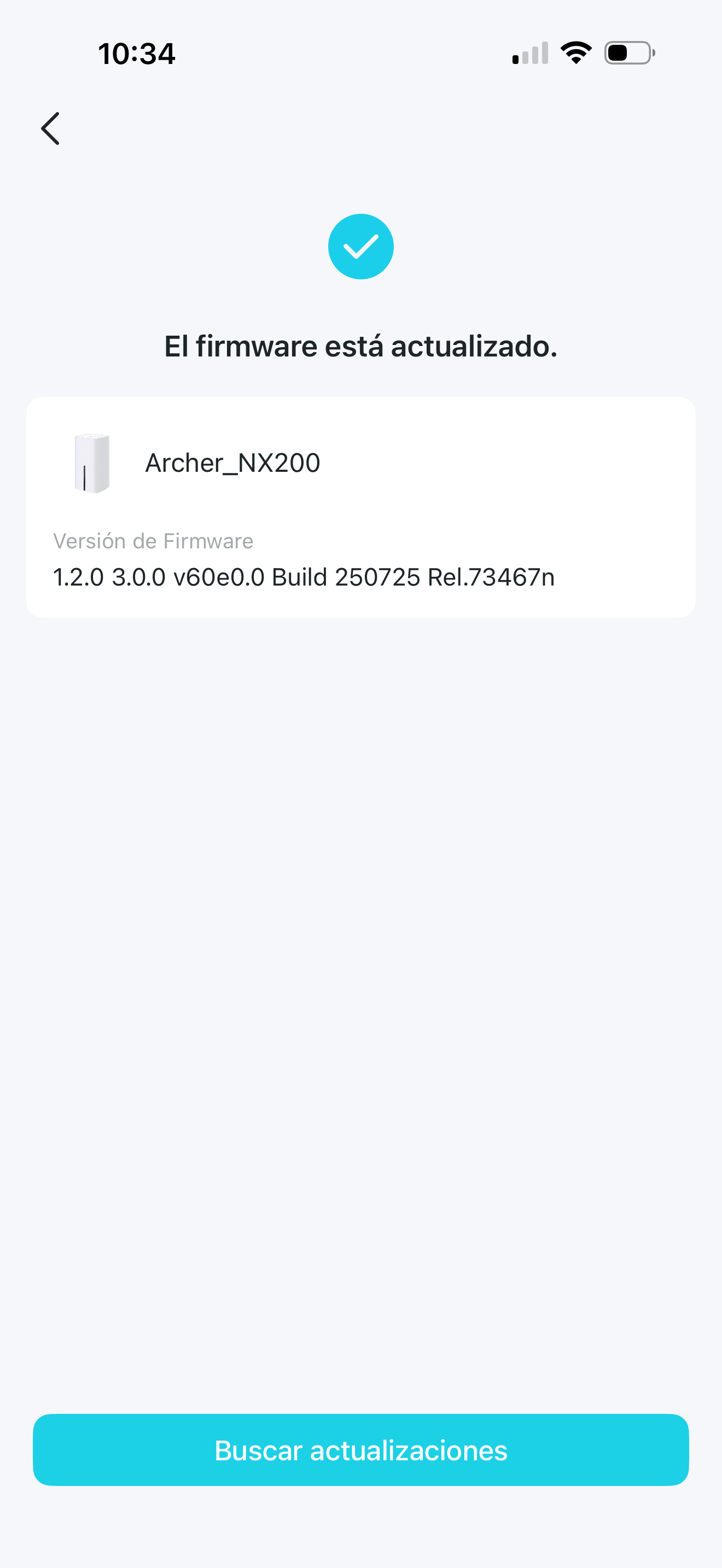
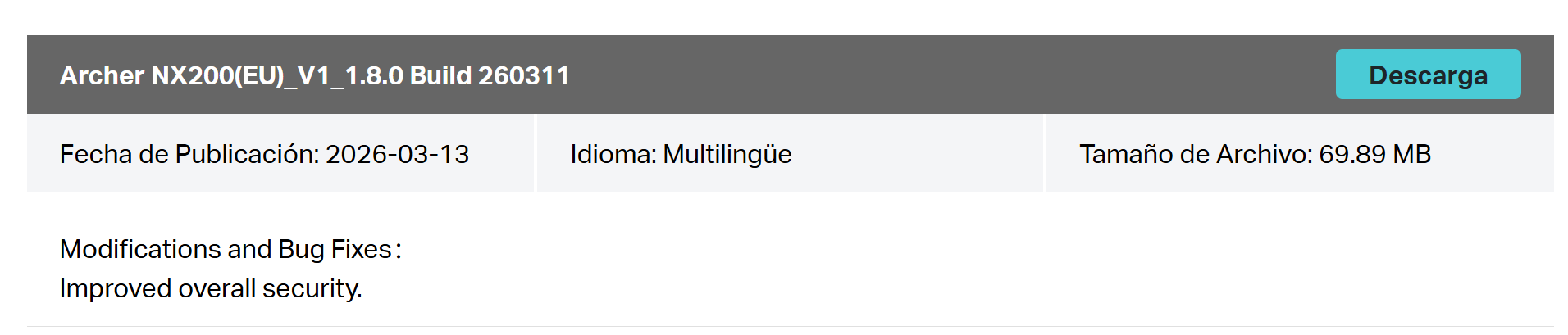
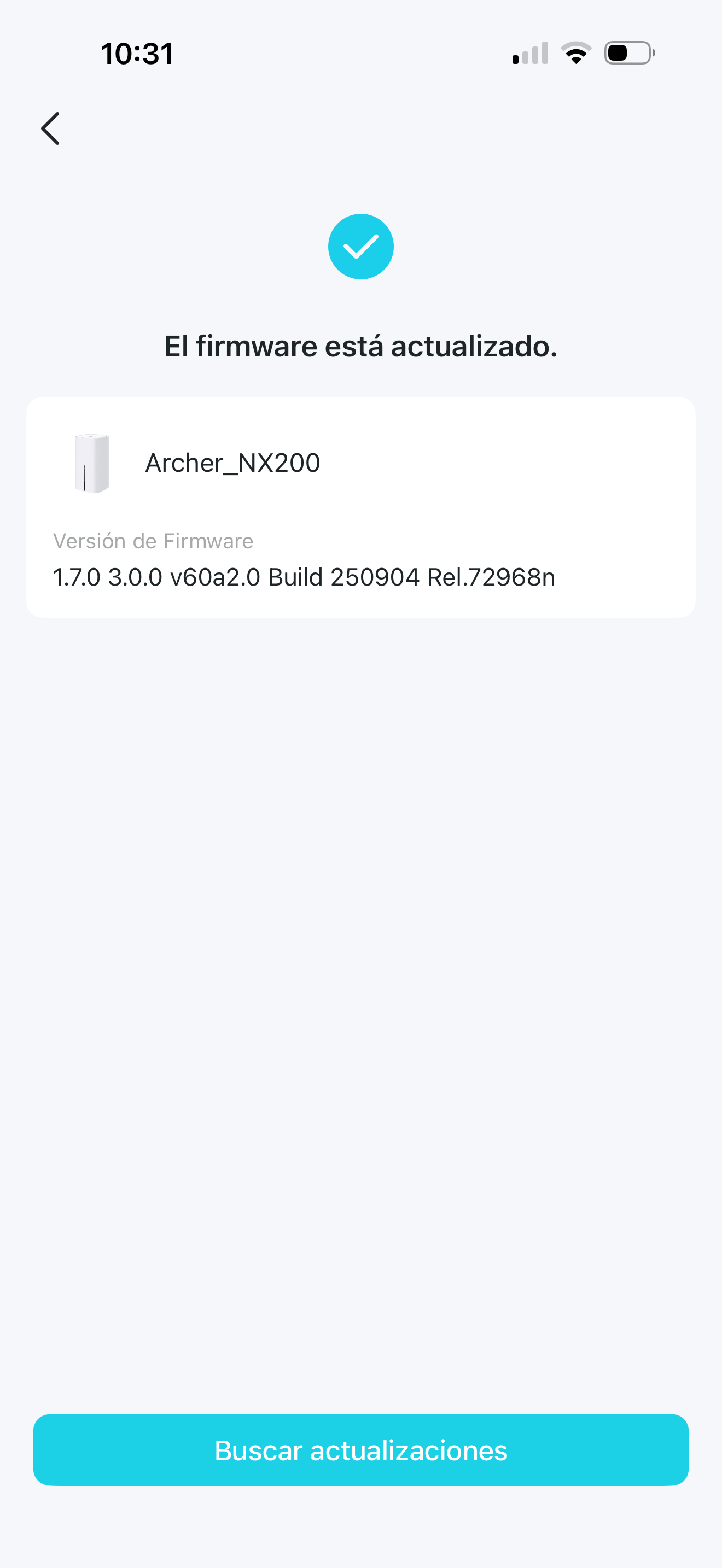
Tether app don't update firmware correctly with Archer NX200 V1 or V2. 

See the attachments. For hardware version 1, the firmware should be updated to version 1.8.0, and for hardware version 2 to 1.3.0, but the application shows versions 1.7.0 and 1.2.0 as the most current for each hardware version.


And, finally, another important point would be the ability to update the firmware remotely, or at least by connecting to the router through the VPN.

  0      
  0      
#1
Options
1 Accepted Solution
Re:Tether app don't update firmware correctly-Solution
17 hours ago - last edited 9 hours ago

  @YASPE 


Different regions are scheduled to auto-update at different times.

A "patch gap" or "staggered rollout," which is a common practice in software deployment to prevent widespread disruption and reduce network load. This approach allows vendors to roll out updates in waves, starting with smaller test groups before expanding to all users and regions, which also accommodates regional differences, localizations, and compliance requirements.

Most probably, you just have to wait the auto-update feature to discover these new FW releases.

If this was helpful click on the arrow pointing upward to make it blue. If this solves your issue, click the star to make it blue as a "Recommended Solution". Tips:149wubkkfoLmNDjDbiTxx4ZU8mpcMA5CJt
Recommended Solution
  2  
  2  
#2
Options
1 Reply
Re:Tether app don't update firmware correctly-Solution
17 hours ago - last edited 9 hours ago

  @YASPE 


Different regions are scheduled to auto-update at different times.

A "patch gap" or "staggered rollout," which is a common practice in software deployment to prevent widespread disruption and reduce network load. This approach allows vendors to roll out updates in waves, starting with smaller test groups before expanding to all users and regions, which also accommodates regional differences, localizations, and compliance requirements.

Most probably, you just have to wait the auto-update feature to discover these new FW releases.

If this was helpful click on the arrow pointing upward to make it blue. If this solves your issue, click the star to make it blue as a "Recommended Solution". Tips:149wubkkfoLmNDjDbiTxx4ZU8mpcMA5CJt
Recommended Solution
  2  
  2  
#2
Options