
Allow LAN but not Internet, premium feature?

I have a couple of aged W10 computers that I'd like to keep using but for obvious security reasons, I don't want them on the Internet. I found an older thread that suggested using parental controls for this, the example given was a printer, but I can't see how to apply this in the basic settings. Is it a premium feature?
- Copy Link
- Subscribe
- Bookmark
- Report Inappropriate Content

Hi,
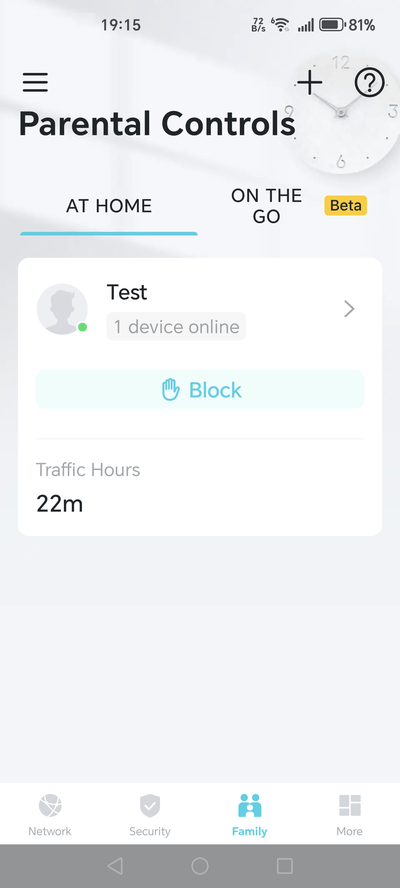
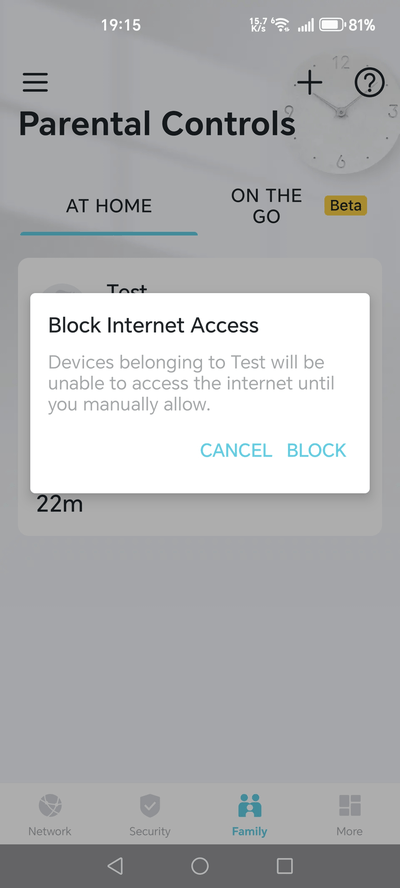
I don't have the model AX73 here, but on my Archer router without subscription, after I create a Parental Controls profile (via the "Family" menu) I have a "Block" button that allows me to block Internet access for the client devices belonging to that profile.
- Copy Link
- Report Inappropriate Content
Hi,
I don't have the model AX73 here, but on my Archer router without subscription, after I create a Parental Controls profile (via the "Family" menu) I have a "Block" button that allows me to block Internet access for the client devices belonging to that profile.
- Copy Link
- Report Inappropriate Content

This is not a premium feature. This should be a matter of a FW implementation and I can't tell if that's been implemented in AX73.
I was able to do the same via the router's WebGU in a Parental Controls of C64. The trick was to set the on-line time to 0 hours for a particular device.
- Copy Link
- Report Inappropriate Content
Thanks @woozle and @terziyski The old thread on this mentioned bedtime controls so I was trying to use that, when 'block' does the job perfectly.
Ideally it would simply be an option on the browser control panel next to the 'deny' icon, or within the 'modify' dialoogue. I forgot I even had an app!
Thanks again 
- Copy Link
- Report Inappropriate Content
Information
Helpful: 0
Views: 254
Replies: 3
Voters 0
No one has voted for it yet.