
Clients connected to the VPN server are not displayed

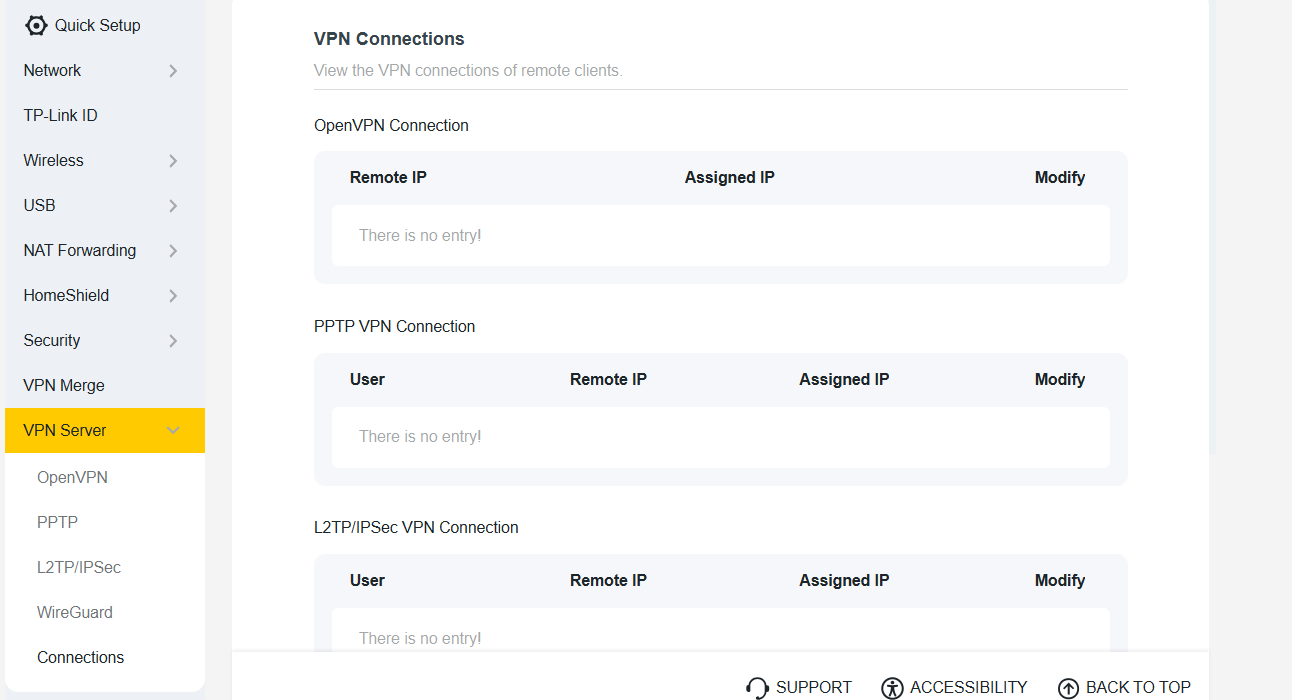
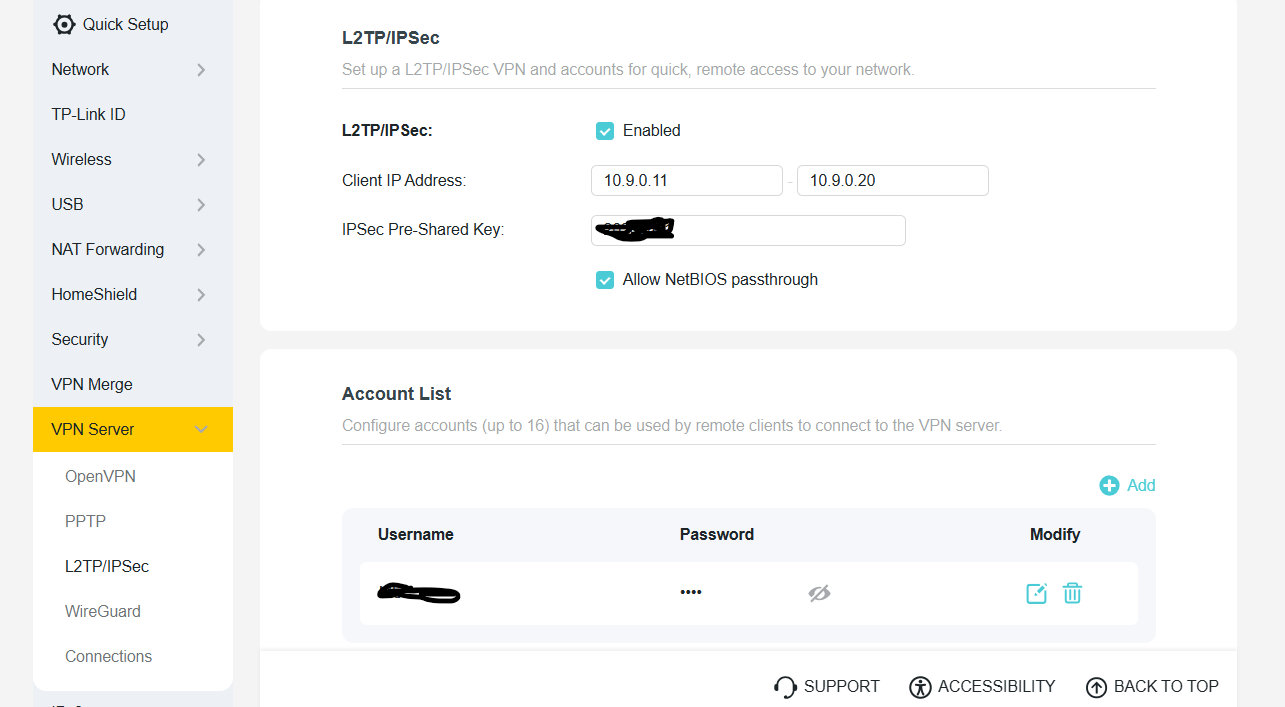
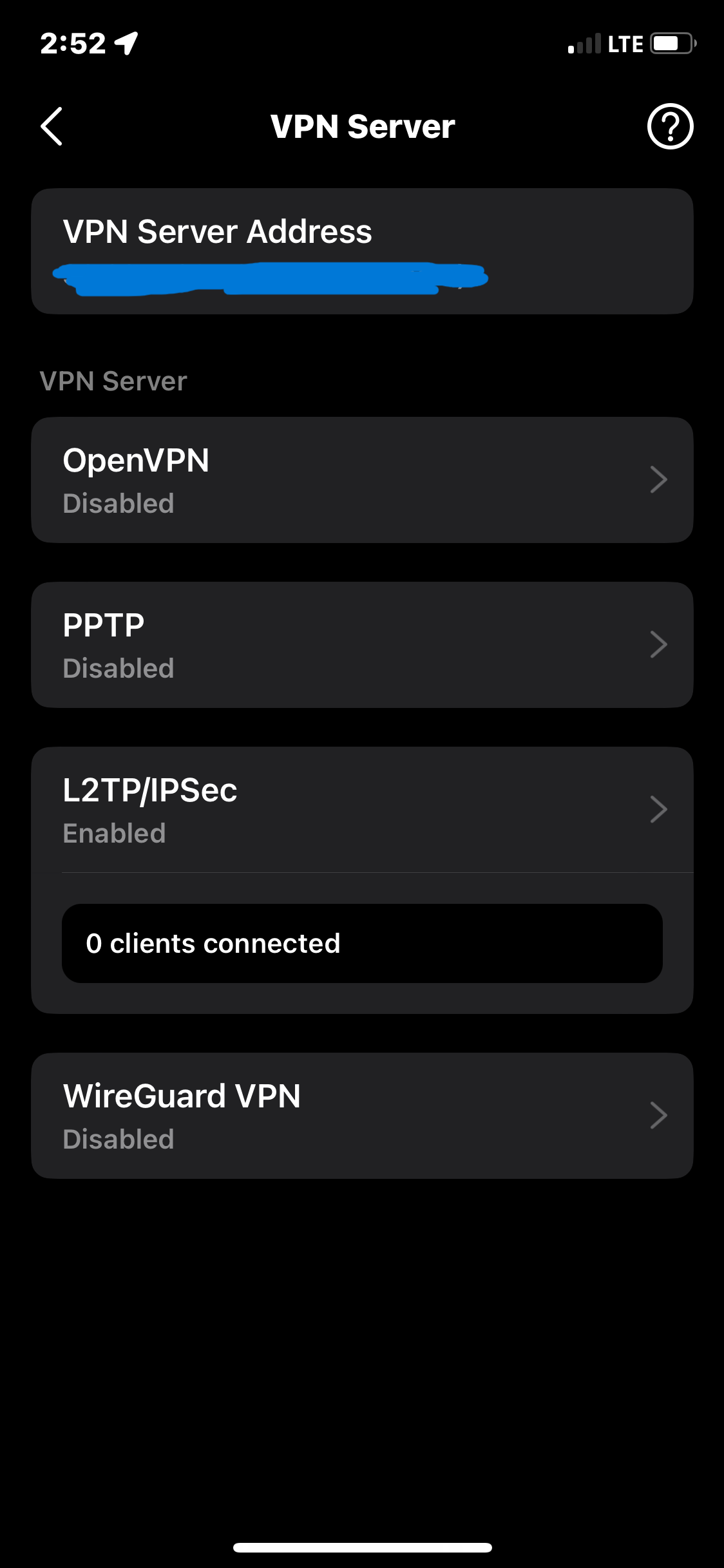
Hi, I have an Archer BE550 Pro V2, it does not display connected clients to the VPN Server either in the web form or in the Tether mobile app.
- Copy Link
- Subscribe
- Bookmark
- Report Inappropriate Content
Hello, thank you for your feedback on my router functionality issue, and sorry for the delay in responding. I didn’t wait for a solution and reset the router to factory settings, then configured everything again from scratch. Everything is working now—the VPN is functioning properly and the connected clients are displayed. Before the reset, the VPN was also working flawlessly; it just didn’t show the connected clients. I’ll test it for a while and see how everything works. I hope everything will continue to work without any issues.
- Copy Link
- Report Inappropriate Content


Hello @OIP ,
Welcome to our community.
Have you tested that the L2TP/IPSec VPN server is working properly? Please check that your settings are correct and that the VPN server is functioning correctly.
If it doesn't work, please refer to VPN Server Is Not Working Properly on TP-Link Wi-Fi Routers.
If the VPN server works, please provide the following information for further troubleshooting:
1. Your specific network topology. For example:
an ISP modem—router)))((( client devices Note: — stands for wired connection,)))((( stands for wireless connection
2. Screenshots of the router’s WAN IP address
3. The VPN file, and screenshots of all VPN Settings
4. Log file of the VPN client, if you have.
Then email all the files and screenshots to support.forum@tp-link.com, attaching [Forum ID 862146] and details, and we will have a dedicated person to assist in analysis and follow-up.
- Copy Link
- Report Inappropriate Content
Hello, thank you for your feedback on my router functionality issue, and sorry for the delay in responding. I didn’t wait for a solution and reset the router to factory settings, then configured everything again from scratch. Everything is working now—the VPN is functioning properly and the connected clients are displayed. Before the reset, the VPN was also working flawlessly; it just didn’t show the connected clients. I’ll test it for a while and see how everything works. I hope everything will continue to work without any issues.
- Copy Link
- Report Inappropriate Content
Hello @OIP ,
Thank you so much for the update! I'm glad to hear that the factory reset resolved the problem and that both your VPN and client list are now working properly.
It's great that you took the initiative to reset and reconfigure the router. Sometimes a fresh configuration can clear up unexpected behaviors like the client display problem you were experiencing. Since the VPN was working well before and is continuing to function correctly now, it sounds like everything is back on track.
Please do continue monitoring the router's performance over the next few days. If you notice any other further problem with the VPN connection, client list display, or any other functionality, don't hesitate to reach out. We're here to help ensure your router continues to work smoothly.
Thank you for keeping us informed, and we hope everything continues to run smoothly!
- Copy Link
- Report Inappropriate Content
Information
Helpful: 0
Views: 84
Replies: 3
Voters 0
No one has voted for it yet.