PPPOE disconnections / Peer not responding / Router disconnects every few minutes and starts working

My internet stops working every few minutes and starts working after a few seconds.
daily I keep getting Internet drop outs. I'm in Brazil and with ISP(REDELOCAL) in PPPoe. When the issues occur, my ONU has 3 green lights, so its ok. Its just my AX53 router, the online light goes to Orange. Happens for about 30 seconds, then comes good. Logs are like below each time. I've had the ISP tech come out and check and say all fine. I've replaced the cable between router and ONU to CAT6.
Network Configuration:
• ISP: REDELOCAL(regional network)
• Connection Type: PPPoE
• Location: Brazil
Troubleshooting Steps Already Completed:
• Updated firmware to latest version available
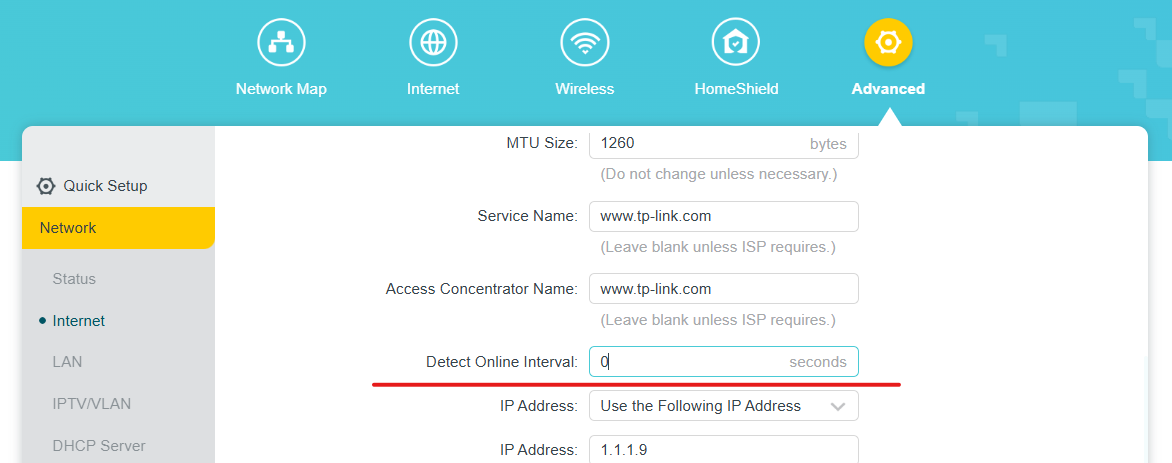
• Configured MTU to 1480 (as per ISP requirement)
• Disabled IPv6 completely
• Changed DNS to 1.1.1.1 and 8.8.8.8
• Replaced ethernet cables with new Cat 6 cables
• Factory reset and reconfigured from scratch
- Plugged one old router (Tplink archer c21) in pppoe for more than 24 hours and there was no wan disconnection.
Evidence:
System logs show repeated PPPoE session terminations with the router sending “LCP TermReq” messages and immediately attempting to reconnect. The logs indicate the router is actively disconnecting the PPPoE session rather than losing connection due to external factors.
2026-04-23 18:54:18 QoS INFORMAÇÃO [1369] Service start
2026-04-23 18:54:18 QoS INFORMAÇÃO [1369] Function disabled
2026-04-23 18:54:18 QoS INFORMAÇÃO [1369] Service stop
2026-04-23 18:54:17 Gerenciamento Remoto INFORMAÇÃO [1403] Service stop
2026-04-23 18:54:15 NAT INFORMAÇÃO [879] Initialization succeeded
2026-04-23 18:54:15 NAT INFORMAÇÃO [879] Initialization succeeded
2026-04-23 18:54:07 NAT INFORMAÇÃO [3256] Initialization succeeded
2026-04-23 18:54:06 NAT INFORMAÇÃO [3256] Initialization succeeded
2026-04-23 18:54:05 PPP INFORMAÇÃO [3456] ppp receive IPCP ACK
2026-04-23 18:54:05 PPP INFORMAÇÃO [3456] ppp send IPCP Req options(addr=100.64.xx.xx;)
2026-04-23 18:54:05 PPP INFORMAÇÃO [3456] ppp receive IPCP NAK options(addr=100.64.xx.xx;)
2026-04-23 18:54:05 PPP INFORMAÇÃO [3456] ppp send IPCP Req options(addr=0.0.0.0;)
2026-04-23 18:54:05 PPP INFORMAÇÃO [3456] ppp receive CHAP Success: Welcome.
2026-04-23 18:54:05 PPP INFORMAÇÃO [3456] ppp send CHAP Response name=xxxx
2026-04-23 18:54:05 PPP INFORMAÇÃO [3456] ppp receive CHAP Challenge name=REDELOCAL-BRAS04
2026-04-23 18:54:05 PPP INFORMAÇÃO [3456] ppp receive LCP ACK
2026-04-23 18:54:05 PPP INFORMAÇÃO [3456] ppp send LCP ACK
2026-04-23 18:54:05 PPP INFORMAÇÃO [3456] ppp receive LCP Request options(authtype=PPP_CHAP|type(MD5);mru=1492;magic=0x8d0193d;)
2026-04-23 18:54:05 PPP INFORMAÇÃO [3456] ppp send LCP Request options(mru=1480;magic=0xfbc79aef;)
2026-04-23 18:54:05 PPP INFORMAÇÃO [3456] pppoe receive PADS sess-id(6825)
2026-04-23 18:54:05 PPP INFORMAÇÃO [3456] pppoe send PADR Host-Uniq(d80)
2026-04-23 18:54:05 PPP INFORMAÇÃO [3456] pppoe receive PADO form AC-MAC(48:a9:xx:xx:xx:xx)
2026-04-23 18:54:05 PPP INFORMAÇÃO [3456] pppoe receive PADO AC-Name(REDELOCAL-BRAS04)
2026-04-23 18:54:05 PPP INFORMAÇÃO [3456] pppoe send PADI Host-Uniq(d80)
2026-04-23 18:54:05 PPP INFORMAÇÃO [3456] pppoe send PADT due to(resending PADI)
2026-04-23 18:54:04 Controlador LED INFORMAÇÃO [1207] Start to run WAN1_OFF
2026-04-23 18:54:04 Controlador LED INFORMAÇÃO [1207] Start to run WAN0_ON
2026-04-23 18:54:04 Controlador LED INFORMAÇÃO [1207] Start to run LAN_ON
2026-04-23 18:54:04 PPP INFORMAÇÃO [396] pppoe send PADT due to(phase disconnect device)
2026-04-23 18:54:04 PPP INFORMAÇÃO [396] ppp send LCP TermReq due to Peer not responding