
Hidden 2.4GHz broadcasts on Deco X50 despite "5GHz Only" and Wired Backhaul
Hidden 2.4GHz broadcasts on Deco X50 despite "5GHz Only" and Wired Backhaul

Hi TP-Link Community,
I am currently optimizing my home network and I’ve encountered a persistent behavior with my Deco X50 (4-unit setup) that I would like to clarify.
My Configuration:
-
Backhaul: All 4 units are connected via Ethernet Backhaul.
-
Main Network: Configured to 5GHz only (using 160MHz bandwidth).
-
Guest Network: Disabled.
-
IoT Network: Disabled (temporarily, for reorganization).
-
Around 60 devices connecting spread on all Decos
The Observation: When performing an environment scan using a Wi-Fi analyzer, I noticed that despite the configurations above, hidden 2.4GHz networks remain active on every Deco unit. These hidden SSIDs are directly tied to the MAC addresses of my Deco devices.
Questions:
-
Is this behavior intended? Since all units are wired and no 2.4GHz SSID is active, I expected the 2.4GHz radios to stop broadcasting.
-
Redundancy: Are these hidden signals kept active for wireless backhaul failover? If so, is there any way to disable this redundancy whn Ethernet is confirmed as stable?
-
Access Point Mode: If I switch my Deco system to Access Point Mode, using a another device as a router, does the firmware allow for manual channel selection and channel width for each unit?
Thanks!
Andre
- Copy Link
- Subscribe
- Bookmark
- Report Inappropriate Content
@HelpFixDecoApp thanks for your reply. I'm trying hard here!
My answers bellow:
High-priority remaining steps
- Continuous ping testing for cameras
From the NVR (or a wired PC on the same LAN), run continuous pings to the camera IPs (e.g., ping -t cameraIP on Windows or ping -c 1000 cameraIP on Linux/Mac).
Note patterns: Do drops correlate with stream issues? All cameras or specific ones? This is the key diagnostic Solla-topee asked for.
On the ping from a wired computer and/or NVR, I allways get some sucessfull pings, then 1 or 2 failing:
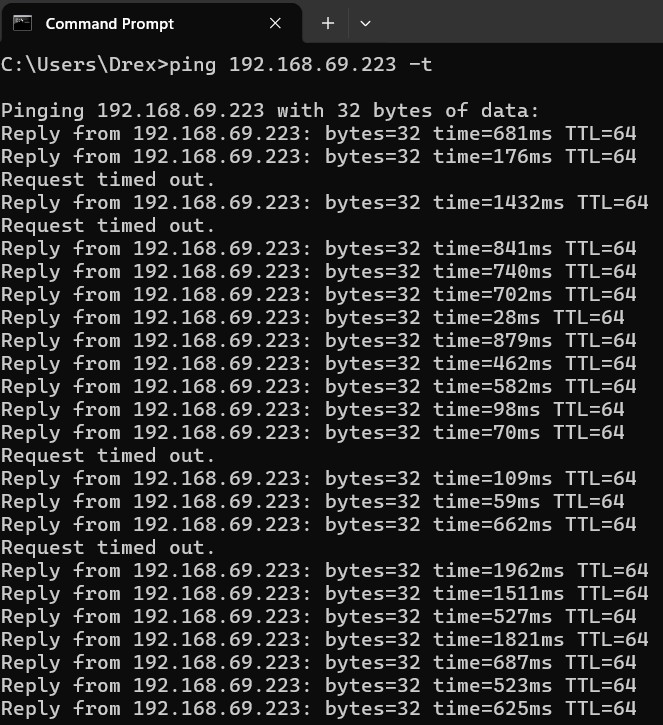
This happens on the cams that have the lowest signal on the swimming pool area, and on the garage. The stream freezes/stop/delay when we see this timed out. I'm using H265 compression, and the substream is 4CIF (704*576) at 10fps only trying to reduce to a minimum of traffic. The main stream is also H265 and resoltion of 1920*1080 (15fps).
2. Test isolating the outdoor unit as a separate Deco network (strongly recommended for your interference situation)
- Reset the X50-Outdoor.
- Connect it directly to your ISP modem/router (or a separate port/switch if possible).
- Set it up as its own independent Deco network.
- Configure its 2.4 GHz channel/width independently for the outdoor cameras/IoT.
This gives you the per-node channel control you want and reduces load/interference on the main mesh
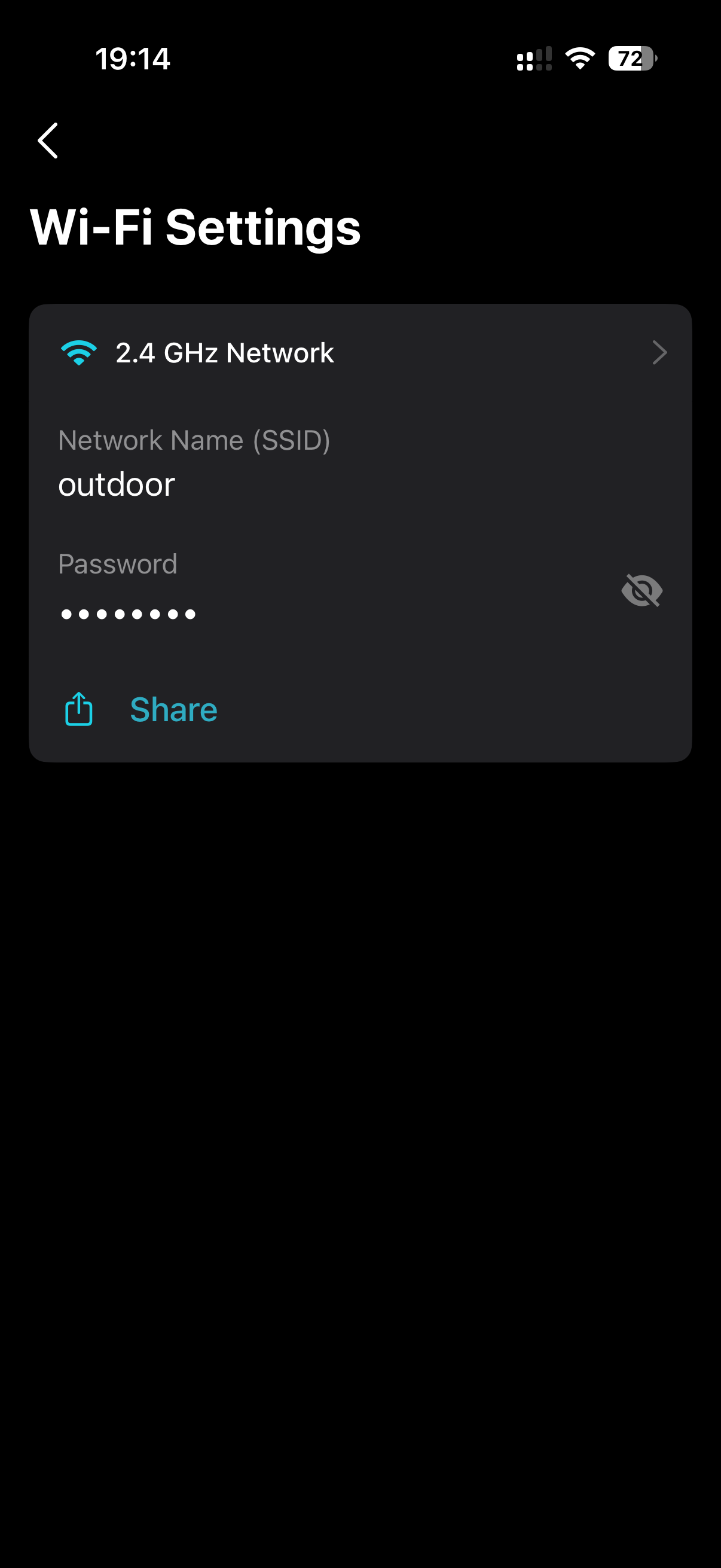
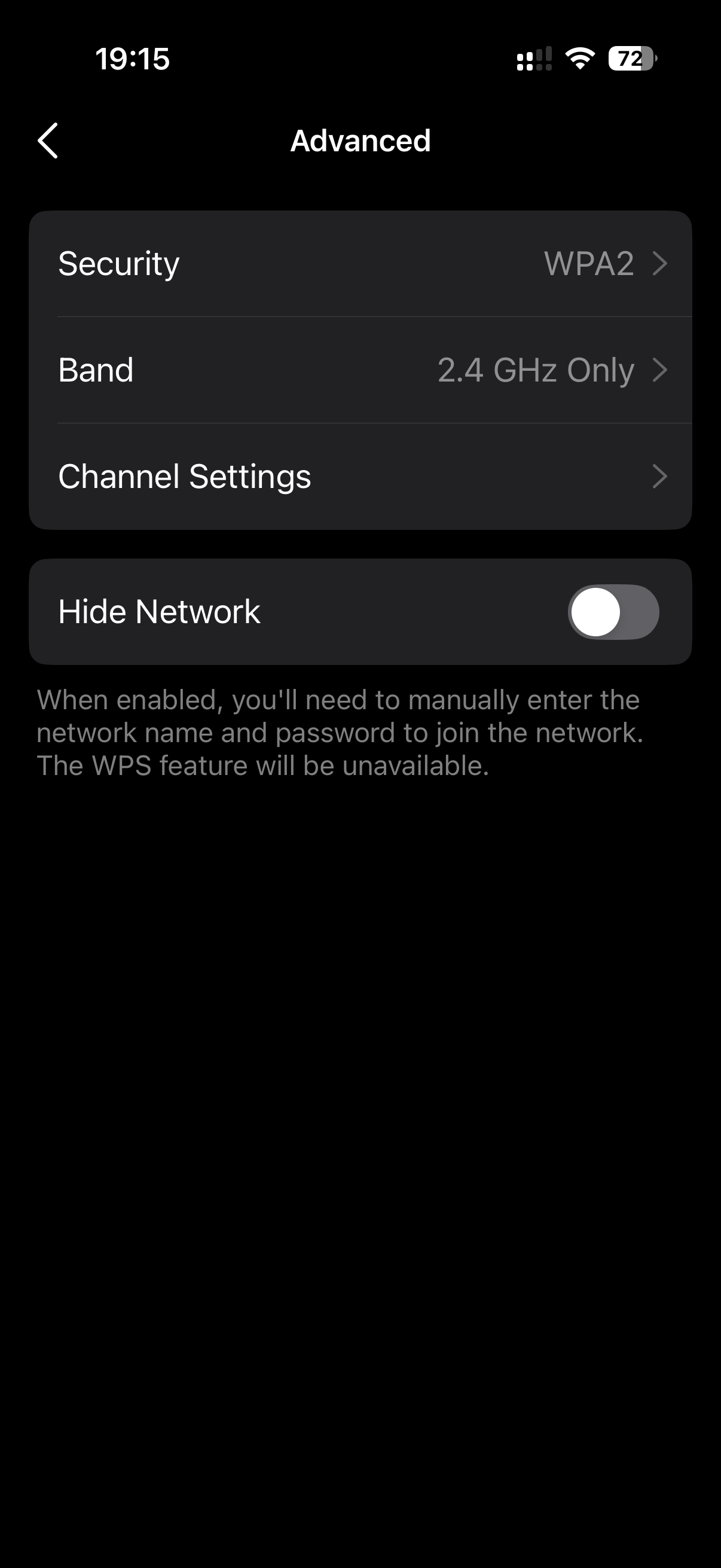
I did reset the Deco Outdoor, set to channel 1 (renamed the SSID to outdoor Ch1) as I saw less interference on the swimming pool area.
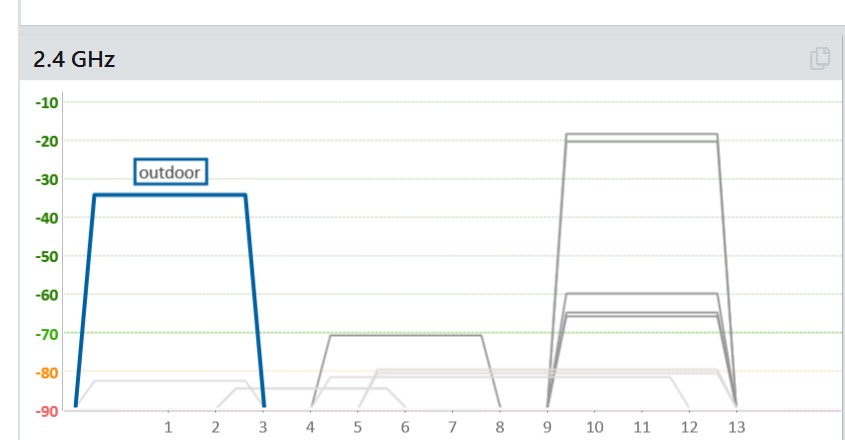
The other 3 Deco are Ch11.
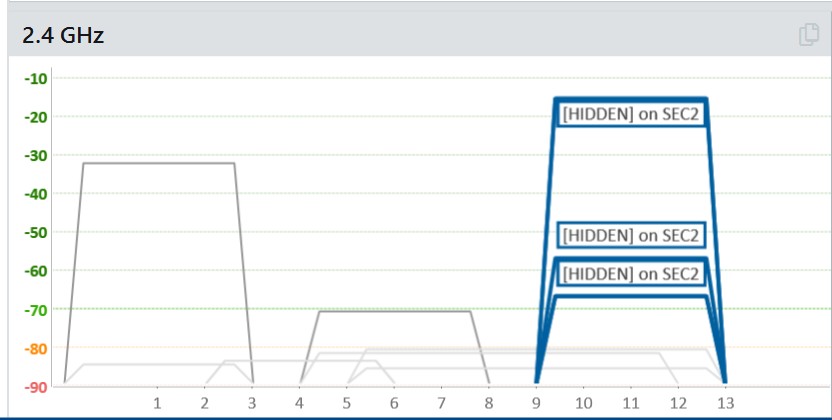
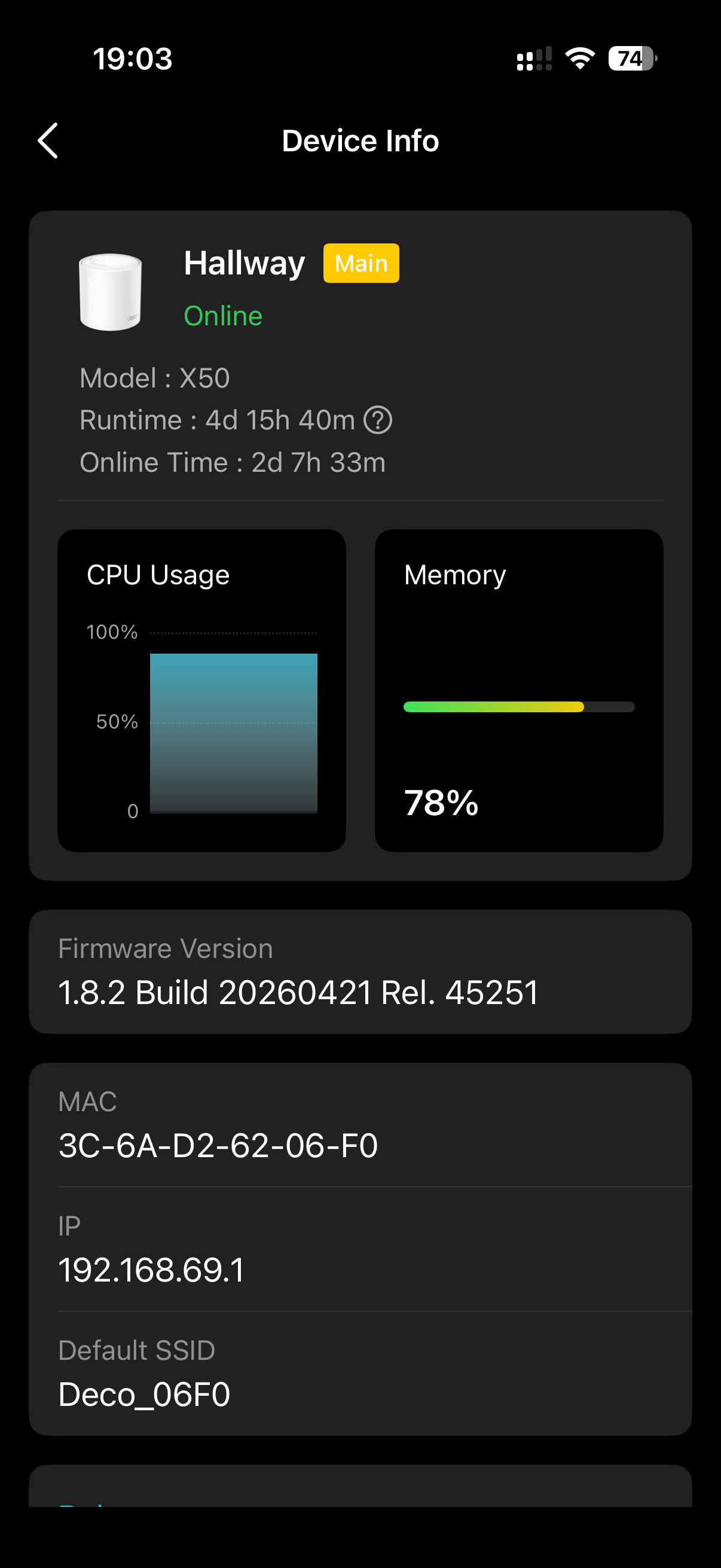
3. Further CPU/memory troubleshooting
- Systematically turn off satellite Decos one by one (while monitoring the main unit) to see which (if any) is driving the high usage.
- Try promoting a different Deco as the main unit and monitor for a day.
Since high CPU persists even after the clean reset, provide updated screenshots + ping results + which specific cameras drop in your next reply to Solla-topee.
I did promote another Deco, but makes no difference. I moved the one that I use upstair to the same place the main Deco is (I cannt get wan to upstair as I just have one cat6 cable that is used to the backhaul).
The screen shots are from the time I'm writing this message.
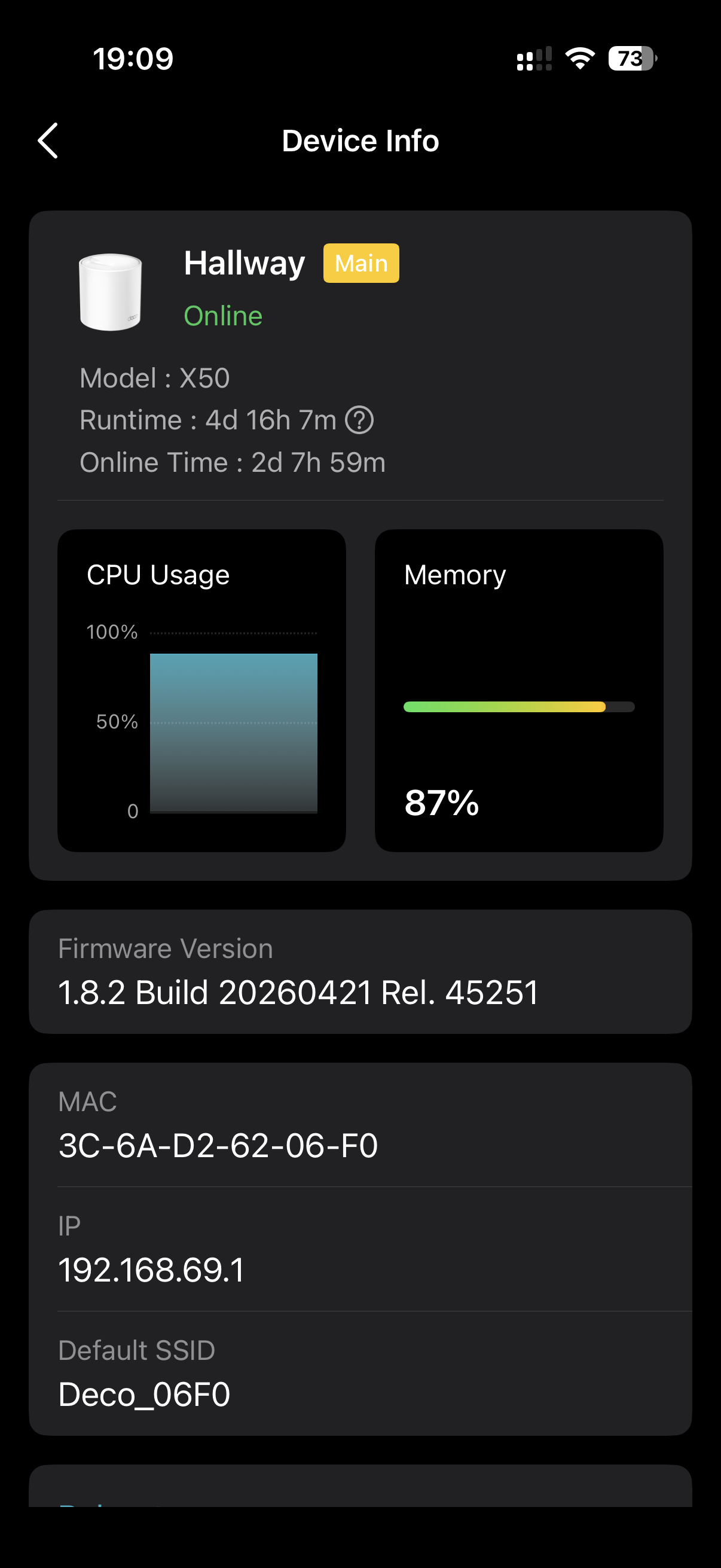
Quick additional checks (if not already done post-reset)
- Test camera/NVR stability with OpenVPN server turned off.
- Confirm if packet loss on 5 GHz (Teams freezes) still occurs after the fresh setup.
- Run a Wi-Fi analyzer again post-reset to check current interference on the outdoor unit’s 2.4 GHz.
The camera drops have already improved after the factory reset + clean config, which is positive. The persistent high CPU on the main unit and occasional 5 GHz packet loss are the bigger remaining issues.Reply in the thread with the continuous ping results and updated CPU behavior.
The camera/NVR stability did not change with OpenVPN turned off. Just to be clear, it's setup here, but it's for eventual use of my father or when I'm away home.
The packet loss at 5ghz gets better after a fresh setup. No frozen calls this week at all. Nor frozen streaming also(Youtube, Netflix, TV streaming).
The analyzer, just got some screenshots above for 2.4ghz. Bellow for 5ghz
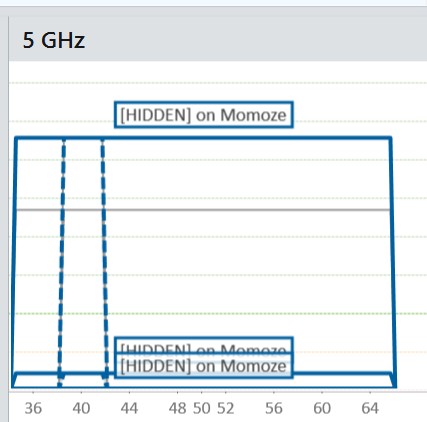
The gray line is hidden network from the Deco Outdoor eventough I completly disabled 5ghz. That makes no sense to me.
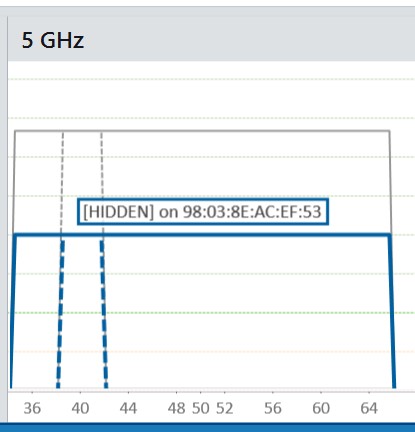
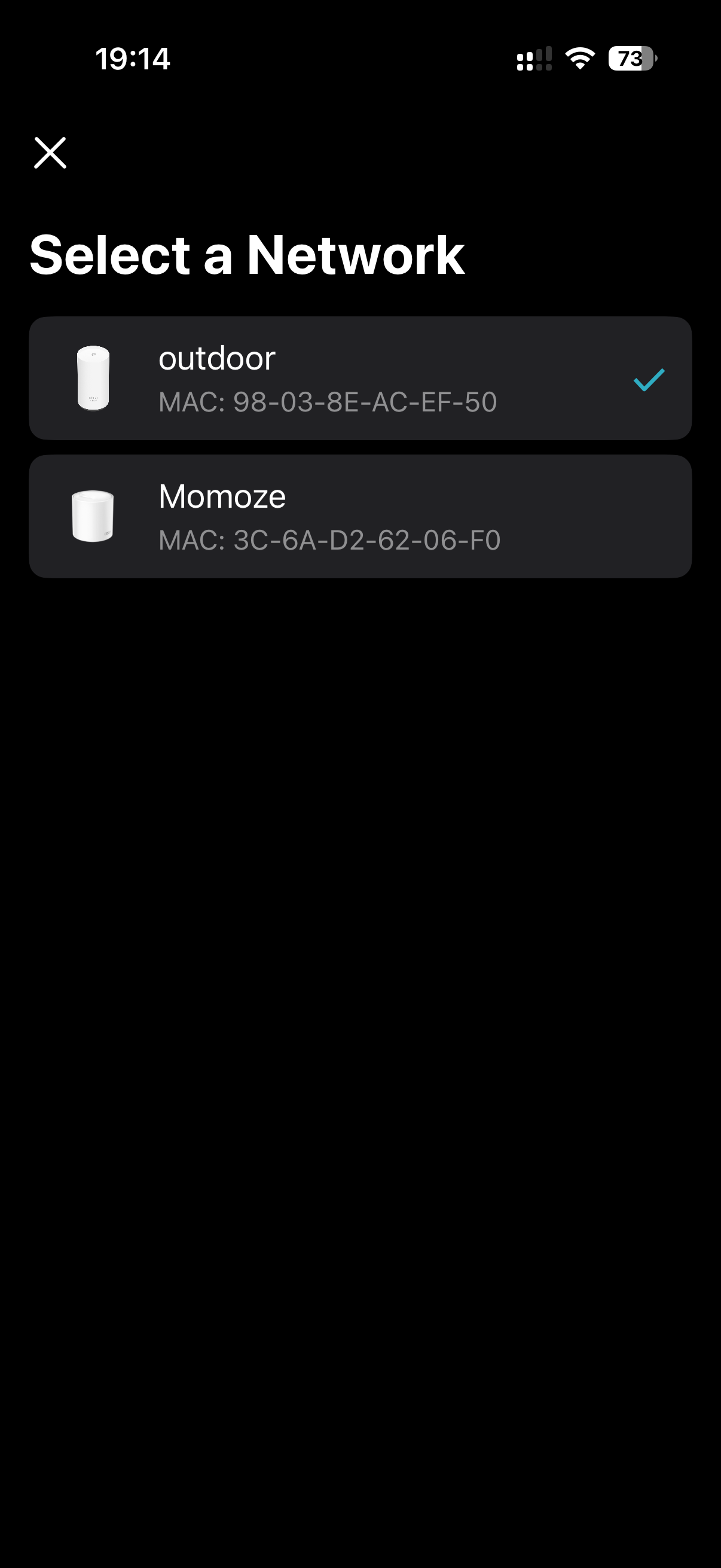
Hope this helps find what is missing to fix this issues.
Thanks again for your support.
Andre
- Copy Link
- Report Inappropriate Content


Hi,
Thank you for the information provided. I have escalated your case to our tech team, and they will contact you via email to assist you further. Please wait patiently.
Best Regards
- Copy Link
- Report Inappropriate Content
Information
Helpful: 0
Views: 580
Replies: 12
Voters 0
No one has voted for it yet.