
After firmware update AX5400 will not connect to my VPN - stuck in "connecting"

I had a firmware update this afternoon and now my router will no longer connect to my VPN.
I bought this router specifically for the VPN connection it offers. This is a BIG issue.
I need it fixed ASAP. Please HELP
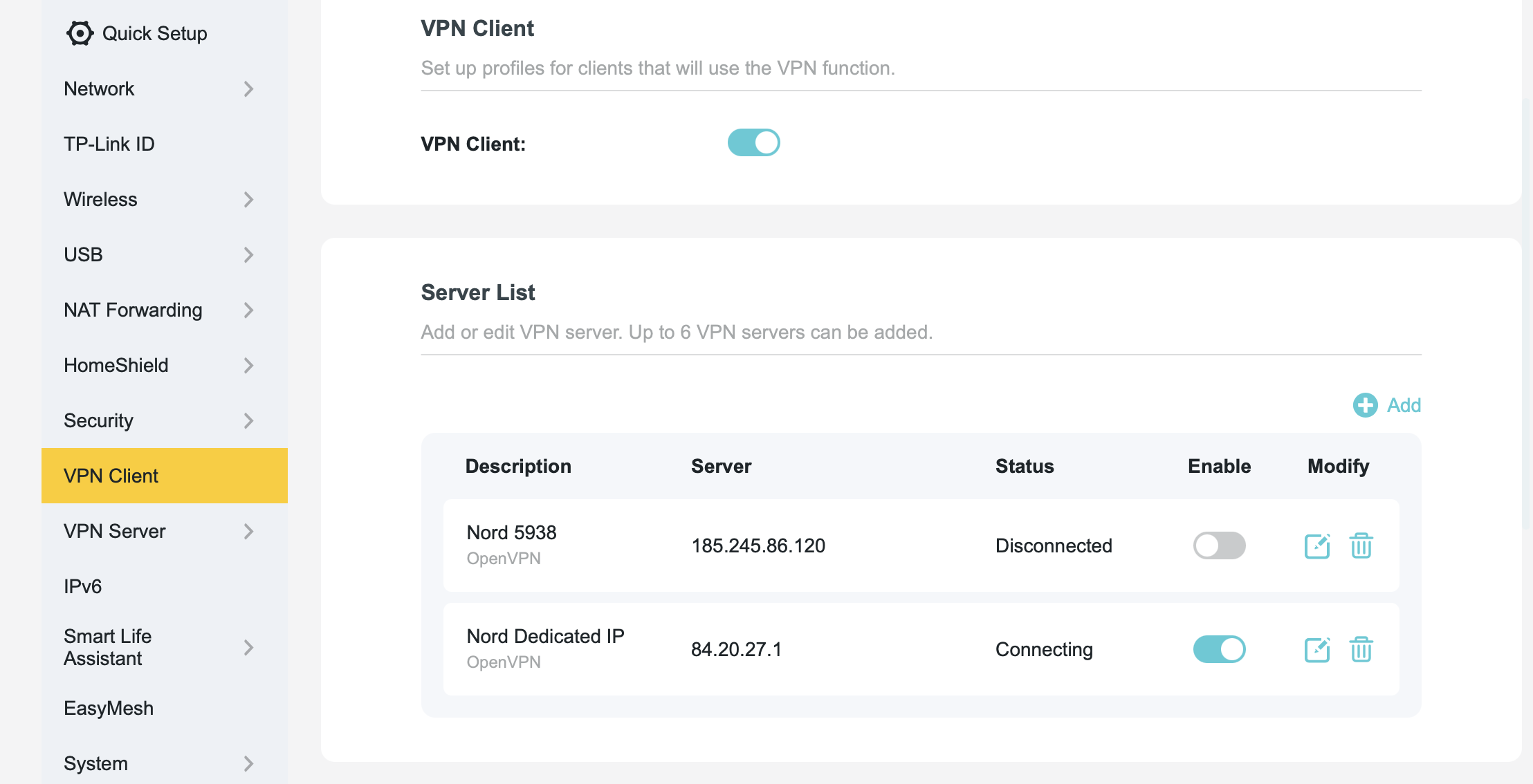 .
.
- Copy Link
- Subscribe
- Bookmark
- Report Inappropriate Content
@ceo1968
If anyone has this issue - delete and set up the connection in your client list. Do the manual connection if you use a dedicated IP address.
- Copy Link
- Report Inappropriate Content
@ceo1968
If anyone has this issue - delete and set up the connection in your client list. Do the manual connection if you use a dedicated IP address.
- Copy Link
- Report Inappropriate Content

@ceo1968 I too am having this issue. So far I've tried the following, all without success:
- Deleted the client + server list and recreating them
- Added brand new VPN server details (different to the original)
- Completed a full factory reset of my router and set up everything from scratch
- Made sure that time is being syncronized with internet (as recommended on TP Link help pages)
Has anyone else managed to resolve this issue? I'm located in Australia for what it's worth in case the update was different for my location.
- Copy Link
- Report Inappropriate Content

@ceo1968 Same problem. No solutions are working.
Recreated everything and still have the same problem.
AX5400 Wi-Fi 6 Router
Archer AX73 v2.0
1.3.1 Build 20260430 rel.48448(5553)
- Copy Link
- Report Inappropriate Content
@ceo1968 I ended up going back and forth with TP Link support several times and eventually found a solution after they went through the error logs on my router. This has now fixed the eternal "connecting" issue.
- Copy Link
- Report Inappropriate Content
That worked! All of their downloads are broken right now becuase of this. Its these lines that you need to delete. Makes the field for the static key on the router settings invalid.
#
# 2048 bit OpenVPN static key
#
- Copy Link
- Report Inappropriate Content
Information
Helpful: 0
Views: 361
Replies: 5
Voters 0
No one has voted for it yet.