TP Link UB500 Doesn't detect my Bluetooth Headphone's Microphone on Windows 11

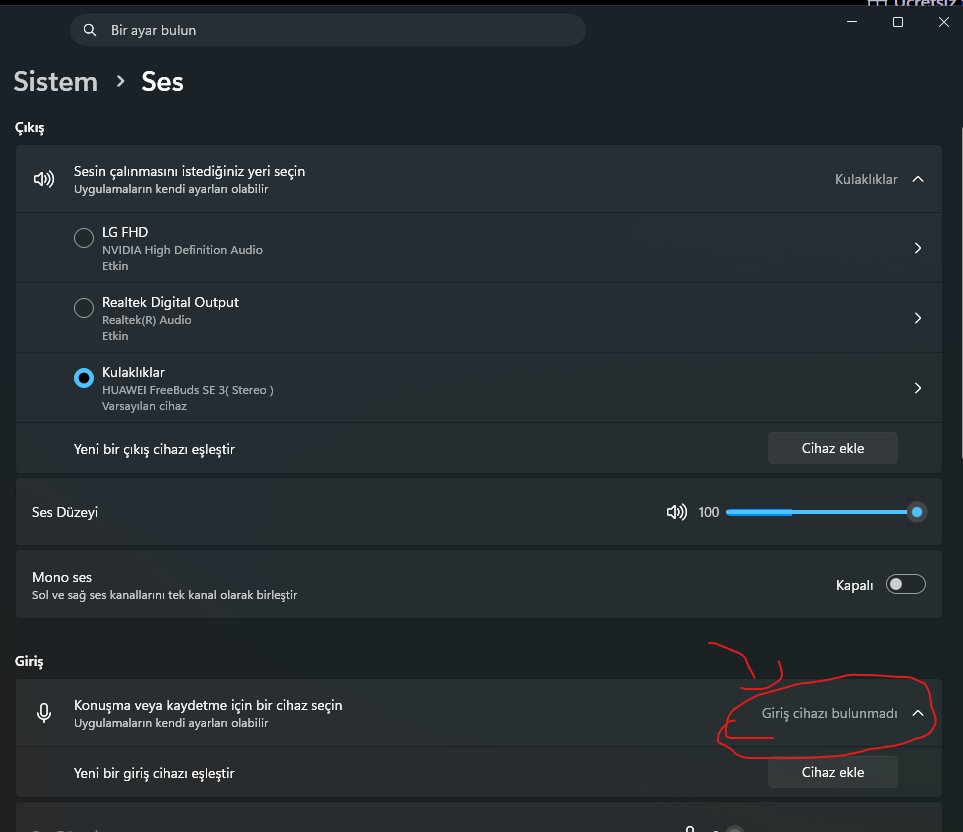
Problem: When I pair my HUAWEI FreeBuds SE 3 with the UB500 on Windows 11, only the Stereo (A2DP) profile appears in the Windows Sound panel.
The Hands-Free (HFP) profile is completely missing — meaning Windows cannot detect the microphone of my Bluetooth headphone at all.
The UB500 simply does not register the microphone, it is invisible to Windows.
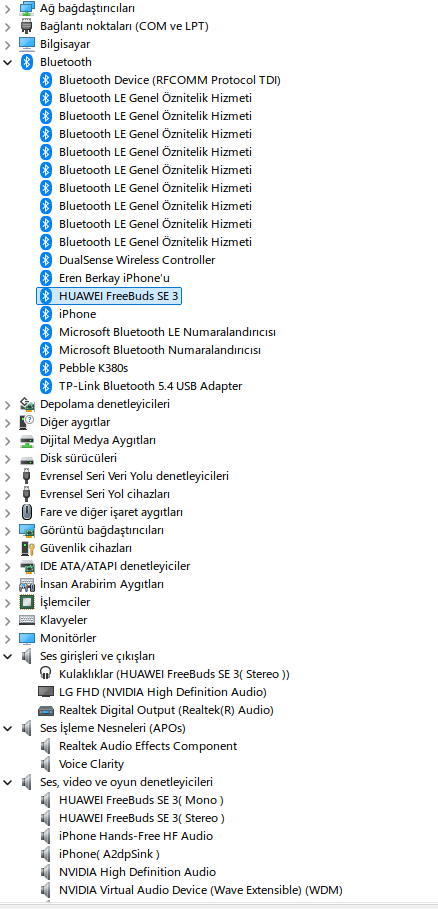
Interestingly, in Device Manager under "Sound, video and game controllers", both "HUAWEI FreeBuds SE 3 (Mono)" and "HUAWEI FreeBuds SE 3 (Stereo)" entries are visible — so the HFP profile seems partially recognized at the driver level.
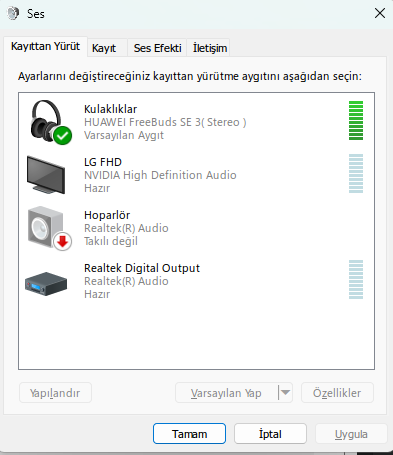
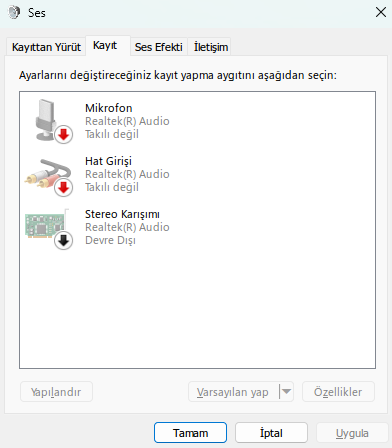
But it never shows up in mmsys.cpl (Windows Sound settings) under Playback or Recording tabs, even with "Show Disabled Devices" and "Show Disconnected Devices" enabled. (See attached screenshots)
Important: This is NOT a headset issue. The same headset works perfectly with full microphone support on:
- My other laptop running Windows 10 ( Intel bluetooth chip included )
- iPhone
- macOS
The problem only occurs on Windows 11 with the UB500 adapter.
What I already tried:
- Uninstalled TP-Link driver completely (with driver files) → Rebooted → Windows installed generic Microsoft Bluetooth driver → Same issue
- Fully reset and re-paired the headset from scratch → No change
- Enabled "Show Disabled/Disconnected Devices" in Sound panel → HFP profile never appears
- Checked Windows Update optional updates → No new driver available
Expected: Both Stereo (A2DP) and Hands-Free (HFP) profiles appear, microphone works. Actual: Only Stereo profile appears, microphone of the Bluetooth headphone is completely undetectable by Windows.
Is this a known issue with UB500 on Windows 11? Is a driver fix planned? Any official workaround would be appreciated.
System Info:
- OS: Windows 11 Pro, Version 25H2, Build 26200.8246
- Motherboard: ASUS PRIME B650M-R
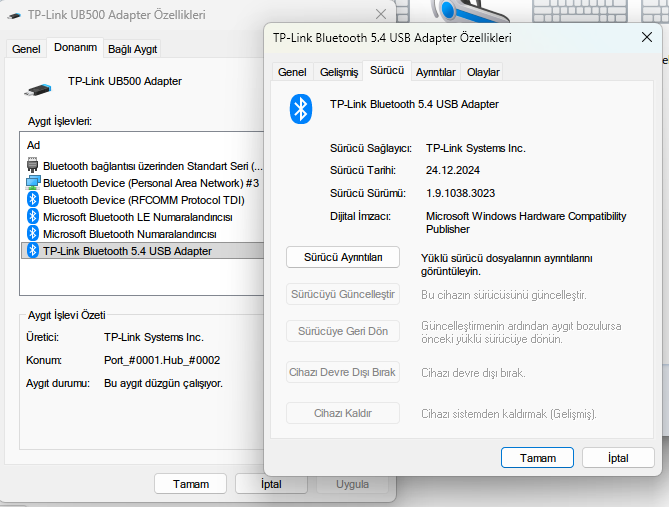
- Bluetooth Adapter: TP-Link UB500 Bluetooth 5.4 USB Adapter
- Driver Version: 1.9.1038.3023
- Headset: HUAWEI FreeBuds SE 3
Here are some screenshots of the adapter settings;