Deco X50 lag spikes

Deco X50 lag spikes

Deco X50 lag spikes
Deco X50 lag spikes
Saturday
Model: Deco X50  
Hardware Version: V1
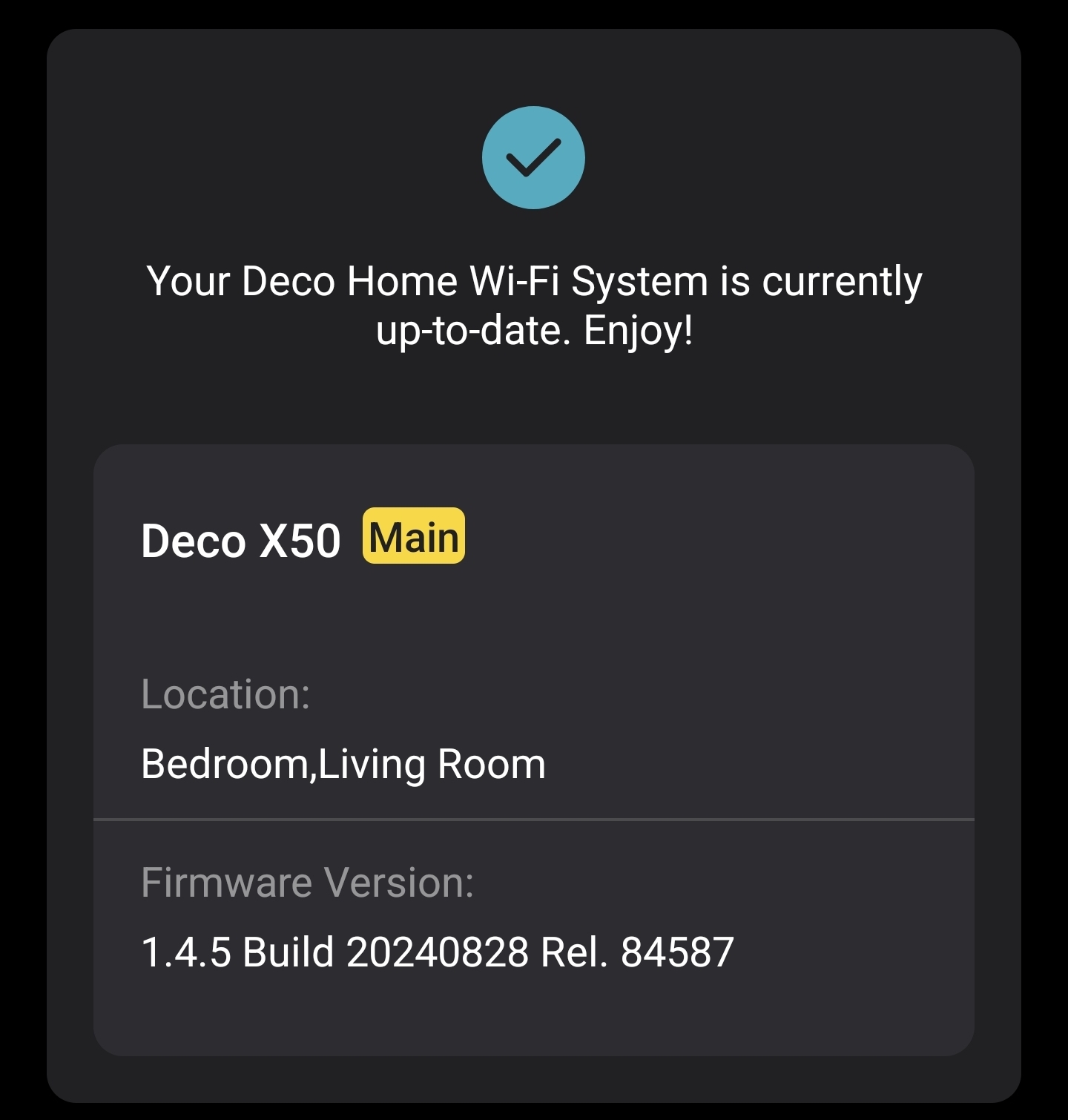
Firmware Version: 1.4.5

Hardware Version: V1.20


I have lag spikes when at random times, mostly when I'm gaming. This happens only when I am connected to a satellite deco.

Below is the ping command result

> $ ping 192.168.68.1                                                                                                                                                                                  
PING 192.168.68.1 (192.168.68.1) 56(84) bytes of data.
64 bytes from 192.168.68.1: icmp_seq=1 ttl=64 time=5.32 ms
64 bytes from 192.168.68.1: icmp_seq=2 ttl=64 time=1161 ms
64 bytes from 192.168.68.1: icmp_seq=3 ttl=64 time=164 ms
64 bytes from 192.168.68.1: icmp_seq=4 ttl=64 time=5.52 ms
64 bytes from 192.168.68.1: icmp_seq=5 ttl=64 time=4.60 ms
64 bytes from 192.168.68.1: icmp_seq=6 ttl=64 time=4.22 ms 
64 bytes from 192.168.68.1: icmp_seq=7 ttl=64 time=2847 ms --> lag spike 
64 bytes from 192.168.68.1: icmp_seq=8 ttl=64 time=1845 ms --> lag spike
64 bytes from 192.168.68.1: icmp_seq=9 ttl=64 time=824 ms
64 bytes from 192.168.68.1: icmp_seq=10 ttl=64 time=3.60 ms
64 bytes from 192.168.68.1: icmp_seq=11 ttl=64 time=3.48 ms
64 bytes from 192.168.68.1: icmp_seq=12 ttl=64 time=2.99 ms
64 bytes from 192.168.68.1: icmp_seq=13 ttl=64 time=4.36 ms
64 bytes from 192.168.68.1: icmp_seq=14 ttl=64 time=4.29 ms
64 bytes from 192.168.68.1: icmp_seq=15 ttl=64 time=2.92 ms
64 bytes from 192.168.68.1: icmp_seq=16 ttl=64 time=5.00 ms
64 bytes from 192.168.68.1: icmp_seq=17 ttl=64 time=3.05 ms
64 bytes from 192.168.68.1: icmp_seq=18 ttl=64 time=5.26 ms
64 bytes from 192.168.68.1: icmp_seq=19 ttl=64 time=1826 ms
64 bytes from 192.168.68.1: icmp_seq=20 ttl=64 time=763 ms
64 bytes from 192.168.68.1: icmp_seq=21 ttl=64 time=396 ms
64 bytes from 192.168.68.1: icmp_seq=22 ttl=64 time=4.85 ms
64 bytes from 192.168.68.1: icmp_seq=23 ttl=64 time=1.83 ms
64 bytes from 192.168.68.1: icmp_seq=24 ttl=64 time=4.82 ms
64 bytes from 192.168.68.1: icmp_seq=25 ttl=64 time=4.82 ms


I don't think this is related to high network usage becuase this doesn't happen when I'm doing a speed test or a game download.

 

1
1
#1
7 Reply
Re:Deco X50 lag spikes
Sunday

  @Parzuwu 


The ping spikes you're seeing (to the router IP itself) are classic symptoms of unstable wireless backhaul in a Deco mesh system. This affects only the satellite because your device is connected there, and the satellite has to hop traffic wirelessly back to the main Deco (and then to the internet). It explains why high-bandwidth activities like speed tests or downloads don't trigger it as much—those are more tolerant of jitter, while gaming (low-latency UDP packets) shows it immediately.


Quick Diagnostics (Do These First)


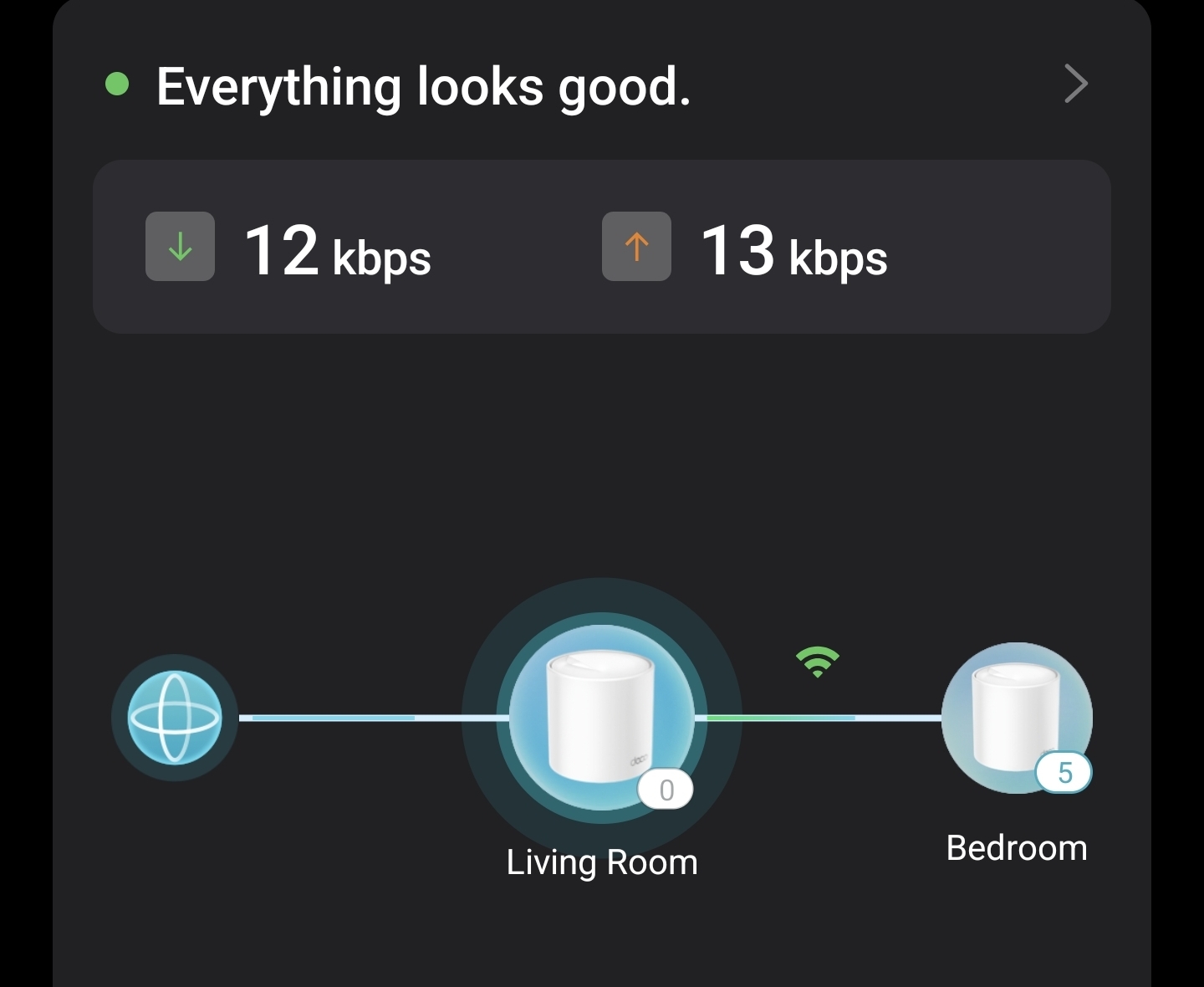
  1. Open the Deco app → Go to the Network Map (or Globe icon) → Tap your satellite Deco.
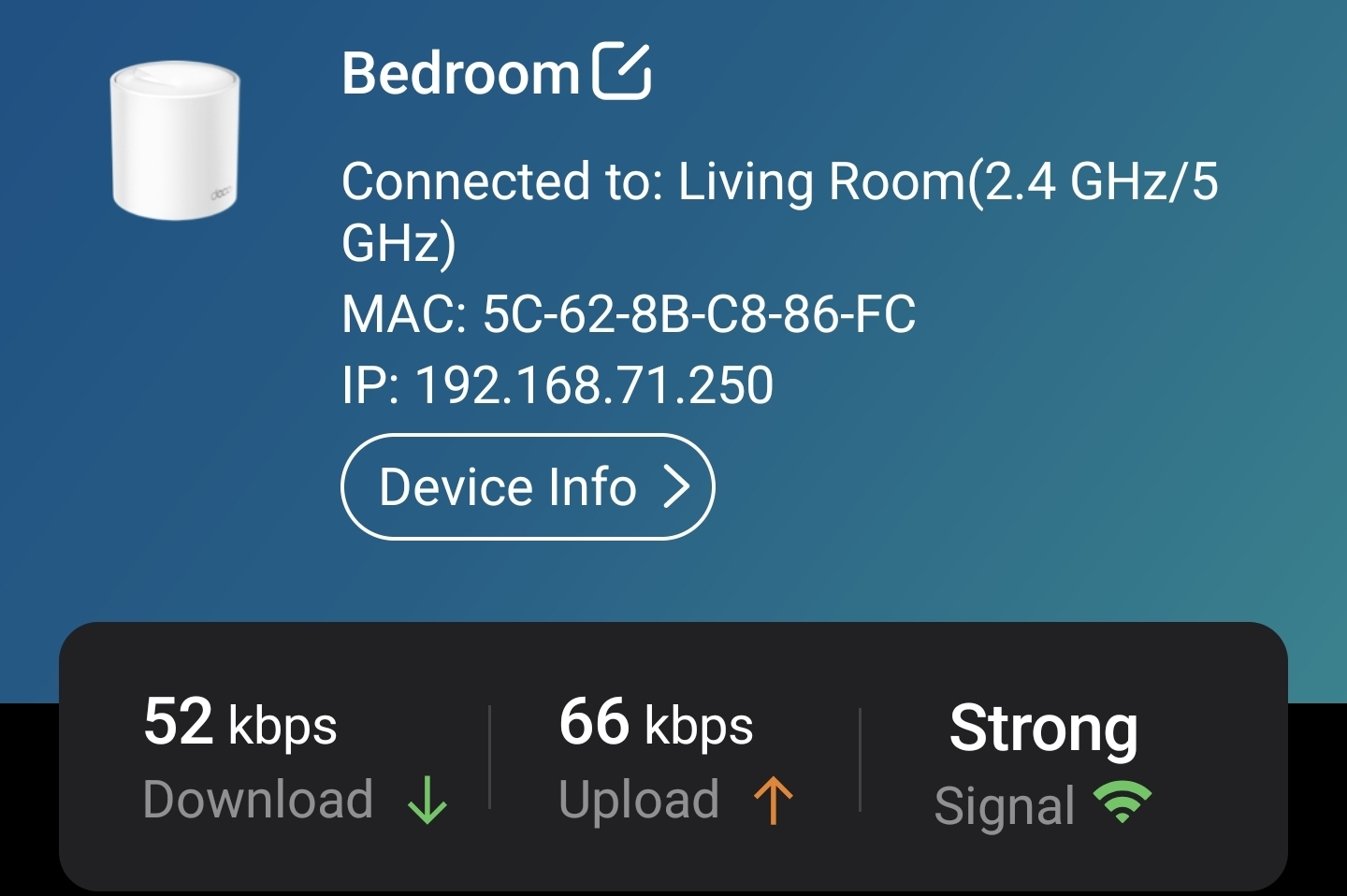
    • Check the backhaul/signal status. It should ideally say "Excellent" or "Good" and show the connection type (WiFi backhaul).
    • Note the signal strength between main and satellite. Weak/fair/poor backhaul is the #1 cause of exactly these random high-latency spikes.


  2. Run a continuous ping from a device wired to the satellite (if possible) and compare to wireless. Also ping from a device on the main Deco to confirm the issue is satellite-specific.


Most Effective Fixes (In Order of Impact)


Best solution: Use Ethernet backhaul if possible.


Run a cable (Cat5e or better) from a LAN port on the main Deco to a LAN port on the satellite. This eliminates the wireless hop entirely and dramatically reduces latency/jitter for gaming. Deco supports this well.

tp-link.com


If wired backhaul isn't feasible:


  • Improve wireless backhaul


  • Move the satellite closer to the main Deco (aim for line-of-sight or minimal walls; 25-30 ft ideal).
  • Reduce interference: Place units away from microwaves, cordless phones, thick walls, metal, mirrors, or dense furniture.
  • In the Deco app, run Network Optimization (it scans and picks better channels).


  • Firmware update:


  • Your version (1.4.5) is outdated. Newer releases (up to 1.6.x or 1.8.0 depending on your exact hardware sub-version) include stability improvements. Update via the Deco app.

    tp-link.com


  • WiFi settings tweaks (in Deco app > More > Wi-Fi Settings > Advanced):


  • Try High Capacity mode if available (this can prioritize 5 GHz backhaul and reduce 2.4 GHz usage for backhaul in some cases).

    reddit.com

  • Manually select less congested channels if the option is there (avoid auto if possible).
  • Test separating bands or using "Optimal Performance" vs. High Capacity.


  • Other quick checks:


  • Disable QoS if enabled (it can sometimes introduce latency).
  • Set DNS to 1.1.1.1 or 8.8.8.8 on the Deco or client.
  • Reduce connected devices temporarily or prioritize your gaming device in the app.
  • Restart the entire mesh (unplug satellites first, then main).


Why Not High Network Usage?Wireless backhaul shares the same radio(s) for client traffic + backhaul traffic. Bursty or specific patterns (like gaming packets) can cause queuing/delays on the backhaul link, even if overall bandwidth use is low. Continuous high throughput (speed test/download) often keeps things steadier or exposes different issues.


If these don't resolve it, provide:

  • Backhaul status/signal from the app.
  • Number of devices on the network.
  • Distance/walls between main and satellite.
  • Whether the client is on 5 GHz or 2.4 GHz.


Many Deco X50 users report similar issues resolved by better placement, Ethernet backhaul, or firmware updates.

Need help with the Deco app, setup, Ethernet backhaul, network switch or rolling back firmware? Router or AP mode? https://community.tp-link.com/us/home/forum/topic/699816?page=1
1
1
#2
Re:Deco X50 lag spikes
Sunday

  @HelpFixDecoApp 


The test in my previous message was made during I was connected to satellite deco with an ethernet connection. I can't run cable between decos unfortunately.

In deco app it says I'm currently up-to-date.

I can't see a high capacity mode.

QoS is already disabled.


There are generally 6-8 devices connected to the network. Two of them are connected via ethernet.

Distance between decos are about 5 meters but there are 2 walls in between (I can't do anything about this unfortunately, but the signal seems ok so I don't think this is the problem).


I think the issue is with the firmware but the newer firmware isn't available in my region (TR).

0
0
#3
Re:Deco X50 lag spikes
Sunday

  @Parzuwu Are you testing ping from Satallite Deco to Main Deco on WiFi ? You can test ping by using ethernet cable on Satellite Deco and then start pinging to Main Deco.

Please & Thank You !! ❤️
0
0
#4
Re:Deco X50 lag spikes
Sunday

  @ARGamingPK1 

Yes that's exactly what I did. 

0
0
#5
Re:Deco X50 lag spikes
Sunday

  > $ ping 192.168.68.1                                                                                                                                                                                  
PING 192.168.68.1 (192.168.68.1) 56(84) bytes of data.
64 bytes from 192.168.68.1: icmp_seq=1 ttl=64 time=517 ms
64 bytes from 192.168.68.1: icmp_seq=2 ttl=64 time=149 ms
64 bytes from 192.168.68.1: icmp_seq=3 ttl=64 time=34.6 ms
64 bytes from 192.168.68.1: icmp_seq=4 ttl=64 time=143 ms
64 bytes from 192.168.68.1: icmp_seq=5 ttl=64 time=142 ms
64 bytes from 192.168.68.1: icmp_seq=6 ttl=64 time=3.86 ms
64 bytes from 192.168.68.1: icmp_seq=7 ttl=64 time=1.54 ms
64 bytes from 192.168.68.1: icmp_seq=8 ttl=64 time=4.15 ms
64 bytes from 192.168.68.1: icmp_seq=9 ttl=64 time=3.25 ms
64 bytes from 192.168.68.1: icmp_seq=10 ttl=64 time=244 ms
64 bytes from 192.168.68.1: icmp_seq=11 ttl=64 time=2.78 ms
64 bytes from 192.168.68.1: icmp_seq=12 ttl=64 time=59.6 ms
64 bytes from 192.168.68.1: icmp_seq=13 ttl=64 time=2.24 ms
64 bytes from 192.168.68.1: icmp_seq=14 ttl=64 time=2.87 ms
64 bytes from 192.168.68.1: icmp_seq=15 ttl=64 time=1908 ms
64 bytes from 192.168.68.1: icmp_seq=16 ttl=64 time=884 ms
64 bytes from 192.168.68.1: icmp_seq=17 ttl=64 time=2.53 ms
64 bytes from 192.168.68.1: icmp_seq=18 ttl=64 time=1.66 ms
64 bytes from 192.168.68.1: icmp_seq=19 ttl=64 time=1.95 ms


Test conditions: 

- PC connected to satellite deco via ethernet

- Discord and Diablo 4 on background, not downloading anything large.

- Total 6 devices, 2 connected to main deco, 4 connected to satellite deco

- Deco app shows strong signal on satellite deco 


https://www.tp-link.com/tr/support/download/deco-x50/v1.20/#Firmware Latest firmware here is 1.4.5, is there anywhere I can download a newer firmware for x50 v1.20 (hardware version)


0
0
#6
Re:Deco X50 lag spikes
Sunday

  @Parzuwu 


From what I can see on the forums there is no beta firmware for you to try however, the tp-link staff has access to beta's that I do not have access to. 


@Solla-topee 


Any betas in your bag of tricks? 

Need help with the Deco app, setup, Ethernet backhaul, network switch or rolling back firmware? Router or AP mode? https://community.tp-link.com/us/home/forum/topic/699816?page=1
0
0
#7
Re:Deco X50 lag spikes
Yesterday

  @Parzuwu 

Hi,
I have escalated your case to our tech team, and they will contact you via email to assist you further. Please wait patiently.
Best Regards

0
0
#8