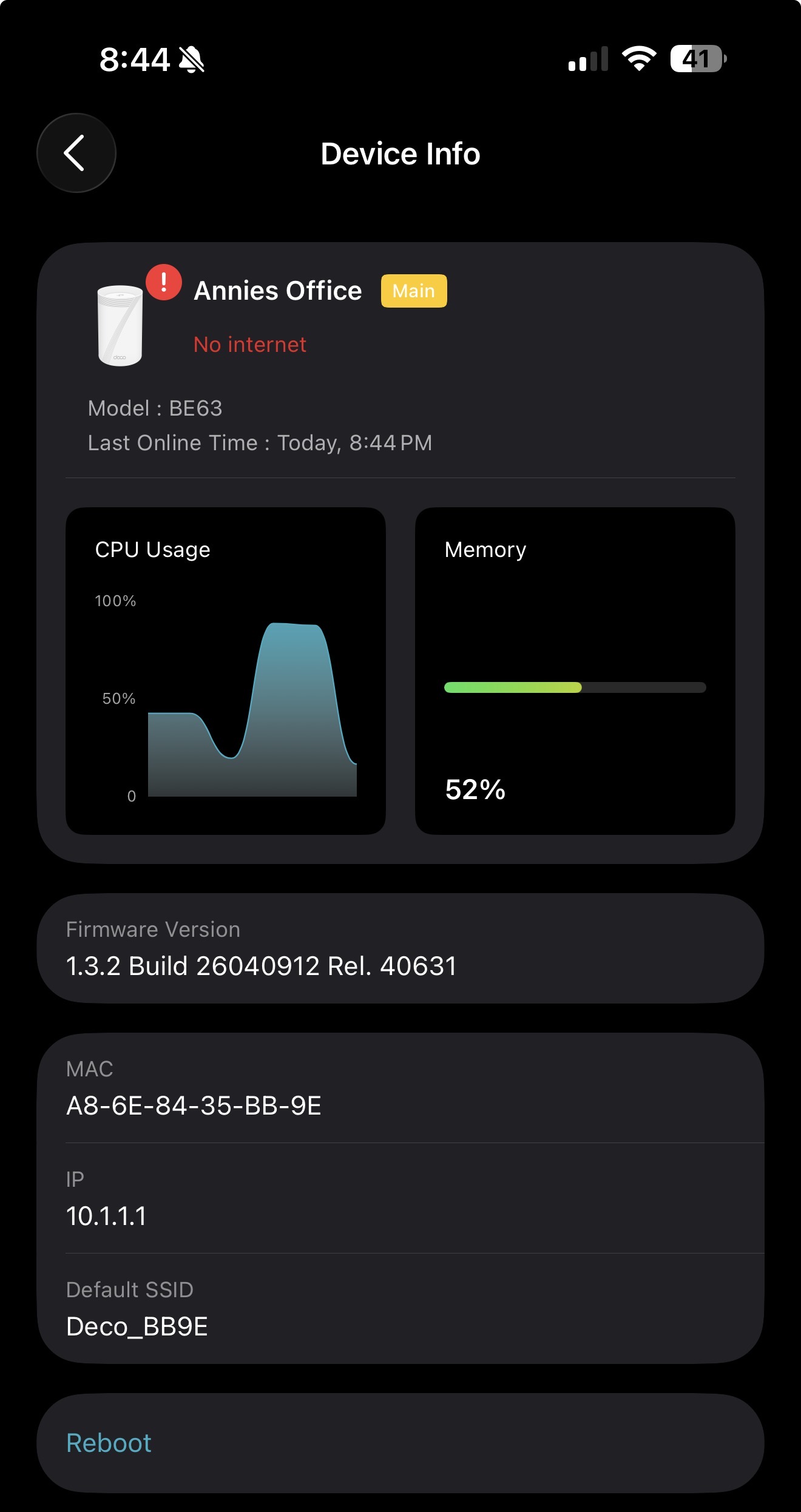
BE63 v2.6 on 1.3.2 — CPU pegged at ~85%, FDB flush storms, WAN drops 98% of packets

Stable BE63 3-pack for many months. No hardware, ISP, topology, or client changes. Suddenly unusable: constant WAN drops, devices can't maintain connections.
Firmware: 1.3.2 Build 26040912 Rel. 40631
Main unit MAC: A8-6E-84-35-BB-9E
Evidence the main unit is the failure point:
- CPU sustained ~85% per Deco app (screenshot attached). Memory 52%.
- Pinging from a laptop wired directly into the main unit's LAN port (modem → main unit → laptop, nothing else in path):
- 10.1.1.1 (the main unit itself) returns pings with 15+ second latency that drain in linear decay back to sub-ms. That's a forwarding-plane stall on the device.
- 8.8.8.8 shows the same stalls plus out-of-order ICMP echo replies.
- Satellite ping mirrors the main unit's pattern — same stalled forwarding plane.
- Yes I've confirmed its not ISP, network is excellent when connected directly, its not the cable either, its Deco, and probably firmware.
Syslog highlights from the main unit:
apsd: apsd_check_eth_has_neigh: Error: can't find ifname[ath0] in eth_ifname
apsd: loop_avoidance_flush_switch_fdb_table: Error: set cmd:ssdk_sh fdb entry flush 1
nrd: send ioctl failed
udhcpd: client is in RENEWING or REBINDING state, but we dont have it's lease, send NAK
7 FDB flush events in a 9-second window. Anti-loop daemon is panicking and there is no actual L2 loop (literally two cables on the main unit: WAN to modem, LAN to my laptop).
Ask: Is there a known regression in the 1.3.x firmware train matching this signature? Can I get the previous stable build (1.2.10) made available for manual flash on v2.6 hardware? Happy to send full syslog and ping captures to support.forum@tp-link.com.
I bought a Deco specifically so I wouldn't be spending Sunday nights decoding apsd errors and writing forum posts about switch FDB behavior. That was the whole pitch. The first few months delivered. The last few hous have not. The only thing that's changed is firmware that I didn't choose to install. Looking for a way back