Vigi C350 alerts when event occurs outside of monitored area

Vigi C350 alerts when event occurs outside of monitored area

Vigi C350 alerts when event occurs outside of monitored area
Monday
Model: VIGI C350  
Hardware Version: V1
Firmware Version: 2.2.1 Build 250926 Rel.52574n

I am having trouble with the Vigi C350 web portal not adhering to the area masks (or possibly I am configuring the system incorrectly)


Desired behaviour:

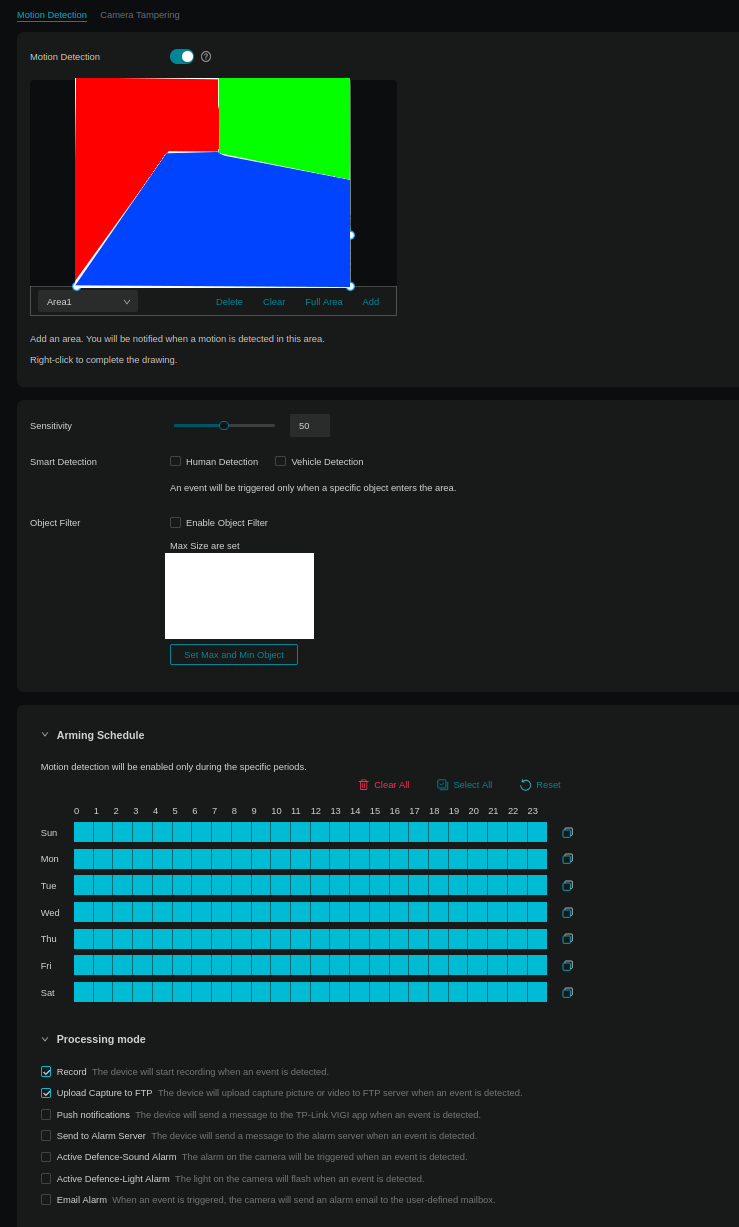
Motion Detection

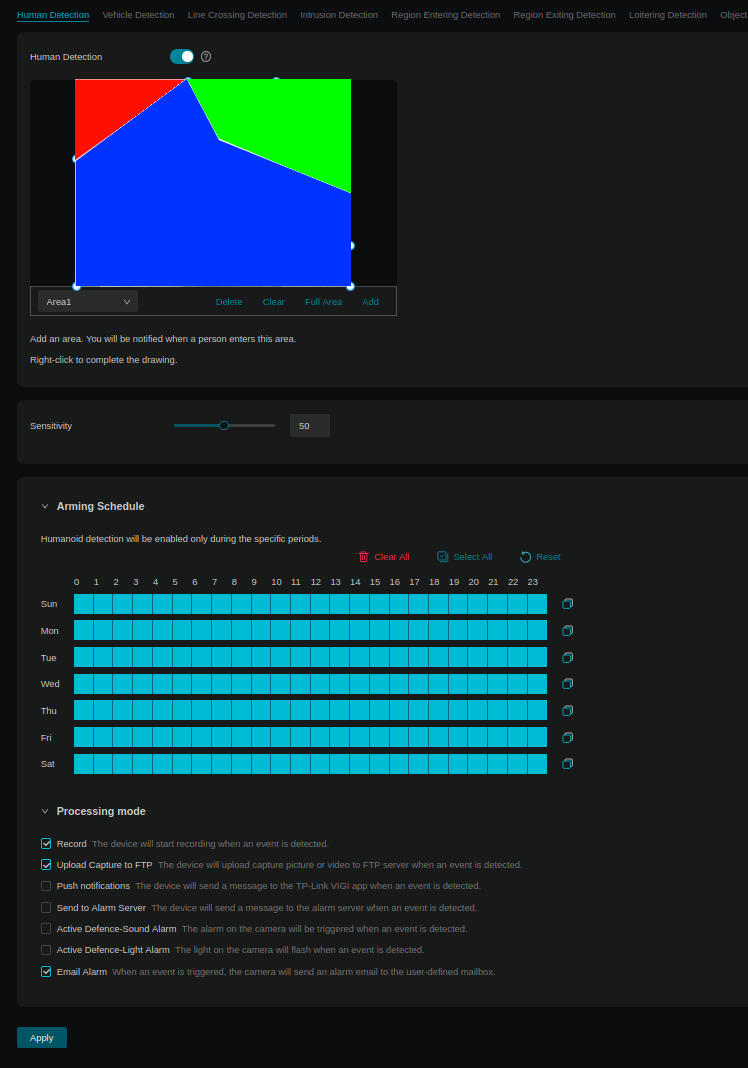
When motion occurs in the two areas (green and blue), this is recorded and sent to the FTP server


Human Detection

When motion is detected in the two areas (green and blue), this is recorded and sent to the FTP server and also an email notification is sent with image attached


Current behaviour (with settings as below screenshots):

Motion detection and human detection are recorded as well as emails notifications being sent. However, these occur with human detection in the red area as well. The red area includes a road with pedestrians, so I get a lot of false positive notifications and would like to stop these from occuring.


Is this an issue with the software, my configuration or my expectations?

0
0
#1
2 Reply
Re:Vigi C350 alerts when event occurs outside of monitored area
Tuesday - last edited Tuesday

Hi @user45623 


Thanks for reaching out to TP-Link Business Forums.


May I know how do you manage this camera except for the Web Portal? Do you have an NVR? Do you connect it to a monitor screen, etc. ?

How many cameras do you have in total? Does the issue happen on all cameras if you get multiple of them?

Did you enable Smart Detection > Human Detection?

Also, may I confirm if the trigger occurs when someone is crossing the red & blue/green broader? Or it just happens when someone is within the red zone?

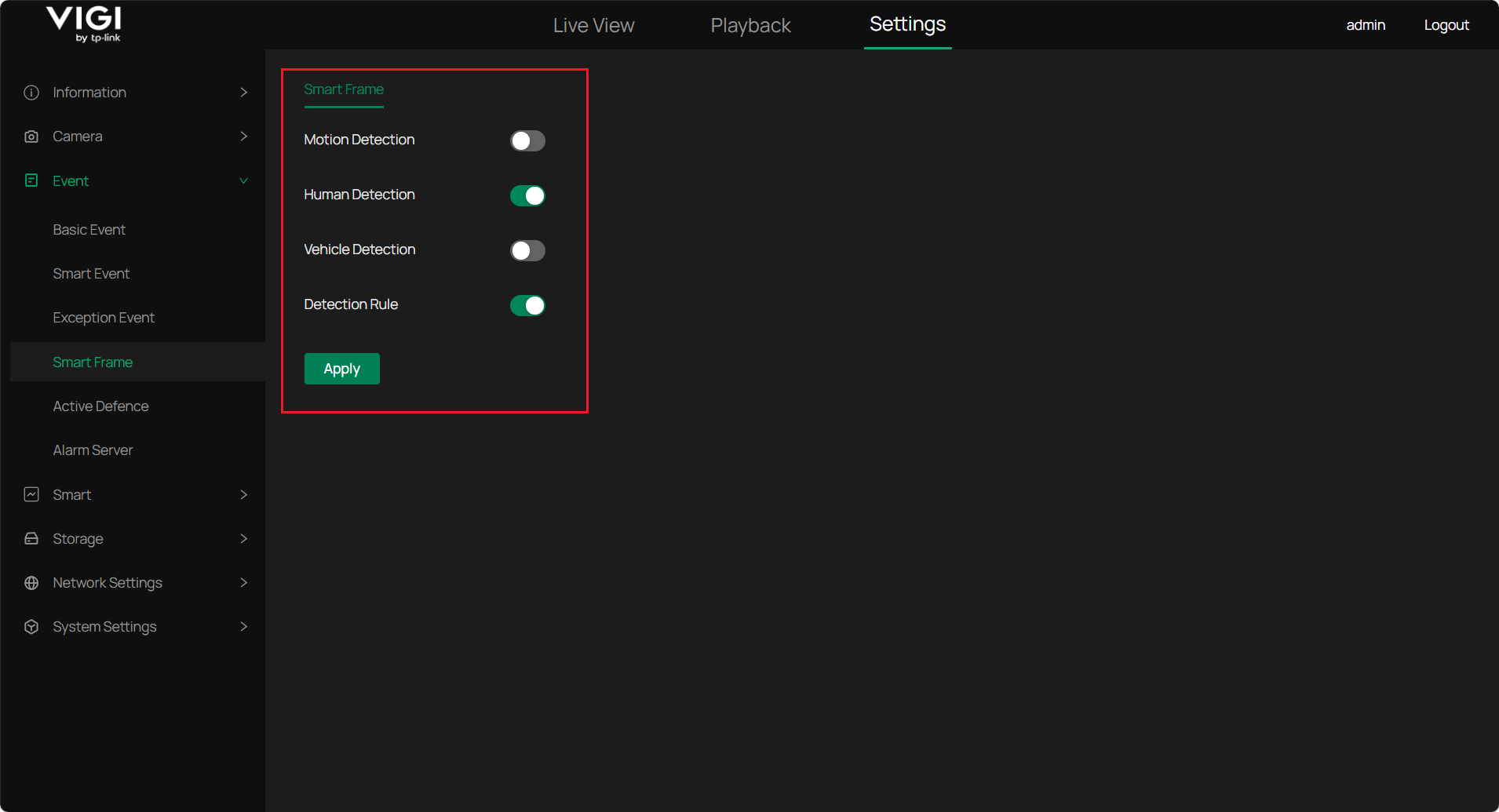
If supported, please enable Smart Frame.

Please lower the sensitivity to see if it helps.

0
0
#2
Re:Vigi C350 alerts when event occurs outside of monitored area
3 hours ago

  @Gabriel-TP 


May I know how do you manage this camera except for the Web Portal?

None, just the Web Portal, that's how I want it. 


Do you have an NVR?

No


Do you connect it to a monitor screen, etc. ?

It is not actively monitored


How many cameras do you have in total?

2 cameras


Does the issue happen on all cameras if you get multiple of them?

I think occurs on both, however the oher camera has the monitored zone being most of the camera view anyway. 


Did you enable Smart Detection > Human Detection?

I had this enabled, but the same thing occurs. I can enable again to test if needed. 


Also, may I confirm if the trigger occurs when someone is crossing the red & blue/green broader?

The person goes out of sight before they enter the blue/green border due to a wall. 


Or it just happens when someone is within the red zone?

No, the human recognition does work in the green/blue area. 


If supported, please enable Smart Frame.

I had that enabled, but the behaviour was ocurring. I disabled it and the behaviour still occurred. I have not re-enabled. 


Please lower the sensitivity to see if it helps.


Thank you,


Jeremy

0
0
#3