
Deco X20 WPS question

Deco X20 WPS question

Deco X20 WPS question
Sunday
Model: Deco X20  
Hardware Version:
Firmware Version: 1.7.1 build 25080612 Rel. 70421

Hi there. Nice to meet you all


I hope someone would be kind to help me out with this question. 


I have recently bought a Deco X20 Mesh Wi-Fi system and while setting it up, I was looking for a way to disable WPS on it from the Deco app (I know that it can pose some security issues when it comes to the WPS PIN), but I haven't found such option - only a soft WPS button from the app: 
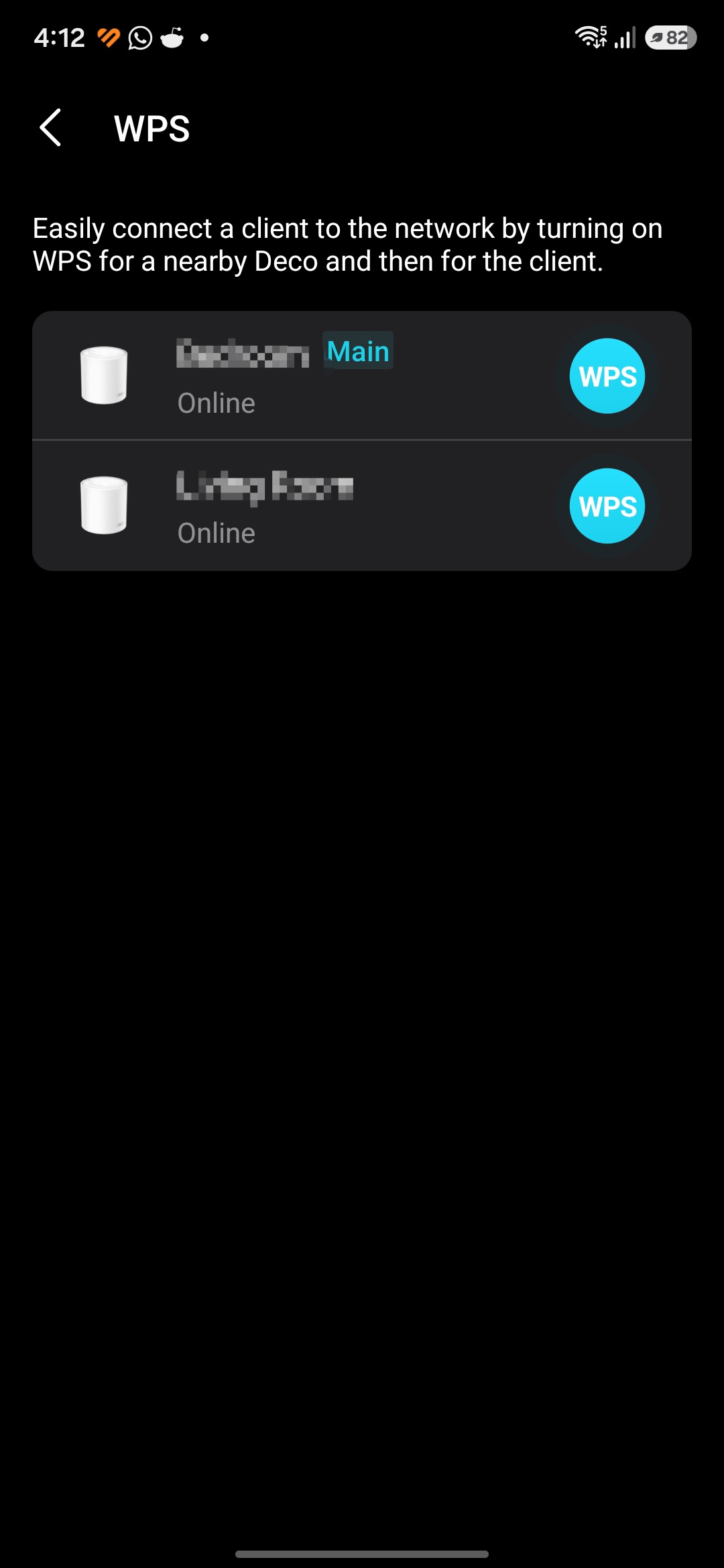


Also the web admin panel, from what I've checked, has a very limited set of settings I can change.


Does that mean that, even if I don't have a way to turn WPS off, this implementation is safe from known WPS vulnerabilities or attack vectors? 


Thank you in advance for the help ! 

  0      
0
#1
Options
2 Reply
Re:Deco X20 WPS question
12 hours ago

  @DJNotInUse 

Hi, welcome to the community.


WPS (Wi-Fi Protected Setup) is a fast, secure way to connect a wireless device to your Deco network without entering a Wi-Fi password. We take the Deco network security seriously. If you see any security vulnerability with Deco, please follow the instructions below to contact the relevant team for assistance.
TP-Link Product Security Advisory
 

Currently, the option to disable WPS is unavailable in the Deco app or Deco X20's web UI. However, we will log your feature request to disable WPS on the Deco and forward it to the relevant team for evaluation.


Best Regards

  0  
0
#2
Options
Re:Deco X20 WPS question
12 hours ago - last edited 12 hours ago

  @Solla-topee 


Hi there. 


Thank you for the feedback and for the reply! 


I don't know yet if the WPS implementation on this model is safe or not. That's why I decided it's better to ask. I know for sure that the WPS PIN carries a risk, but with the WPS method on this model (soft button push) I'm curious to see if the same risks apply. 


What I usually do on all the routers I own is to disable WPS and UPnP, as they can be potential attack vectors. And i haven't found a way to switch WPS off for this router.


However, if the WPS implementation in this model is safe, and your team can confirm it, then that is good enough for me. 


With regards to the UPnP feature, that one I managed to disable from the app. 


If there is any feedback from your team that the WPS implementation on X20 carries a risk, then yes, I would appreciate any way to mitigate it or turn it off.


Thank you !

  0  
0
#3
Options