
Easymesh compatibility between xx530v V1 and ax12 router

I have a tp link xx530v v1 router setup as fiber directly connected to it with ISP bsnl in india
as it has easymesh support i want to know whether it is possible to create an easymesh between xx530v as a main router and AX12 as a satellite router
- Copy Link
- Subscribe
- Bookmark
- Report Inappropriate Content

You should be able to connect those two in an Easymesh with a wireless backhaul.
The AX12 doesn't support an Easymesh ethernet backhaul so far - details.
- Copy Link
- Report Inappropriate Content
@terziyski are you sure the xx530v and ax12 support in an easymesh network
im actually very confused before buying the ax12 as whether it supports or not!
i have a range extender that supports onemesh support, as per tp link website easy mesh routers are cross compatible with onemesh range extender but i had tried ever single way to get both xx530v and RE305 connected but it does recognise the xx530v as an easy mesh routers
- Copy Link
- Report Inappropriate Content
AX10 supports Easymesh both wired and wireless.
AX12 supports Easymesh only with a wireless backhaul:
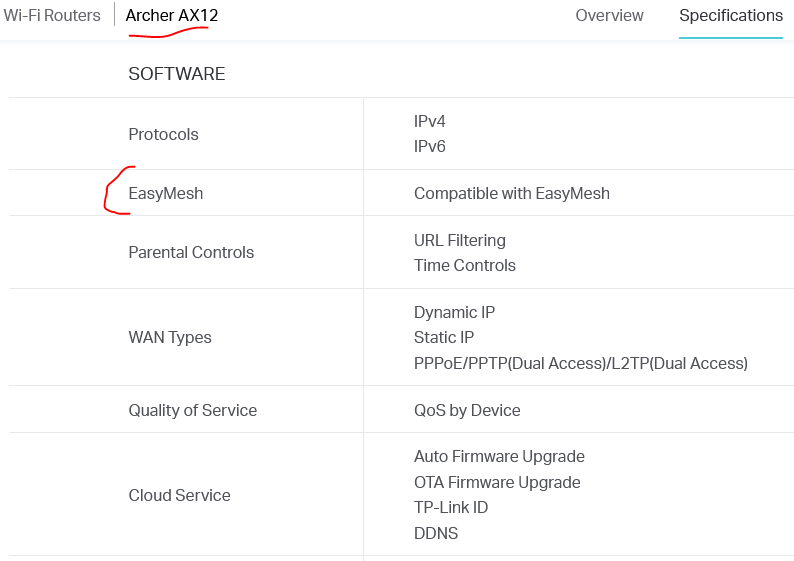
AX12 is present in the list of Easymesh supported routers — here.
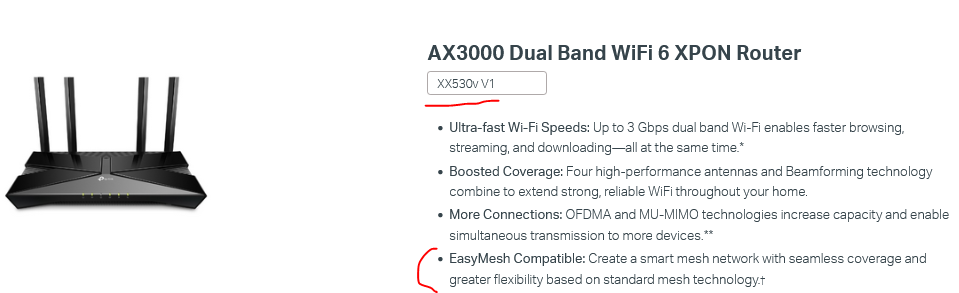
XX530v is an ISP-provided device, but it is announced as an Easyemsh compatible:
- Copy Link
- Report Inappropriate Content
RE305 v4 and newer HW versions support EasyMesh through a firmware update. Make sure that your RE305 complies with these requirements.
By the way, if you have difficulties to connect xx530v and RE305, the easiest way is to use the WPS method:
- Prepare the Satellite Node: Plug the satellite router or extender into a wall outlet near your main router.
- Reset: If the satellite was used previously, reset it to its factory defaults (usually by holding the Reset button with a pin for 5–10 seconds).
- Trigger Main Router: Press the WPS button on your main router. Its WPS or Internet LED will begin blinking to indicate it is ready to pair.
- Trigger Satellite Node: Within 2 minutes, press the WPS button on your satellite node.
- Wait for Connection: Both devices will undergo a handshake. The pairing is successful when the Internet/WPS light on the satellite node stabilizes or turns a solid color.
- Copy Link
- Report Inappropriate Content
Information
Helpful: 2
Views: 496
Replies: 4
Voters 0
No one has voted for it yet.