
XC220-G3v software issue

After upgrade to latest firmware we have this issues?
- HW revision change since software 1.13 - after upgrade software from 1.10 to 1.13 firmware change Hardware revision from "V2" to "V1.0" we have lot of rules for HW 2 and now all rules crash, same for 1.14.0_0.8.0_UP_BOOT(250317)
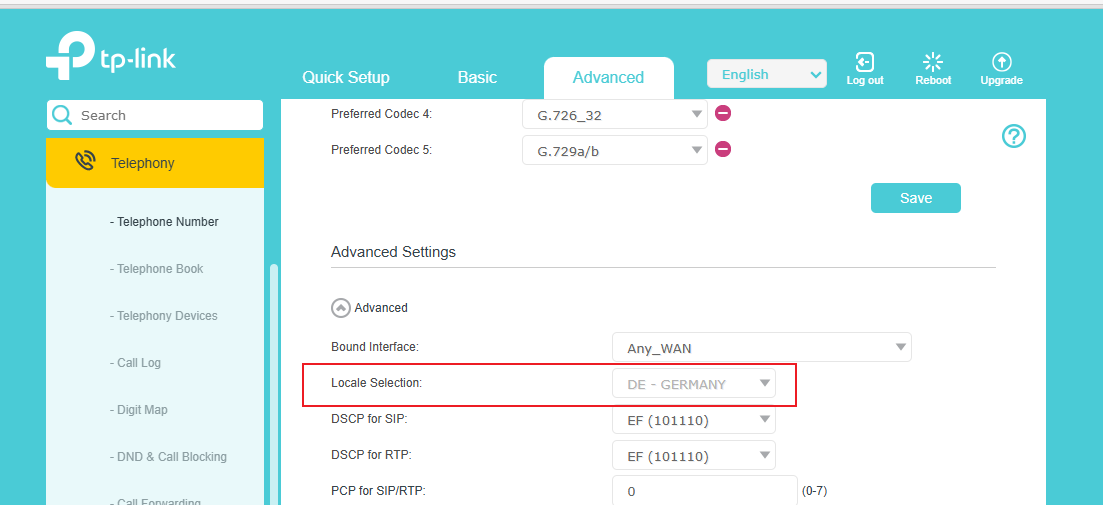
Region and VoIP - since hardware v1 we cooperate with support and make changes for VoIP localization for Czech, we have tested Beta firmware but in new firmware we cannot change region for VoIP from US to any other- repair in version 1.14.0_Build 250624, user must reset to factory default and set region in Quick Setup or use Aginet in version 1.14+
DHCP option and ACS - with DHCP option for CWMP router get correct string but extract login and password incorect- repair in version 1.14.0_Build 250624
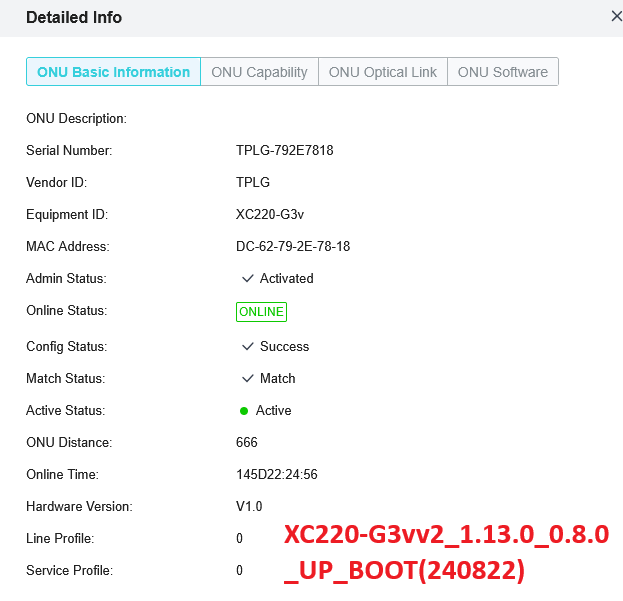
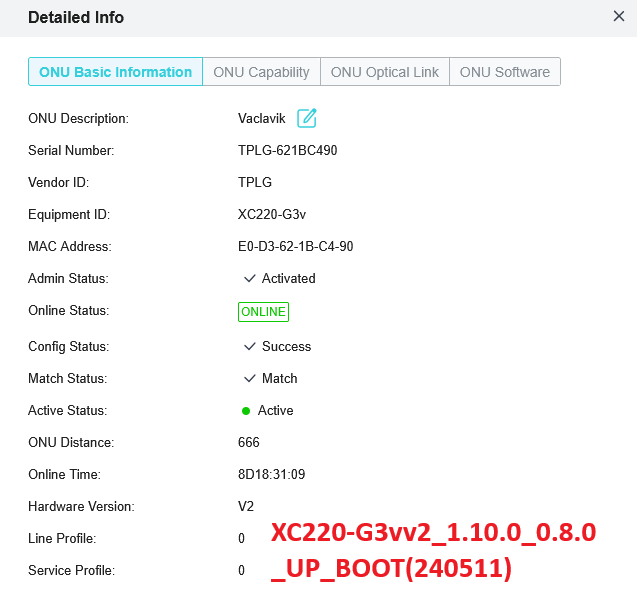
- Copy Link
- Subscribe
- Bookmark
- Report Inappropriate Content
Point 3) repaired in version 1.14
other problems persist
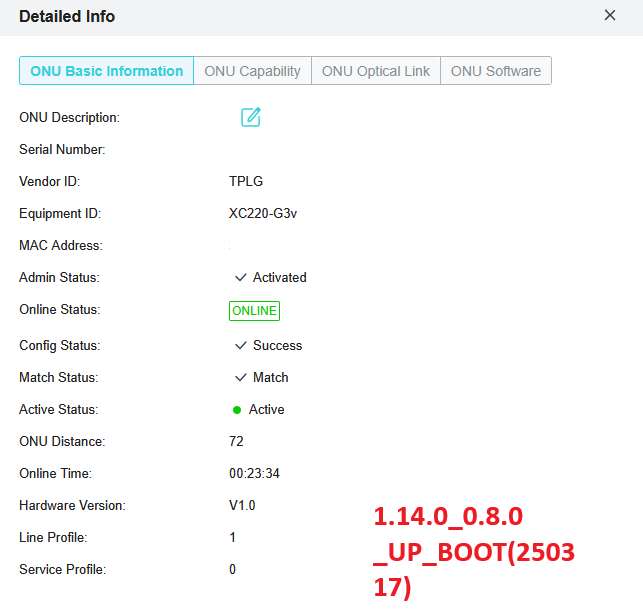
- Copy Link
- Report Inappropriate Content


TomasChott wrote
After upgrade to latest firmware we have this issues?
- Region and VoIP - since hardware v1 we cooperate with support and make changes for VoIP localization for Czech, we have tested Beta firmware but in new firmware we cannot change region for VoIP from US to any other
Could you please confirm where you changed the VoIP region with the beta firmware? Was it like below? I confirmed with the development team that this is not an option in any official versions, so they want to know which specific beta firmware version you used and where you got it.
From the screenshots you attached, it seems you're also using our TP-Link OLT. Could you please provide the model, hardware, and firmware version of the OLT?
Thank you very much.
- Copy Link
- Report Inappropriate Content
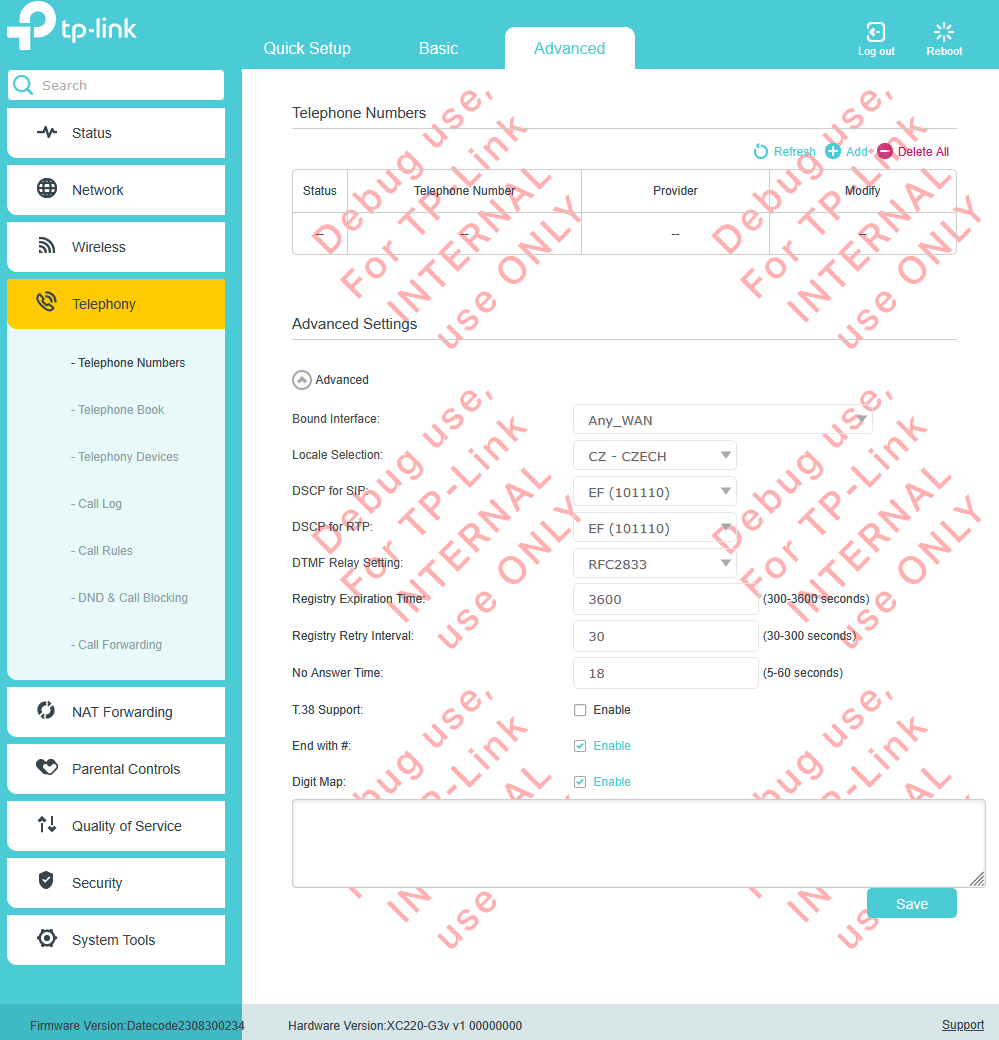
this one for v1
Firmware Version:Datecode2308300234
Hardware Version:XC220-G3v v1
this one for v2
XC220-G3v_UP_BOOT(datecode)_2023-08-28_19.52.00
- Copy Link
- Report Inappropriate Content
Hello @TomasChott
Thank you for the details.
From the screenshot you attached, we assume you're using a TP-Link OLT and defining settings for the XC220-G3v. Could you please provide the model number and its specific hardware version and firmware? Our development engineers would also like to have the complete configuration file for further checking. Is it convenient for you to provide it? If so, please email it to support.forum@tp-link.com.
Could you please also describe the rules you configured on the OLT for the XC220-G3v, especially those that are now invalid after upgrading the XC220-G3v firmware, as the hardware version changed from V2 to V1?
Were you upgrading the XC220-G3v firmware directly from 1.10.0 (240511) to 1.13.0_0.8.0 (240822)? Or were you upgrading from 1.10.0 to 1.11.x, then to 1.12.x, and finally to 1.13.0?
From what I learned from the development engineers, they are willing to provide a datecode version of firmware to help address or locate the issue; however, once you install the datecode version on the XC220-G3v, it will be reset to factory defaults, and you will need to reconfigure it from scratch. Is that acceptable? If yes, then I can ask the engineers to provide the firmware.
Looking forward to your response and follow-up.
- Copy Link
- Report Inappropriate Content
Regarding the VoIP Region Locale, please try going through the Quick Setup and choose the Czech Republic as the Locale Selection, then finish the process to confirm whether you can keep it as Czech as requested.
Please let me know whether it works. Thank you.
- Copy Link
- Report Inappropriate Content
So i can confirm this:
- XC220G3v v2 with firmware version XC220-G3vv2_1.14.0_0.8.0_Build250624 can upgrade directly from 1.10 -> 1.14 Build 250624
- version 1.14 Build 250624 repair CWMP and DHCP option too
- version 1.14 Build 250624 repair set Locale of telephony services after reset default value
New issue:
- firmware 1.14. Build 250624 after Aginet was load to device, loses CWMP enable settings
- Copy Link
- Report Inappropriate Content

Could u please share firmware link for build 240511 up boot?
- Copy Link
- Report Inappropriate Content
At now we have XC220-G3v_v2_1.18.0_0.8.0_Build 260514
- add support for Aginet Config 3
- fixed some web GUI issue add banner to head
- Copy Link
- Report Inappropriate Content
- Copy Link
- Report Inappropriate Content
Information
Helpful: 0
Views: 1069
Replies: 9
Voters 0
No one has voted for it yet.