Connection issues

Connection issues

Connection issues
Connection issues
13 hours ago
Model: RE700X  
Hardware Version:
Firmware Version:

Hi. I've bought 2 range extenders and what a waste of money. No one else can join the extended network and the support /instructions are awful. How do I set up so anyone with the main WiFi password can join the extenders? Thanks

  0      
  0      
#1
Options
2 Reply
Re:Connection issues
6 hours ago

  @Badbuy 


The easiest way to setup a RE is to use the WPS method. What the video steps and you should be able to set you RE up in no time.

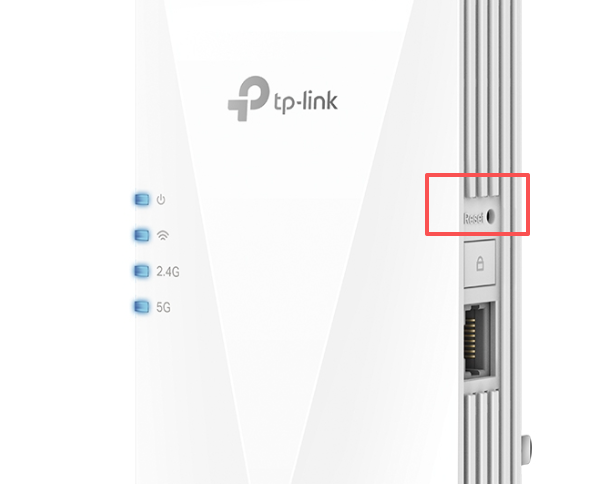
It's best to reset the RE to its factory defaults before you start this procedure by press and hold the reset button for about 10 seconds.

To be able to run this procedure your main router should have a WPS button implemented as well.

If this was helpful click on the arrow pointing upward to make it blue. If this solves your issue, click the star to make it blue and mark the post as a "Recommended Solution".
  1  
  1  
#2
Options
Re:Connection issues
42 minutes ago

Hi  @Badbuy ,

It is recommended that you hard reset the one RE700X: With the power on, Use a pin to press the button for 1 second to reset the extender.


Then use Tether App to configure the extender if you have tried WPS method. How to configure Range Extender via Tether APP

  0  
  0  
#3
Options

Information

Helpful: 0

Views: 35

Replies: 2