S200B switch + L530E bulb delay
Hello
I have an S200B switch controlling a L530E bulb using the H100 hub. All are updated to the latest firmware and located 2-3 meters away from each other in the same room. Using the app everything works flawlesly
What happens almost all the time is that after a long time of inactivity the bulb/switch takes a long time to react. After that every tap/action is immediately executed. But if i leave it for a few hours tapping on the button takes +10secs. After reading some posts here i changed the battery but did not change anything
- Copy Link
- Subscribe
- Bookmark
- Report Inappropriate Content
If any come across this post and your Tapo devices experience similar issue, the troubleshooting tips here should be helpful. What can I do if the Smart Action/Automation doesn’t take effect as expected?
What if the problem still exists? Start a discussion by posting a new thread for your case in the community, don't forget to include relevant details!
- Copy Link
- Report Inappropriate Content
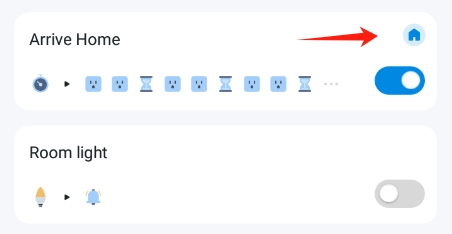
Is your automation a local smart (tagged with a Tapo icon) rule? Please check the device signal strength (Device Settings > Device Info > Signal Strength, tap the WiFi icon to show the RSSI rate) of the S200B and the H100 hub.
What's the firmware version of the button and the hub?

- Copy Link
- Report Inappropriate Content
Thanks for the reply @Wayne-TP
All the devices + mesh router are within 3m radius there shouldn't be a network issue. Both have pretty good signal (-34 and -35 dbm) and have the latest firmware 1.5.23 the hub and 1.12.0 the button
The automatio is not tagged as local though. I just deleted the existing automations and created a new one but again does not appear as local.
Smart->automation->add smart action (automation)
effective time : always
when : smart button single tap
then : smart buld on/off
- Copy Link
- Report Inappropriate Content
To assist with this case, a specialist will help to follow it up through email. Please check your inbox later to confirm.
If the email you used to register for the TP-Link community is not your contact email or you cannot access it, please send me your contact email through private message.
- Copy Link
- Report Inappropriate Content
If any come across this post and your Tapo devices experience similar issue, the troubleshooting tips here should be helpful. What can I do if the Smart Action/Automation doesn’t take effect as expected?
What if the problem still exists? Start a discussion by posting a new thread for your case in the community, don't forget to include relevant details!
- Copy Link
- Report Inappropriate Content
Information
Helpful: 0
Views: 557
Replies: 4
Voters 0
No one has voted for it yet.