
Broken/missing weather settings selection
 This thread has been locked for further replies. You can start a new thread to share your ideas or ask questions.
Broken/missing weather settings selection
This thread has been locked for further replies. You can start a new thread to share your ideas or ask questions.
After installing the latest firmware 1.3.1 Build 20250724 rel.34636(4555) on BE800 today, i noticed that in the "Screen Display - Weather" is missing the option to select City or current location for the weather information. It was there before on previous firmware, nevertheless that there was no update interval option and the information was not always accurate. Kindly check, and fix it as soon as possible. Thanks!
- Copy Link
- Subscribe
- Bookmark
- Report Inappropriate Content


Hello All,
We have two solutions available to resolve the abnormal display:
Solution 1:
The Tether App's location option still displays normally. It is recommended that you temporarily set and manage the location option through the Tether App.
Solution 2:
Our R&D team has also provided a beta firmware to resolve this abnormal display. Please see following link for more details.
Weather Location Option Is Not Available on Archer BE800's Web UI After Updating to 1.3.1
------------------------------------------------------------------------------------------------------------------------------------------------------------------------------------
Updated December 10, 2025:
Official versions 1.3.2 Build 20251015 (Non-EU) and 1.3.2 Build 20251015 (EU) are being released gradually. You can check for updates through your router's web interface or the Tether App and manually install the latest version.
If you cannot find the latest version, please download the firmware from the official website and upgrade manually:
https://www.tp-link.com/support/download/archer-be800/v1/#Firmware
- Copy Link
- Report Inappropriate Content
Hello@marto74bg ,
Welcome to our community.
Have you tried rebooting the router? This can refresh the settings.
If it doesn't work, please take a screenshot with the weather settings.
Thank you.
- Copy Link
- Report Inappropriate Content
Hello, Joseph!
Yes, router have been rebooted several times after the latest firmware update, but with no avail.
The weather location settings selection is now missing. Please check attached screenshot.
Before weather settings were on the same line where "Weather" word is on the screenshot.
Now you can still select the weather icon and temperature, but for which location/city this is shown, it is not clear.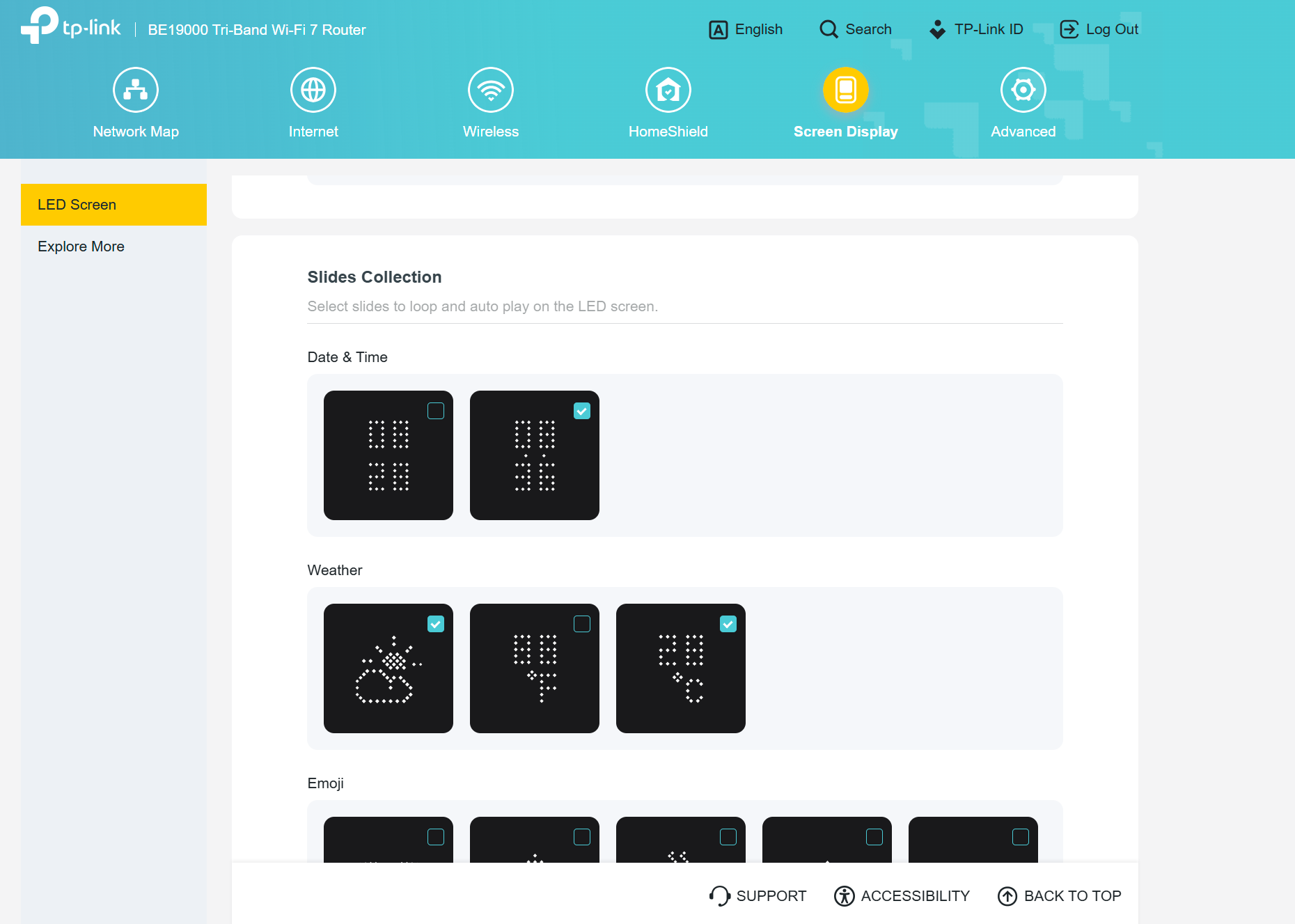
- Copy Link
- Report Inappropriate Content
Hello@marto74bg,
Thanks for your detailed reply.
This seems unusual.The tech team has been made aware of your case; they will likely reach out to you via email to continue troubleshooting. Please check your email inbox and confirm.
- Copy Link
- Report Inappropriate Content

@Joseph-TP got exactly this same issue on my Archer BE800 after update to Firmware Version: 1.3.1 Build 20250724 rel.34636(4555).
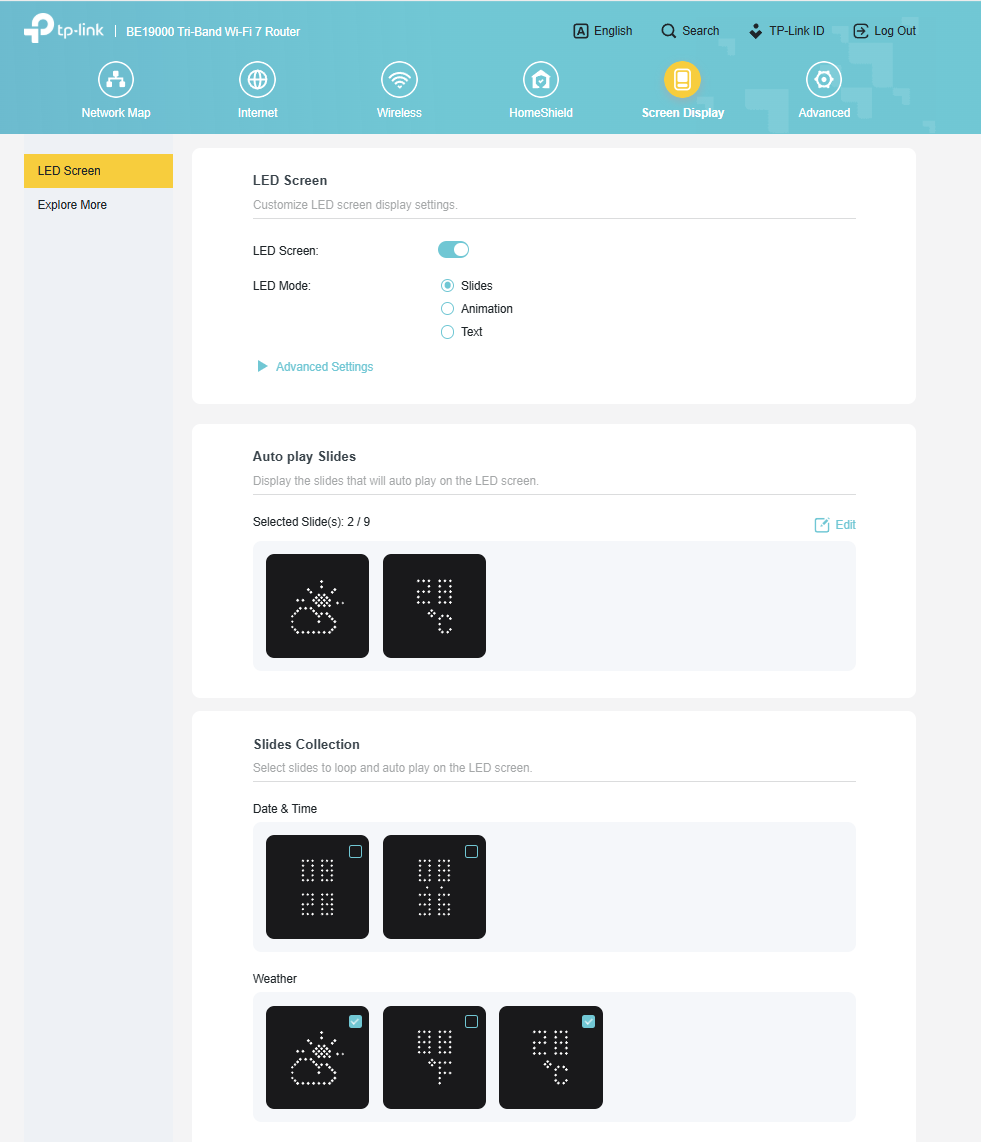
- Copy Link
- Report Inappropriate Content
- Copy Link
- Report Inappropriate Content
Hello@TaKeN ,
Thanks for your feedback.
Our technical team is actively investigating the cause of this unexpected behavior. I will let you know if there are any updates.
Best Regards.
- Copy Link
- Report Inappropriate Content

@Joseph-TP Having the same issue with BE800. Weather is now just coming up as double x's on front of router as well.
- Copy Link
- Report Inappropriate Content
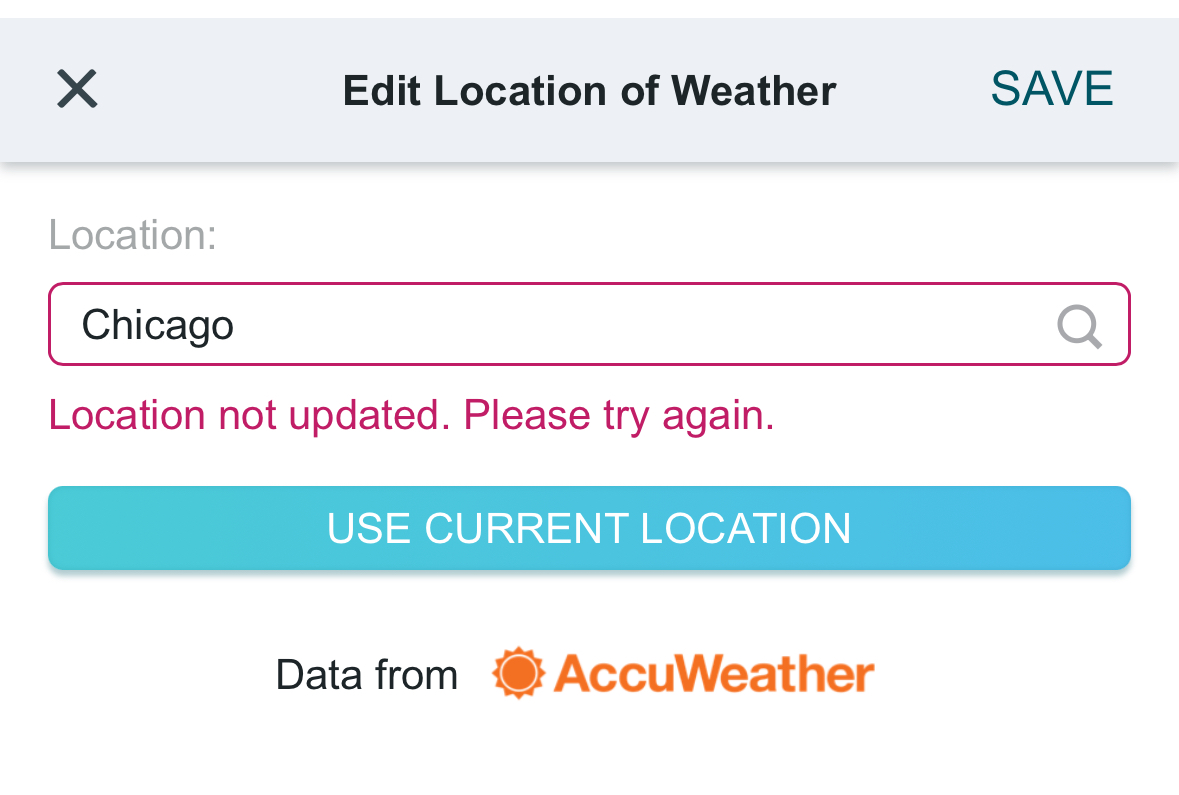
@Dxhunt I was able to access the AccuWeather location input via the browser page rather than the app. However it seems that TPlink and Accuwaether are no longer able to communicate. No matter what I input for location, the box fails to propagate and it says location not updated.
- Copy Link
- Report Inappropriate Content
- Copy Link
- Report Inappropriate Content
Hello All,
We have two solutions available to resolve the abnormal display:
Solution 1:
The Tether App's location option still displays normally. It is recommended that you temporarily set and manage the location option through the Tether App.
Solution 2:
Our R&D team has also provided a beta firmware to resolve this abnormal display. Please see following link for more details.
Weather Location Option Is Not Available on Archer BE800's Web UI After Updating to 1.3.1
------------------------------------------------------------------------------------------------------------------------------------------------------------------------------------
Updated December 10, 2025:
Official versions 1.3.2 Build 20251015 (Non-EU) and 1.3.2 Build 20251015 (EU) are being released gradually. You can check for updates through your router's web interface or the Tether App and manually install the latest version.
If you cannot find the latest version, please download the firmware from the official website and upgrade manually:
https://www.tp-link.com/support/download/archer-be800/v1/#Firmware
- Copy Link
- Report Inappropriate Content
Information
Helpful: 0
Views: 2152
Replies: 20
Voters 0
No one has voted for it yet.