Issues with Automation duration? (Turn off after 10 Seconds)

Issues with Automation duration? (Turn off after 10 Seconds)

Issues with Automation duration? (Turn off after 10 Seconds)
2025-09-15 10:44:33 - last edited 2025-10-20 11:23:25

Hi guys, 


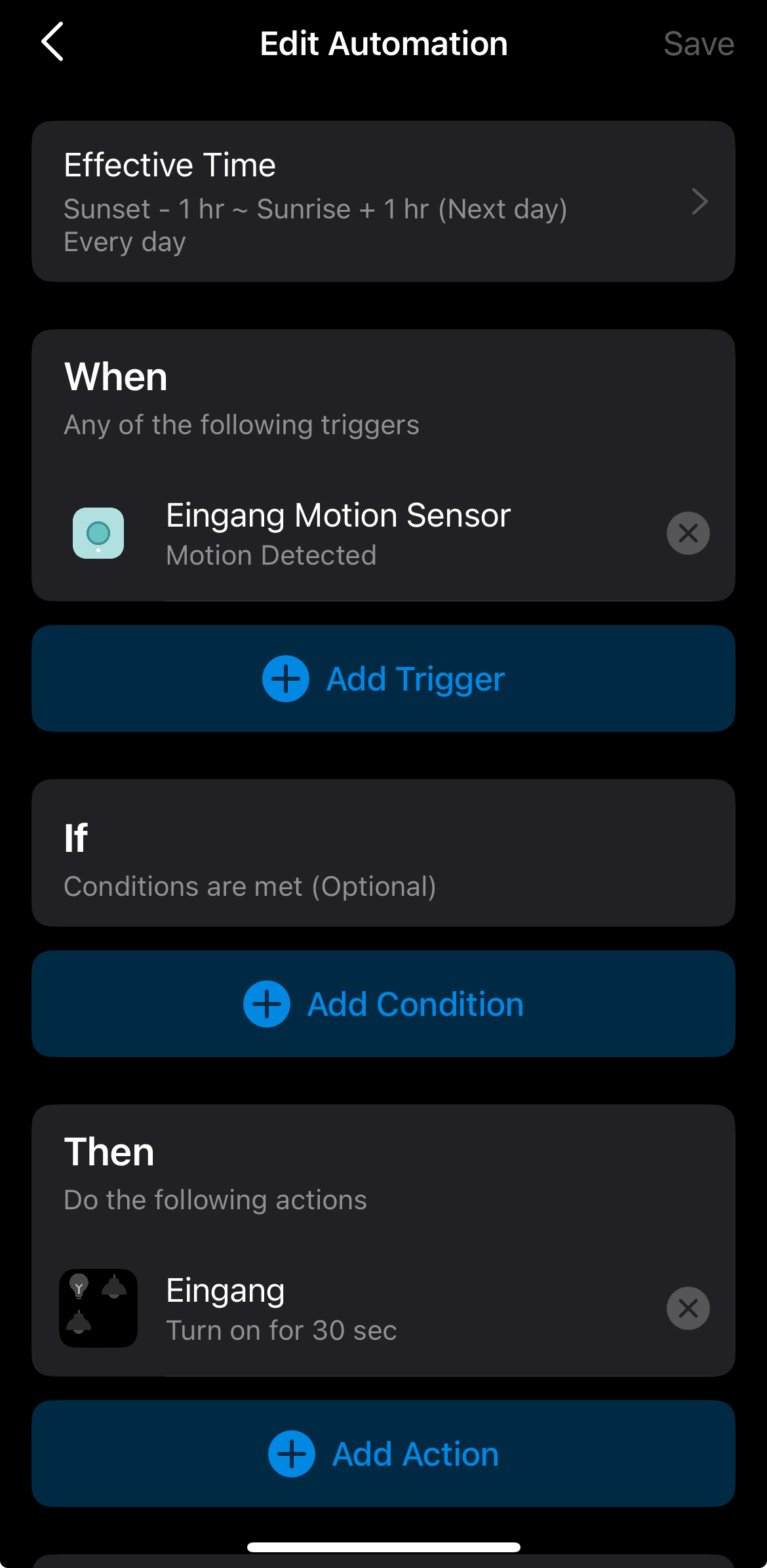
I noticed today that there is an issue within my existing automation for the lights to (e.g., motion detected, to turn on for 10 seconds). I tried to turn off and on the lights, create a new automation, etc., but the lights are not turning off after the given time. This is happening for all lights with motion detected automations. 


Any ideas how to resolve the issue? 

  0      
  0      
#1
Options
1 Accepted Solution
Re:Issues with Automation duration? (Turn off after 10 Seconds)-Solution
2025-09-17 06:25:59 - last edited 2025-10-20 11:23:25

  @Izy_Smart_2025 


Double-check whether the automation was triggered during the set effective time.


Please run several tests, verify whether the problem is located in this specific combination - "Motion sensor event detected + light bulb turn on for a set time"? Try to use a different trigger, a different type of action device (like a smart plug), or a different action skill (turn on, off, or on/off), see if that makes any difference.

CES 2026 Meet TP-Link AI Assistant and More New Products!
Recommended Solution
  0  
  0  
#4
Options
3 Reply
Re:Issues with Automation duration? (Turn off after 10 Seconds)
2025-09-16 11:05:20

  @Izy_Smart_2025 


How is your automation created? Please share a screenshot of your configuration here. 

CES 2026 Meet TP-Link AI Assistant and More New Products!
  0  
  0  
#2
Options
Re:Issues with Automation duration? (Turn off after 10 Seconds)
2025-09-16 11:27:20

  @Wayne-TP 


pls see an example, thanks!

  0  
  0  
#3
Options
Re:Issues with Automation duration? (Turn off after 10 Seconds)-Solution
2025-09-17 06:25:59 - last edited 2025-10-20 11:23:25

  @Izy_Smart_2025 


Double-check whether the automation was triggered during the set effective time.


Please run several tests, verify whether the problem is located in this specific combination - "Motion sensor event detected + light bulb turn on for a set time"? Try to use a different trigger, a different type of action device (like a smart plug), or a different action skill (turn on, off, or on/off), see if that makes any difference.

CES 2026 Meet TP-Link AI Assistant and More New Products!
Recommended Solution
  0  
  0  
#4
Options