
Light Strip Effect not saved in Shortcuts
Light Strip Effect not saved in Shortcuts

When I try to save a 'turn on with effect' for a Tapo light strip in a shortcut it always reverts to a simple 'turn on'.
model L930
- Copy Link
- Subscribe
- Bookmark
- Report Inappropriate Content


The issue reported in this thread has been addressed in the latest Tapo app.
- Copy Link
- Report Inappropriate Content
@Geoff-tapo-fan The same also happens with the new L430C bulbs - the effect setting is not saved.
- Copy Link
- Report Inappropriate Content
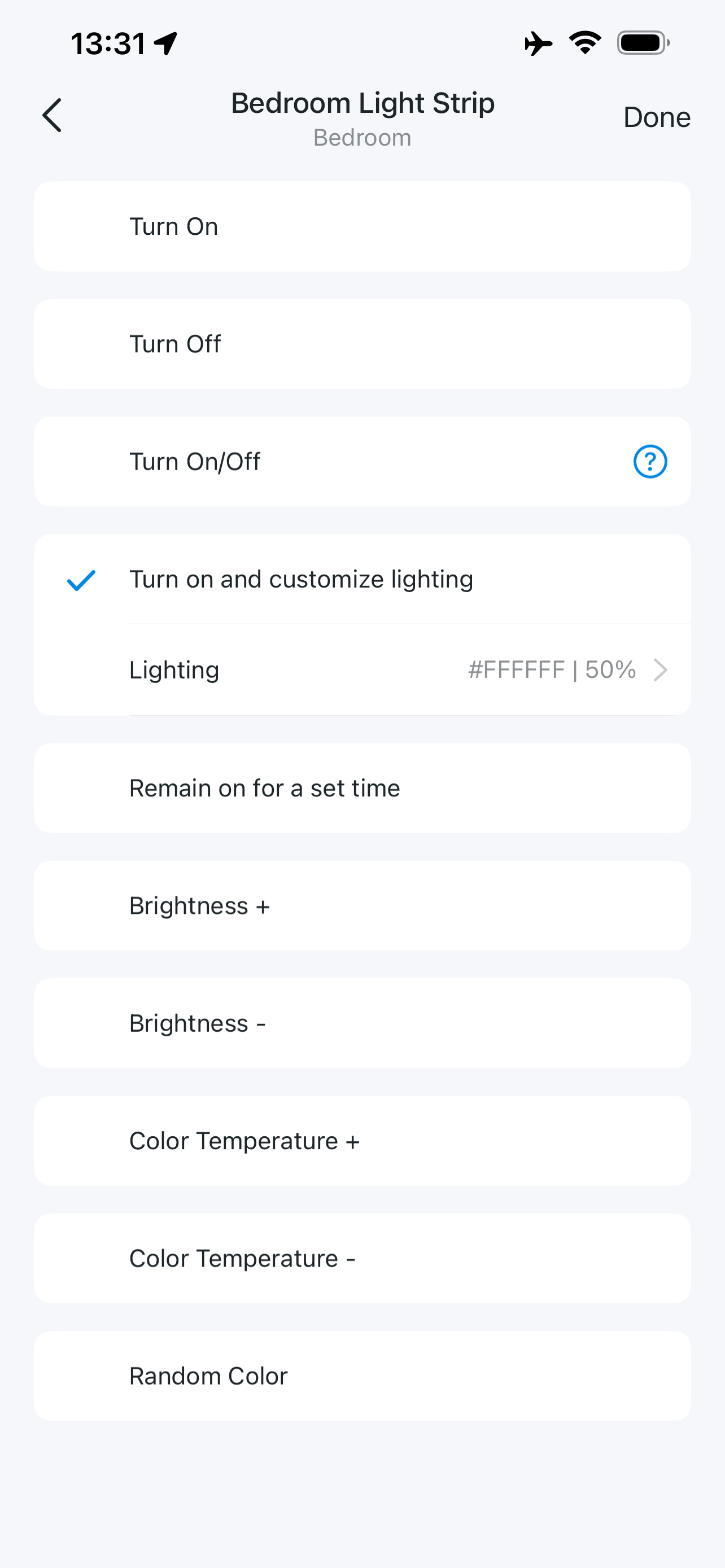
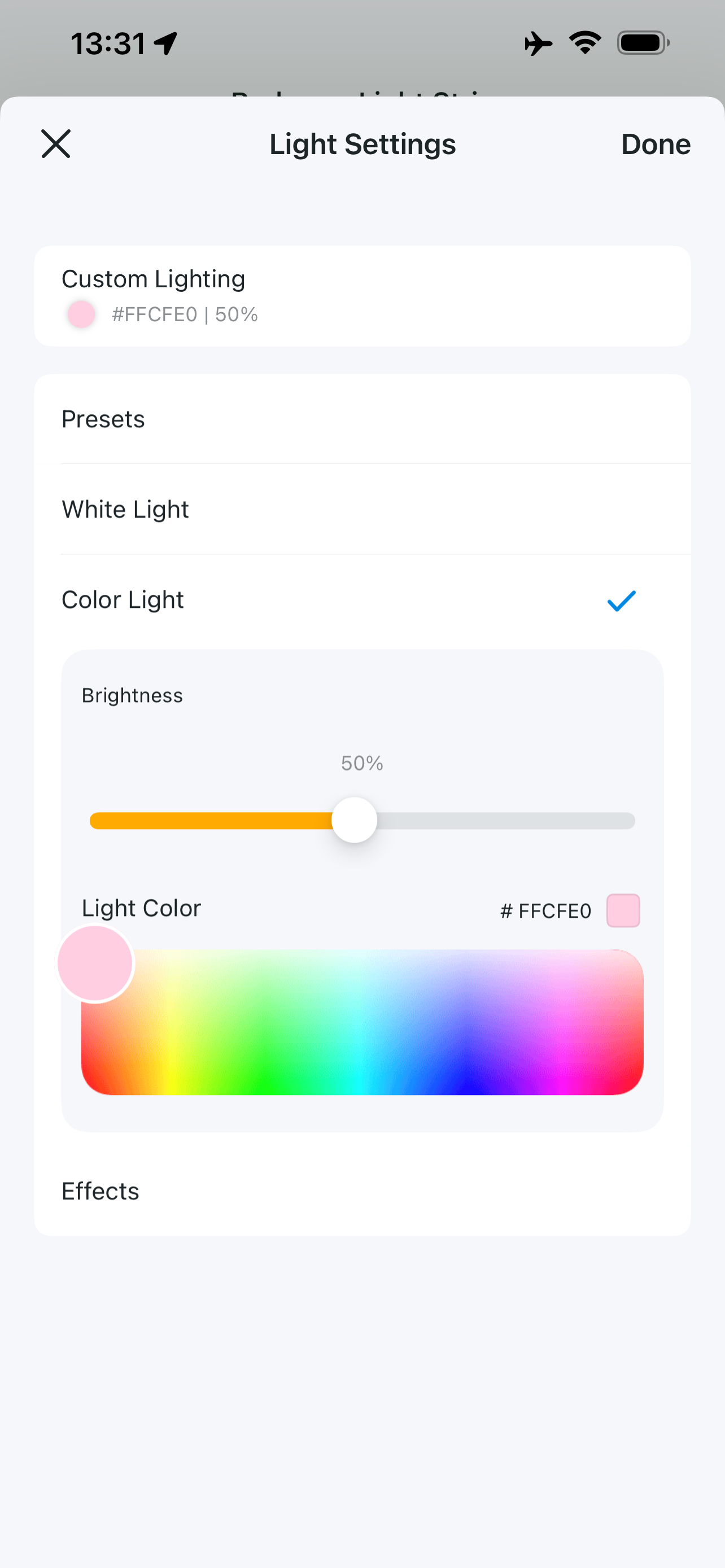
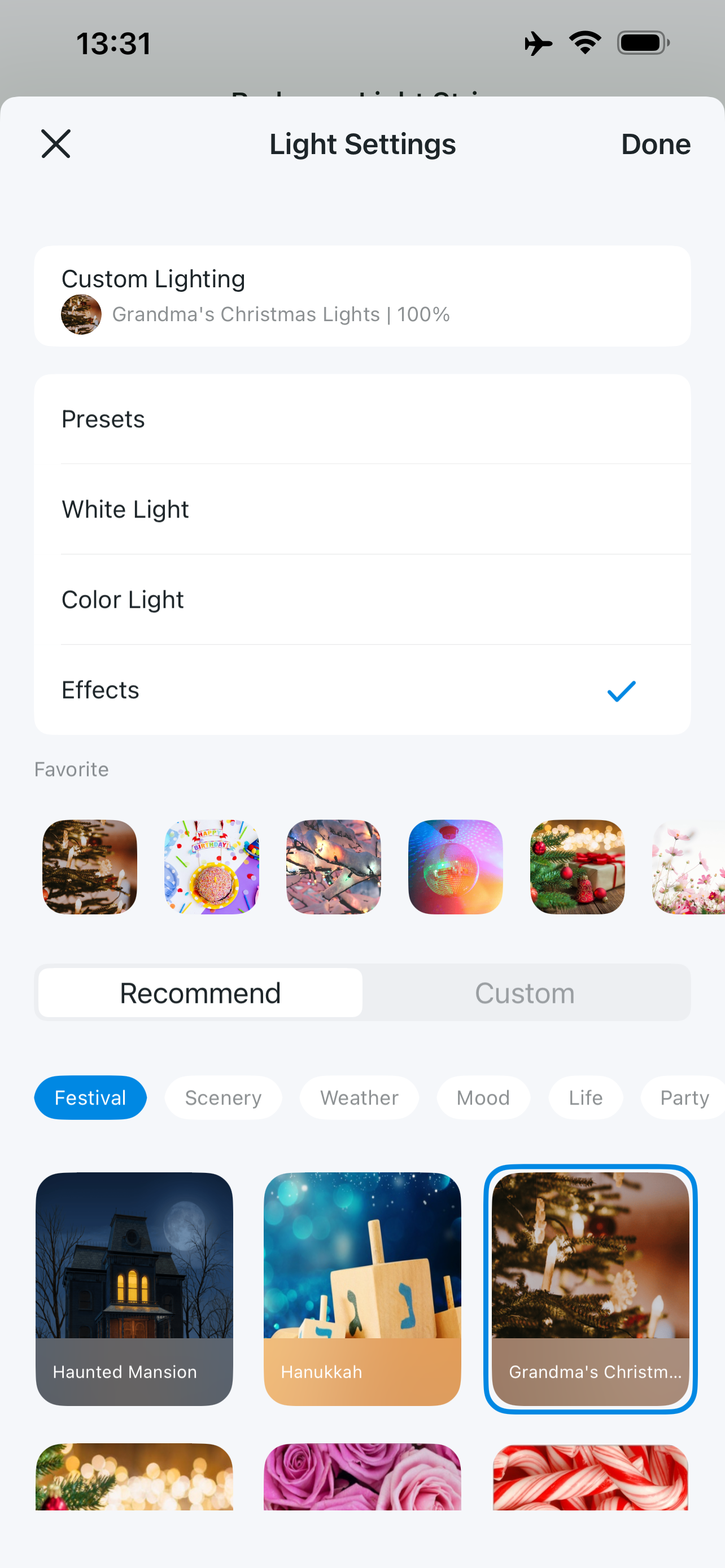
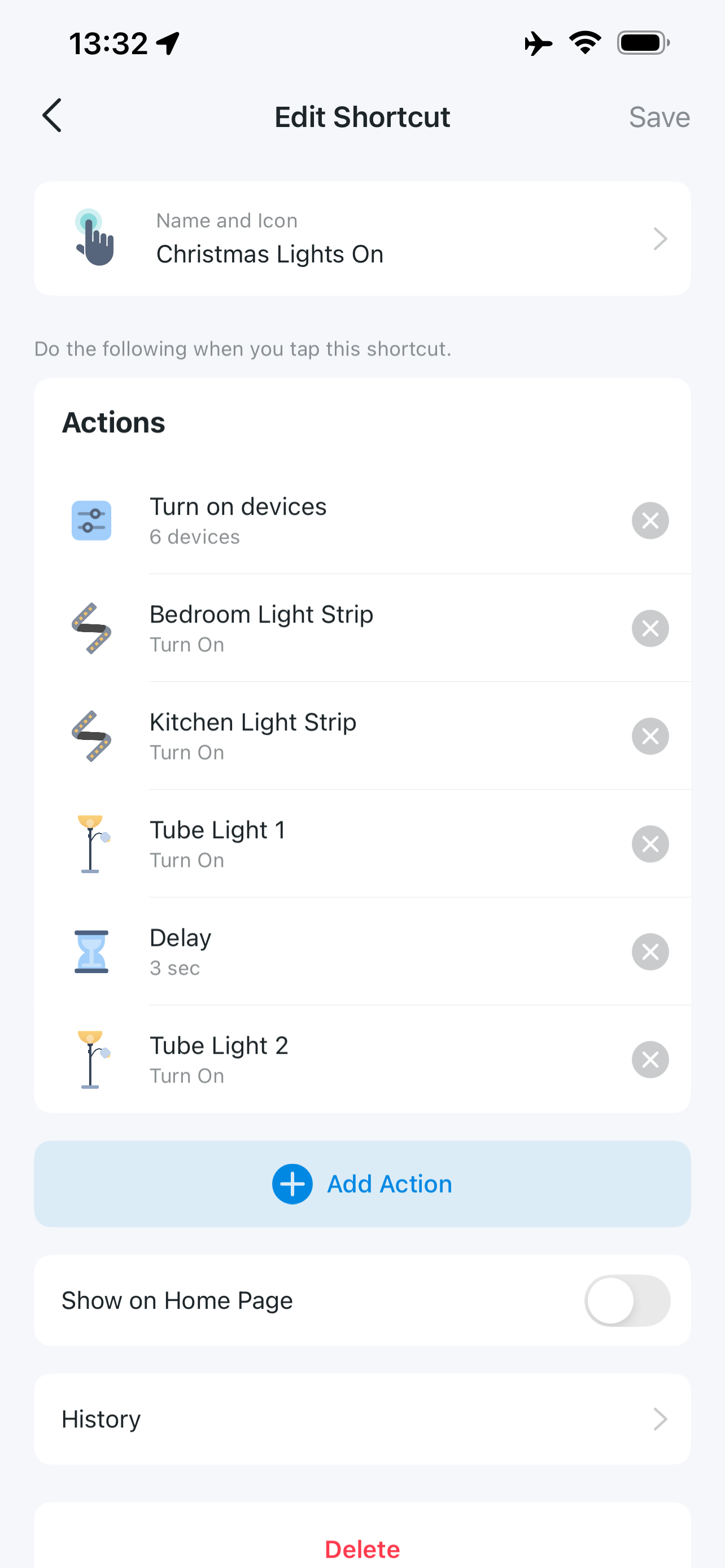
Can you share a screenshot of the action skill list? As i recall, there is no 'turn on with effect' skill for Tapo lighting device.
- Copy Link
- Report Inappropriate Content
- Copy Link
- Report Inappropriate Content
- Copy Link
- Report Inappropriate Content
- Copy Link
- Report Inappropriate Content
- Copy Link
- Report Inappropriate Content
- Copy Link
- Report Inappropriate Content
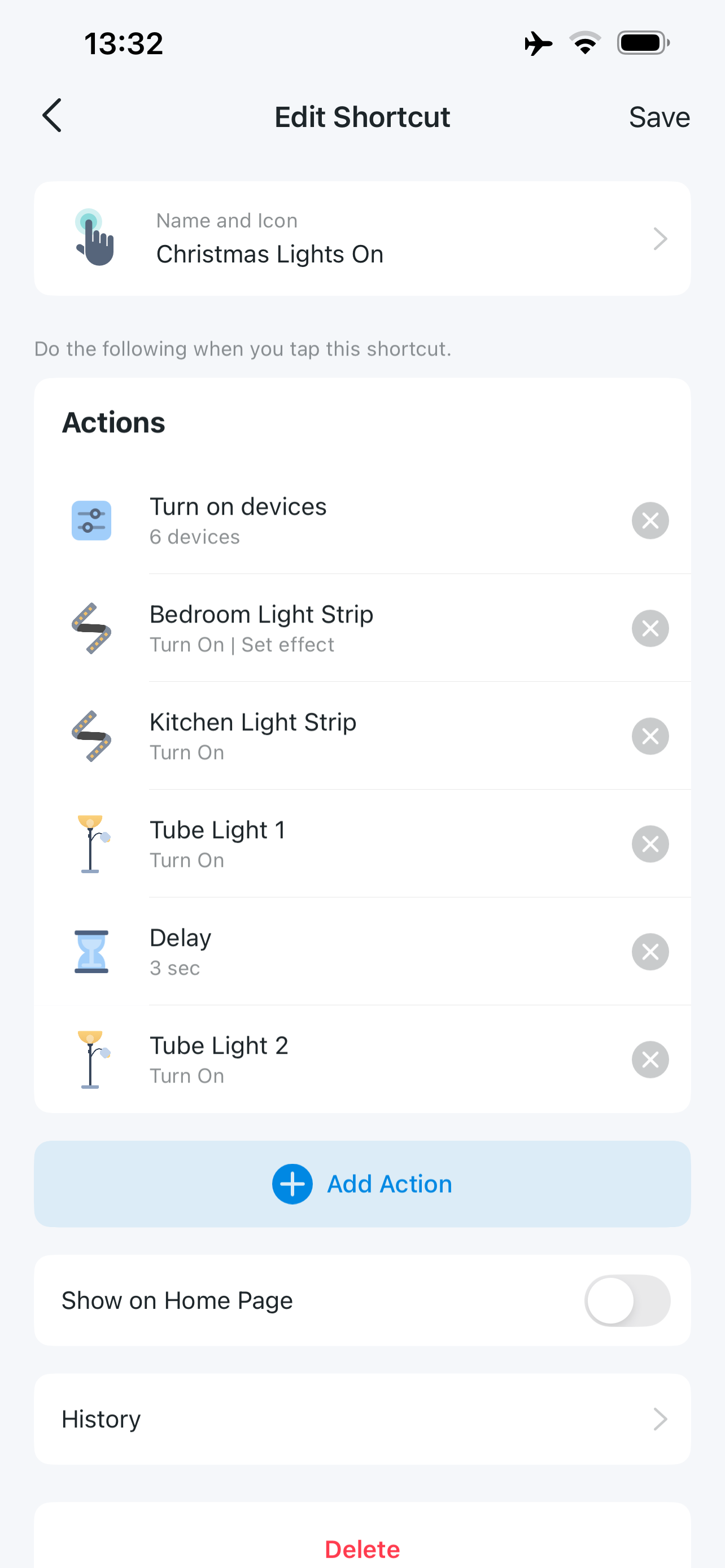
hopefully this gives you an idea of the sequence. I am clicking done/save at the correct times, but the setting is not saved. I get exactly the same when I try this with an L430C bulb so it seems it's related to the app rather than the device type.
- Copy Link
- Report Inappropriate Content
- Copy Link
- Report Inappropriate Content
@Wayne-TP Thanks for the reply. Yes I have tried to run the shortcut and it will simply power on the device (L930 or L430C) which means in practice that it comes on with the same value/effect as when it was last powered off. So if it had an effect when powered off it has that same effect again when powered on, but if it last had for example a simple warm white, then that is what it has after running the shortcut. So the saved setting indicated (no effect) is what the shortcut applies to the device.
- Copy Link
- Report Inappropriate Content
Information
Helpful: 0
Views: 798
Replies: 12
Voters 0
No one has voted for it yet.