
KE100 und KE110 nicht synchron

I'm using a KE100 radiator valve and an external KE110 temperature sensor.
Everything is connected to a hub.
I've set schedules with different temperatures using Smart Control.
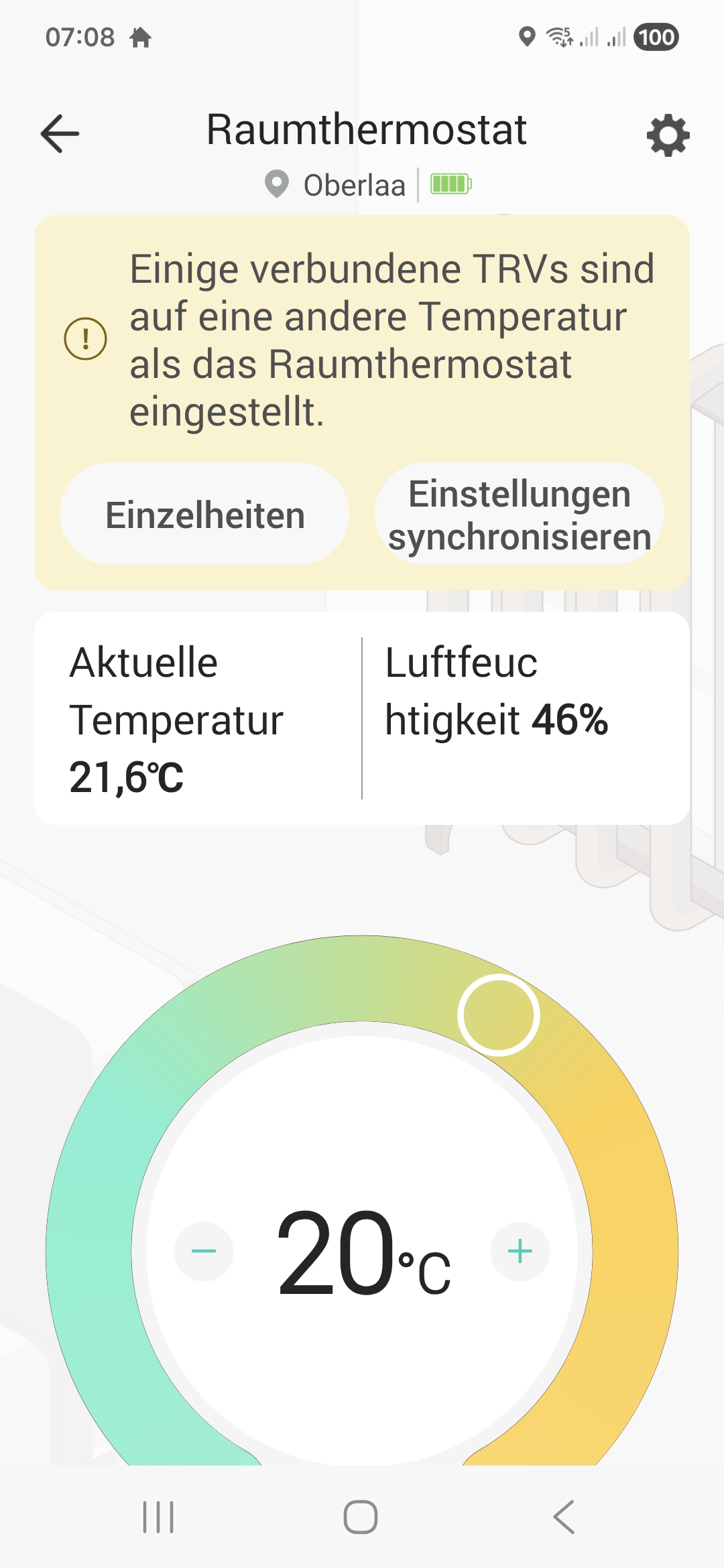
However, synchronization problems occur very frequently, as shown in the attached photo.
- Copy Link
- Subscribe
- Bookmark
- Report Inappropriate Content


Kasa KE110 can link multiple KE100s for unified control. When you manually adjust the temperature of one or several linked KE100s, a notification will appear on the KE110 interface, indicating that temperature settings among the linked KE100s are inconsistent with KE110 settings.
Typically, after a manual adjustment, the affected KE100 will automatically revert to the Smart Control schedule at the next scheduled time point. To restore all KE100s to the Smart Control settings immediately, you can use the “Sync Settings” option in this notification to resynchronize them with one click.
If you didn’t adjust any KE100s, or if a KE100 isn’t switching back automatically, it might be the issue mentioned in this post. Tap to learn more and find the solution. Fixes: Smart Control Not Working on Kasa KE110 and Linked KE100
- Copy Link
- Report Inappropriate Content
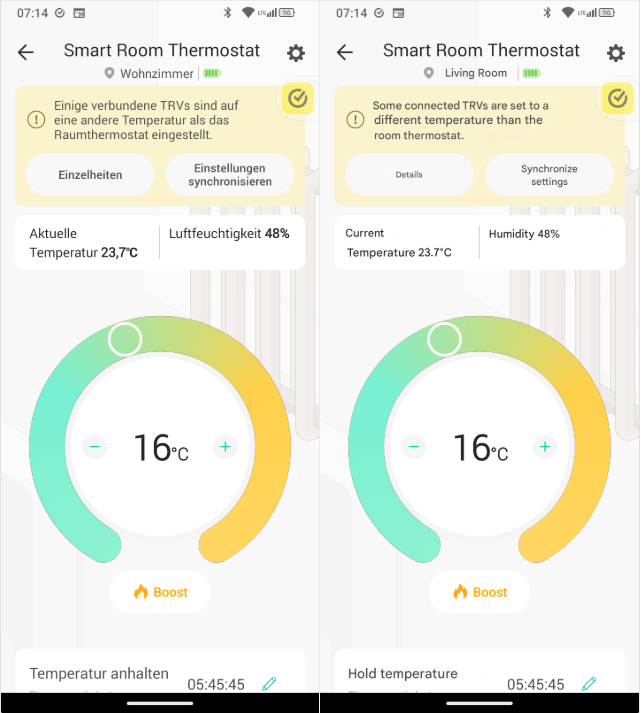
Kasa KE110 can link multiple KE100s for unified control. When you manually adjust the temperature of one or several linked KE100s, a notification will appear on the KE110 interface, indicating that temperature settings among the linked KE100s are inconsistent with KE110 settings.
Typically, after a manual adjustment, the affected KE100 will automatically revert to the Smart Control schedule at the next scheduled time point. To restore all KE100s to the Smart Control settings immediately, you can use the “Sync Settings” option in this notification to resynchronize them with one click.
If you didn’t adjust any KE100s, or if a KE100 isn’t switching back automatically, it might be the issue mentioned in this post. Tap to learn more and find the solution. Fixes: Smart Control Not Working on Kasa KE110 and Linked KE100
- Copy Link
- Report Inappropriate Content

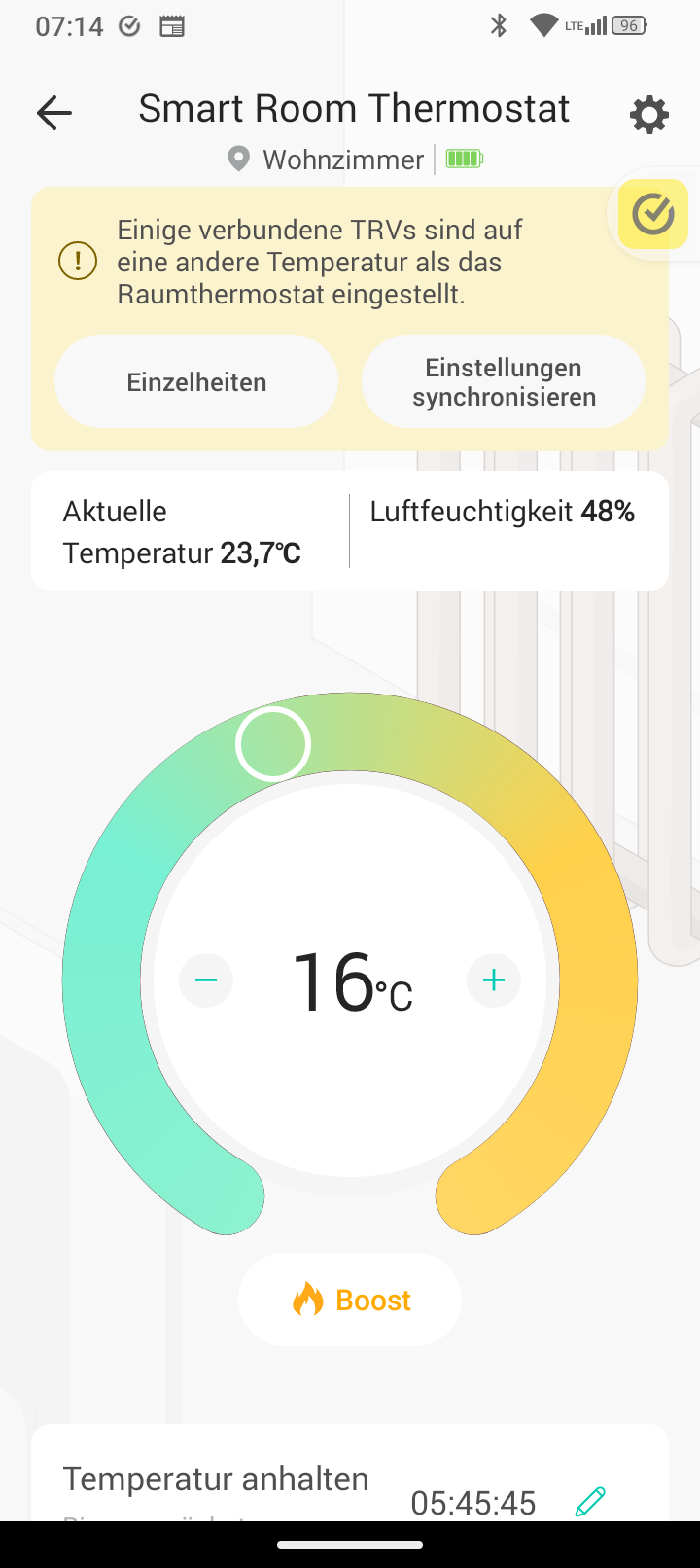
Ich habe leider das gleiche Problem. Bei meinem KE100 in Verbindung mit meinem KE 110 kommen ebenfalls immer wieder die Synchronisierungsfehler. Obwohl die Temperatur nicht Manuel am KE100 verändert wird und das System im Smart Control läuft.
- Copy Link
- Report Inappropriate Content
Information
Helpful: 0
Views: 159
Replies: 2
Voters 0
No one has voted for it yet.