
Omada OC200 - Missing icon for EAP653-UR v1
Hello,
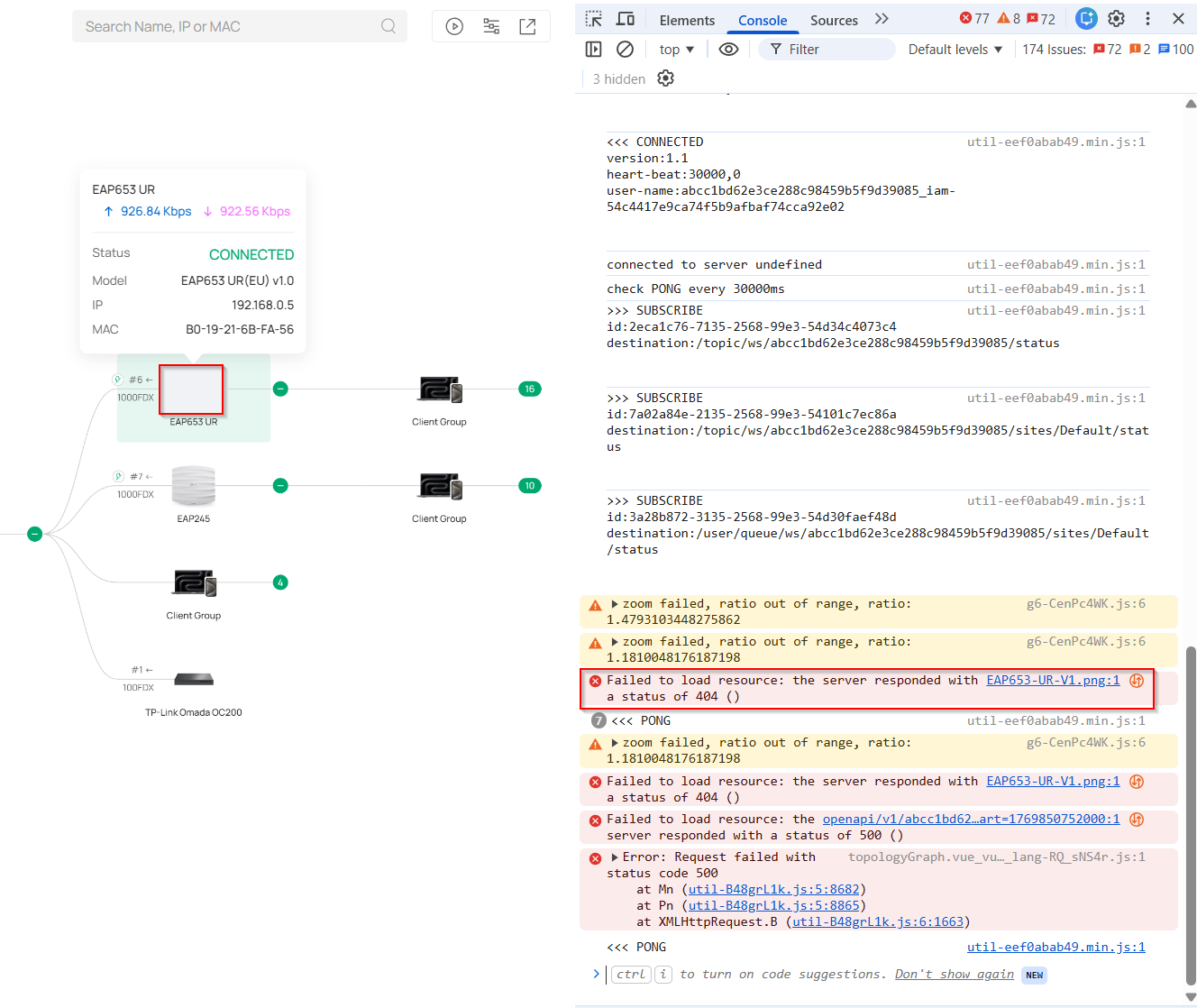
after updating my OC200 v1 to firmware version 1.38.10 Build 20260117 Rel.60495, the icon for the EAP653-UR v1 is not loading in the web interface.
The issue persists even after disabling ad blockers and using Incognito mode. I have tested this in both Edge and Chrome.
I haven't encountered any other issues.
Thank you,
Pavel
- Copy Link
- Subscribe
- Bookmark
- Report Inappropriate Content
Hi @PavelV
Thanks for the reply.
We identified the issue and will fix it in future firmware releases. You may pay attention to the firmware update.
- Copy Link
- Report Inappropriate Content
Hi @PavelV
Thanks for posting here.
Please also clear your web browser cache and see if it persists.
The browser cache mechanism is designed to speed up page loading, but it can sometimes store outdated or corrupted files, causing anomalies in the management interface display. This is especially prevalent after a device firmware upgrade; the files stored in the cache may be incompatible with the new interface.
BTW, what's the firmware version of the EAP683 UR?
- Copy Link
- Report Inappropriate Content
- Copy Link
- Report Inappropriate Content
Hi @PavelV
Thanks for the reply.
We identified the issue and will fix it in future firmware releases. You may pay attention to the firmware update.
- Copy Link
- Report Inappropriate Content
Information
Helpful: 0
Views: 99
Replies: 3
Voters 0
No one has voted for it yet.
