
KE110 displays incorrect target temperature after setting in 0.5 degree increments in the app

I have noticed today that I can now in the app set the temperature in 0.5-degree increments for the KE110.
When I try this (manually or in the Smart Settings), the KE110 suddenly displays 51 degrees as the target temperature, and I get also this error again: https://community.tp-link.com/en/smart-home/forum/topic/850168
Firmware:
KE110 1.3.0
KE100 2.10.0
KH100 1.7.5 (updated today)
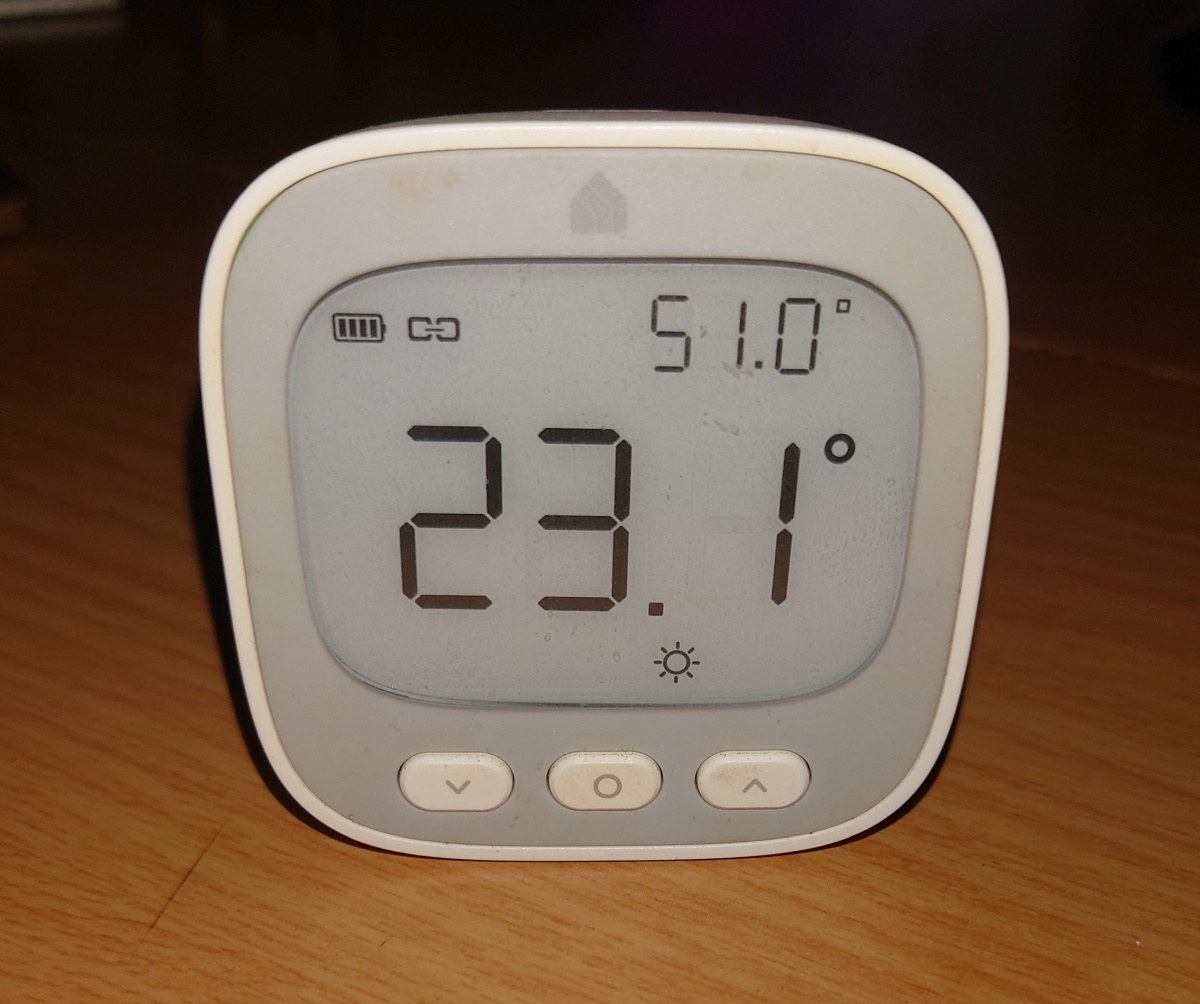
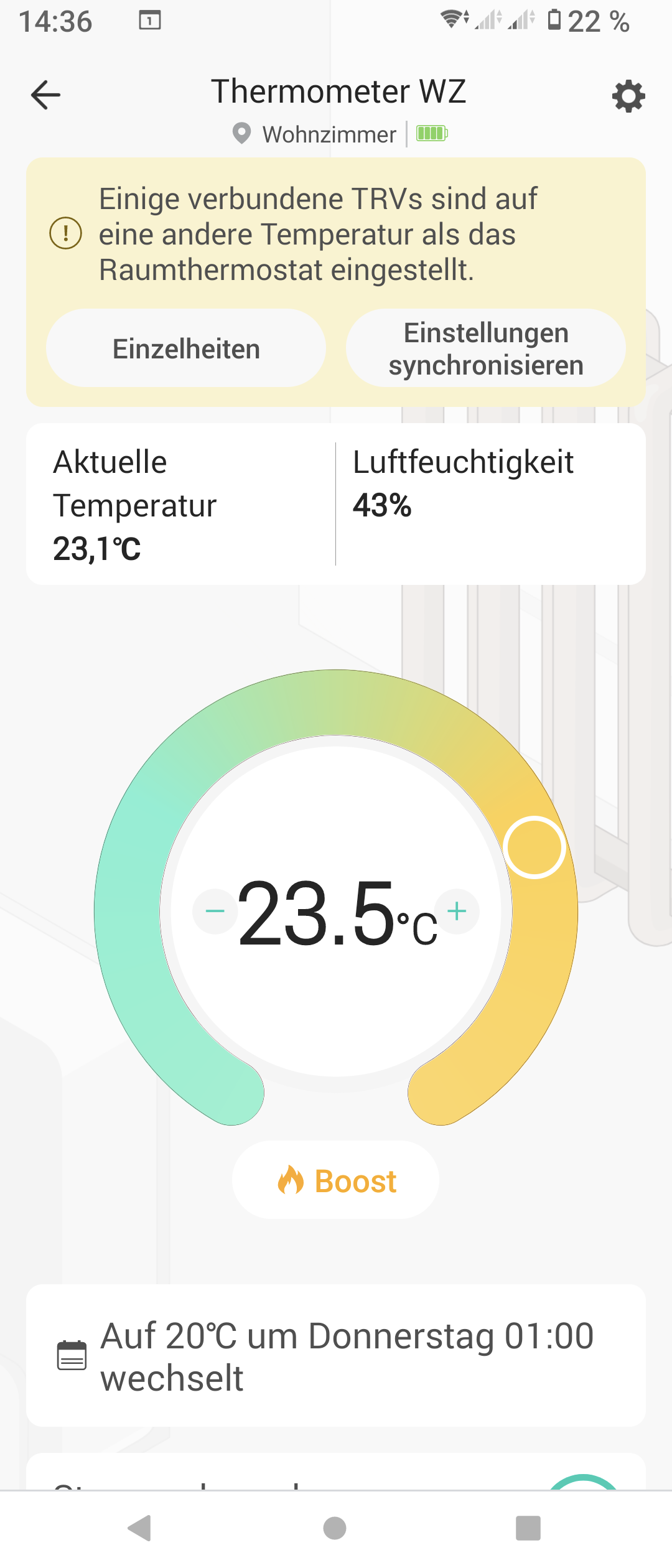
Target temperature before clicking "Synchronize":
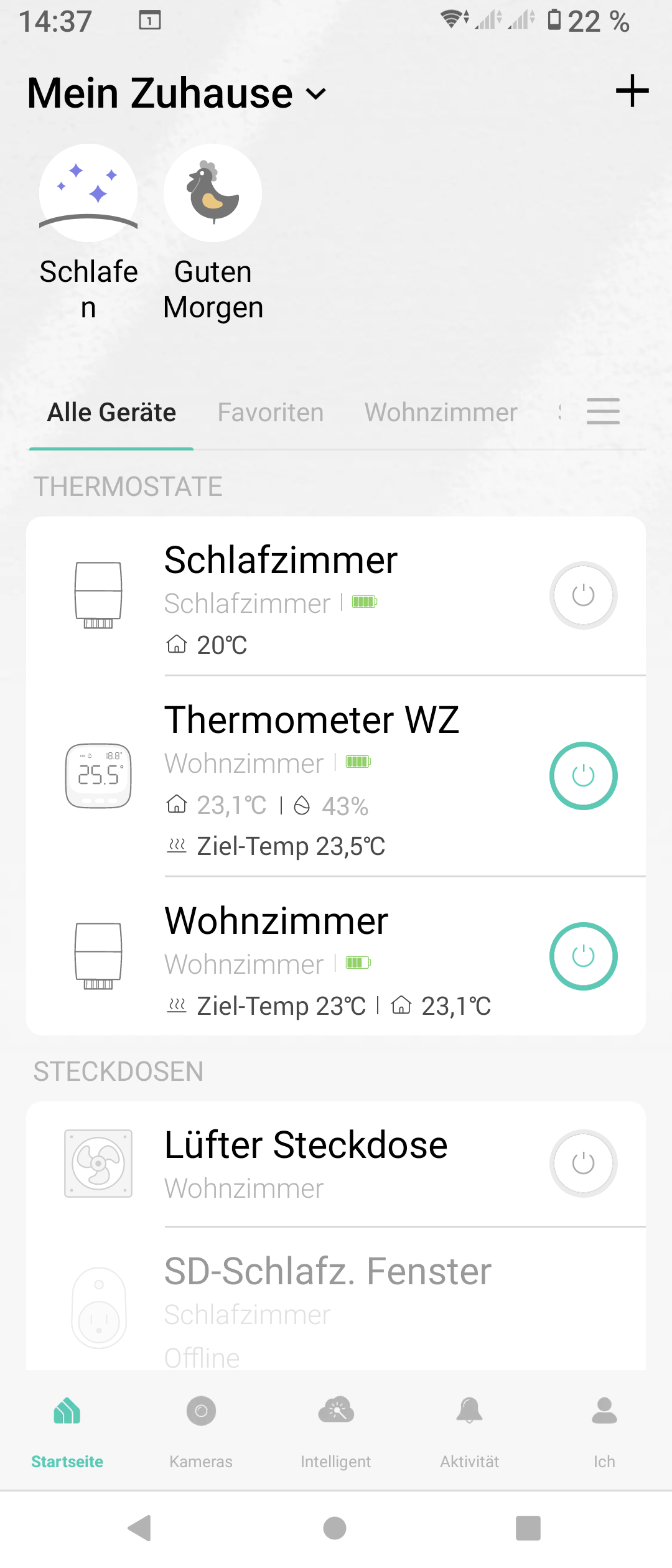
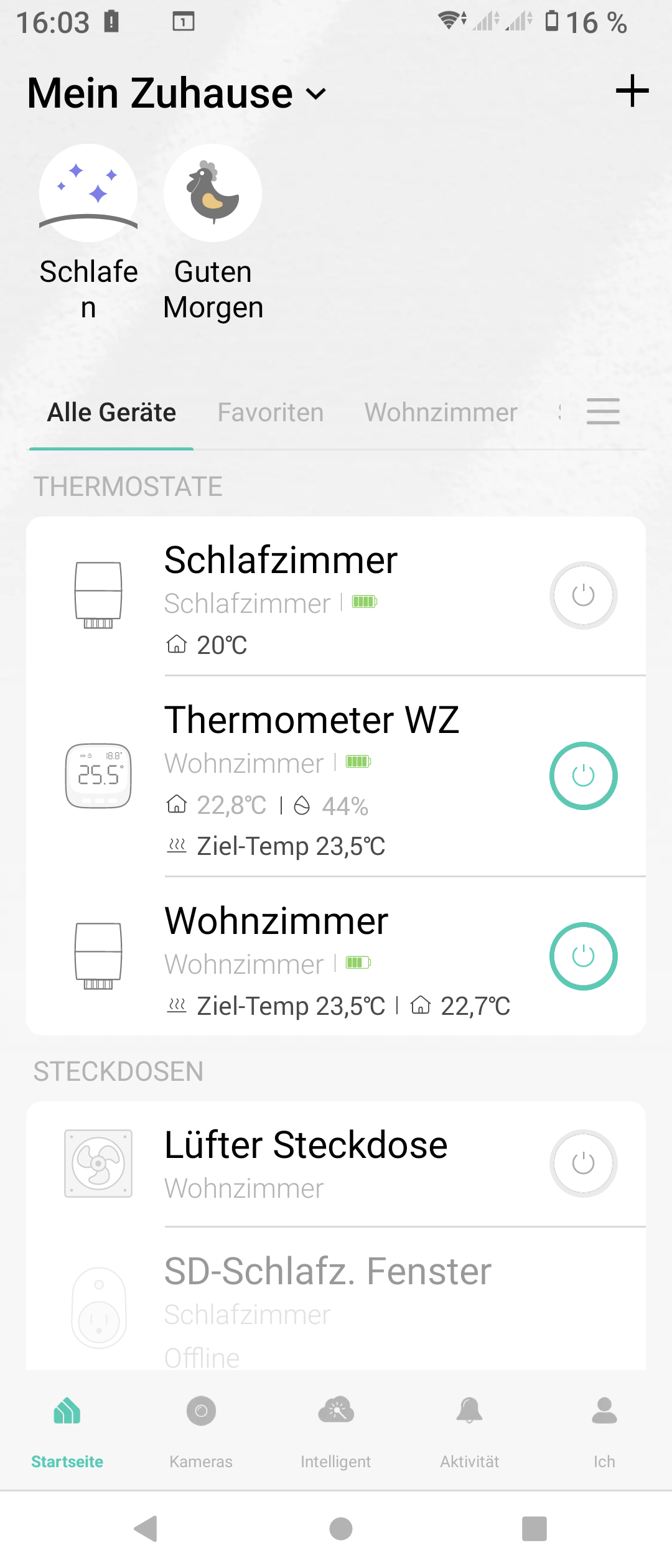
Target temperature after clicking "Synchronize":
- Copy Link
- Subscribe
- Bookmark
- Report Inappropriate Content


I looked into this and found that the 0.5 increments feature hasn’t officially been released for KE110 yet. The firmware version you’re using is the beta version intended to address issues with Smart Control malfunction.
Since this firmware isn’t specifically designed for that feature, you might run into issues if you try using an unreleased function. But don't worry, the abnormality is addressed in a newer version, and i've sent them (for both KE110 and KH100) to your devices. You can perform the update later if you would like to try it.
- Copy Link
- Report Inappropriate Content
The "51°" reading on your device is actually the humidity data, its correct unit should be %. Were you aware of this mismatch, and can you recall when it began?
Regarding the target temperature synchronization issue, could you perform several more tests? Specifically, does the prompt appear every time you update the KE110’s target temperature by increments of 0.5°?
- Copy Link
- Report Inappropriate Content

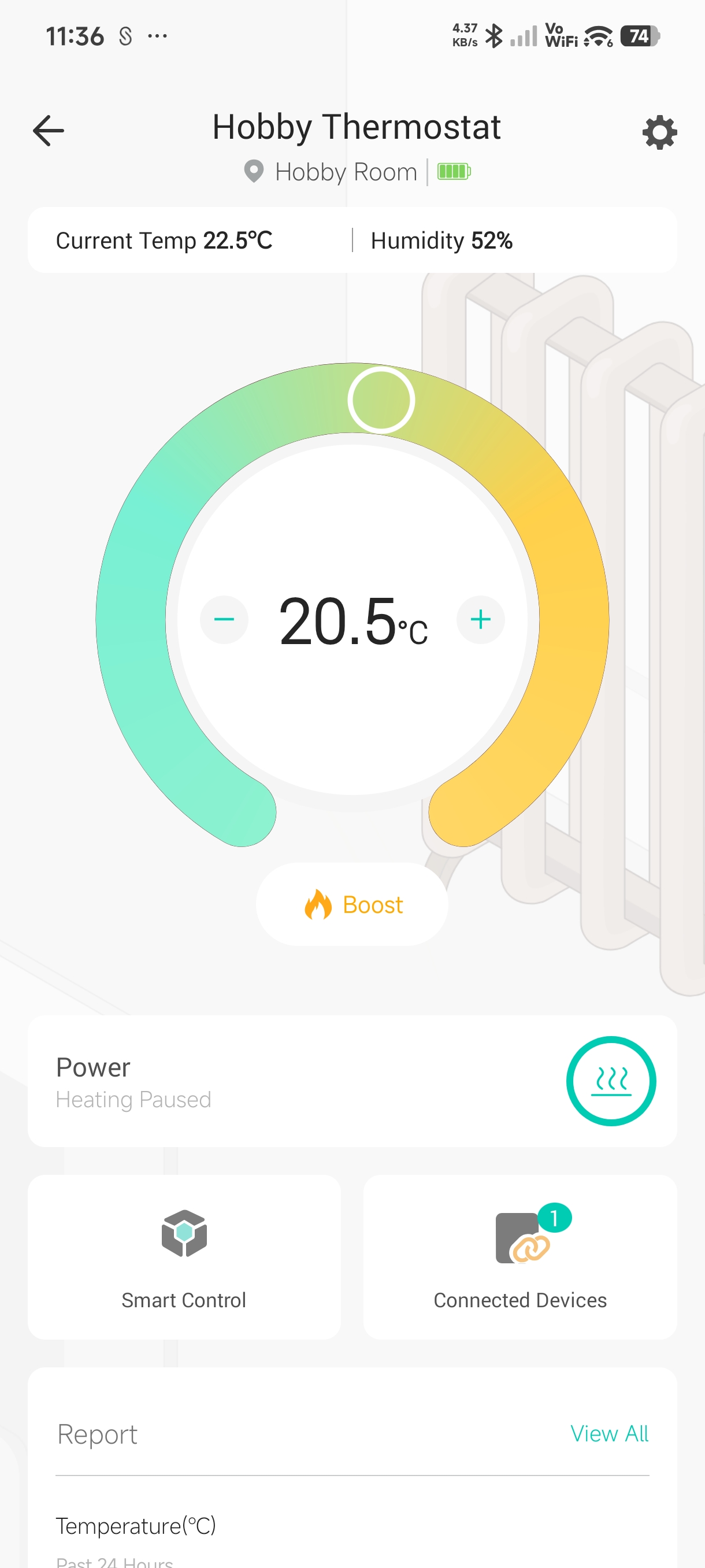
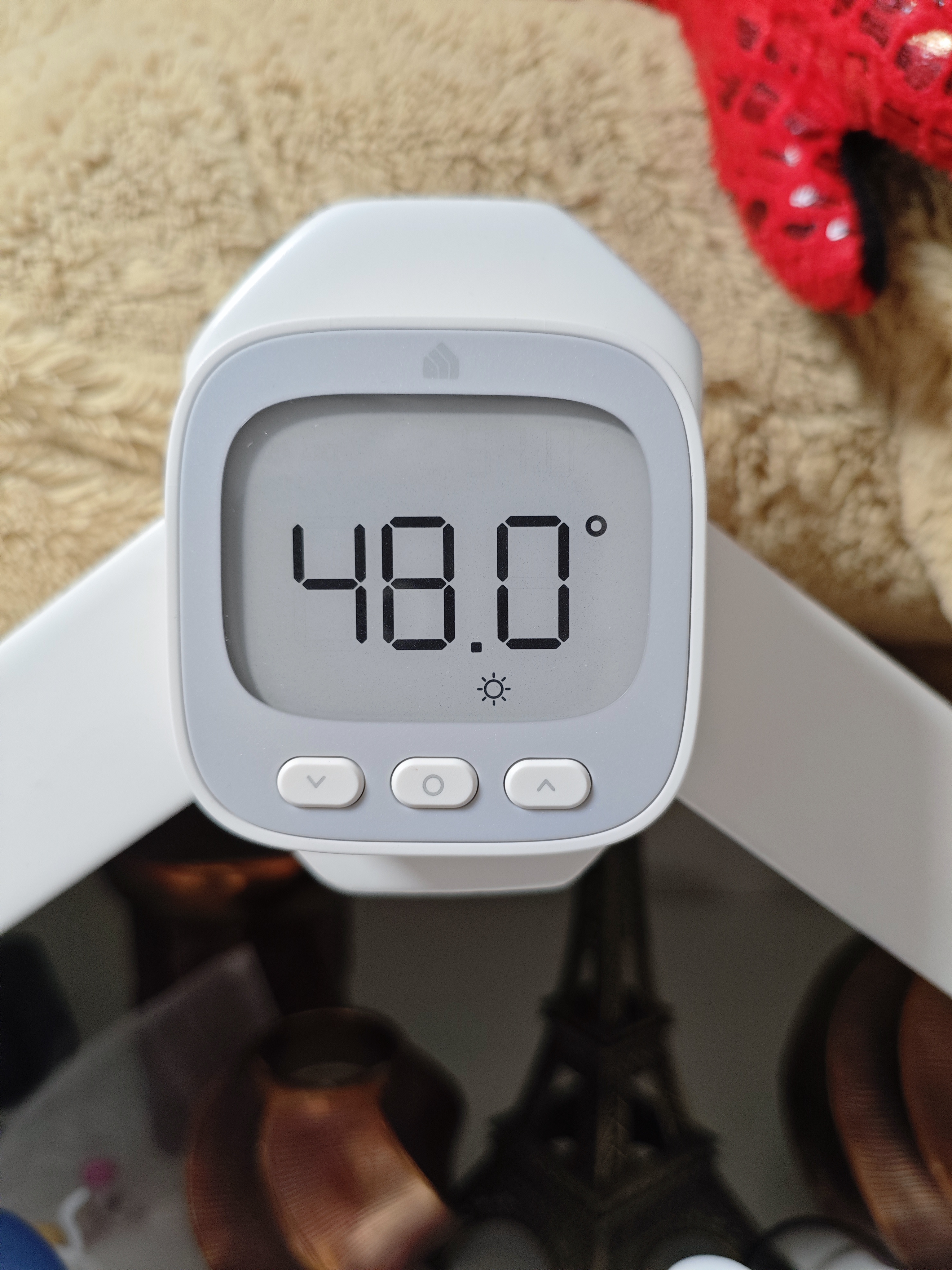
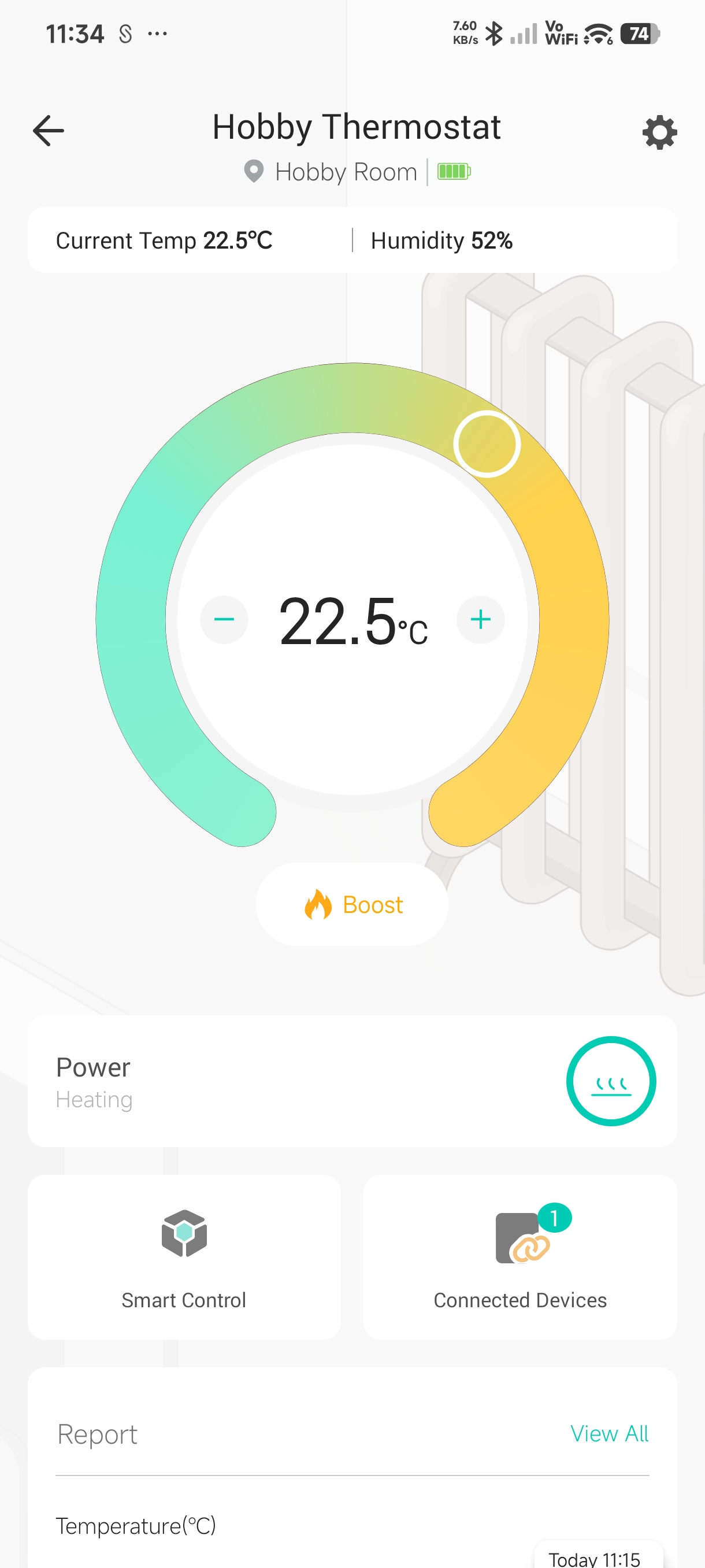
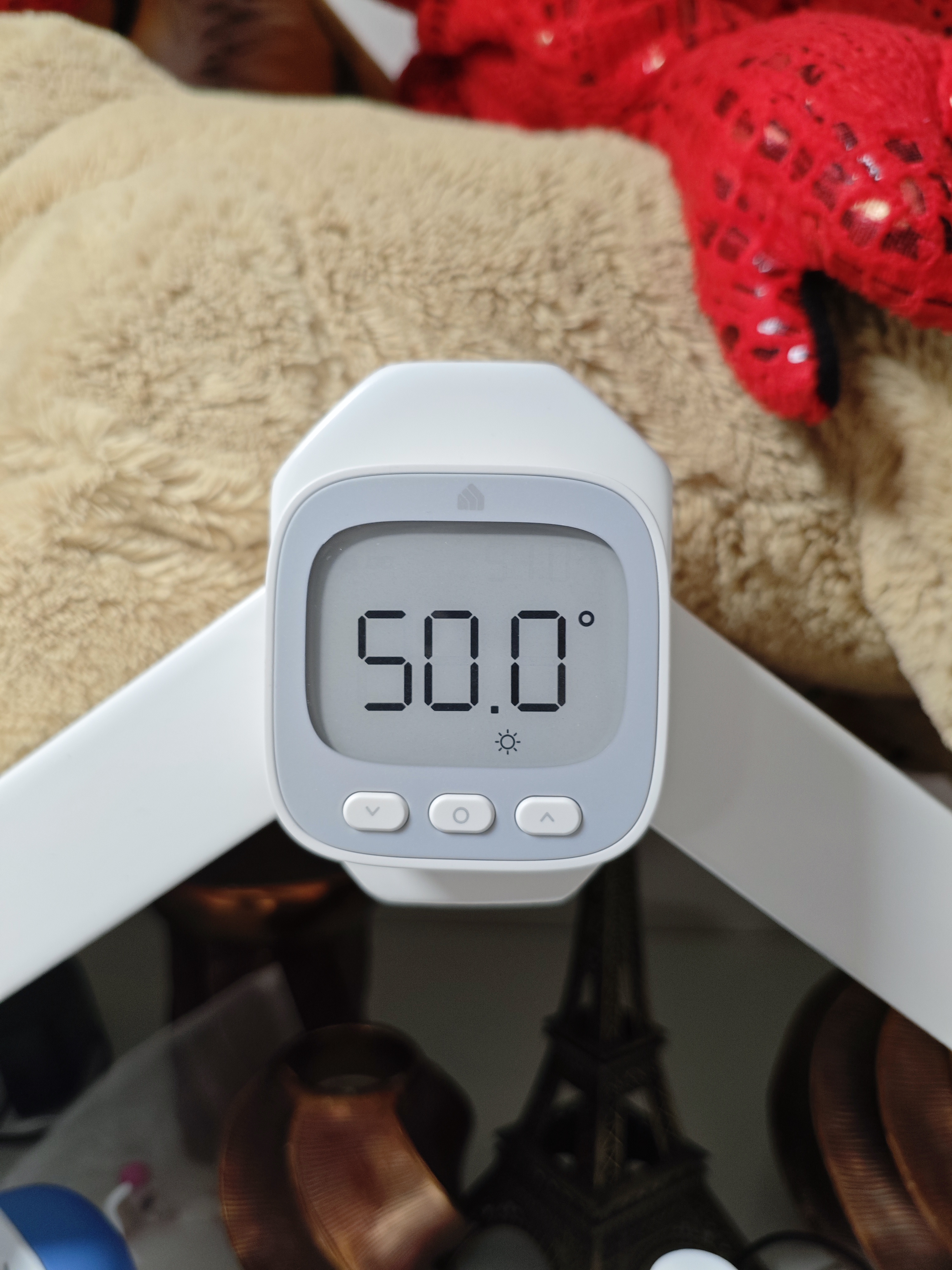
Same here it is completely broken 0.5 increments
not working on the display 22.5 shows 50 degrees on display and you can not set 0.5 increments on the display, you can do it just in the app itself, ke110 needs immediate firmware update
Edit 22.5 seems working on heating level valves stopping around 22.6 so operational fine it is just the display is wrong and setting via display is broken it just don't understand 0.5 increments l, it is only related with 0.5, integers are displayed correctly. 20.5 is shows as 48, 21.5 as 49 , 22.5 as 50
- Copy Link
- Report Inappropriate Content
@doublebstyle Yes, currently the KE110 is only faulty with the app.
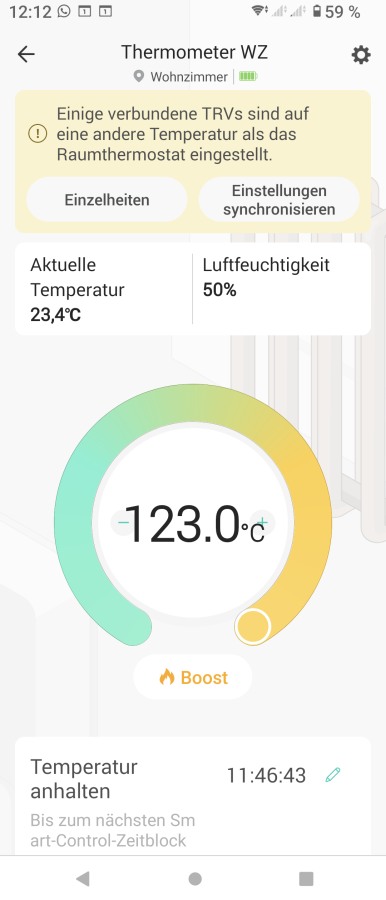
I tested it today after setting the temperature to 23.5° in the app and then manually changing it back to 23° on the KE110. The app then displays 123°, wow!
Wayne-TP wrote
The "51°" reading on your device is actually the humidity data, its correct unit should be %. Were you aware of this mismatch, and can you recall when it began?
Regarding the target temperature synchronization issue, could you perform several more tests? Specifically, does the prompt appear every time you update the KE110’s target temperature by increments of 0.5°?
@Wayne-TP Yes, this error occurs frequently and has occurred since the app started supporting 05°.
- Copy Link
- Report Inappropriate Content
I looked into this and found that the 0.5 increments feature hasn’t officially been released for KE110 yet. The firmware version you’re using is the beta version intended to address issues with Smart Control malfunction.
Since this firmware isn’t specifically designed for that feature, you might run into issues if you try using an unreleased function. But don't worry, the abnormality is addressed in a newer version, and i've sent them (for both KE110 and KH100) to your devices. You can perform the update later if you would like to try it.
- Copy Link
- Report Inappropriate Content
Wayne-TP wrote
I looked into this and found that the 0.5 increments feature hasn’t officially been released for KE110 yet. The firmware version you’re using is the beta version intended to address issues with Smart Control malfunction.
Since this firmware isn’t specifically designed for that feature, you might run into issues if you try using an unreleased function. But don't worry, the abnormality is addressed in a newer version, and i've sent them (for both KE110 and KH100) to your devices. You can perform the update later if you would like to try it.
Now it is working as expected with the firmwares you sent. Thanks for that, so does it mean that we are on the new beta or switched to normal mainstream stable?
- Copy Link
- Report Inappropriate Content
Good news!
I've tested quite a few things now. So far, no more errors.
And the best part is, I can now set the temperature on the KE110 in 0.5° increments!
Additionally, a small problem was also fixed when using the ON/OFF button on the KE110. Before this firmware update, when I switched back from OFF to ON, the temperature would revert to the set frost protection temperature, and I had to manually adjust it back to the desired temperature.
This problem is also fixed. Now, when I press ON, the previously set temperature is automatically restored. Fantastic!
At the moment, everything is working exactly as I'd always imagined.
Many thanks to you and the TP-Link team! 
- Copy Link
- Report Inappropriate Content
doublebstyle wrote
Wayne-TP wrote
I looked into this and found that the 0.5 increments feature hasn’t officially been released for KE110 yet. The firmware version you’re using is the beta version intended to address issues with Smart Control malfunction.
Since this firmware isn’t specifically designed for that feature, you might run into issues if you try using an unreleased function. But don't worry, the abnormality is addressed in a newer version, and i've sent them (for both KE110 and KH100) to your devices. You can perform the update later if you would like to try it.
Now it is working as expected with the firmwares you sent. Thanks for that, so does it mean that we are on the new beta or switched to normal mainstream stable?
I believe it is still a beta, as mentioned, the 0.5 increment feature hasn't been officially released yet. KE110's next official firmware might include more updates than this version.
- Copy Link
- Report Inappropriate Content
Information
Helpful: 0
Views: 578
Replies: 7
Voters 0
No one has voted for it yet.