Using VLANs blocks ethernet connections

Right so...
My fiber internet connection forces me to configure VLANs in order to work for both Internet and IPTV.
Technical details according to the ISP
- PPPoE via VLAN 6 (802.1q).
- PPPoE authentication PAP with username and password.
Now, I can go to Advanced -> Network --> Internet and configure the PPPoE connection but there is no VLAN setting there. Why Not?
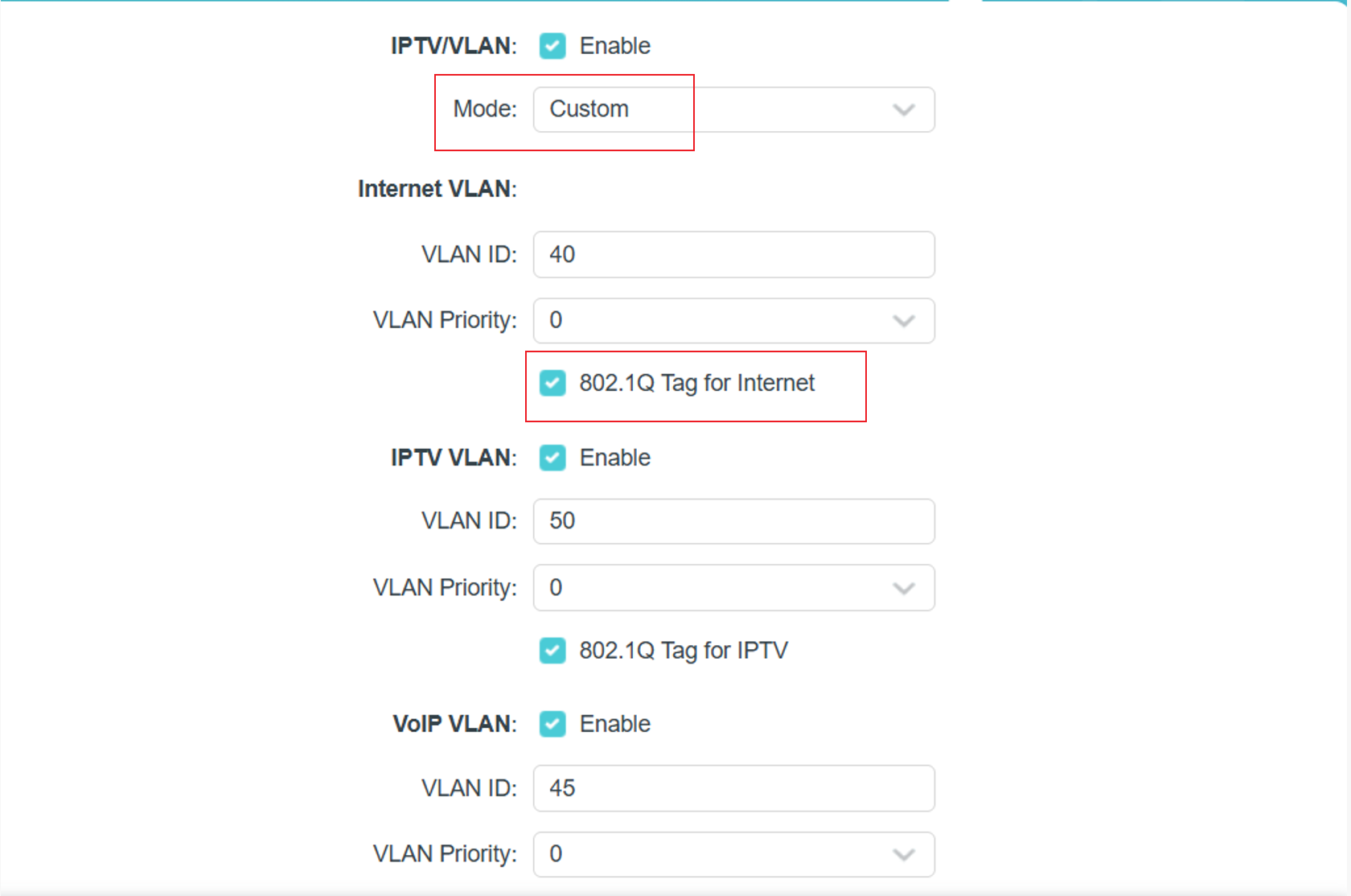
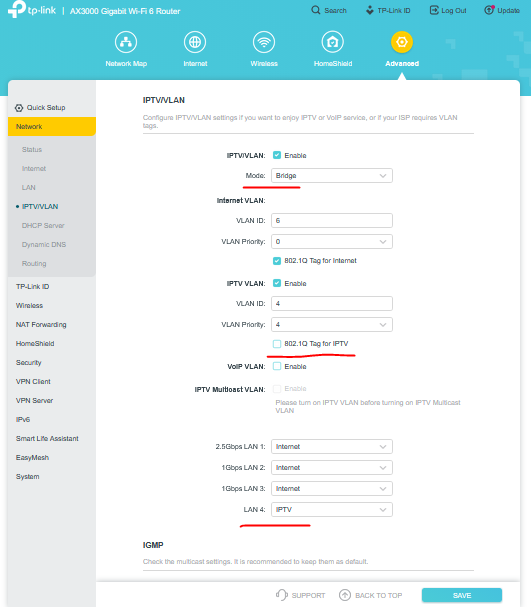
I have managed to get everything working by doing the above (without the VLAN setting there) and then going to Advanced -> Network -> IPTV/VLAN and configuring the following:
IPTV/VLAN Enabled
Internet VLAN ID 6
VLAN Priority 0
IPTV VLAN ID 4
VLAN Priority 4
LAN1 Internet
LAN2 Internet
LAN3 Internet
LAN4 IPTV
IGPM Proxy Enabled
IGPM Snooping Enabled
IGPM Version V2
This setup has both my internet and tv working as intended.
HOWEVER
Because of these settings my internal devices (2 pcs and a laptop) that are connected to the AX53 by cable can no longer see or contact each other. All pings and other forms of connectivity between those various devices time out.
Devices that are on Wi-Fi from the same AX53 can see and contact each other and the cable connected devices.
Everything is running on the same subnet from a DHCP configuration on the AX53.
How can I enable the needed VLAN configuration without losing connections on my home Ethernet network devices.