
Archer ax73v2 Rescue Mode

Archer ax73v2 Rescue Mode

Archer ax73v2 Rescue Mode
3 weeks ago - last edited Friday
Model: Archer AX73  
Hardware Version: V2
Firmware Version:

Can't get into rescue mode.

I tried holding the reset button then powering on

I tried holding the WPS button then powering on.

Why can't I make it work?


Thanks.


Edit: I get in, but orange led from the instruction never showed up, you need to update the manual.
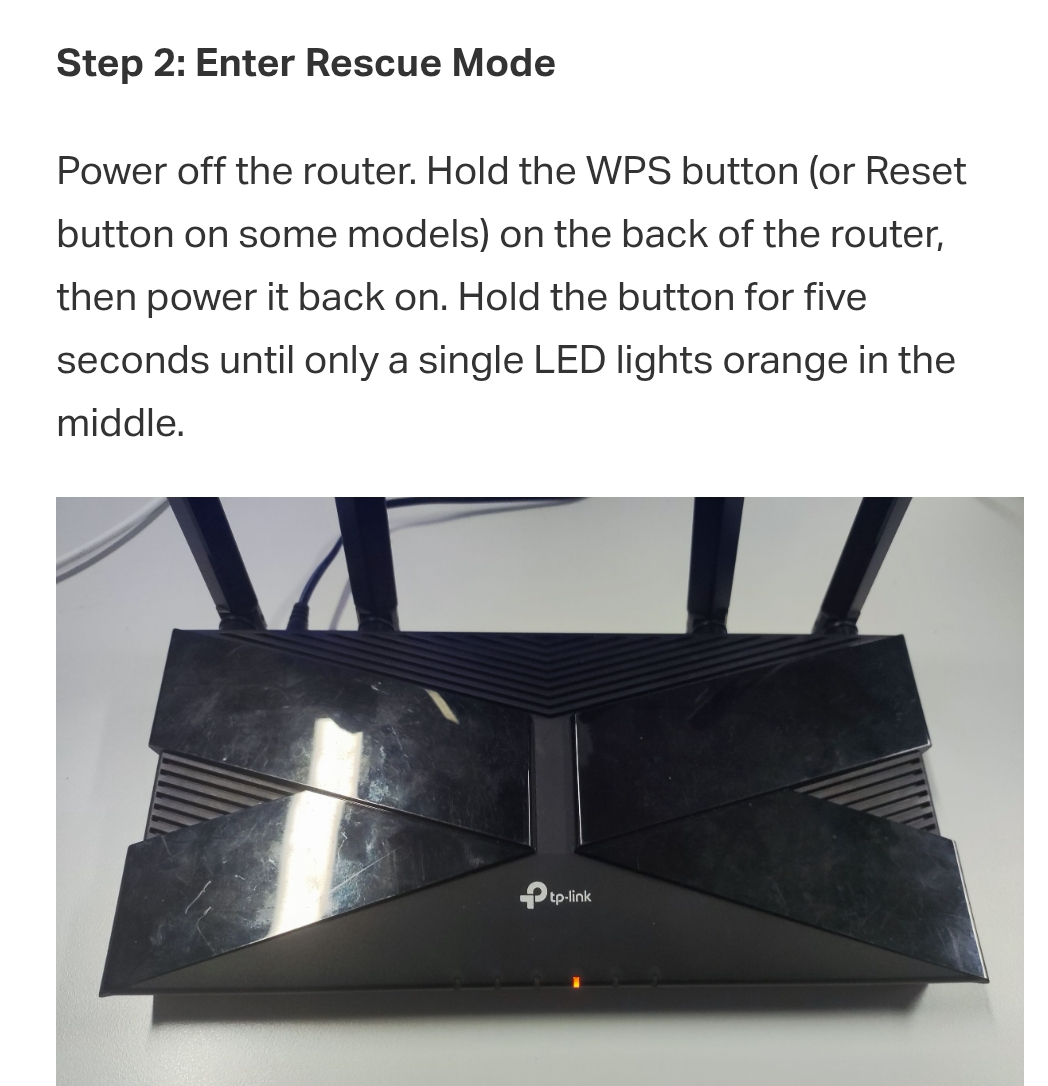


For me it was only power green led light on all the time.


  0      
0
#1
Options
1 Accepted Solution
Re:Archer ax73v2 Rescue Mode-Solution
Friday - last edited Friday

Hi  @SugarBaby ,

The FAQ below will tell you about How to Recover a Bricked TP-Link Router

Welcome to Our Community! Get the latest posts: △New Firmware for Archer GE550/GE650 V1 Introduces AI-QoS, EasyMesh IoT Expansion, and More! △New Firmware Releases for Archer BE805 V1/BE450 V1 to Support VPN Merge, New ECO Mode, and More! More posts, please see: △ Get the Ongoing Pre-release Firmware for Wi-Fi Routers Here— Subscribe for Updates! Urgent problems with your Wi-Fi Router, Range Extender, or DSL Modem? Please reach out via private Messages or @Joesph-TP in your new thread directly. Click Or ☆Recommended Solution if the post/answer helps.
Recommended Solution
  0  
0
#3
Options
2 Reply
Re:Archer ax73v2 Rescue Mode
3 weeks ago

  @SugarBaby 


Hi,


Yes, the LED response varies for different router models.


Another example, on an Archer AXE75 the rescue mode is indicated by a continuously blinking green Power LED. (and all other LEDs remain dark)


  1  
1
#2
Options
Re:Archer ax73v2 Rescue Mode-Solution
Friday - last edited Friday

Hi  @SugarBaby ,

The FAQ below will tell you about How to Recover a Bricked TP-Link Router

Welcome to Our Community! Get the latest posts: △New Firmware for Archer GE550/GE650 V1 Introduces AI-QoS, EasyMesh IoT Expansion, and More! △New Firmware Releases for Archer BE805 V1/BE450 V1 to Support VPN Merge, New ECO Mode, and More! More posts, please see: △ Get the Ongoing Pre-release Firmware for Wi-Fi Routers Here— Subscribe for Updates! Urgent problems with your Wi-Fi Router, Range Extender, or DSL Modem? Please reach out via private Messages or @Joesph-TP in your new thread directly. Click Or ☆Recommended Solution if the post/answer helps.
Recommended Solution
  0  
0
#3
Options

