
UI bug: items per page options hidden behind next section

UI bug: items per page options hidden behind next section
Tags:
#Controller
There are at least 2 instances in which the selection of how many items to show per page is hidden behing the labels of the next section within the same page, making it not only impossible to select the hidden options, but impossible to even select the last shown option.
In the following screenshot, label Action of section Upgrade Schedules makes it impossible to select Upgrade Logs section 20/page and hides every other option (25/ 50/ 100/) according to the small shadow of where the selection menu continues.
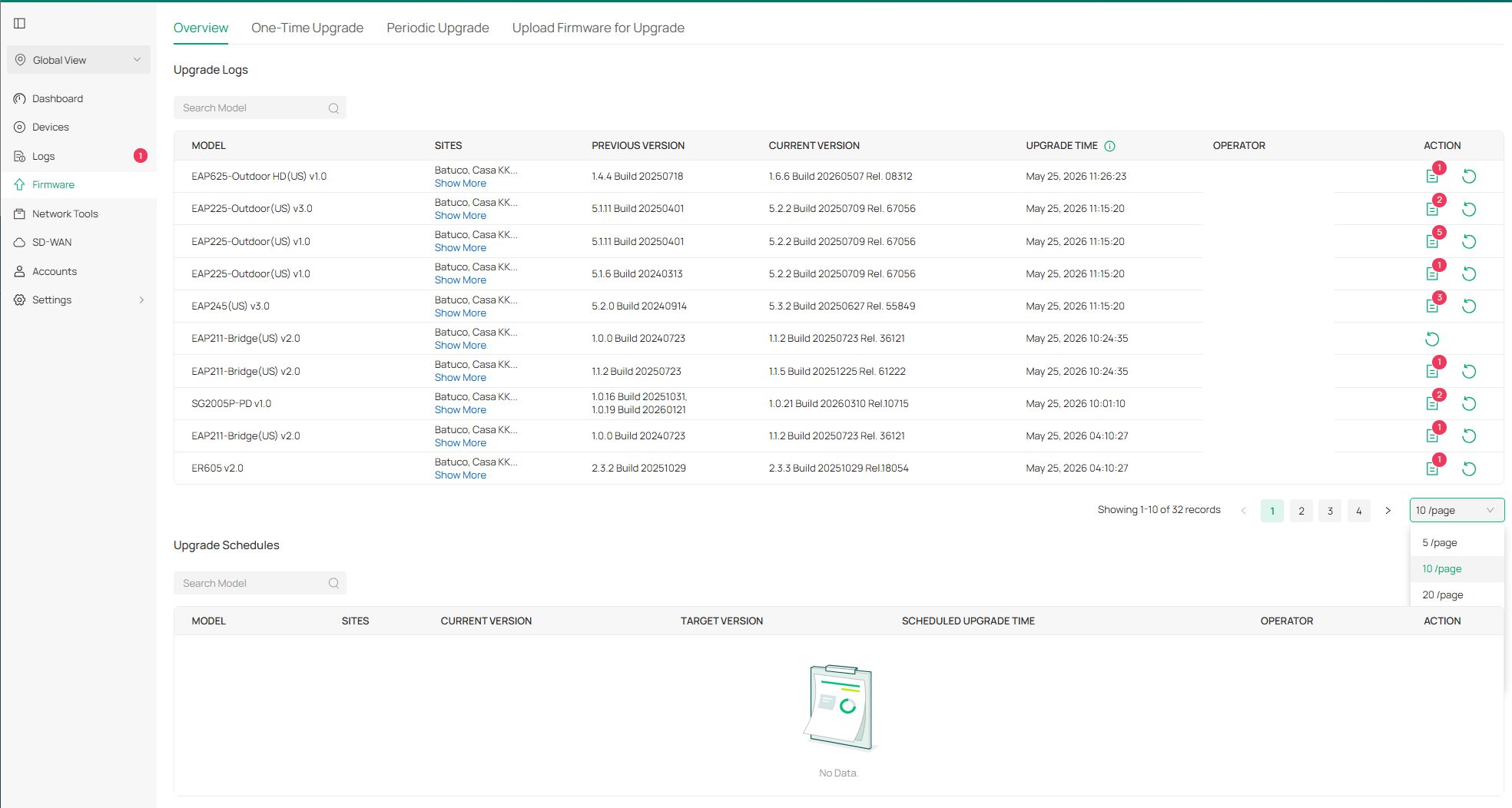
I can't remember nor find the other instance where this happens, but I know there is another one as I remember seeing the /100 option below the following section label.

