Tapo camera looks blocky though Alexa, why?

Tapo camera looks blocky though Alexa, why?

Tapo camera looks blocky though Alexa, why?
2025-08-04 15:20:05 - last edited 2025-08-15 08:39:13
Model: Tapo C120  
Hardware Version:
Firmware Version: 3.13.111

I don't see a V1, etc for hardware version, but in the app it says it's up to date with version 1.3.1 for the camera.


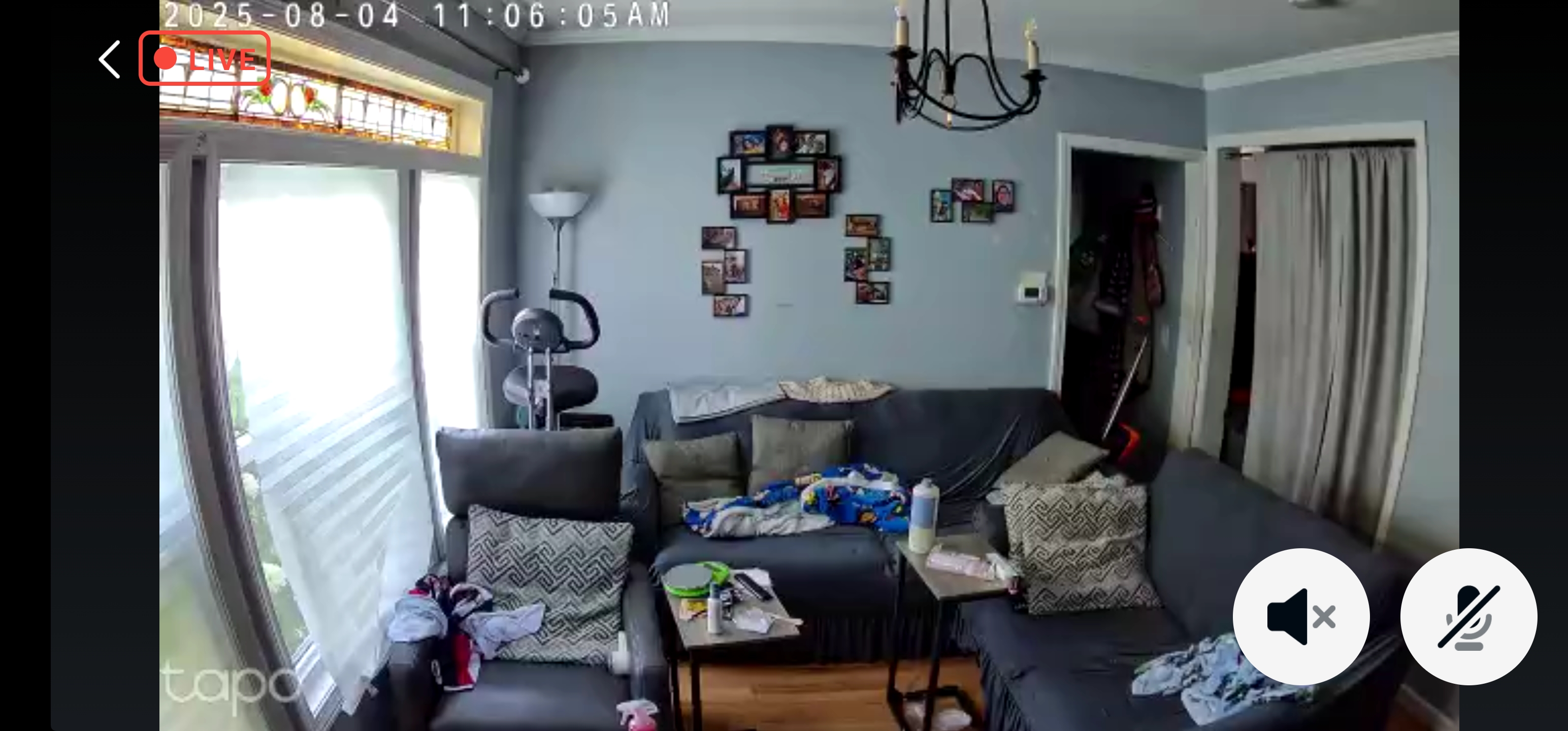
This isn't really a Tapo question since the app and camera work fine, but it did say it works with Alexa, and I had hoped it would work the same way with Alexa. The video sucks on using the Alexa app. It's not 2K, probably not even 720P to be honest. I just want to know why the video quality on the Alexa app is so terrible. The first one should show up as the Tapo one. I also checked Alexa and there is no way to adjust the Tapo camera settings in the app. On the Tapo app it is set to 2K. 
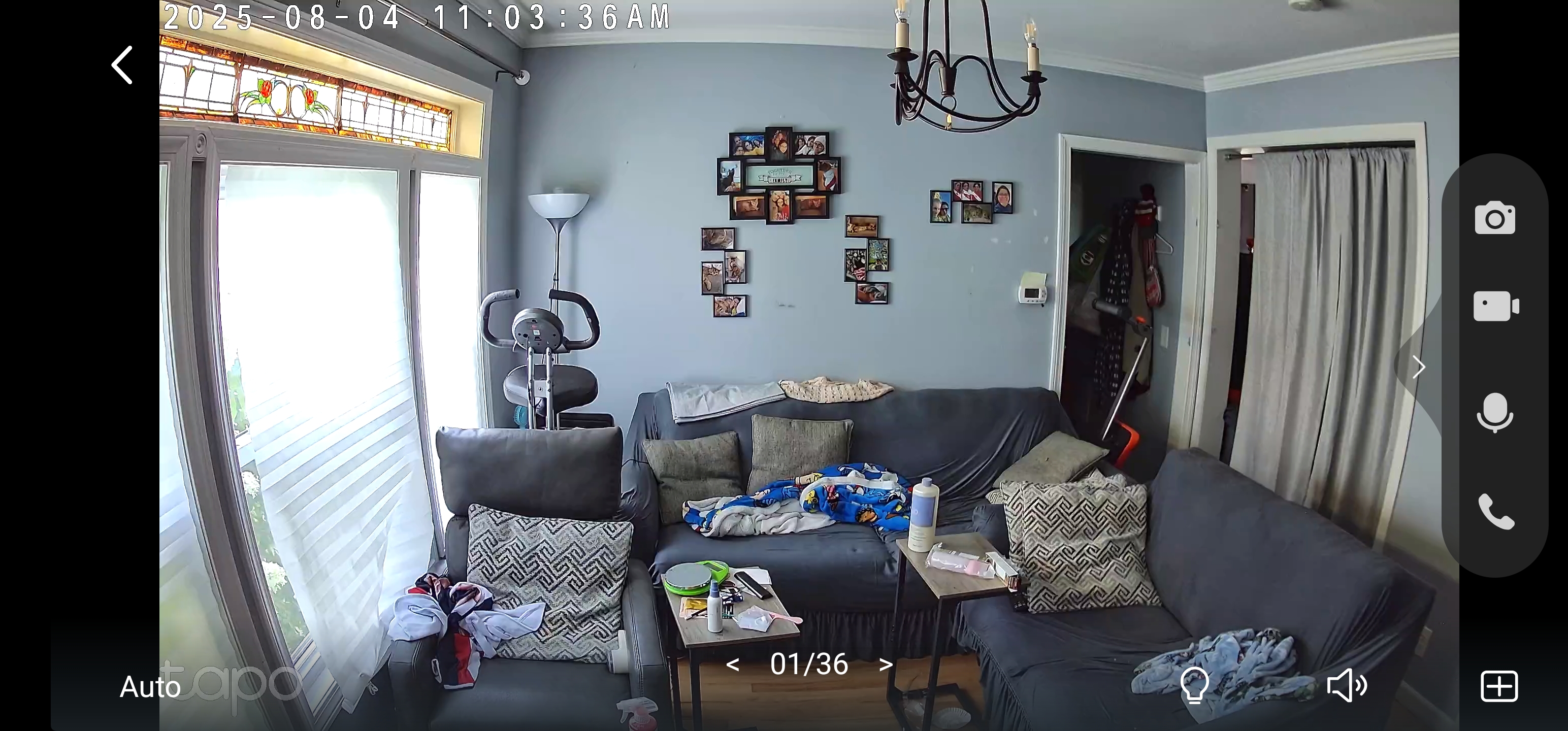
 

Tapo Original
Tapo Alexa

  0      
  0      
#1
Options
1 Accepted Solution
Re:Tapo camera looks blocky though Alexa, why?-Solution
2025-08-05 07:24:29 - last edited 2025-08-15 08:39:13

  @adamcharles1972 

Hi,
The phenomenon you reported may be related to the number of devices that stream the camera simultaneously. A Tapo camera supports up to two mainstreams(high resolution) and two substreams(low resolution) to stream it simultaneously. All mobile devices(including Alexa devices) that stream the camera remotely will occupy a mainstream or substream, and a device that streams the camera locally will also occupy a mainstream or substream. If you subscribe to the Tapo Care plan, the service will occupy a mainstream.


In your situation, it may be that the two mainstreams are used, so you can only stream the camera on the Alexa app in low resolution. You can turn off your camera, wait for two minutes, turn it back on, and then try to stream the camera only in the Alexa app. Then, check if the video quality will be better.


Best Regards

Recommended Solution
  0  
  0  
#2
Options
1 Reply
Re:Tapo camera looks blocky though Alexa, why?-Solution
2025-08-05 07:24:29 - last edited 2025-08-15 08:39:13

  @adamcharles1972 

Hi,
The phenomenon you reported may be related to the number of devices that stream the camera simultaneously. A Tapo camera supports up to two mainstreams(high resolution) and two substreams(low resolution) to stream it simultaneously. All mobile devices(including Alexa devices) that stream the camera remotely will occupy a mainstream or substream, and a device that streams the camera locally will also occupy a mainstream or substream. If you subscribe to the Tapo Care plan, the service will occupy a mainstream.


In your situation, it may be that the two mainstreams are used, so you can only stream the camera on the Alexa app in low resolution. You can turn off your camera, wait for two minutes, turn it back on, and then try to stream the camera only in the Alexa app. Then, check if the video quality will be better.


Best Regards

Recommended Solution
  0  
  0  
#2
Options

Information

Helpful: 0

Views: 187

Replies: 1