Yellow tint after upgrading

Yellow tint after upgrading

Yellow tint after upgrading
2 weeks ago - last edited 2 weeks ago
Model: Tapo C320WS  
Hardware Version: V1
Firmware Version: 1.4.2


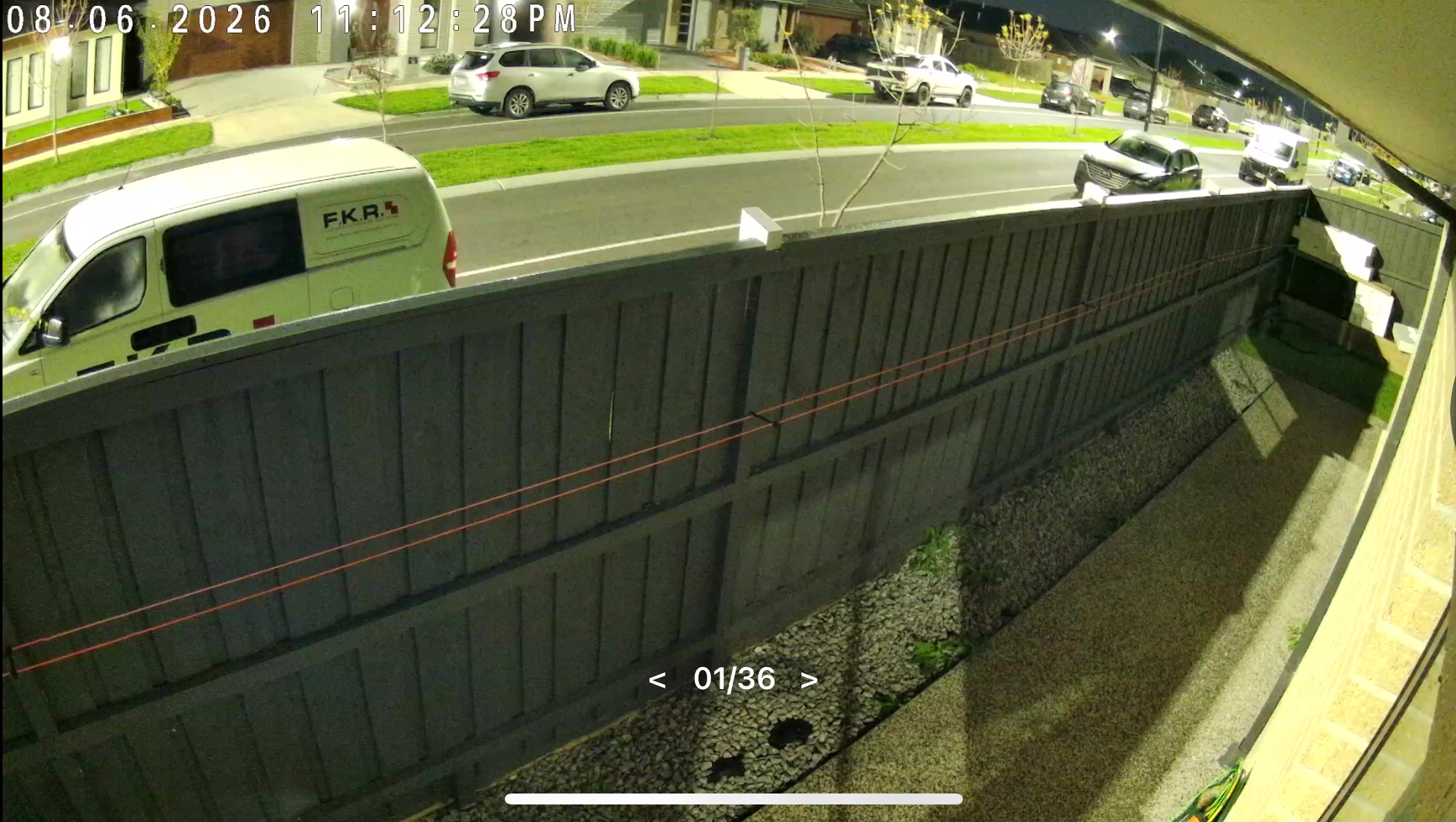
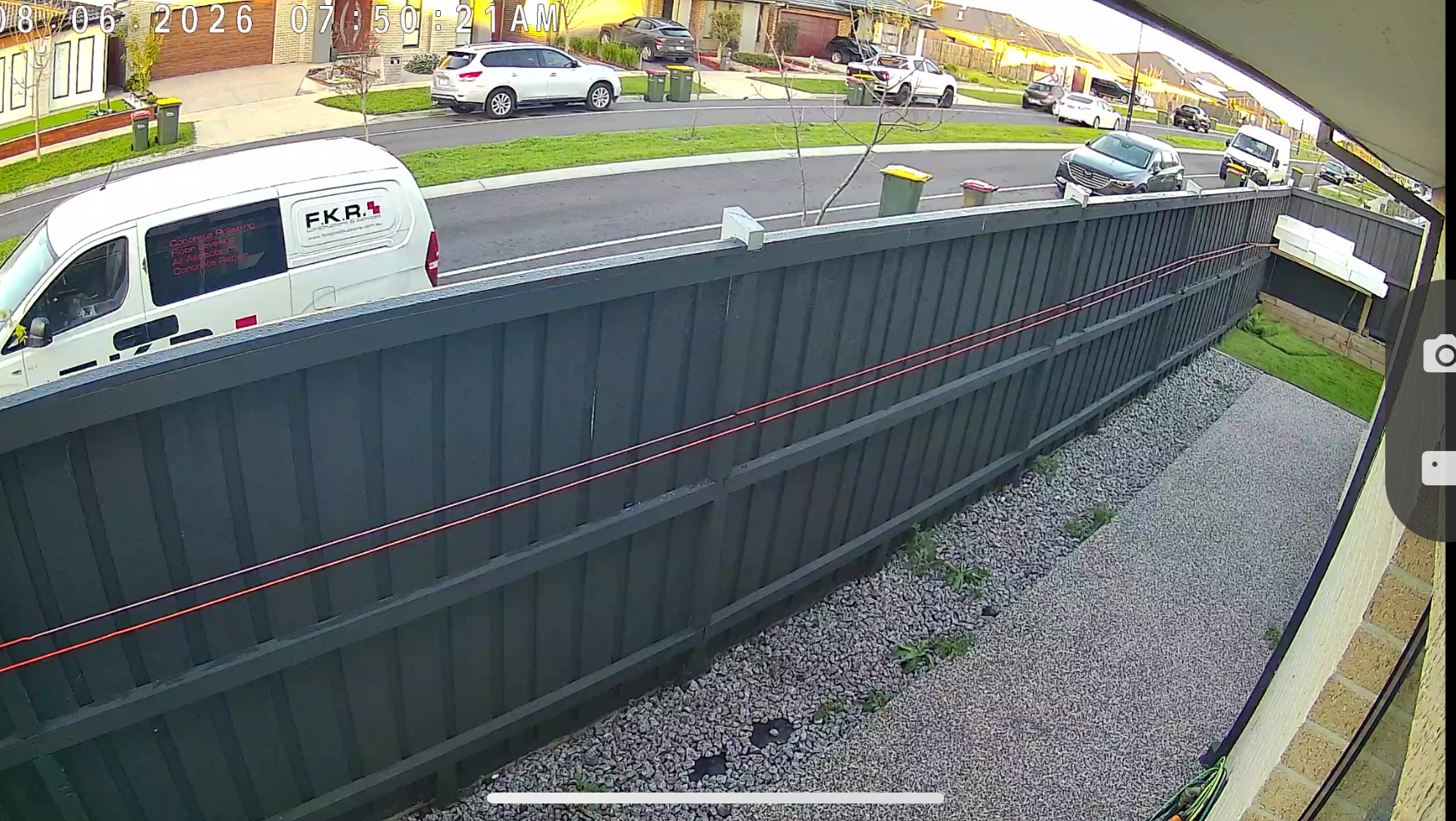
Hi , I am having issues with (c320ws) this yellow tint especially at night time. If I switch the mode it then becomes very foggy with light on. Infrared is working fine and I can hear the cut off so it's not stuck in ir mode. I will post few pictures to highlight the issue. Thank you 


Pictures above. Sorry unable to add more as it gives me error messages..

First photo night time with smart mode (yellow tint )

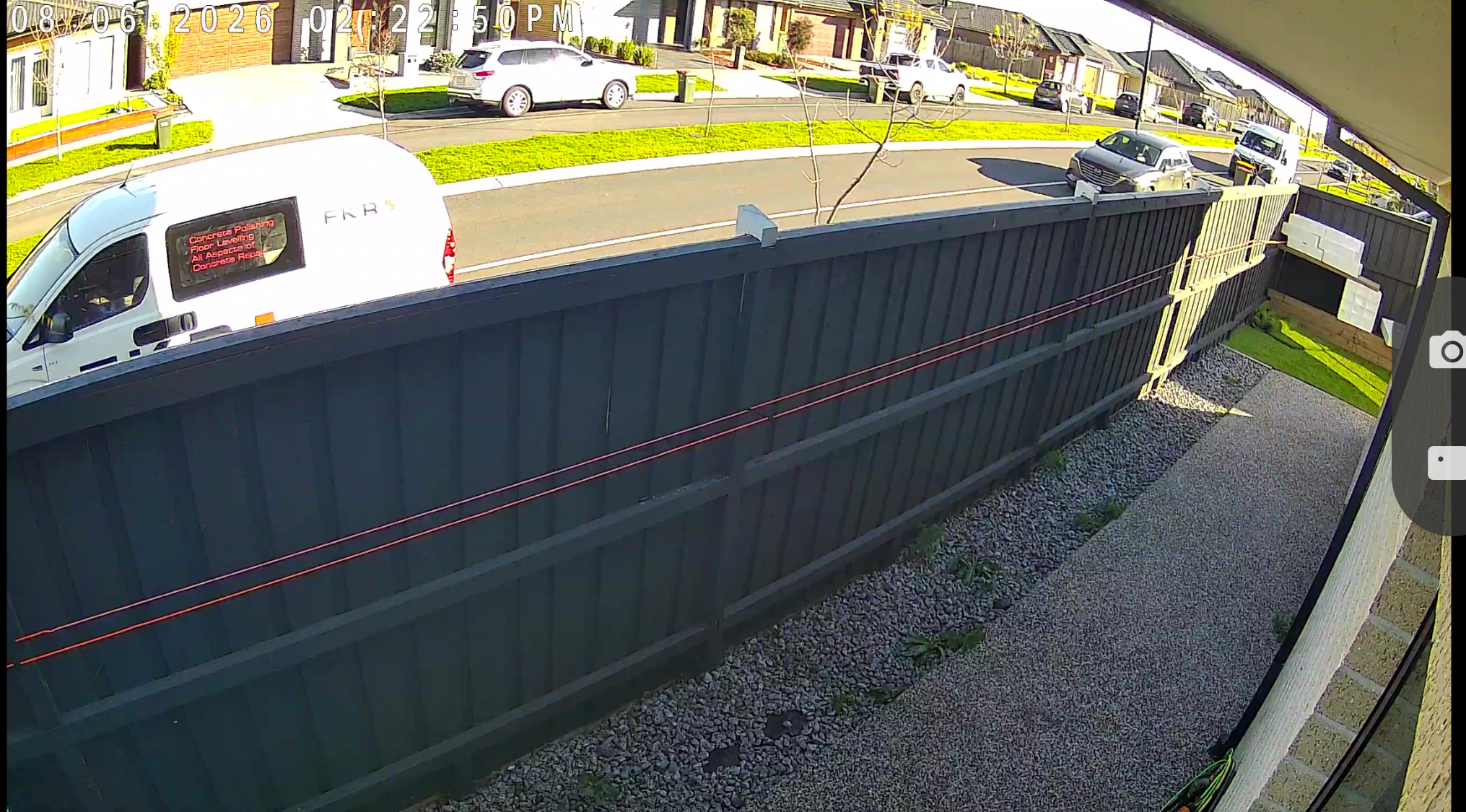
Second one a good normal photo at day time (only if no sun light is in the view ) . 
Third is day time with sunlight so it makes it yellow and over exposed every where. 
 

this location is away from sun or any street lights directly pointing to the camera. Tried adjusting the angles too put it won't go away. Thanks

 

  0      
0
#1
Options
3 Reply
Re:Yellow tint after upgrading
a week ago

  @King890 

Hello,

Thank you for reporting this. At this time, we haven’t received similar feedback from other users regarding this specific issue.


To help troubleshoot, we suggest trying the following steps:

  1. Check the camera lens: Please inspect the lens of the camera that is not detecting motion. If it appears dirty or smudged, gently clean it with a soft, dry cloth.
  2. Adjust the antenna position: Ensure the camera’s antennas are positioned away from potential reflective surfaces, as reflections can interfere with detection.
  3. Reposition the camera: Try adjusting the camera’s angle or orientation. If possible, swap the two cameras to test whether the issue is specific to the device or related to its original position.


If the problem persists after trying these steps, please contact our Support Team directly for further investigation. They will be able to assist you with deeper diagnostics and potential next steps.


  0  
0
#2
Options
Re:Yellow tint after upgrading
a week ago

  @Hilbert-TP thanks for the reply. I disconnected the camera today as I was cleaning the lens etc and now I lost the connection to the wifi. Red light was solid so i have to do reset and now i can't see the camera wifi anymore to connect it again. I am trying all day today to try solve the issue. Like dns change, different phone, tried resetting my main network too. But it won't connect. So i took it off and tried wired and it worked but as soon as disconnected it and tried wireless it won't connect again. Can you help me to solve this please? All other cameras are working fine. 

  0  
0
#3
Options
Re:Yellow tint after upgrading
a week ago

King890 wrote

  @Hilbert-TP thanks for the reply. I disconnected the camera today as I was cleaning the lens etc and now I lost the connection to the wifi. Red light was solid so i have to do reset and now i can't see the camera wifi anymore to connect it again. I am trying all day today to try solve the issue. Like dns change, different phone, tried resetting my main network too. But it won't connect. So i took it off and tried wired and it worked but as soon as disconnected it and tried wireless it won't connect again. Can you help me to solve this please? All other cameras are working fine. 

  @King890 

Hi,

If  you are unable to detect the Tapo Camera’s Wi-Fi, please try the following:

    1. Ensure the camera is powered on and in setup mode.

    2. Turn Wi‑Fi off and on in your phone settings.

    3. Try using a different phone to detect the camera’s Wi‑Fi.

    4. Reset the camera and try again: How to Factory Reset Your Tapo Camera: Two Methods


 If the problem persists, contact our customer service team and provide the results of the troubleshooting steps above.


  0  
0
#4
Options

Information

Helpful: 0

Views: 146

Replies: 3