
NVR doesn't work with extender externally, don't know where to look to troubleshoot

I'm trying to switch my Surveillance NVR from a wired connection through a D-Link Powerline AV2 2000 to now be wired into a TP-Link AC1200 WiFi Extender RE315. On the powerline kit, I had no issues connecting to the NVR either within network or externally. However now with the Extender, I can only get a connection while within the same network. Switching my phone from wifi to phone service I am unable to get a connection. Hooking up my laptop to the ethernet cable shows the extender does provide a valid connection to the internet. So I figured it was a port forwarding issue, but I opened all possible ports that the sw uses. NVR software shows it is configured for only 85 and 9000, but manufacturer (Swann) says all of the below are possible, so I opened all of them to the NVR client. The forwarding doesn't help anything. I don't know what else to try or where to look. I looked in the System Log hoping it would show some kind of rejection message when attempting to open the cameras, but nothing ever comes up.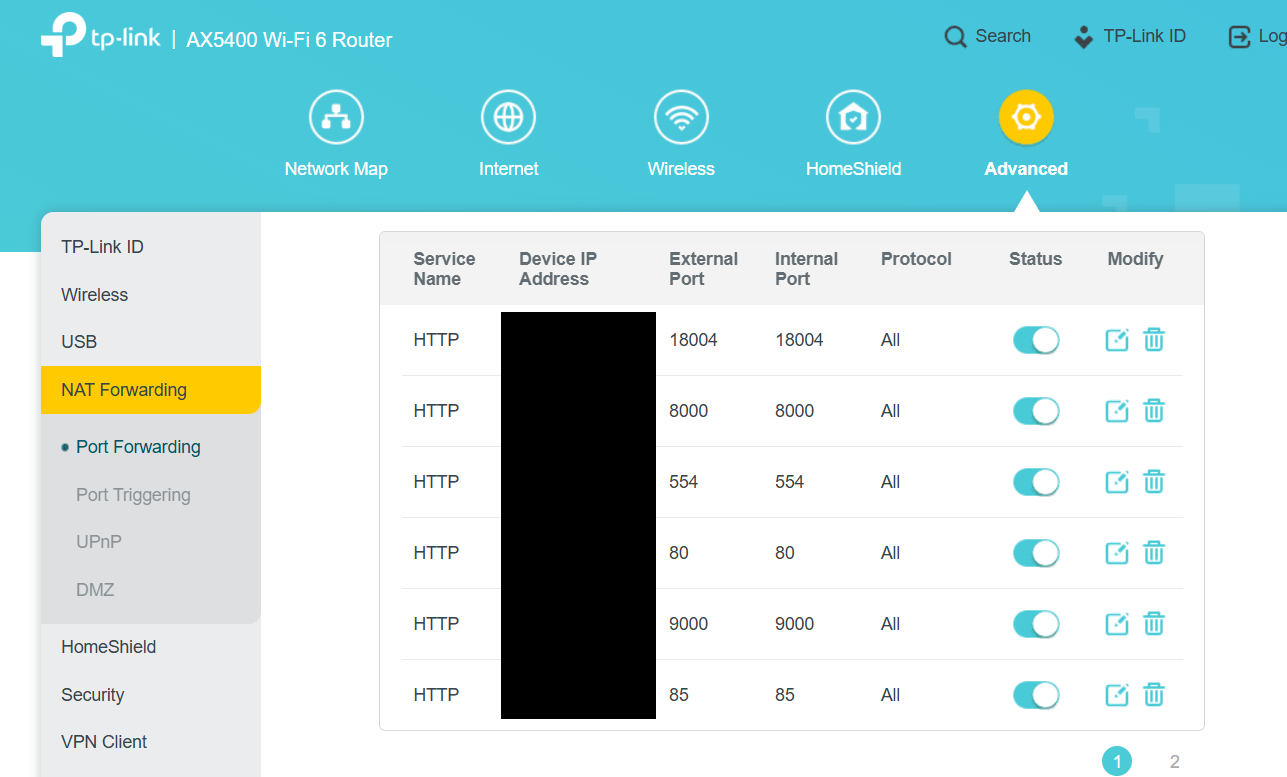
- Copy Link
- Subscribe
- Bookmark
- Report Inappropriate Content

@netshark Do you think this has something to do with the virtualized MAC address that REs create for client devices? (The article gives directions for MAC filtering but also gives insight into WDS Mode, which passes clients true MAC address).
https://www.tp-link.com/us/support/faq/927/
- Copy Link
- Report Inappropriate Content
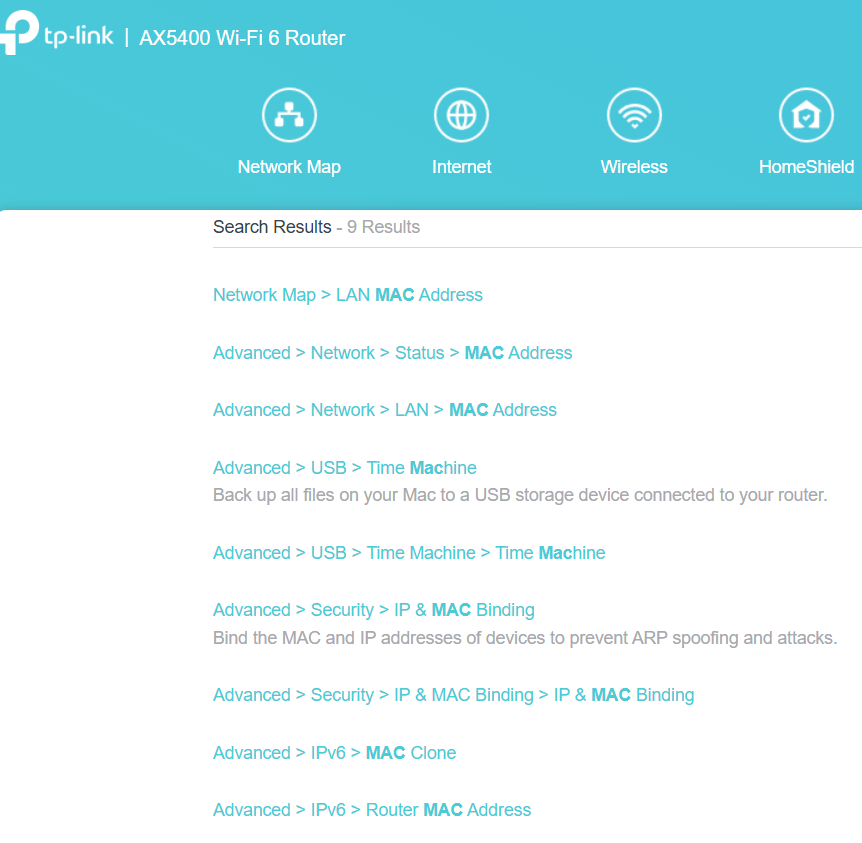
@jzchen Neither my AX5400 router configuration nor the RE315 extender configuration have configs that match the what your link showed. Looking through the network maps on both configurations, it looks like it is using the actual MAC of the NVR, not virtual. The MAC matches what the NVR software says it is. I'm unable to find the Operation Mode (Universal, WDS, Proxy) in the RE315 settings. The only similar thing I saw was a mode switch for Range Extender Mode or Access Point mode. I changed it to Access Point mode to see if it would affect anything, it ended up breaking the thing, showing as offline without an IP and I had to factory reset it. Here's the settings that match "MAC" from my router.
- Copy Link
- Report Inappropriate Content
@netshark I'm afraid that is my only suspicion at the moment... AP mode does require an Ethernet connection between router LAN port and the RE315. I don't suppose you could temporarily run a long Ethernet cable between them, switch the RE315 to AP mode, and retest to see if the issue goes away? The reason I ask is the only range extenders that do WDS Mode have been discontinued, and an appropriate (also old) router needs to support it somehow....
- Copy Link
- Report Inappropriate Content
- Copy Link
- Report Inappropriate Content
@netshark Can you tell I have no experience with NVR? Sorry I did not know. I also don't know what the REs do with the client's MAC when connected to the Ethernet port. If you can see the correct NVR MAC on the router clients page, then I unfortunately have no idea what's the issue. I have a couple TP-Link REs running in my house, and may have just experienced something similar with a Sensi smart thermostat. I changed a WiFi setting on my Deco and when I checked the app it showed as disconnected, but on the actual thermostat display it showed connected to WiFi. (My REs are all in AP mode)...
- Copy Link
- Report Inappropriate Content
So I went through several things troubleshooting with Chat GPT. Bottom line is I think I was a dead man walking. My system is old, a Swann NVR8-7400, and I think it was continuing to work through sheer luck.
Chat GPT had me change several configurations, disabling UPnP (says it causes issues) and changing my ISP modem from IPoE to Transparent Bridging. This wasn't needed before, but I think the problem finally was pinpointed when I tried to use the "Send UID" button directly on the NVR. This button was not visible on any of the PC/phone applications, only directly using a mouse/tv cables on the hardware. This button always reports "Send UID failed", I believe this updates settings within Swann's servers allowing the appropriate network connections through their apps. My NVR probably uses an old handshaking interface that is no longer supported and therefore it can't update data to allow the connections to work. But while my network had been stable for years it allowed old settings that were configured while the SW was supported to continue to function.
So now I am at a bit of a crossroads, the less invasive one I am going to try is setting up a VPN Server through my AX5400 that will allow me to spoof my phone being on the internal network while away. The other option that I've seen mentioned on message boards is flashing my NVR8-7400 to a different products firmware, the Reolink RLN8-410. There were 2 reports of people successfully doing that, and the added benefit of that is I should be able to get direct URL links to each camera individually and allow me to add feeds to my Home Assistant setup. I think the only current remote browser access is supposedly to download and install (get link when attempting to use port 85) some browser extension. But that .exe fails to do anything for me.
- Copy Link
- Report Inappropriate Content
@netshark I realized I know nothing about the power line unit you are using. It seems to be a downgrade the RE315 better to continue using the D-Link...
- Copy Link
- Report Inappropriate Content
Information
Helpful: 0
Views: 535
Replies: 7
Voters 0
No one has voted for it yet.