
Enabling QoS Makes Bufferbloat Worse

So I recently got an archer BE230 to replace the router given to me by my isp. Soon after, I realized that I began suffering from bufferbloat whenever something heavy was downloading. I turned on QoS and set the recommended bandwidth limit for QoS with the help of chatGPT. QoS bandwidth: 350/40
Max speeds without QoS: 400/47
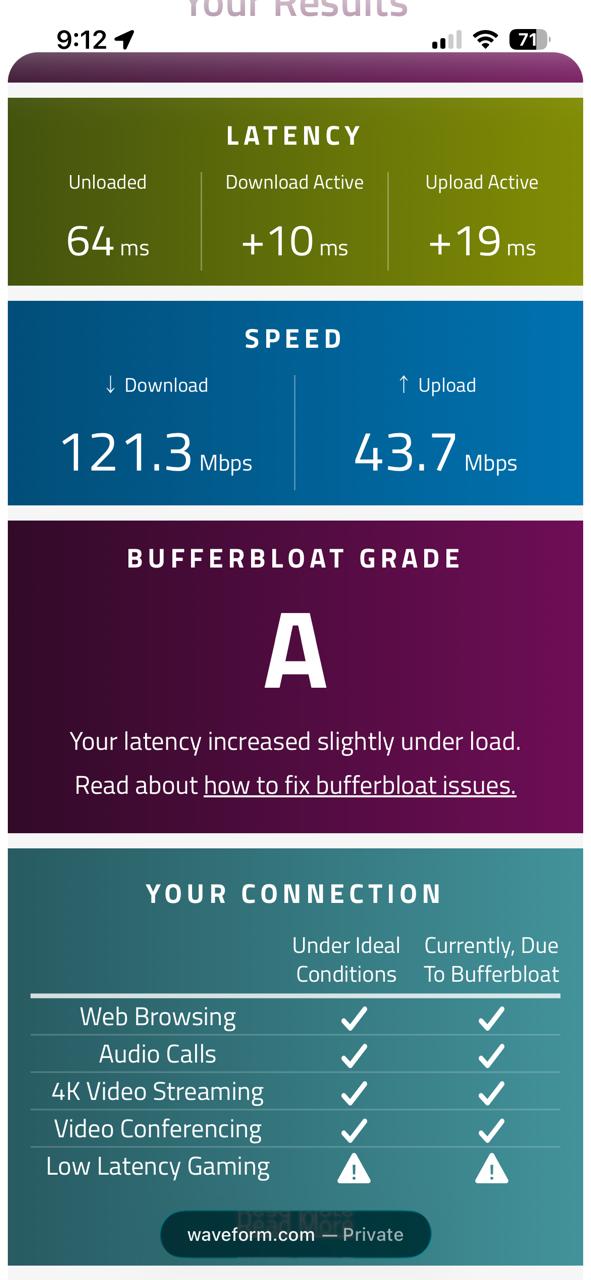
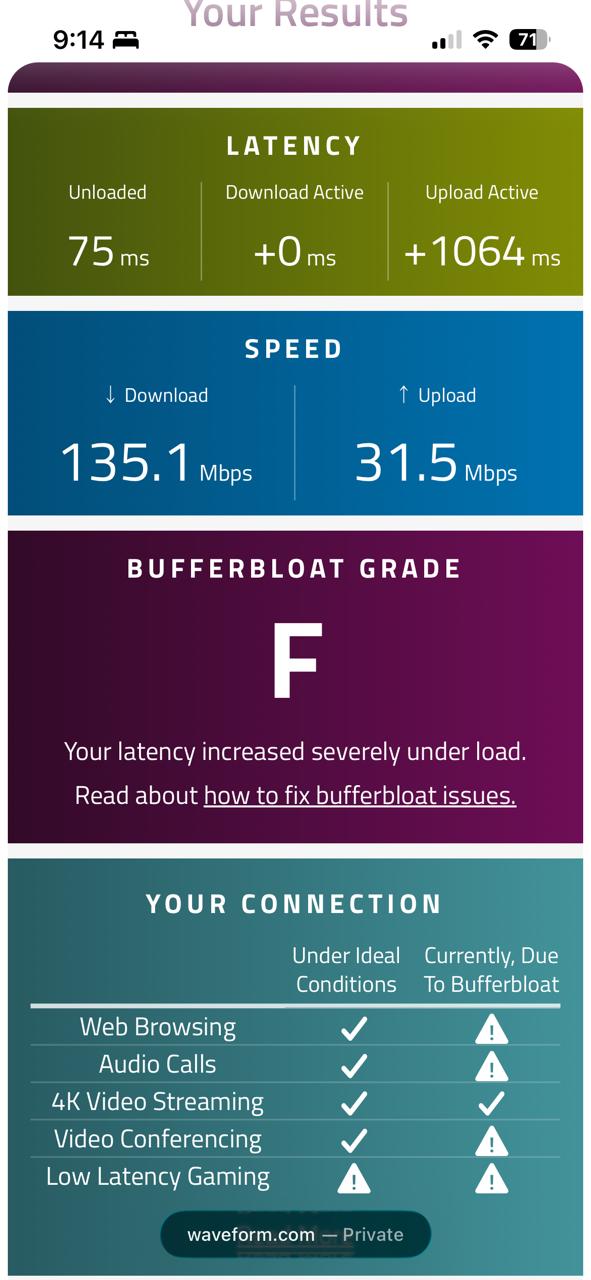
With the QoS bandwidth limit configured, I decided to do a bufferbloat test before and after QoS was enabled. To my suprise the bufferbloat test came back worse after QoS was enabled. I tried playing around with the values I had set for the QoS but to no avail, my download and upload remained high, specifcally my upload which reached 2000ms+ majority of the time.
Before QoS:
After QoS:
I've already seen multiple threads talking about this issue, to which a firmware "fix" was released to address this. I'm on the latest firmware as of May 5 2026 and yet this issue persist. For now I saw that it was best to leave QoS disabled.
The bufferbloat test before QoS looks fine but just wait until til there is a heavy download which skyrockets my ping on my Ps5 when gaming, so im basically stuck in a dilemma between turning QoS on or leaving it off. Please let there be a fix for this or tell me what i'm doing wrong.