
Request: Allow full color without spotlight C246D

I just installed a C246D and really enjoy it, however, if like to have the option to use full color without spotlight. I have a street lamp that puts out enough light, but since the camera is mounted under my soffits, the inferred pretty much blind the fixed camera and and don't want the spotlight on all night.
Of the few nights I've had the camera installed, tonight is the first it switched to inferred which is of since the is plenty of light available.
The C325WB has this available so I'm hoping a simple update could add this feature.
- Copy Link
- Subscribe
- Bookmark
- Report Inappropriate Content


I want to say that it is possible to achieve this by tapping on the live view and changing the Mode from 'Auto' to Day Mode - this will prevent the camera from kicking into its night vision modes and will cut off any spotlight or infrared funtions.
The C325WB is also a very specific camera and has unique functionalities as a result. Most cameras take advantage of Starlight Night Vision, while the C325WB has ColorPro Night Vision, which is specifically meant for use in extrememy dark environments.
Contact Support or Join our Official Subreddits: r/tapo, r/tplink, r/omada_networks
- Copy Link
- Report Inappropriate Content
Unfortunately there isn't any settings as of right now to turn the spotlight off (at least that I've found).
Here are the options on the C246D:
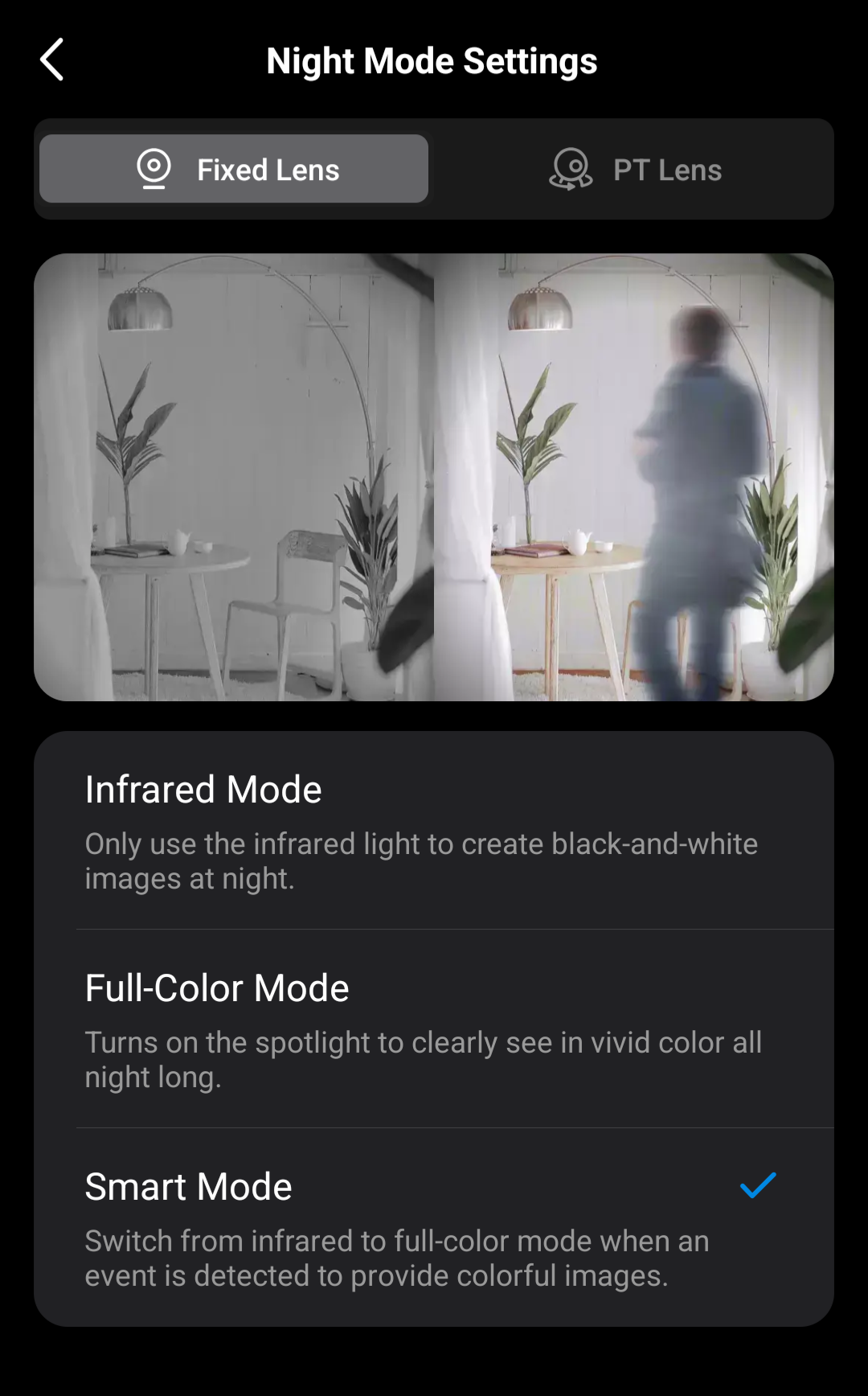
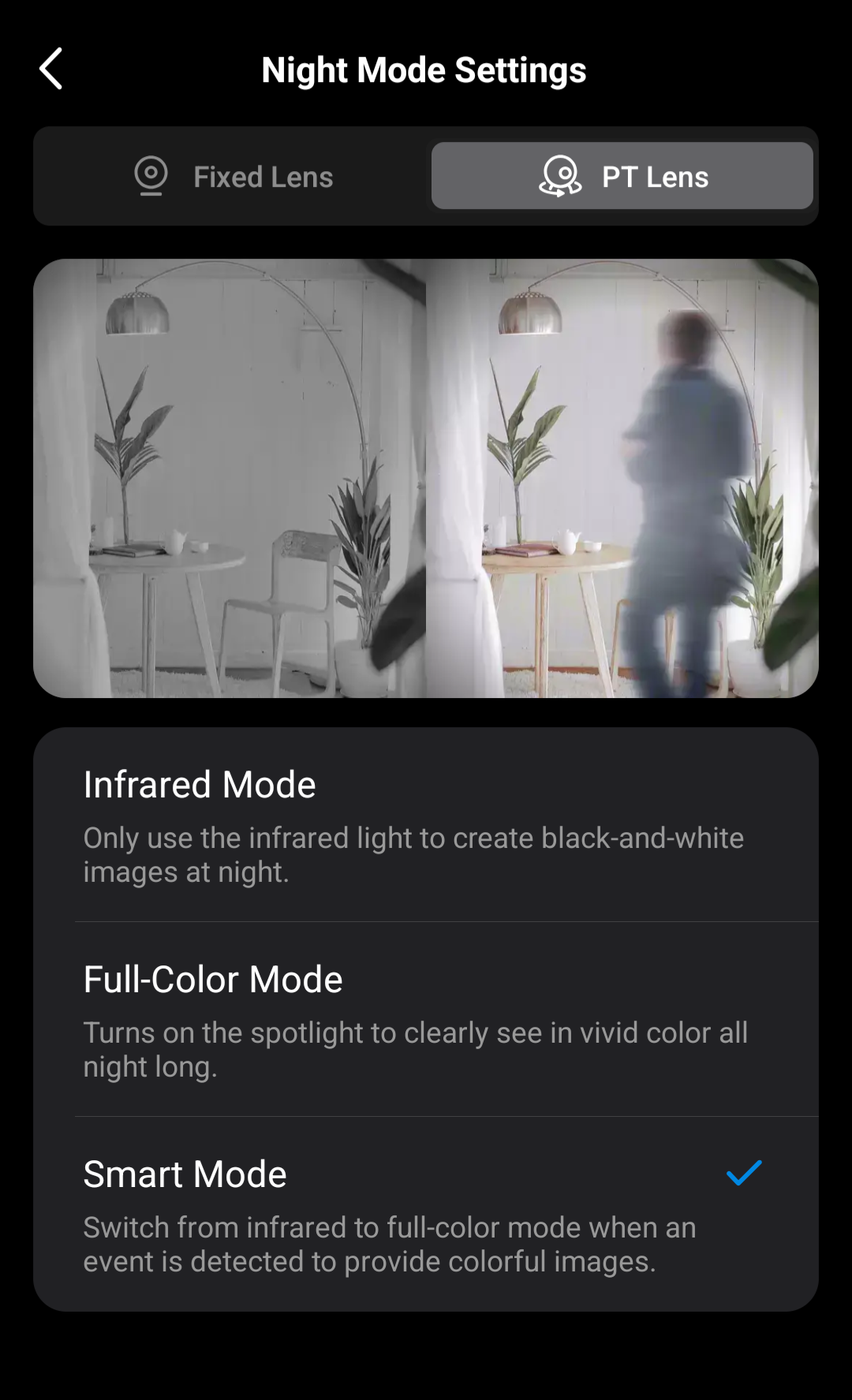
These are the settings on the C325WB:
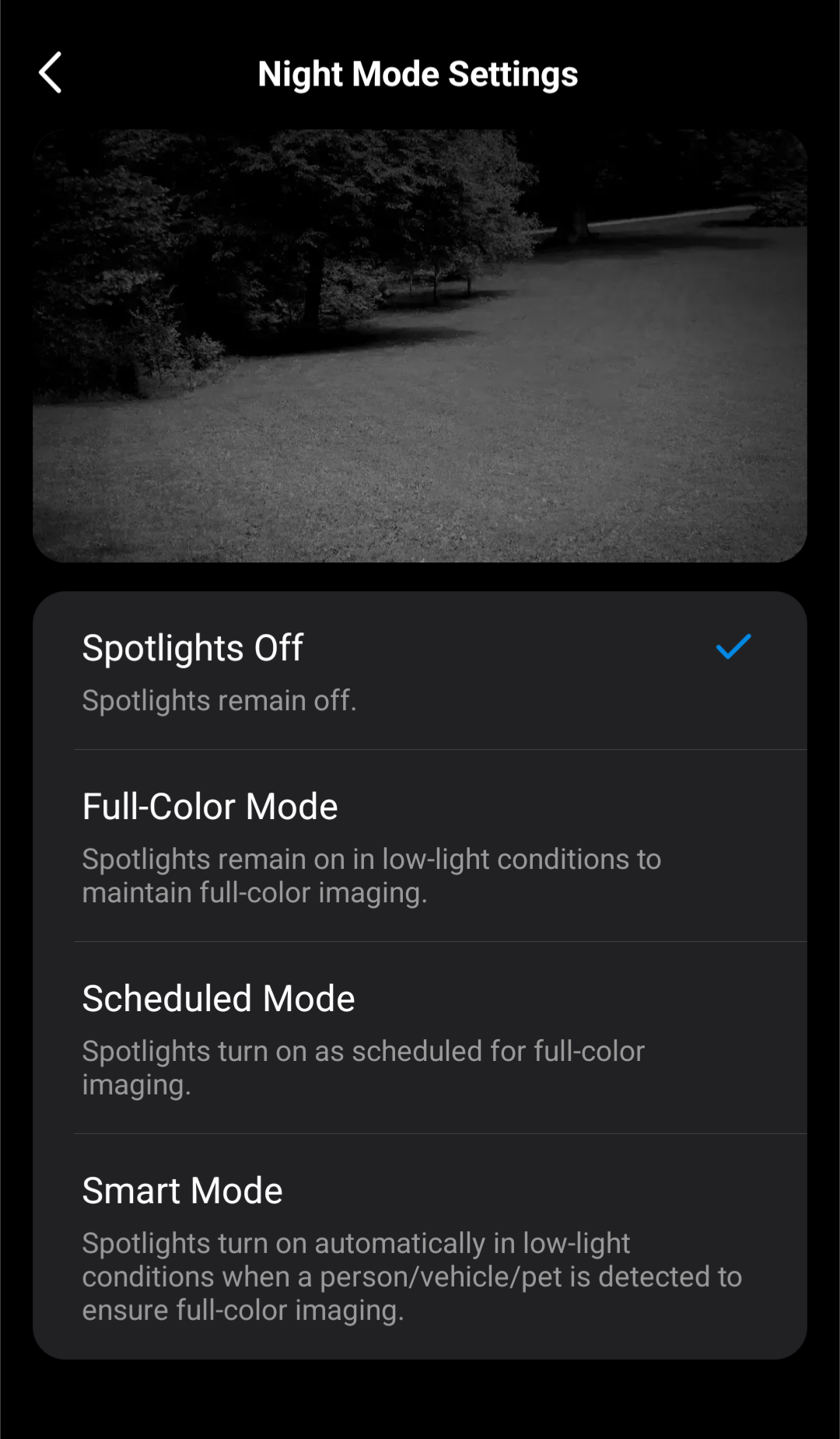
I just want the "Spotlights off" option the C325WB has. I have a pretty dark backyard and the spotlight being off works really well with the starlight sensor. I have a light post in the front yard, which is why I don't need the starlight sensor, just a color vision.
- Copy Link
- Report Inappropriate Content
Correct, that is where the settings are for the C325WB to change its night mode settings, but every Tapo Camera also has a setting to force 'Day' Mode or 'Night Mode' to be active all the time.
On the live view of your camera, there should be button on the view itslef that says 'Auto' or will have a Sun/Moon symbol . Selecting Day Mode will make it so that the camera does not try to turn on any of its night time recording features.
Contact Support or Join our Official Subreddits: r/tapo, r/tplink, r/omada_networks
- Copy Link
- Report Inappropriate Content

Riley_S wrote
I want to say that it is possible to achieve this by tapping on the live view and changing the Mode from 'Auto' to Day Mode - this will prevent the camera from kicking into its night vision modes and will cut off any spotlight or infrared funtions.
The C325WB is also a very specific camera and has unique functionalities as a result. Most cameras take advantage of Starlight Night Vision, while the C325WB has ColorPro Night Vision, which is specifically meant for use in extrememy dark environments.
- Copy Link
- Report Inappropriate Content
- Copy Link
- Report Inappropriate Content
Information
Helpful: 1
Views: 1937
Replies: 5
Voters 1