
D235 Auto Response no longer working Firmware 1.1.16

This thread has been locked for further replies. You can start a new thread to share your ideas or ask questions.

D235 Auto Response no longer working Firmware 1.1.16

This thread has been locked for further replies. You can start a new thread to share your ideas or ask questions.

D235 Auto Response no longer working Firmware 1.1.16
2025-03-14 13:07:38 - last edited 2025-04-09 09:26:12
Model: Tapo D235  
Hardware Version: V1
Firmware Version: 1.1.16

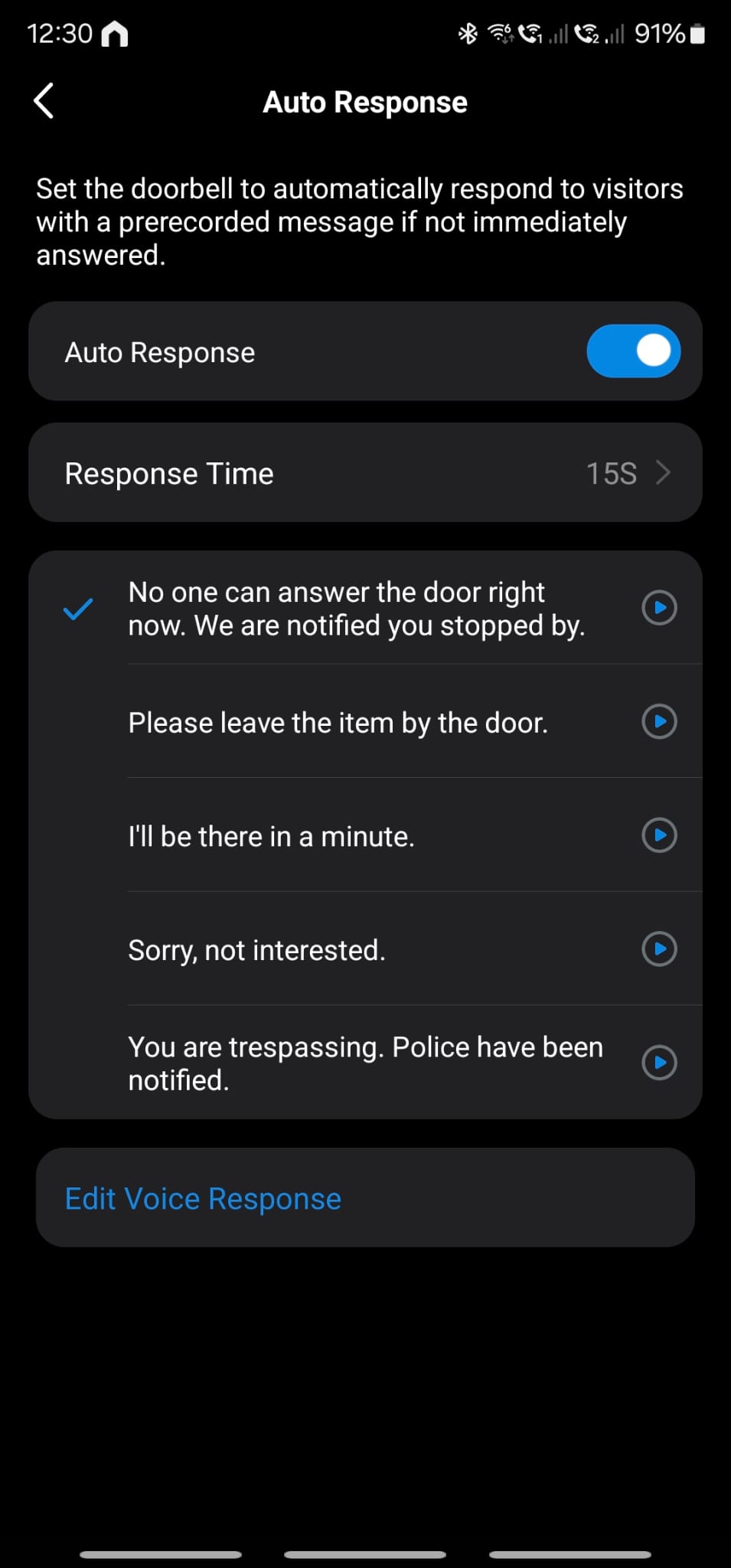
Since firmware 1.1.16 Auto response no longer works, was working fine before this. It is set up fine in the settings. Is there anyway to downgrade the firmware as auto response is the sole reason I upgraded from a Ring !


0
0
#1
1 Accepted Solution
Re:D235 Auto Response no longer working Firmware 1.1.16-Solution
2025-03-25 19:36:59 - last edited 2025-04-09 09:26:12

  @Wilx 


Has the doorbell or your Tapo account been linked with the Alexa? Go to doorbell settings in the Alexa app, disable the announcement features, then test whether the auto response works correctly.

CES 2026 Meet TP-Link AI Assistant and More New Products!
Recommended Solution
0
0
#2
1 Reply
Re:D235 Auto Response no longer working Firmware 1.1.16-Solution
2025-03-25 19:36:59 - last edited 2025-04-09 09:26:12

  @Wilx 


Has the doorbell or your Tapo account been linked with the Alexa? Go to doorbell settings in the Alexa app, disable the announcement features, then test whether the auto response works correctly.

CES 2026 Meet TP-Link AI Assistant and More New Products!
Recommended Solution
0
0
#2
