
Error with EAP650 - OUTDOOR AND Omada
 This thread has been locked for further replies. You can start a new thread to share your ideas or ask questions.
tengo varios EAP todos se conectan perfectamente, pero el EAP650-Outdoor no aparece en mi controlador omada, si lo conecto fuera de mi red puedo ingresar al eap todo , pero cuando lo quiero conectar a mi omada jamas aparece, tampoco tiene internet.
Esta en la misma red , mismo rango de ip , conectado con un adaptador POE , la wifi funciona bien pero no esta en la red no entiendo que le pasa.
- Copy Link
- Subscribe
- Bookmark
- Report Inappropriate Content


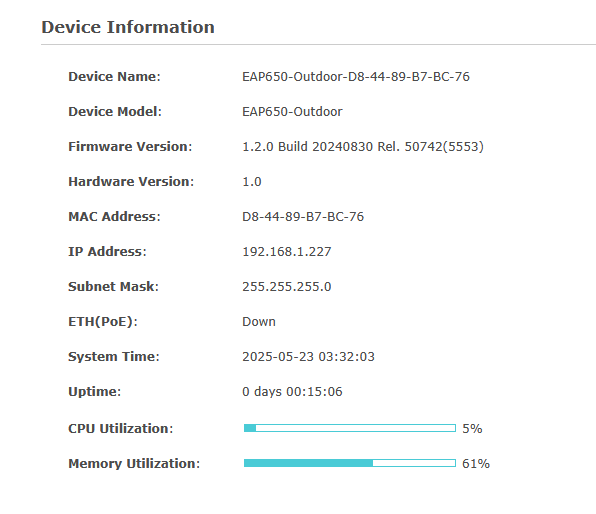
Since the ETH port always displays as down, we suspect it's a hardware issue.
To confirm this, please plug the EAP into another known working EAP's ethernet cable, and check again.
If it's still down, please contact your retailer to check the warranty.
- Copy Link
- Report Inappropriate Content
adjunto una foto del EAP.
- Copy Link
- Report Inappropriate Content
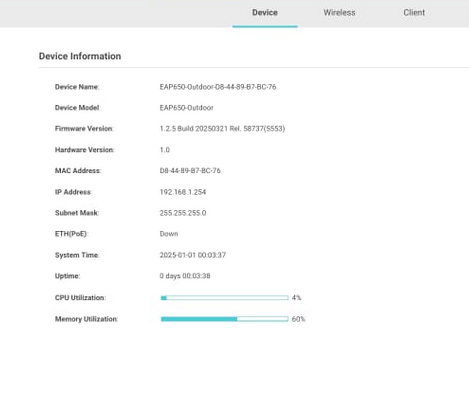
Please change a shorter cable to connect to the EAP650-outdoor. As you can see from the device info, the ETH port is down:
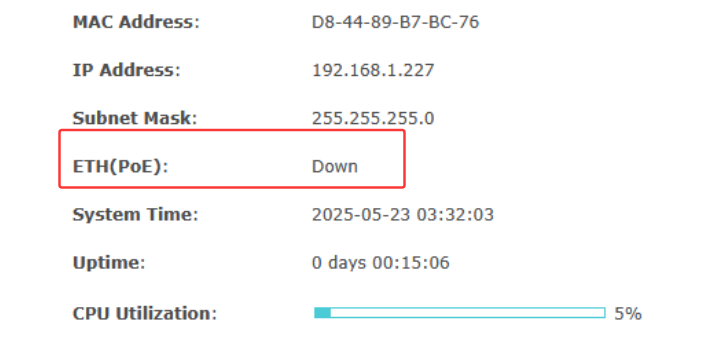
BTW, EAP650-outdoor has a higher firmware version 1.2.5, you may update.

- Copy Link
- Report Inappropriate Content
@Vincent-TP
But how can it say eth down if I took that photo from my networked PC? I don't understand.
- Copy Link
- Report Inappropriate Content
- Copy Link
- Report Inappropriate Content
Thanks for the reply.
So the issue is the controller can't discover the EAP650-outdoor.
Please refer to the following link to torubleshoot:
What should I do when the Omada Software Controller (V4) fails to discover the devices?
Please factory reset the EAP and try again.
If it still fails, please let us know the following info:
1. The topology of the network, including the controller and the EAPs;
2. Other info mentioned in the link, such as ping results, controller version, etc.
- Copy Link
- Report Inappropriate Content
@Vincent-TP
who to discover if ETH down ?
i try factory reset.
Mi networks have ER7206 and new eap 650 outdoor with pasive poe only that.
Factory Reset EAP , have ip 192.168.0.254
I connect to wifi with my phone join tplinkeap.net, admin admin, all fine , change username password, etc.
My network have 192.168.1.xx i change eap to 192.168.1.250 (free ip) and still not working not showing in ER7216 and Not have internet and keep showing ETH down.
i test connec direct after factory reset, not working / showing in devices at omada
My omada is Container in proxmox (i have 5 eap working perfect)
- Copy Link
- Report Inappropriate Content
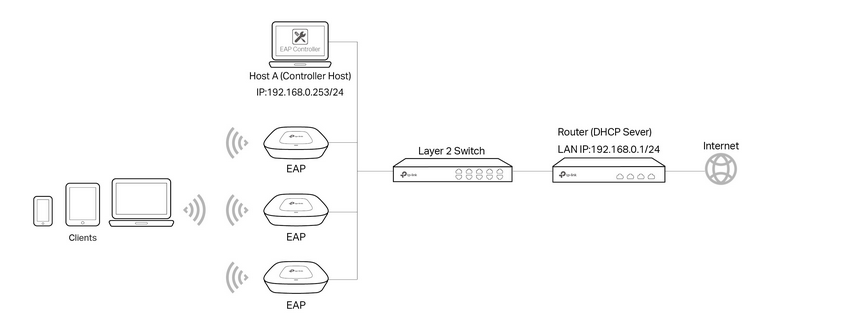
Thats its my network but i have 5 EAP and 2 switch mores but EAP its connected to router thru pasive poe
- Copy Link
- Report Inappropriate Content
So the EAP in plugged into the router and the controller is plugged into a switch, right?
It seems like the switch blocked the communication.
If plug the EAP directly into the same switch as the controller, will it be discovered?
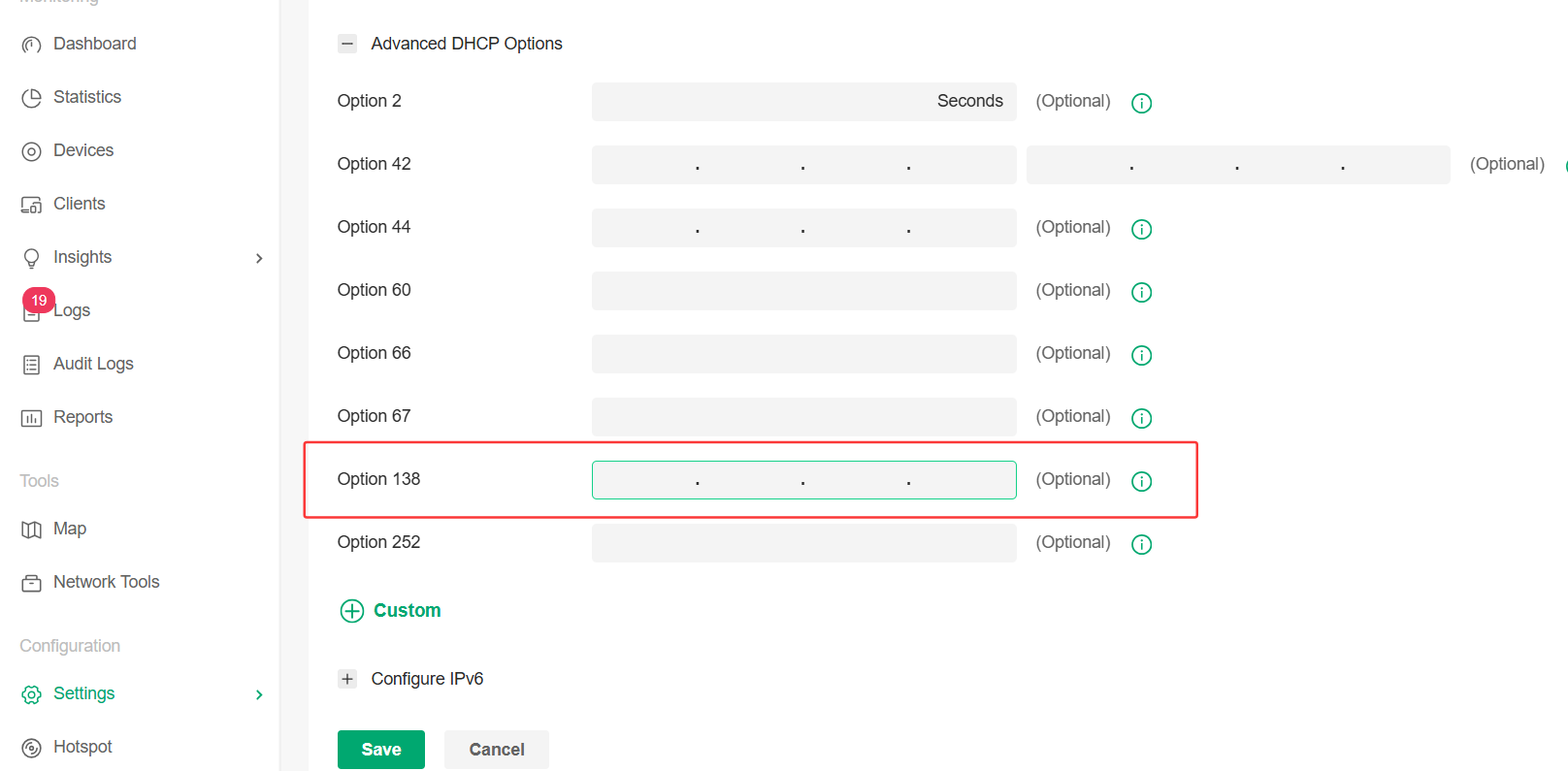
Or you can go to the following page (Settings > Wired & Wireless Networks > LAN > choose the 192.168.1.x.LAN > Advanced DHCP options), input the controller's IP address and see if it will fix the issue.
- Copy Link
- Report Inappropriate Content
@Vincent-TP
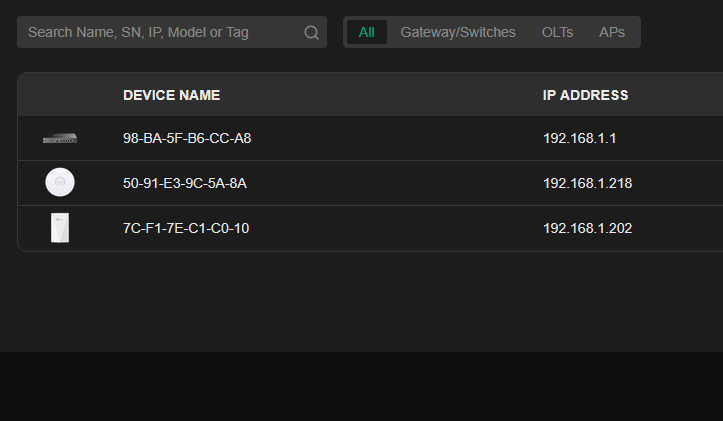
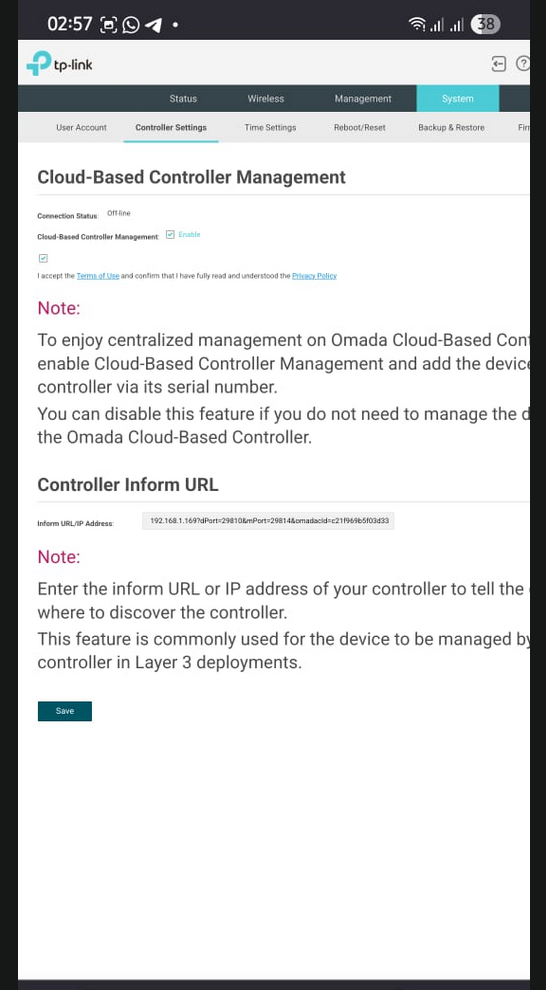
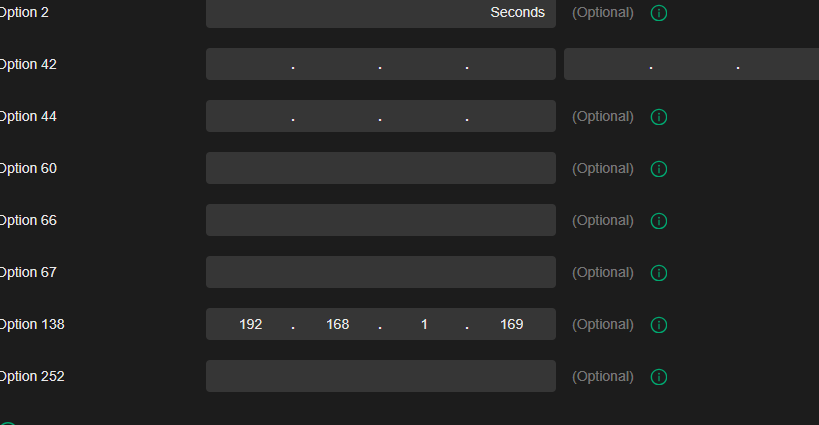
Switch its simple no administrable.
I unplug other eap for test.
- Copy Link
- Report Inappropriate Content
Since the ETH port always displays as down, we suspect it's a hardware issue.
To confirm this, please plug the EAP into another known working EAP's ethernet cable, and check again.
If it's still down, please contact your retailer to check the warranty.
- Copy Link
- Report Inappropriate Content
Information
Helpful: 0
Views: 1433
Replies: 10
Voters 0
No one has voted for it yet.