
Blocking devices and filters
 This thread has been locked for further replies. You can start a new thread to share your ideas or ask questions.
I can't block Alexa echo show from my WiFi as it says you have reached the limit? Yet no other devices are blocked. Also I can't block YouTube on my devices.
- Copy Link
- Subscribe
- Bookmark
- Report Inappropriate Content

Thank you for contacting our community.
Is there any error message? Please take screenshots with error message and send them here.
Access Control can effectively manage access to your network by blocking or allowing specific client devices using the Blacklist or Whitelist.
To configure Access Control on the DSL Modem Router, please follow these steps:
1. Log into the web-based interface via http://tplinkmodem.net
2. Go to Advanced > Security > Access Control and enable it.
3. Choose an access mode - either Blacklist or Whitelist, if you want to block a device to get an IP address, please choose Blacklist, if you want to allow specific devices to access the Internet, please choose Whitelist.
4. Click on "Add" and enter the MAC address and Description of the device manually. Enable this entry and click "OK" to save the settings.
Note: please confirm that you have set the entry correctly.
- Copy Link
- Report Inappropriate Content
I took a screenshot but it won't let me upload it to this chat @Joseph-TP
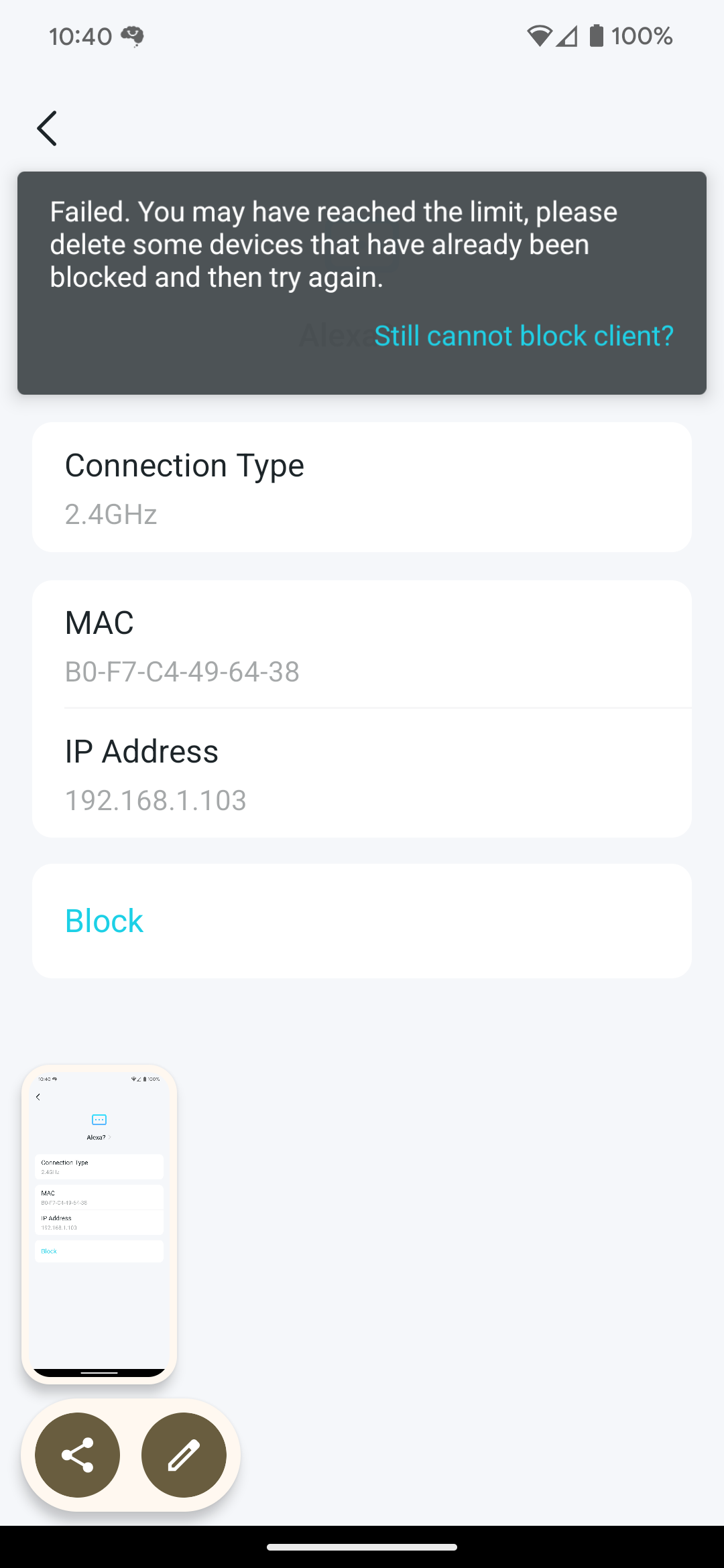
- Copy Link
- Report Inappropriate Content

Thank you for your reply.
Some devices may have been blocked but not unblocked, you can check it on the block list. Please refer to How to block or unblock a device from my Wi-Fi network via Tether
If you want to block websites, you can set up parental control referring to Setting up parental controls on TP-Link DSL modem routers via Tether APP
Thank you.
- Copy Link
- Report Inappropriate Content
@Joseph-TP this is utterly not acceptable. I know how to check my blocked list and how to UNBLOCK a device. I know how to use the app. IT IS NOT WORKING. Are you even a real person? If I am not contacted and supported appropriately I will be putting in a complaint with consumer protection!
I have two very specific issues that should be addressed and all suggestions have already been tried unsuccessfully
- Copy Link
- Report Inappropriate Content
Thank you for your reply.
The tech team was made aware of your issue, they will likely reach out to you via email to continue to troubleshoot your issue. Please check your email box and confirm.
- Copy Link
- Report Inappropriate Content
Information
Helpful: 0
Views: 696
Replies: 5
Voters 0
No one has voted for it yet.