
BE230 QOS is not working good
BE230 QOS is not working good

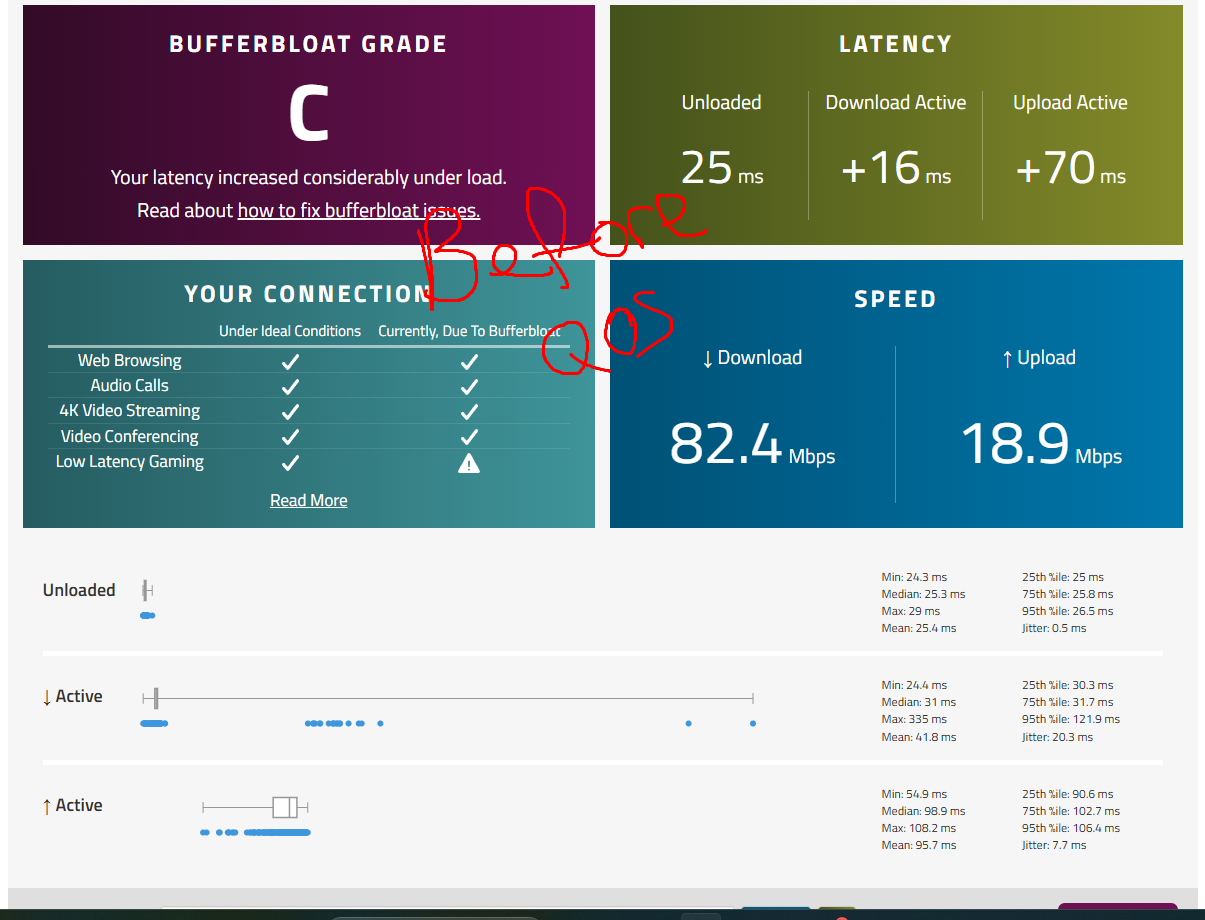
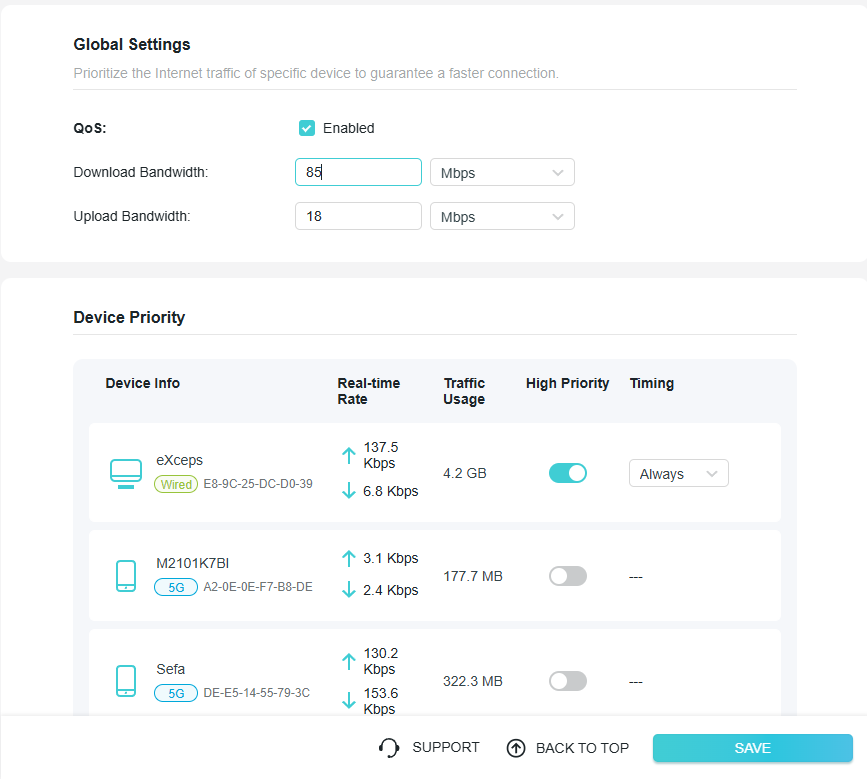
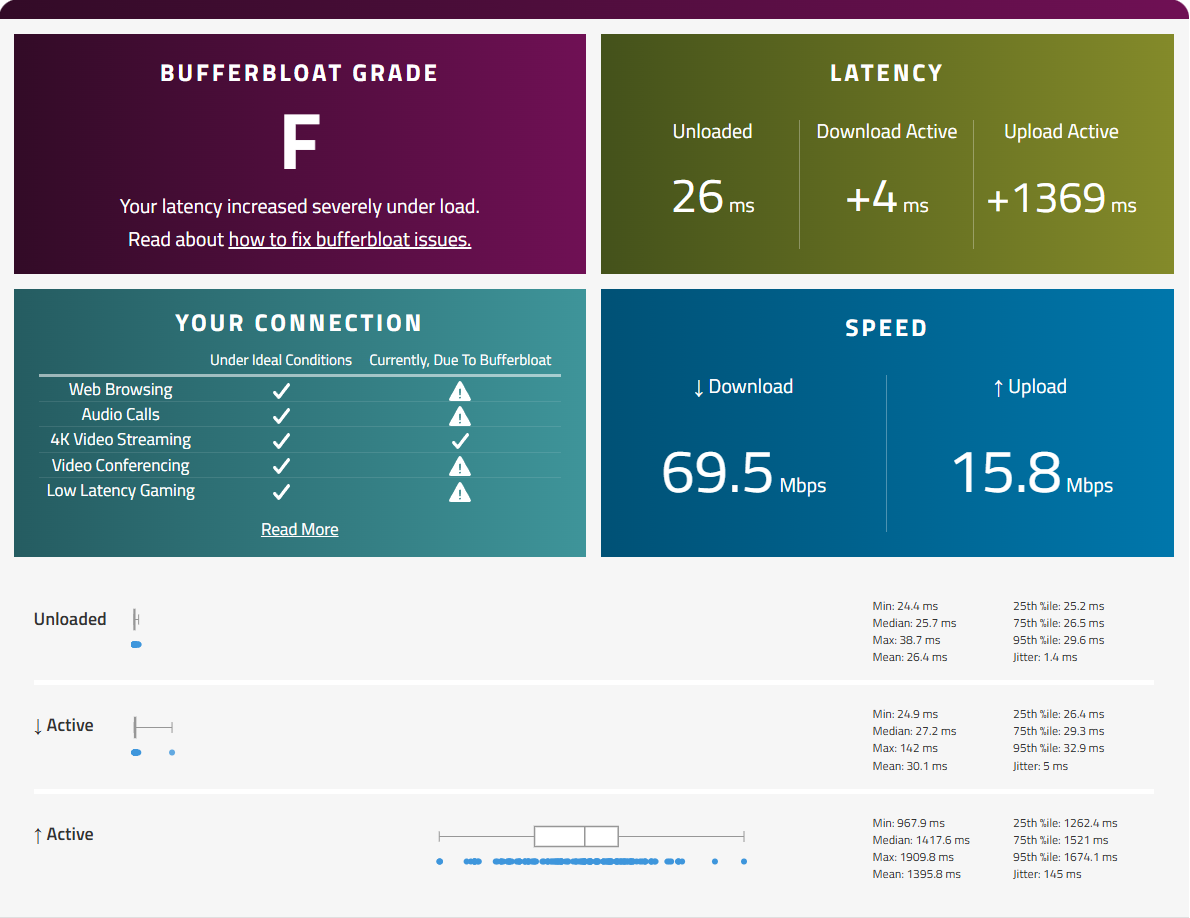
The qos settings don't work, in fact they make me get worse results.
I am leaving the bufferbloat test results before and after QOS in the photos.
For the Mercusys router I used to use, I had the same menu and the same settings and I got much better bufferbloat test results.
I have also tried different QOS settings but no good results.
BEFORE QOS SETTINGS BUFFERBLOAT TEST
QOS SETTINGS
AFTER QOS SETTINGS BUFFERBLOAT TEST
- Copy Link
- Subscribe
- Bookmark
- Report Inappropriate Content

@Mich_28 Same here, I paid for a more robust router and after this update(1.2.3) at gx90 ax6600 it became a common router, I can no longer prioritize the qos for games and I'm still having random reboots.
- Copy Link
- Report Inappropriate Content

Hello @JayBen7 ,
Welcome to our community.
I noticed in another thread that you mentioned resetting the system resolved the issue. Is everything back to normal now?
You can also observe the situation for a while and then share an update with us.
Thank you.
- Copy Link
- Report Inappropriate Content

Hello All
Regarding this unexpected behavior of the Archer BE230 V1/V1.20, we have released a beta firmware. Referring to What Can I Do If QoS Enabled Causes Buffer Bloat and High Latency on an Archer BE230 After a Firmware Update?
Please try the beta firmware and let me know if it can help.
Best Regards.
- Copy Link
- Report Inappropriate Content
@Joseph-TP Thanks for the solution, but is there any solution for the Archer GX90?
- Copy Link
- Report Inappropriate Content
Hi @Mich_28 ,
Not yet. If possible, you can leave a comment here, and I will compile a list of models not on the list and report it to the relevant department.
By the way, if you disable QoS, will everything return to normal? Is your situation consistent with the description in the Solution article?
- Copy Link
- Report Inappropriate Content
Hello @Mich_28 ,
The tech team has been made aware of your case; they will likely reach out to you via email to continue troubleshooting. Please check your email inbox and confirm.
- Copy Link
- Report Inappropriate Content
Information
Helpful: 0
Views: 3283
Replies: 16
Voters 0
No one has voted for it yet.