
AX55 V1(EU) v1.3.5 issues

I foolishly accepted an AX55 firmware update yesterday to v1.3.5, and most of my RE200's went offline.
I have 6 RE200's, 5* V5 Easymesh, and 1* V3 Onemesh.
No amount of rebooting, resetting or reconnecting brought them back
The AX55 also became quite laggy.
I've rolled back to v1.3.3 and evertything is working again.
- Copy Link
- Subscribe
- Bookmark
- Report Inappropriate Content
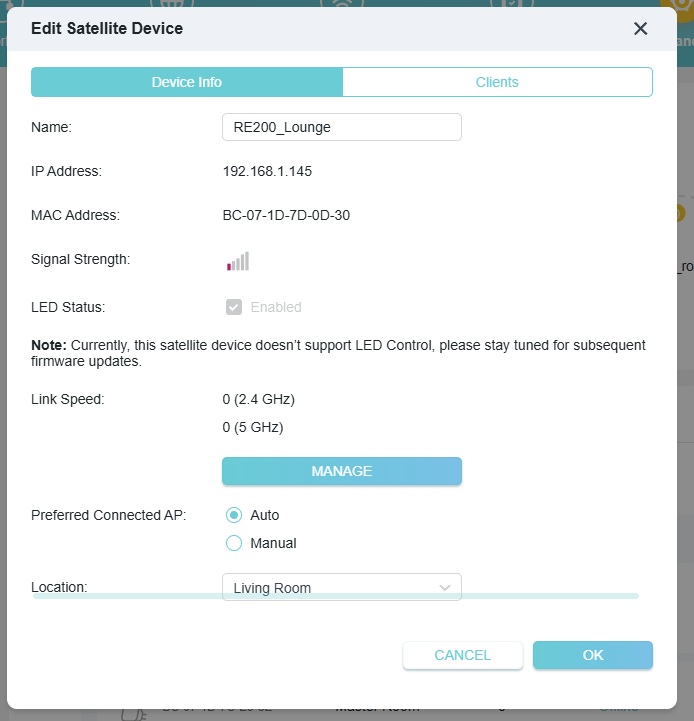
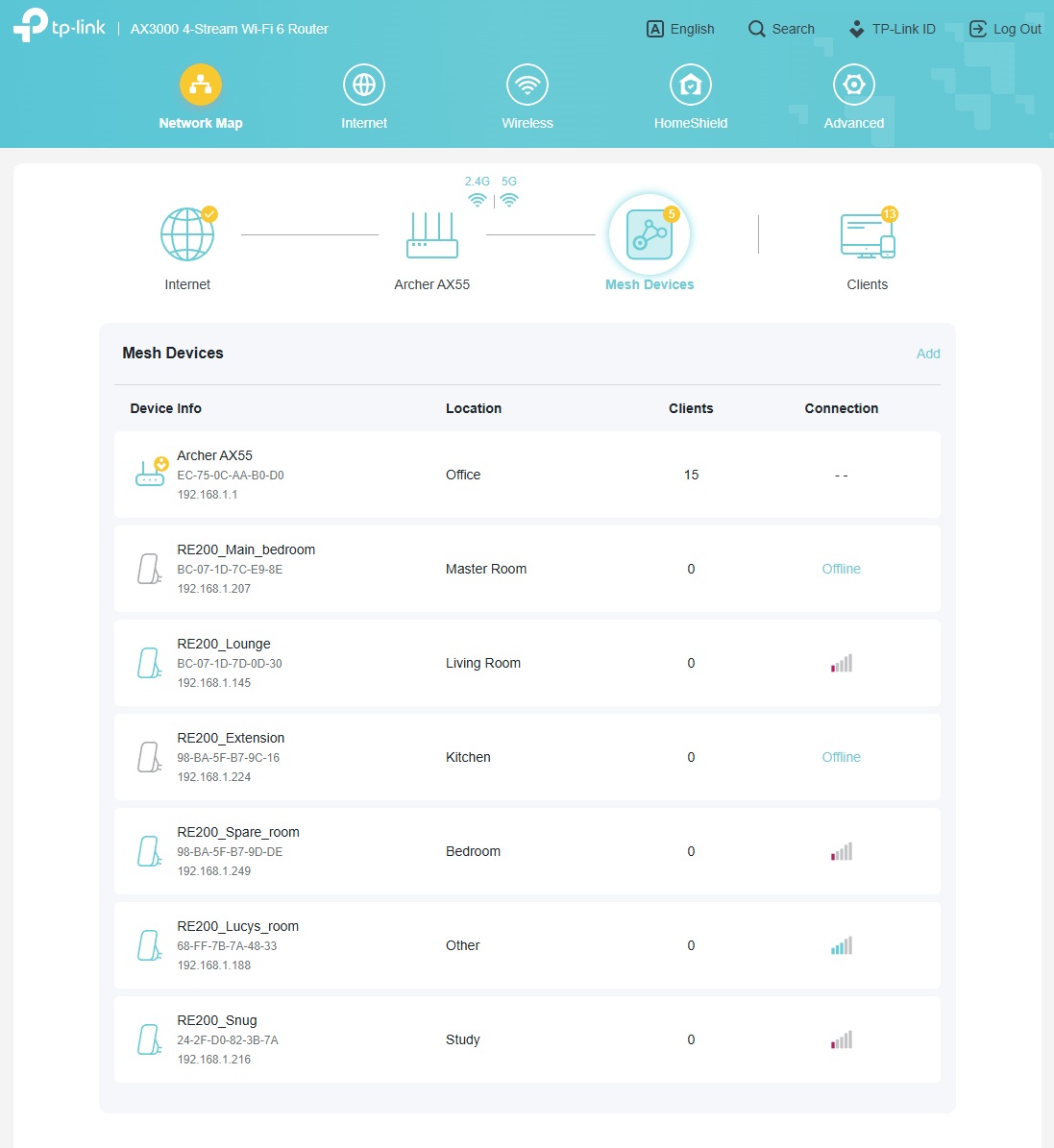
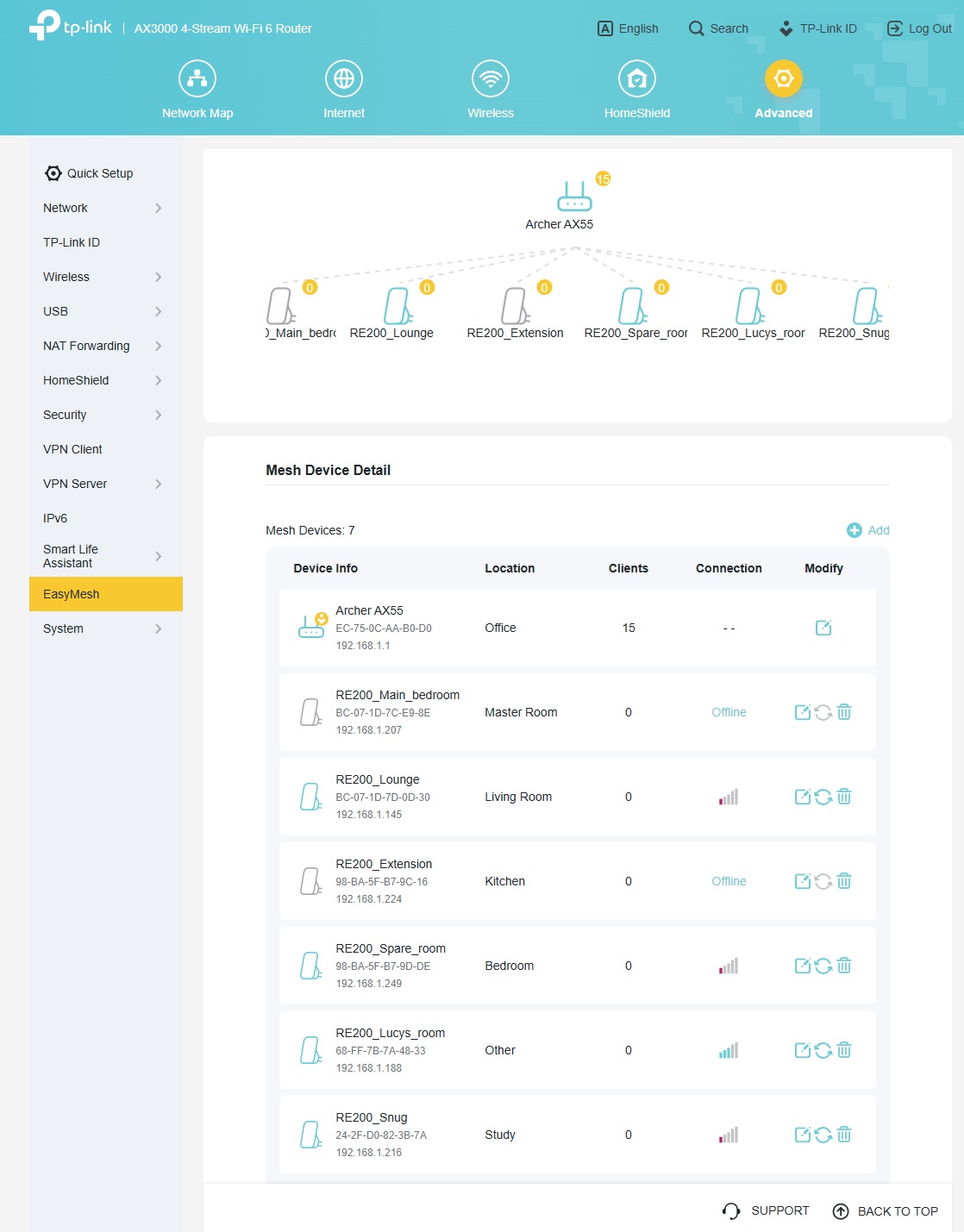
OK, rolled forward to v1.3.5 again, and see the same results, all RE200's show no clients, most no link speed ansd many offline
- Copy Link
- Report Inappropriate Content
- Copy Link
- Report Inappropriate Content
- Copy Link
- Report Inappropriate Content
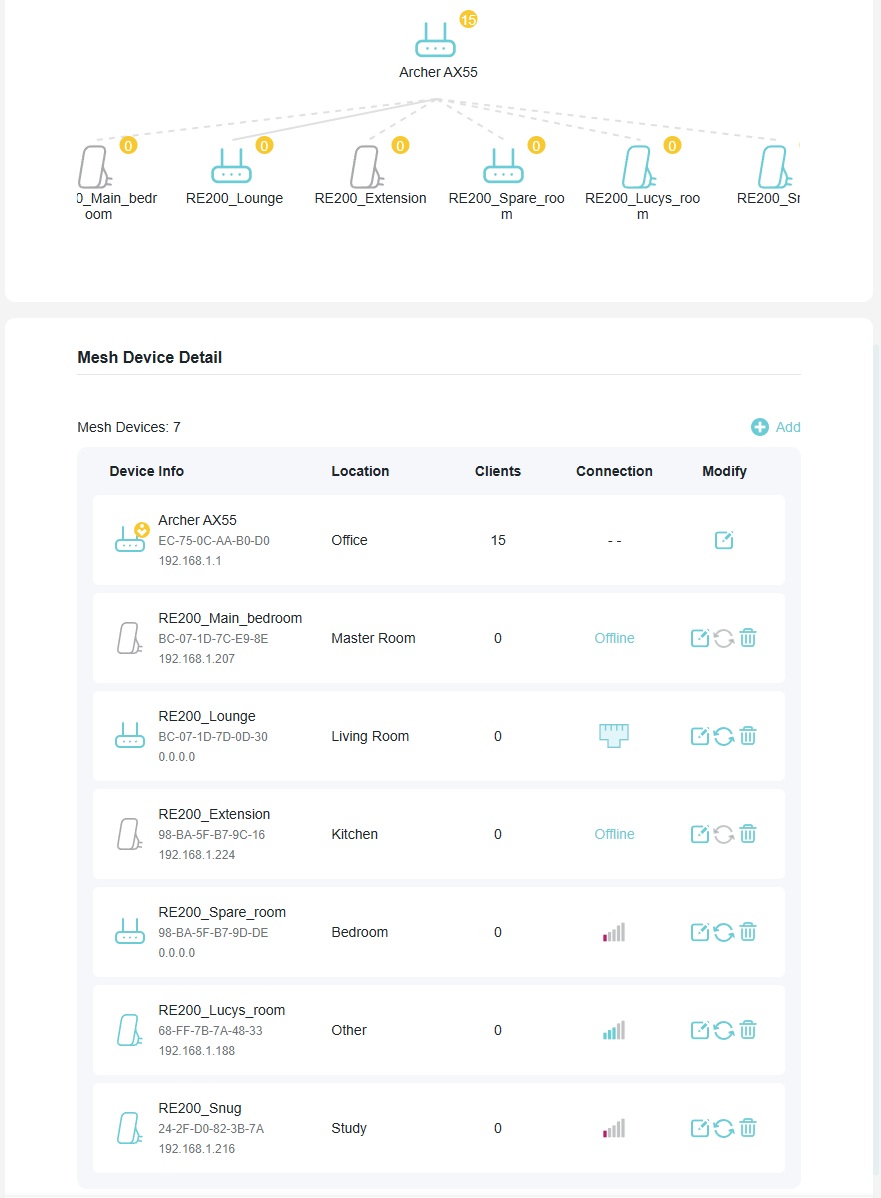
And a few minutes later:
- Copy Link
- Report Inappropriate Content
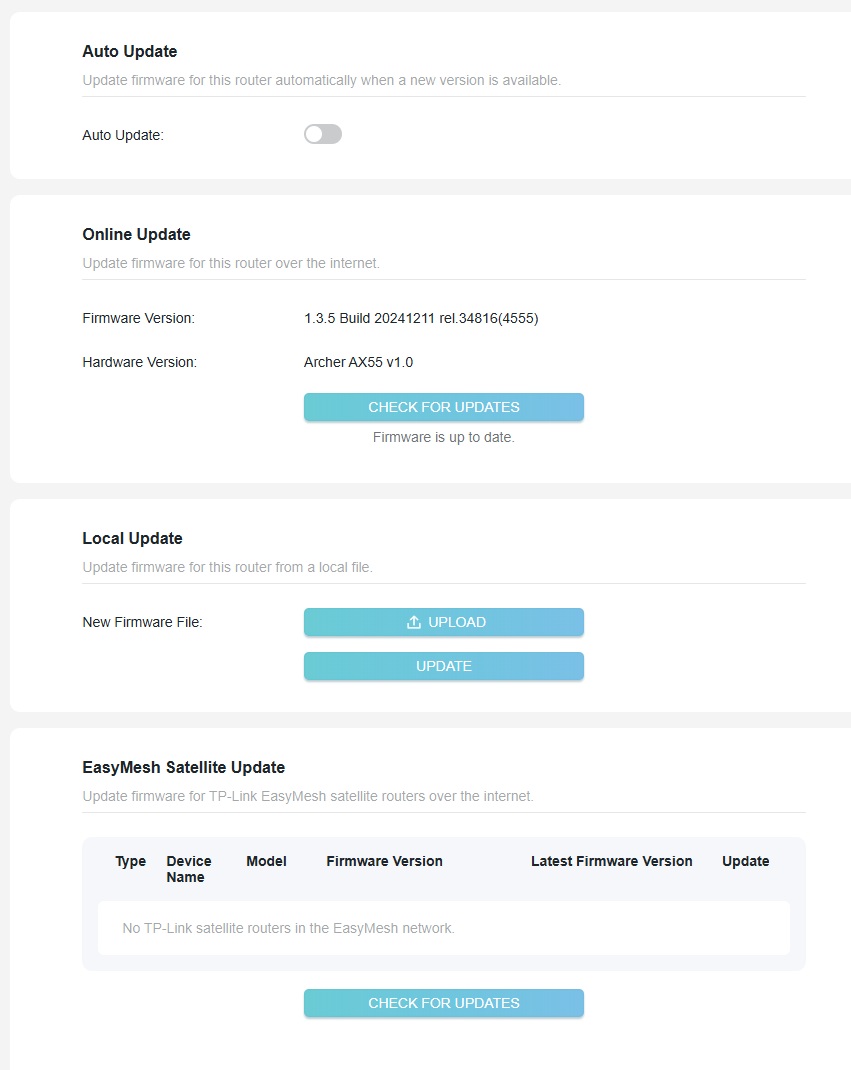
- Copy Link
- Report Inappropriate Content


Hello@wrighar,
To assist you efficiently, I've forwarded your case to the TP-Link support engineers, who will contact you using your registered email address later. Please keep an eye on your email inbox for follow-up.
- Copy Link
- Report Inappropriate Content

Same problem here with Tether App. It no longer connects to V1 router with version 1.3.5. V 1.3.3 was working fine.
- Copy Link
- Report Inappropriate Content
Hello@Agusmag ,
Welcome to our community.
Is there any error message on Tether App? Please take screenshots and send them here.
May I know if your network topology diagram is as follows:
ISP modem—AX55)))((( Range extender)))((( client devices
(Note: — stands for wired connection,)))((( stands for wireless connection )
I will send you a beta firmware. Please install and manually update to it. Then you can check if the Tether App can work normally.
How to Upgrade the Firmware on the TP-Link Wi-Fi Routers
- Copy Link
- Report Inappropriate Content

Problems also for me. Tether app broken and easy meash unstable.
On Easymesh I report that:
- the "preferred AP" feature is lost, when trying to chose the preferred AP, it shows an empty list (it worked in 1.3.3)
- the mesh is flat, while also in auto select of AP it always created a tree, with far away satellites connecting to intermediate. Now the far away connect directly to the main AP with very poor signal.
- Copy Link
- Report Inappropriate Content
There is a v1.4.1 firmware out now by the looks of it.
I've been running a 2nd version of v1.3.6 beta, but have had to downgrade to v1.3.3 again as wifi connections keep dropping every minute and the RE200's keeps moving/resetting/loosing contact.
Worried that v1.4.1 may be a clean version of v1.3.6 beta, and still having the issues with no downgrade path.
- Copy Link
- Report Inappropriate Content
Information
Helpful: 0
Views: 5085
Replies: 28
Voters 0
No one has voted for it yet.