
TP-Link TL-WR1502X AX1500 Travel Router Won't Connect To VPN When On Mobile Network

I have just bought a AX1500 portable router. I use it as a VPN client and it connects fine (wireguard), when on WiFi network (conencted to WIFI) however, when switched to a mobile hotspot, vpn client stuck at connecting. It does not connect.
I know it is not a config issue, as it only does not connect during an iphone hotspot connection. Would anyone here know why?
Firmware Version: 1.2.10 Build 20250813 - no new updates available
- Copy Link
- Subscribe
- Bookmark
- Report Inappropriate Content


Hello @bekonic ,
Welcome to our community.
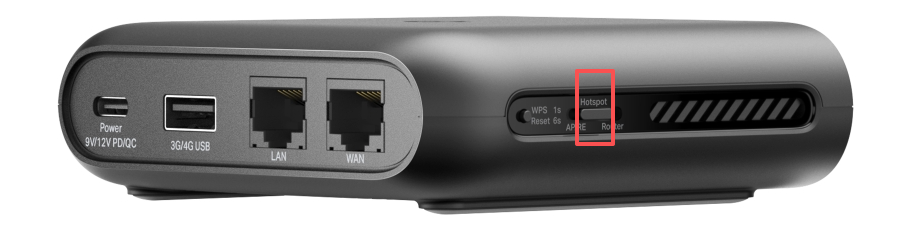
Do you mean you have set the TL-WR1502X to Hotspot mode and switched the network source directly? Or, you have set it to router mode, then switch it to Hotspot mode by pressing the Mode Switch button?
This anomaly can occur for several reasons, often related to network restrictions or incompatibility between the mobile hotspot and VPN protocols. Here are some steps and considerations to help troubleshoot this:
1. Check Mobile Hotspot Settings: Some mobile carriers or iPhone hotspot configurations may restrict VPN traffic or specific ports. Try restarting your iPhone and ensure that Personal Hotspot is set up correctly.
2. Test with Another Hotspot: If possible, try connecting your router to a different mobile hotspot (such as another phone or device) to see if the issue is specific to your iPhone's hotspot.
3. Review VPN Client Settings: Double-check your VPN client settings on the router to ensure they are correct and compatible with the network provided by the hotspot.
4. Carrier Restrictions: Some mobile carriers block or limit VPN connections on hotspots. You may want to contact your carrier to confirm if VPN traffic is allowed over their hotspot service.
- Copy Link
- Report Inappropriate Content
Hello @Joseph-TP
It is in the hotpsot mode entire time.
A ) Wifi -> AX1500 -> VPN -> MY PC works fine
B) My iPhone Hotspot -> AX1500 -> VPN (Not connecting) -x My PC
1- I tried the same thing above with GLI.Inet portable router, which works fine. This tells me that it is not the iphone hotpsot issue and it allows Wireguard traffic.
2- I tried another hotspot, and iphone and android from another carrier, did not work.
3- Client settings are correct as it works in the A scenario above.
4- I do not think it is carrier restrictions as it works with GLI.Inet or direct connection to the hotspot.
- Copy Link
- Report Inappropriate Content

Hi,
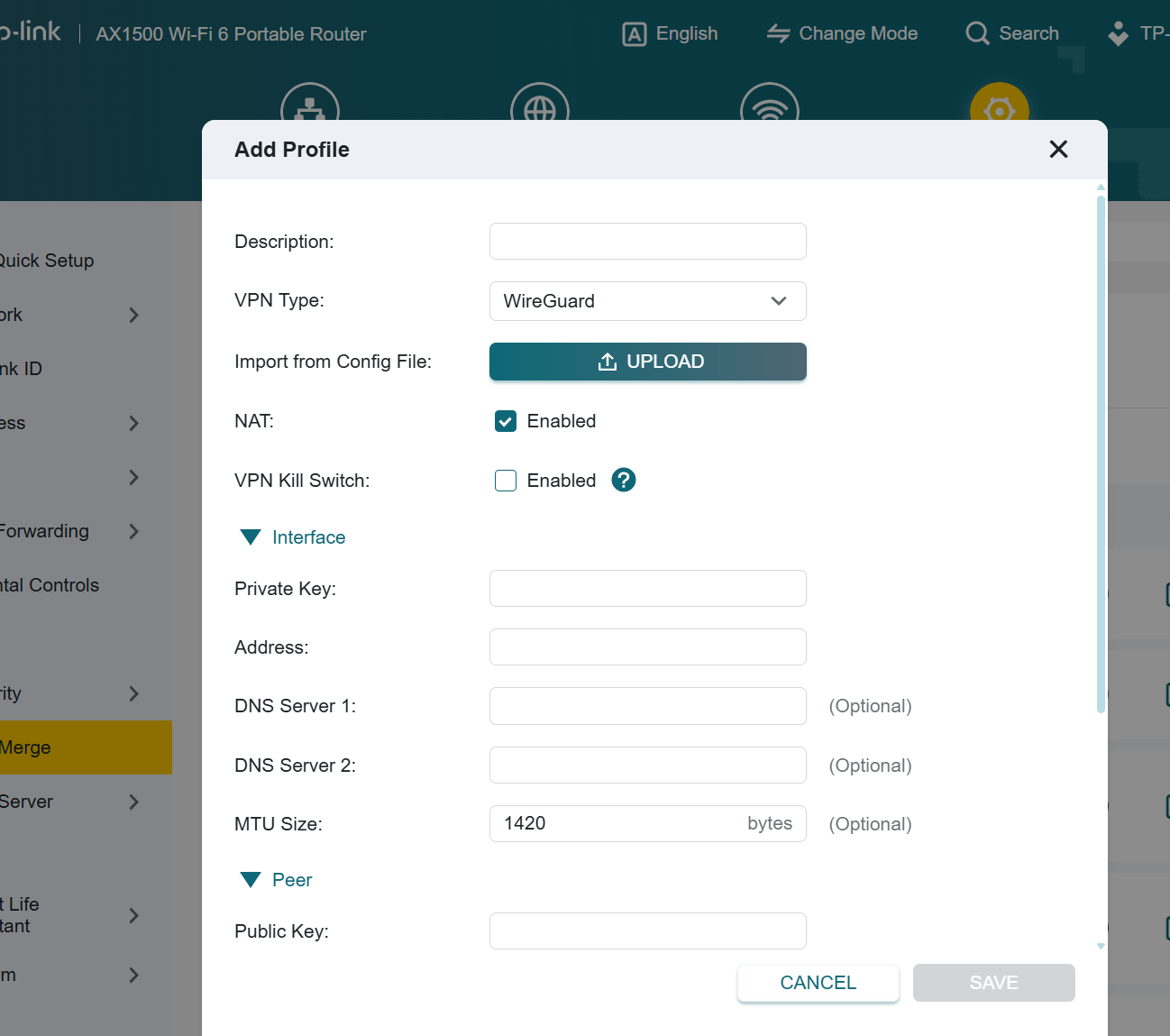
You could test whether lowering the "MTU Size" value makes any difference. Perhaps start with 1280.
- Copy Link
- Report Inappropriate Content
@woozle Set to  1280 and saved, still stuck at "Connecting"
- Copy Link
- Report Inappropriate Content
Hi @bekonic ,
Thanks for getting back to me.
Even though the WireGuard VPN client is stuck in connecting, the internet is still working, right?
Do you have other phones that support enabling Hotspot without mobile data? You can first connect the TL-WR1502X to phone's hotspot wifi, then enable mobile data for comparison. This is mainly to determine whether the anomaly is caused by the phone's hotspot feature or by its mobile data.
We would like to escalate your case to the support engineers, and they will follow up on it. If you are willing to conduct further analysis, please check your inbox and respond.
- Copy Link
- Report Inappropriate Content
Information
Helpful: 0
Views: 965
Replies: 5
Voters 0
No one has voted for it yet.