Adopt Failed After Unreachable Conroller

Adopt Failed After Unreachable Conroller

Adopt Failed After Unreachable Conroller
Friday - last edited an hour ago
Hardware Version:
Firmware Version:

Hi there,

I am facing a weird problem.
 

I recently moved to a new house and implemented the following:
 

1 * TL-SG3210XHP-M2 as "core" switch;
2 * TL-SG3428X as "distribution" switches (floor 1 and 2) both connected through 10GBASE-T to the TL-SG3210XHP-M2;
4 * EAP772 connected to the POE ports of the TL-SG3210XHP-M2;
 

Internet is provided by a pfsense nuc. 2 NICs each one connected to an ISP (local 1Gbps fiber provider and Starlink) configured to load balance / failover.
 

The other 2 NICs are connected to the TL-SG3210XHP-M2 - 1 used as the main LAN trunk and the other one is for 2 VLANs (guest vlan and IOT vlan).
 

Main LAN is 10.255.255.0/24 dhcp provided by pfsense;
guest VLAN 10.255.1.0/24 dhcp provided by pfsense;
iot VLAN 10.255.2.0/24 dhcp provided by pfsense;

guest and iot VLANs are bound only to the core switch and EAPs.
 

Inside the rack, there is a NUC running windows 11 and Omada SDN Controller (I know - eventually I´ll change to an OC200).


All was working until 12/8 (I think). I went for a business trip and, while accessing my home assistant yesterday (12/11), I´ve noticed that the EAPs status were unavailable.
 

When I tried to access the controller, the page was unavailable as well.
 

When I logged in through VNC to the Windows 11 NUC running the controller, it seemed it got updated and a windows nag screen asking me to implement backup (!!) was keeping windows from loading explorer, the default ui and, of course, all startup programs.
 

AFAIK, the controller remained offline for about 3 days.
 

When I got it back online, all above omada devices kept failing to be adopted.
 

Got home last night and tried to troubleshoot it. Disabled both guest and iot vlan dhcp servers and disconnected starlink to reduce variables.
 

Went serial on a distribution switch (TL-SG3428X), reset it to factory defaults, forgot it from the controller and tried to re adopt it.
 

No success, still failing - important to mention that the controller is able to locate them for adoption.
 

Already tried reseting everything and also restoring from a 12/7 backup, same results.
 

I am so frustrated that I am about to reset everything to factory defaults again  burn the controller installation and start from scratch.
 

Any ideas or suggestions?

  0      
  0      
#1
Options
1 Accepted Solution
Re:Adopt Failed After Unreachable Conroller-Solution
an hour ago - last edited an hour ago

  @Vincent-TP Thank you Vincent. I just found out the problem after nuking the entire installation and resetting each device to factory defaults (and finding it didn't work).


For the reference, it was tailscale. The windows 11 host had it installed and connected.


Just by disconnecting it, adoption worked.


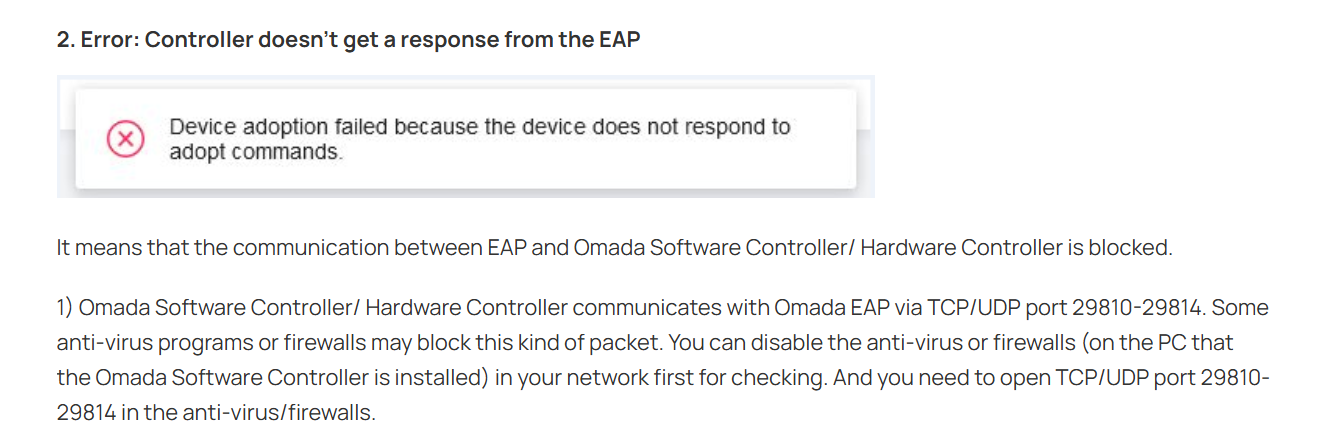
What is really strange is the fact that tailscale was not keeping the devices from appearing inside the controller software - it successfully detected each device, but adoption failed with the following error: "device does no accept adopt commands".


Uninstalled tailscale just to eliminate a future variable and started using it on another host.

Recommended Solution
  0  
  0  
#4
Options
4 Reply
Re:Adopt Failed After Unreachable Conroller
Friday

Here is an update.


I just reset all devices to factory default, three switches and 4 APs.


All configured with the same username and password.


I nuked the controller installation, did another clean install and creation of a new site.


Omada SDN Controller is able to find each device, but still fails to adopt ANY of them.


I don´t know what else to do. Please advise.

  0  
  0  
#2
Options
Re:Adopt Failed After Unreachable Conroller
2 hours ago

Hi  @StealthNet 

Thanks for posting here.

After factory resetting everything and reinstalling the controller, you don't need to configure the switches and EAPs.

Is this the error?

Now that you have already done that, you need to adopt them with the created username and password under their standalone interface.


When it says failed, click adopt again, and it should ask for the account of the devices. On that screen, enter the account you created, and you should be able to adopt them.

If it still fails, please give us the following info to locate the reason:

1. A screenshot of the error message page when failing to adopt.

2. The topology of the network, including the switches, the controller, and the EAPs and their IP addresses;

3. 


  0  
  0  
#3
Options
Re:Adopt Failed After Unreachable Conroller-Solution
an hour ago - last edited an hour ago

  @Vincent-TP Thank you Vincent. I just found out the problem after nuking the entire installation and resetting each device to factory defaults (and finding it didn't work).


For the reference, it was tailscale. The windows 11 host had it installed and connected.


Just by disconnecting it, adoption worked.


What is really strange is the fact that tailscale was not keeping the devices from appearing inside the controller software - it successfully detected each device, but adoption failed with the following error: "device does no accept adopt commands".


Uninstalled tailscale just to eliminate a future variable and started using it on another host.

Recommended Solution
  0  
  0  
#4
Options
Re:Adopt Failed After Unreachable Conroller
an hour ago - last edited an hour ago

Hi  @StealthNet 


Thanks for the sharing and glad to hear that you have found a solution.


  0  
  0  
#5
Options