
s112 wireless switch function

Please can you clarify the correct operation of the wireless switch function. If an input (230v) is detected on S1 or S2 then this can be used as a smart action automation. Thanks.
- Copy Link
- Subscribe
- Bookmark
- Report Inappropriate Content


Since there is no load connected, the switch has no on/off state when in the wireless switch mode, so it cannot be used in the IF condition.
Regarding the event log, could you specify the type of physical switch you are using? If it is a push button, it is typically triggered on both press and release, which would generate two separate log entries.
- Copy Link
- Report Inappropriate Content
Could you describe the scenario you’d like to set up?
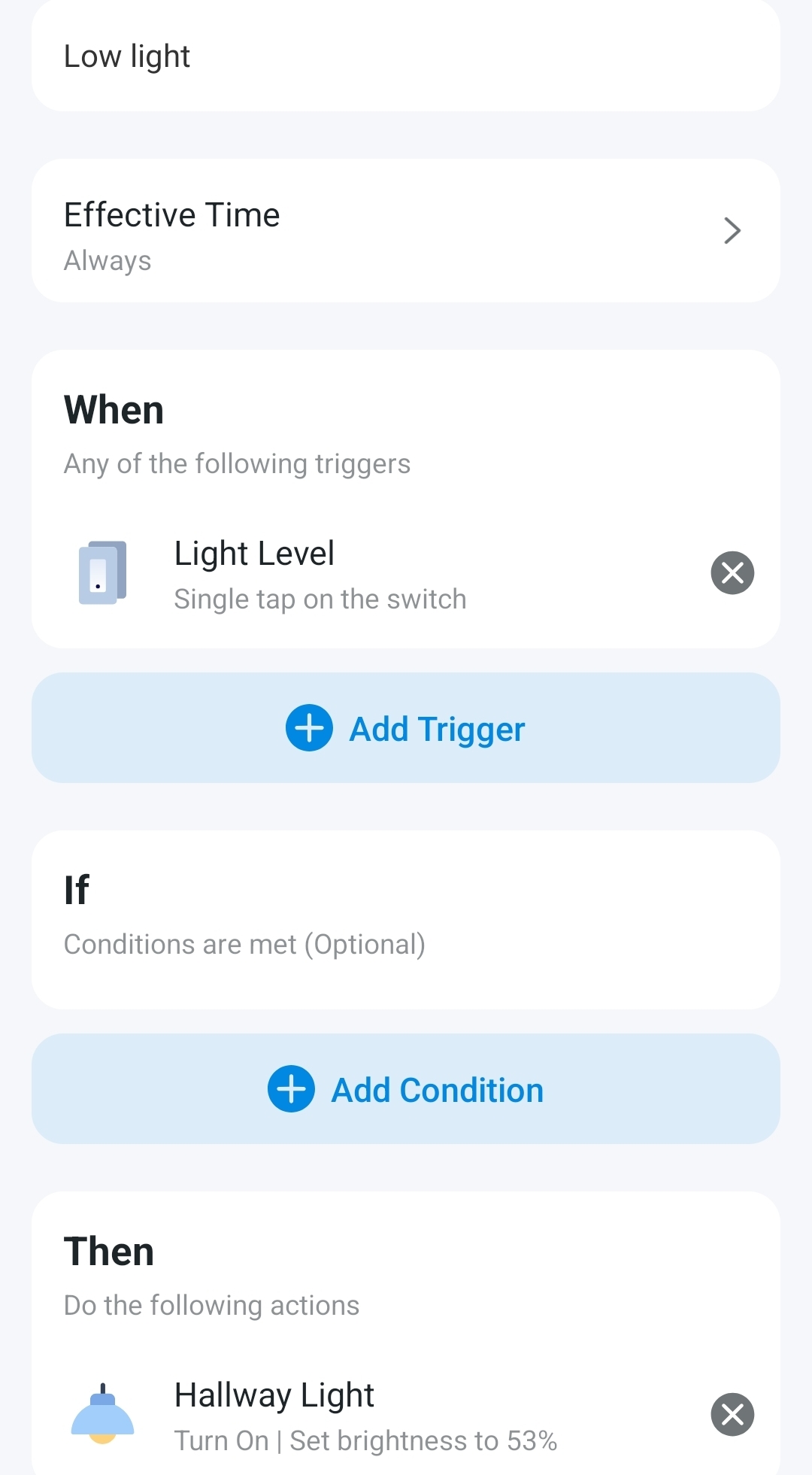
When Tapo S112 is in wireless switch mode, it acts as a virtual trigger and does not control the loads connected to O1/O2. It is typically used as an automation trigger, for example, “when S112 is triggered, then [perform an action].”
- Copy Link
- Report Inappropriate Content
I want the switch to accept a 230v input from a light level sensor. This would prevent the outside lighting from switching on as an 'if' condition.
I have tried it as a test (below) switching 230v on to S1 or S2 doesn't register. Wireless switch mode with O1 and O2 empty.
Thanks.
- Copy Link
- Report Inappropriate Content
- Copy Link
- Report Inappropriate Content
Since there is no load connected, the switch has no on/off state when in the wireless switch mode, so it cannot be used in the IF condition.
Regarding the event log, could you specify the type of physical switch you are using? If it is a push button, it is typically triggered on both press and release, which would generate two separate log entries.
- Copy Link
- Report Inappropriate Content
Information
Helpful: 0
Views: 545
Replies: 4
Voters 0
No one has voted for it yet.