
When enabling qos the loaded latency increase

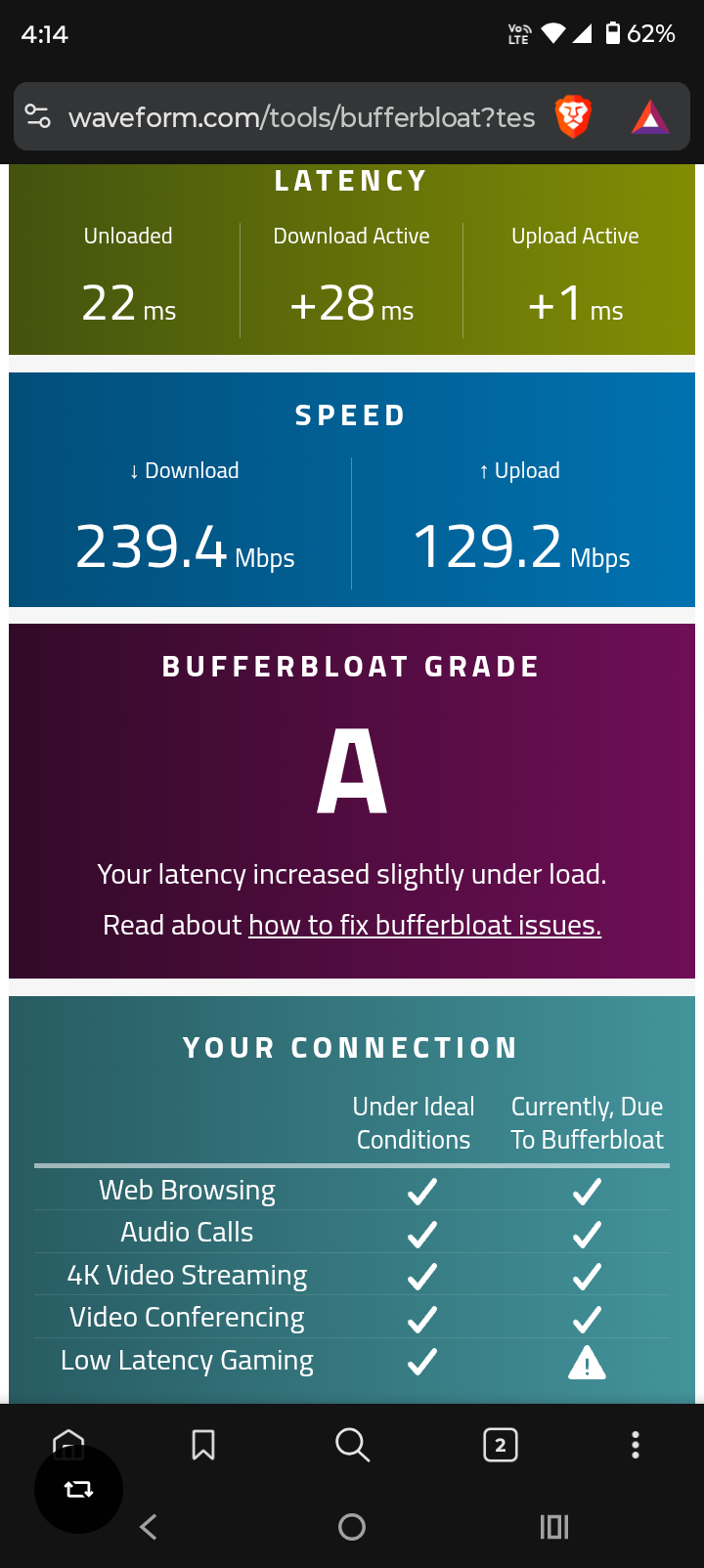
I’m using the TP-Link Archer AX53 Indian Version (Hardware V1.8) and noticed that the WebUI does not include any QoS settings, even though QoS is available in the TP-Link Tether app. When I enable QoS through the app, the connection becomes unstable — my loaded latency jumps from the usual 40 to 60 ms but when i enable qos the loaded latency goesto 120–225 ms, making it unusable for gaming and other real-time tasks. Without QoS, the router performs normally. Since QoS is an important feature for managing bandwidth and ensuring stable latency, please add full QoS controls directly to the WebUI and improve its stability on the AX53 Indian variant. This would greatly enhance usability and performance for many users. I have a archer c6 that have better loaded latencyof 5ms
i am sharing the results too in link
https://drive.google.com/drive/folders/1dRKABRvPSo46ISY1eZPJnb2bnNksIT7D
https://drive.google.com/file/d/1NHfNZqD2gB6dUmfZnR7RQ3kr4QknGrgR/view?usp=drivesdk
https://drive.google.com/file/d/19-6gRzzMU7DK0G9WDWD2t9oEtWuQTNBS/view?usp=drivesdk
- Copy Link
- Subscribe
- Bookmark
- Report Inappropriate Content

@Pankajuuuuu Not sure if you've read, but I've already done that..
- Copy Link
- Report Inappropriate Content
@HarutolistI am unsure why this is not functioning for you. But in my tests you can see it have resolved
- Copy Link
- Report Inappropriate Content
@Pankajuuuuu A different test here, same bandwidth setting. I'm unsure why the download is bad but upload is somewhat stable
- Copy Link
- Report Inappropriate Content
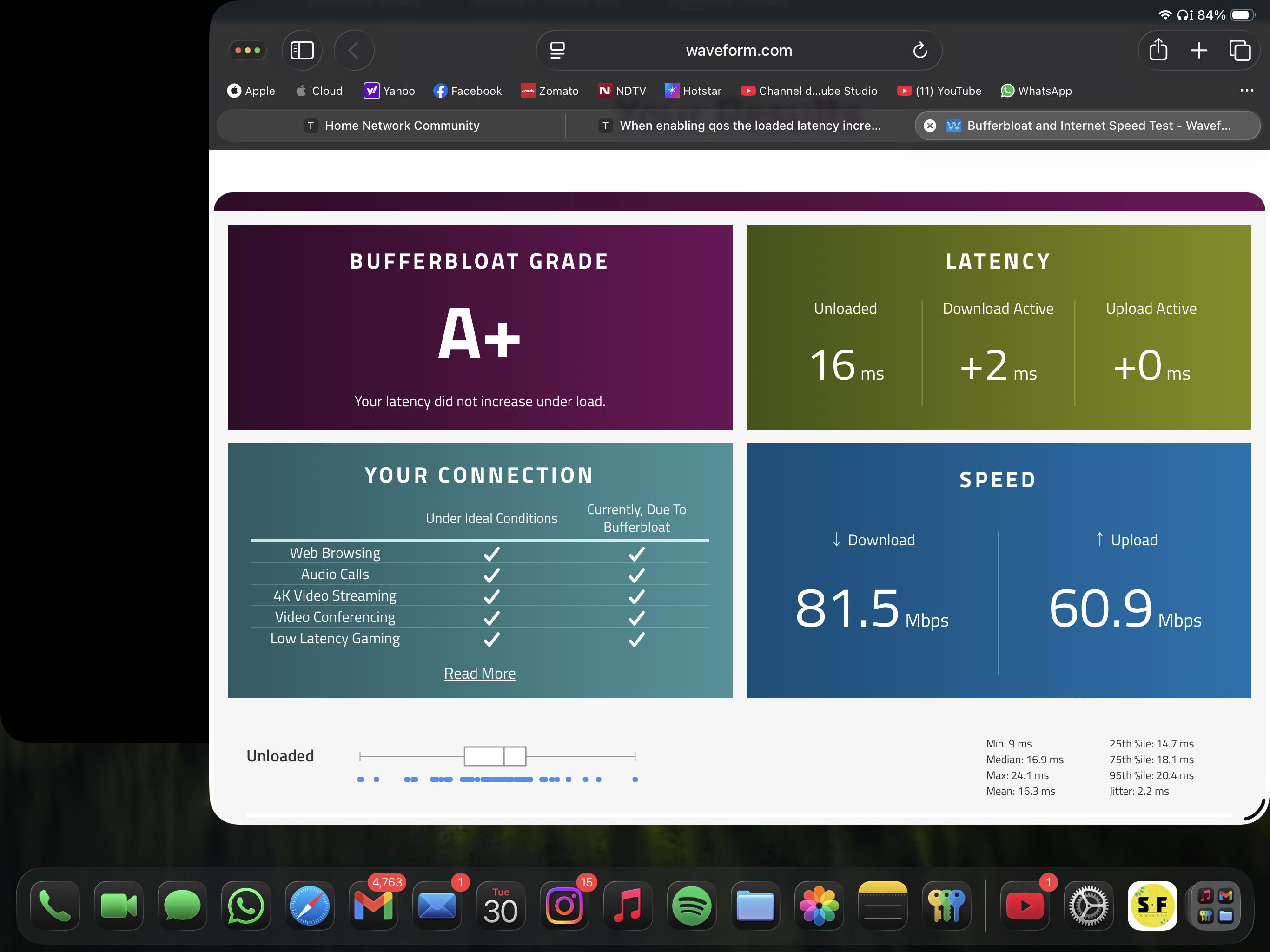
@Harutolist you should try setting the bandwidth 15 mbps lower than the plan i think this will help
As Asians, we always get an A+ 💀💀
- Copy Link
- Report Inappropriate Content
@Pankajuuuuu same thing happens.. i am gonna go nuts atp. I've set download to 285 and upload to 135, yet same thing happens
- Copy Link
- Report Inappropriate Content
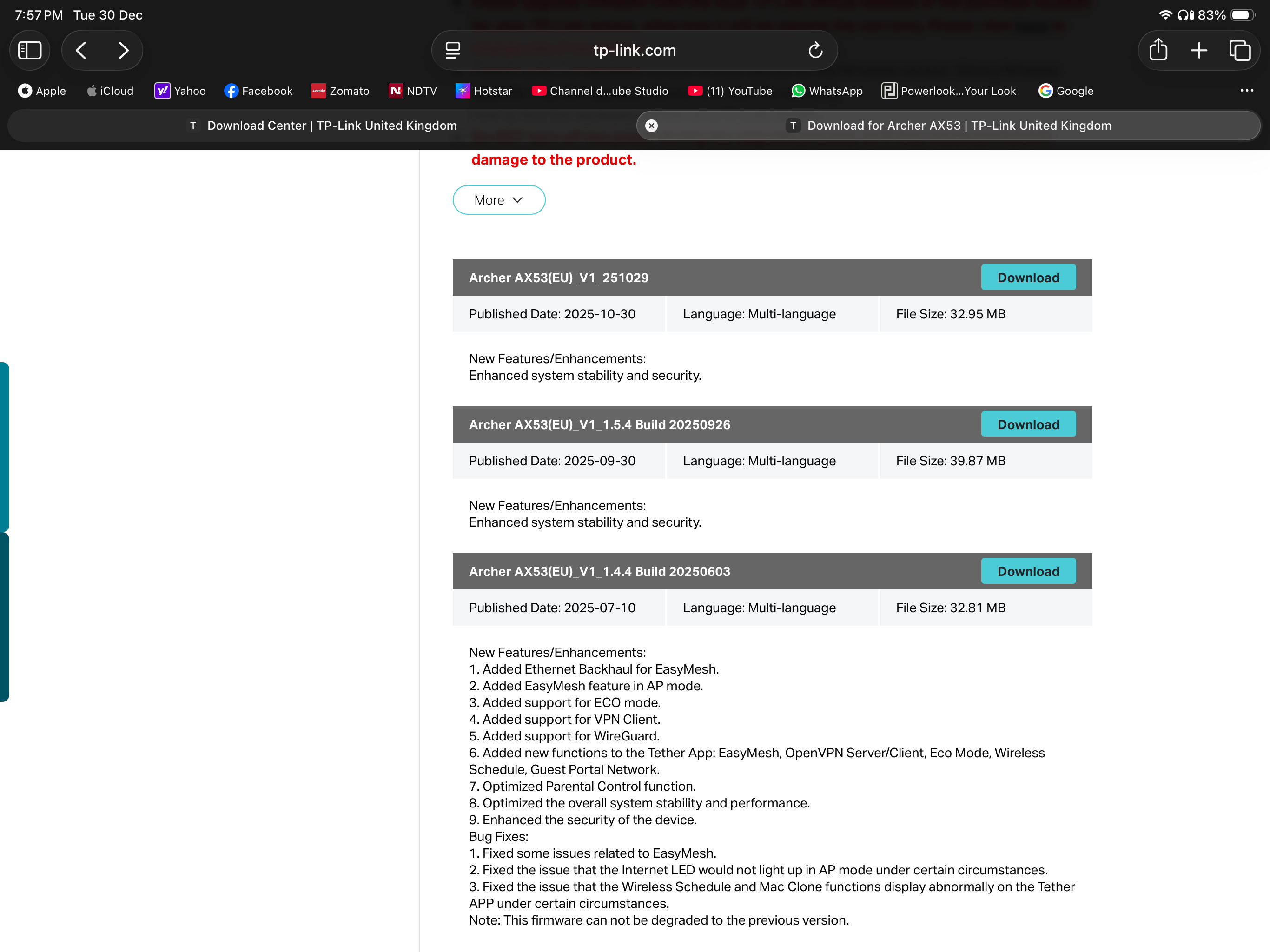 @Harutolist There is a stable firmware available in your region, which is the latest version I recommend installing it to check the performanceThere is no need to worry, as you can always downgrade if required
- Copy Link
- Report Inappropriate Content
@Pankajuuuuu i did that before this one... And had the same horrible results. I guess this router really has no SQM/AQM, and also, i think it doesn't work with high bandwidth, bcz no matter what i set it to, the ping is always bad when i enable qos:/
- Copy Link
- Report Inappropriate Content
No, this router is equipped with a highly capable processor that can handle QoS throughput in the range of 800–900 Mbps without any issues.
- Copy Link
- Report Inappropriate Content
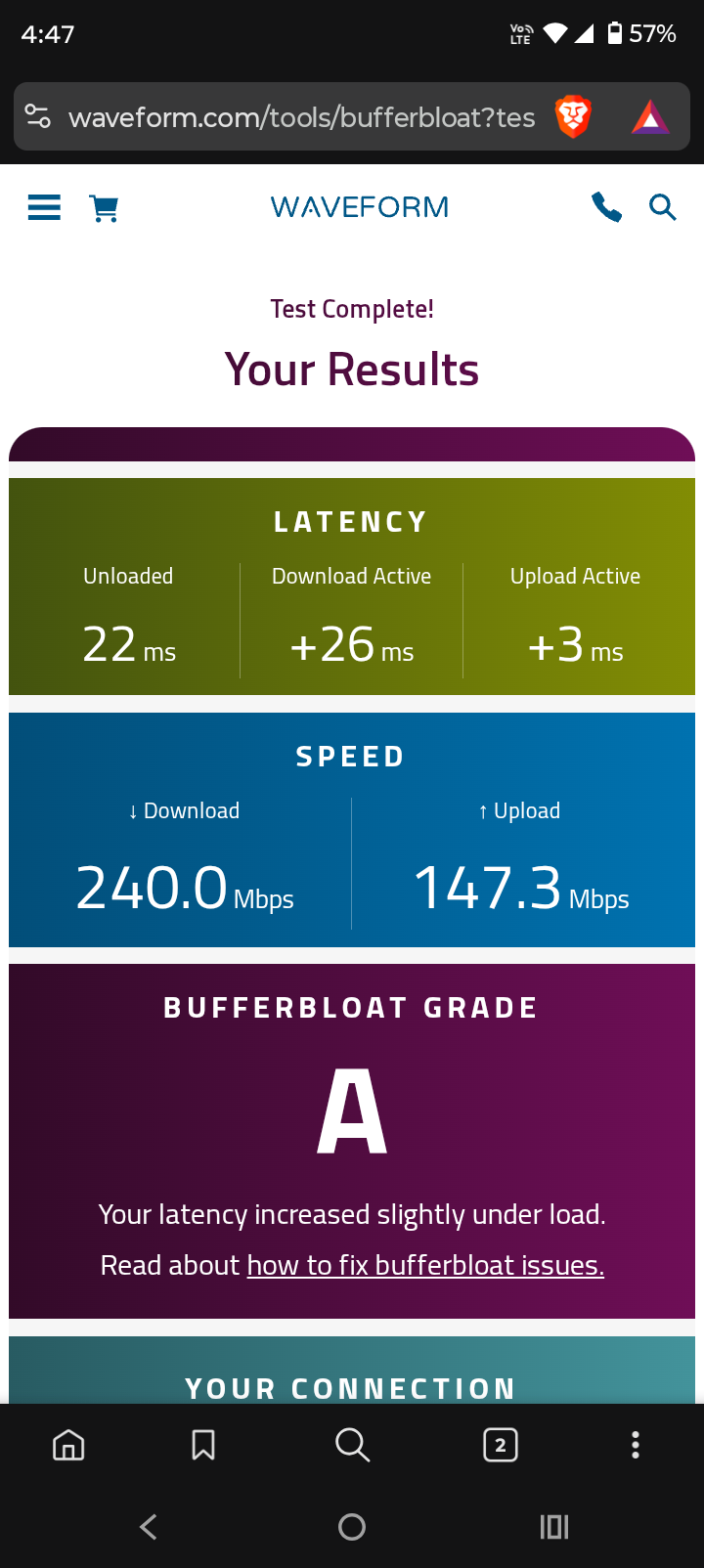
@Pankajuuuuu welp, now it's even worse.. i think the whole advertisment about the high bandwidth capability is rather.. a scam?? Idk, you have great results with small bandwidth, i have horrible results with high bandwidth
- Copy Link
- Report Inappropriate Content
@Harutolist can you do a cloudflare speed test without qos and with qos and share ?
- Copy Link
- Report Inappropriate Content
Information
Helpful: 2
Views: 4441
Replies: 42
Voters 1