
OC200 V1 firmware 1.31.3 Build 20240620 Rel.80383 cannot update manually or from cloud

I've bought the OC200 controller, it came with the following versions:
-
Controller Version: 5.14.26.23
-
Firmware Version: 1.31.3 Build 20240620 Rel.80383
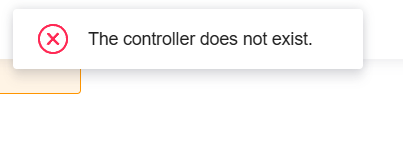
I've tried to update the firmware with the "Check for Upgrade" button but it shows me the following error: "The does not exist."
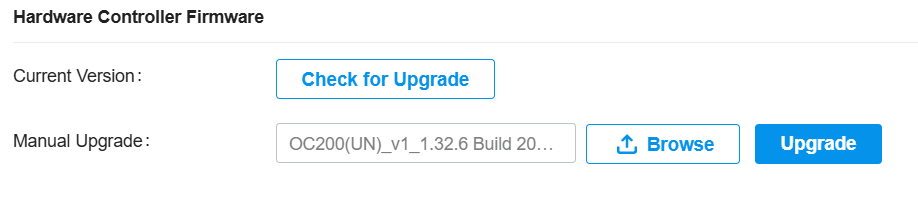
I've also tried to update manually to different versions of newer firmware but all the times it shows the following error: "Invalid firmware file."

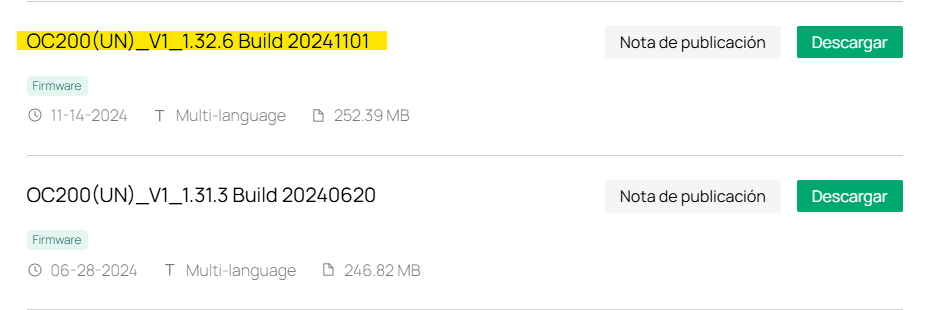
How can i solve this issue?
Thank you in advance.
- Copy Link
- Subscribe
- Bookmark
- Report Inappropriate Content
Hello,
You are, the problem with the manual update was that I did not unzip the file.
I've updated succesfully to the la test firmware.
Than yo very much.
- Copy Link
- Report Inappropriate Content


@Mondelo For the V1 OC200, did you try the latest version from the website?
Just checking and found this version, can you try with this?
Also, what troubleshooting steps have you taken so far? Have you rebooted the controller? Where was the device purchased from?
- Copy Link
- Report Inappropriate Content
Hello and thank you for the fast reply.
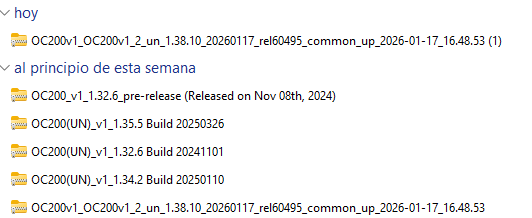
I've tried the firmware that you attached and all in the screenshot (including the latest one available):
I rebooted the controller and it shows the same behaviour.
The controller was purchased from Pccomponentes (known spanish store) on the 29/01/2026.
- Copy Link
- Report Inappropriate Content

Mondelo wrote
Hello and thank you for the fast reply.
I've tried the firmware that you attached and all in the screenshot (including the latest one available):
I rebooted the controller and it shows the same behaviour.
The controller was purchased from Pccomponentes (known spanish store) on the 29/01/2026.
Hey @Mondelo
Before uploading the firmware file into the device, have you unzipped the download file?
From the pictures you attached, it seems that all the files are zipped files. Please unzip it first and then upload it to upgrade it manually.
- Copy Link
- Report Inappropriate Content
Hello,
You are, the problem with the manual update was that I did not unzip the file.
I've updated succesfully to the la test firmware.
Than yo very much.
- Copy Link
- Report Inappropriate Content
Information
Helpful: 0
Views: 401
Replies: 4
Voters 0
No one has voted for it yet.