
DHCP stops working on new VLANS

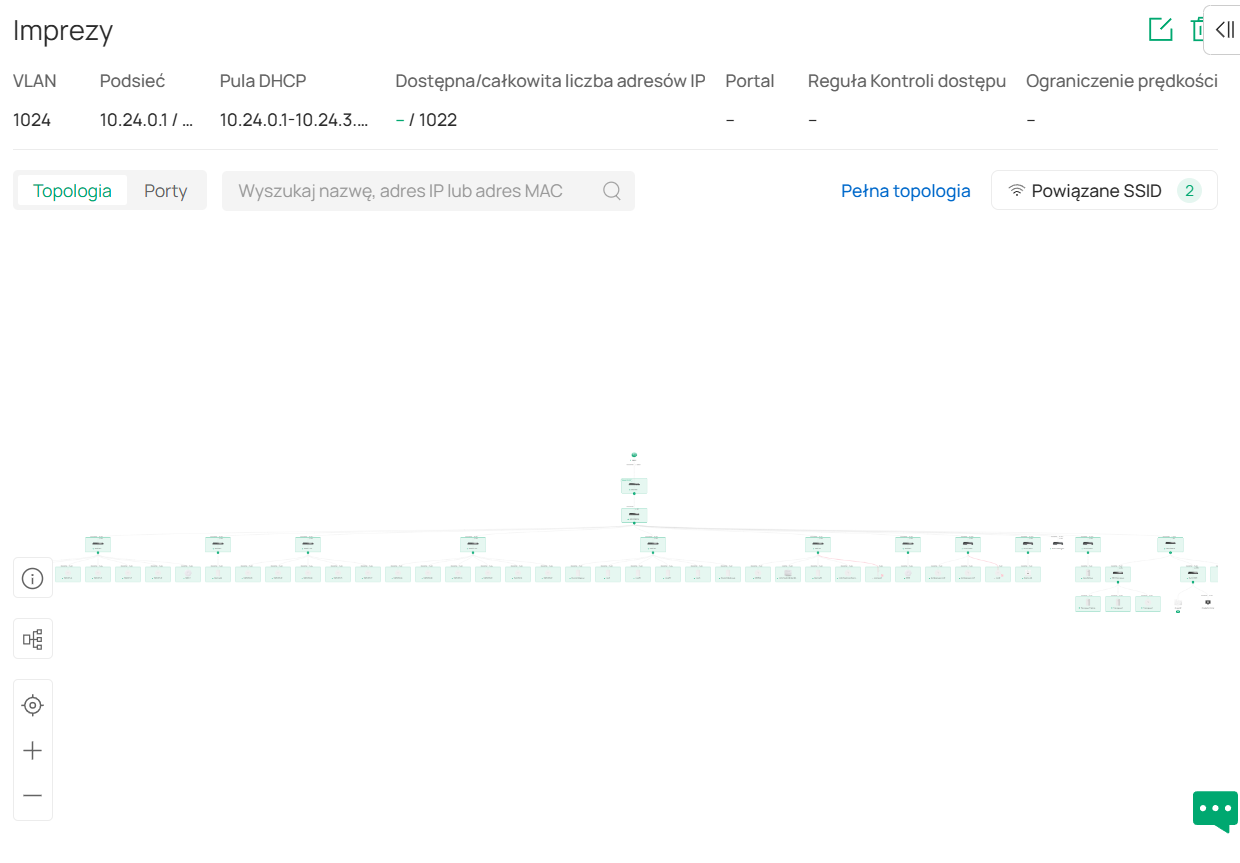
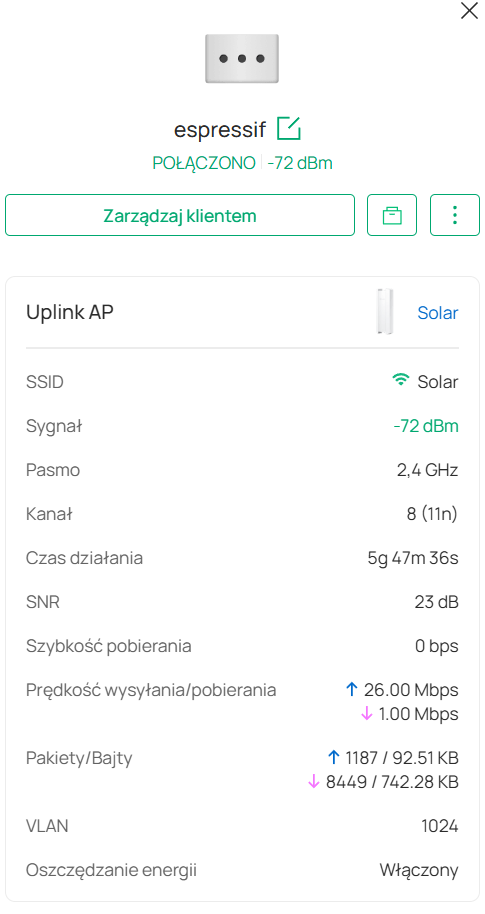
Well, old vlans works perfectly but all new vlans dont get DHCP. So when i switch any network to "OLD" vlans it works, when create new one, it didnt...
And im out of ideas what can i do more to make it work.


- Copy Link
- Subscribe
- Bookmark
- Report Inappropriate Content


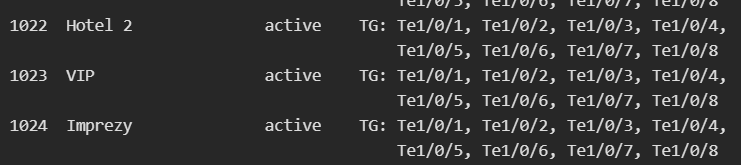
Many switches get VLANs but dont assign ports to vlans, but in web interface all is correct, event changing in web anything and then switching back to all dont change anything.
Only forgot and readopt solves the problem...
- Copy Link
- Report Inappropriate Content


Hi, @ohb
Thank you for posting on our business forum.
- If you need to configure VLAN-segmented SSIDs (to put EAP-connected devices on different network segments per SSID)
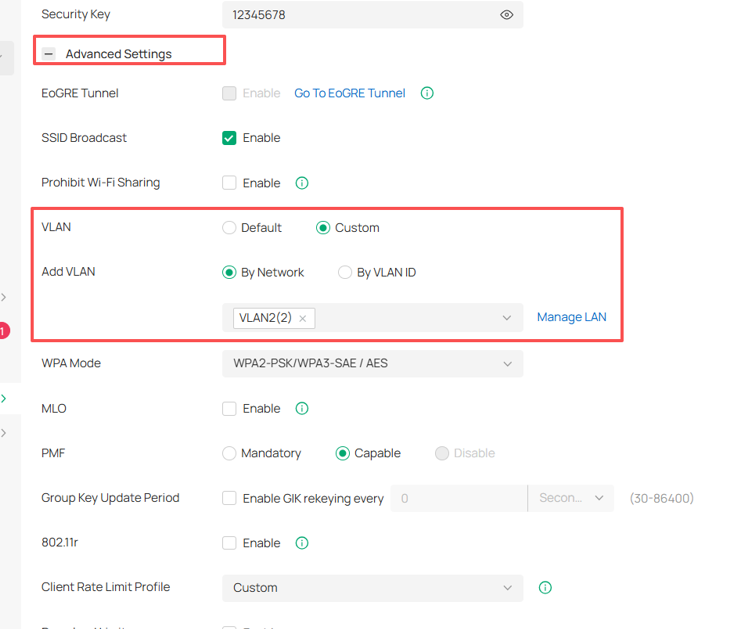
After creating your required VLANs on the Omada Controller, go to the SSID configuration page: open the Advanced Settings menu, set the VLAN option to Custom, select By Network when adding the VLAN entry, then choose the target VLAN you created earlier. After configuration, any wireless device connecting to this SSID will automatically obtain an IP address from the subnet of your selected VLAN.
- If you need to configure an Access port on your switch for wired devices (to put wired end devices on a separate network segment)
After creating your required VLANs on the Omada Controller, please navigate to the Ports page of your switch, and click Edit for your target port. Set Native Network to the VLAN you want the connected wired devices to join and Set Network Tags Settings to Block All.
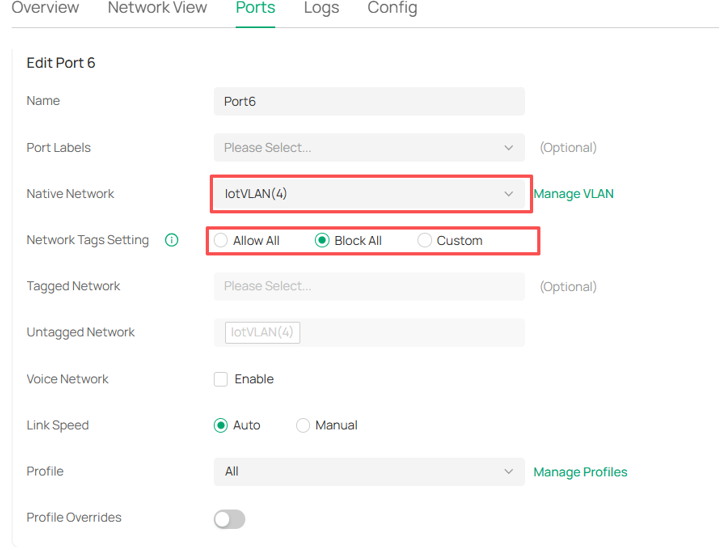
After saving the settings, this port will work as a standard access port that meets your requirement.
- Copy Link
- Report Inappropriate Content
How this device will obtain adress if ports on switches dont have tagged traffic?
Problem is simple (but hard to manage in managed network via controller) that all new vlans are not assigned to ports in certain switches! Yes i have ALL profile on ports, i event ry to change profiles.
- Copy Link
- Report Inappropriate Content
Hi, @ohb
Thank you for your reply.
If you have upgraded your Controller to the latest version, all ports on your Switch will be configured as Trunk ports by default. You will simply need to configure your required ports as Access ports. For VLAN configuration, you may refer to this document:How to configure VLAN with Omada Network v6 | Omada Network Support
- Copy Link
- Report Inappropriate Content

You have to manually assign vlans to ports if you want them in access mode, same as its always been.
ER8411, 6 switches, 7vlans here, all working normally (and recently all rebuilt too)
- Copy Link
- Report Inappropriate Content
When TP-LINK marked staff cant read without understanding you will not create "business" products and comunity.
Again. I have 100 VLANS, all works. Some day i create new one. And this new vlan dont work on AP on certains areas (20switches, 50AP). I try to rebuild, send new profile, change profile and back to ALL and propably 100 other things, without result. In Omada controller all looks fine (look at screens), and from some AP i obtain DHCP from some dont. What i found, that some switches dont get this new vlans. Look at my screens. On Omada i have TRUNK and ALL, VLAN is configured and working, but when i log into terminal 15 switches have vlan ex. 666, but 5 dont. If switch dont have vlan created it cant forward its simple. Rebuild dont work, changing profiles dont work, adding another vlan dont work. I have to forgot them and then adopt them again...
- Copy Link
- Report Inappropriate Content
Hi, @ohb
Thanks for the update.
To better assist you, I've created a support ticket via your registered email address and escalated it to our support engineer to look into the issue. The ticket ID is TKID260459986, please check your email box and ensure the support email is well received. Thanks!
- Copy Link
- Report Inappropriate Content
Information
Helpful: 0
Views: 442
Replies: 7
Voters 0
No one has voted for it yet.