ER7412-M2 — Cannot close WAN-facing ports 21, 554, 1720, 1723

ER7412-M2 — Cannot close WAN-facing ports 21, 554, 1720, 1723

ER7412-M2 — Cannot close WAN-facing ports 21, 554, 1720, 1723
Yesterday
Model: ER7412-M2  
Hardware Version: V2
Firmware Version: 1.1.0 Build 20251015 Rel.63594

ER7412-M2 — Cannot close WAN-facing ports 21, 554, 1720, 1723

Hardware: ER7412-M2 v1.20
Controller: OC200 v1.39.6 Build 20260227
Mode: Controller mode
WAN: Static public IP


I've been running a penetration test against my public IP from an external device (laptop on hotspot) and found the following TCP ports responding on my WAN interface:

- Port 21 (FTP)
- Port 554 (RTSP)
- Port 1720 (H.323)
- Port 1723 (PPTP)


I do not use FTP, RTSP, H.323, or PPTP VPN. No port forwarding rules are configured. No VPN server is enabled.


What I've already tried:

1. Disabled all ALGs (FTP, PPTP, H.323, IPsec) under Devices → Gateway → Config → Transmission → NAT → ALG — ports remain open. Toggling ALGs off seems to control protocol inspection for pass-through traffic, not the gateway's own listening services. Disabling H.323 ALG actually exposed port 1720 which wasn't visible before.

2. Disabled IGMP Proxy under Devices → Gateway → Config → Advanced → IPTV — this closed port 8554 but 554 remains.

3. Disabled Remote Access under Network Tools → Remote Access — this successfully closed ports 80 and 443.

4. Created a Gateway ACL rule with Direction [WAN]IN, Policy Deny, targeting these ports via an IP-Port Group — rule has no effect. The gateway appears to process packets destined for its own WAN IP before ACL evaluation.

5. Checked Firewall, Attack Defense, VPN, VoIP, NAT/Port Forwarding pages — no relevant toggles found.

6. CLI is not available in controller mode (confirmed via datasheet: "CLI only in Standalone Mode").

7. Internet Service Provider (ISP) cannot apply upstream port filtering.


Ping from WAN is correctly blocked (Attack Defense → Block Ping from WAN is enabled). Ports 80 and 443 were successfully closed via the Remote Access toggle. The remaining four ports appear to be firmware-level services with no UI control.


Questions:

1. Is there a way to disable these services on the WAN interface in controller mode that I've missed?
2. Is there a planned firmware update that would add WAN service controls or allow WAN-inbound ACLs to apply to gateway-destined traffic?
3. Has anyone found a workaround without adding external hardware (e.g. OPNsense or a managed switch in front of the gateway)?


 

  0      
  0      
#1
Options
9 Reply
Re:ER7412-M2 — Cannot close WAN-facing ports 21, 554, 1720, 1723
Yesterday - last edited Yesterday

  @icysummer 


You can try a roule like this to block all to managment interface. 


then you also need to know that you are blocking other services on the router such as openvpn, this is not possible and override with acl for openvpn, for example, then you need to create an acl rule that approves at the ip level to the management page.


Like this


but I don't understand why you have these ports open, there shouldn't be open ports on the router if you haven't opened them yourself.


  0  
  0  
#2
Options
Re:ER7412-M2 — Cannot close WAN-facing ports 21, 554, 1720, 1723
Yesterday - last edited Yesterday

  @MR.S - Yes, I am confused as to why these ports are open especially considering this is a newly setup gateway. 

 I can kind of understand why FTP and PPTP might be open by default, but why would RTSP be open as well?


Edit: I managed to get port 1720 closed by toggling the h323 setting again.

The other 3 ports are stubbornly open.

  0  
  0  
#3
Options
Re:ER7412-M2 — Cannot close WAN-facing ports 21, 554, 1720, 1723
Yesterday - last edited Yesterday

  @icysummer 


What have you set Block TCP Scan with RST to, it is off by default, if you enable it you will get an failed when scanning


  0  
  0  
#4
Options
Re:ER7412-M2 — Cannot close WAN-facing ports 21, 554, 1720, 1723
11 hours ago

  @icysummer - so a day later and now ports 80 and 443 have somehow reopened- I didn't adjust any settings

  0  
  0  
#5
Options
Re:ER7412-M2 — Cannot close WAN-facing ports 21, 554, 1720, 1723
8 hours ago - last edited 8 hours ago

  @icysummer 


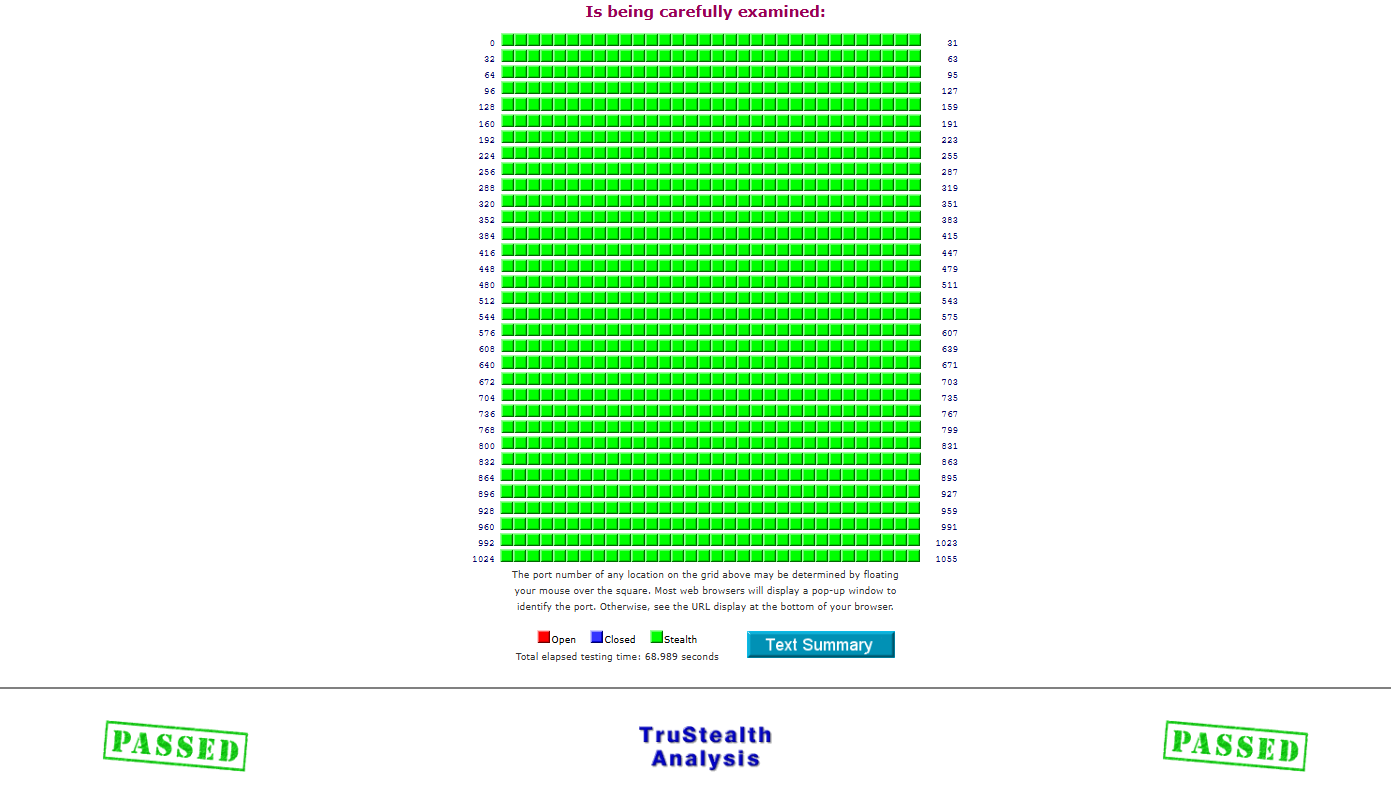
how do you test? if you test from LAN then many ports will be up due to loopback if you are going to test from LAN you can try GRC test 


When I test my router I get this result


  0  
  0  
#6
Options
Re:ER7412-M2 — Cannot close WAN-facing ports 21, 554, 1720, 1723
8 hours ago

  @MR.S - Not tested from LAN - run nmap scan from my laptop connected to phone hotspot. 

Test now:

Host is up (0.058s latency).
Not shown: 994 closed tcp ports (reset)
PORT     STATE    SERVICE
21/tcp   open     ftp
25/tcp   filtered smtp
80/tcp   open     http
443/tcp  open     https
554/tcp  open     rtsp
1723/tcp open     pptp


Test yesterday

Host is up (0.046s latency).
Not shown: 993 closed tcp ports (reset)
PORT     STATE    SERVICE
21/tcp   open     ftp
25/tcp   filtered smtp
80/tcp   filtered http
443/tcp  filtered https
554/tcp  open     rtsp
1720/tcp open     h323q931
1723/tcp open     pptp

  0  
  0  
#7
Options
Re:ER7412-M2 — Cannot close WAN-facing ports 21, 554, 1720, 1723
8 hours ago
what parameter do you use in nmap, I can try to test on my network.
  0  
  0  
#8
Options
Re:ER7412-M2 — Cannot close WAN-facing ports 21, 554, 1720, 1723
7 hours ago

  @MR.S nmap -Pn -sS -T4 --top-ports 1000 my.public.ip.address

  0  
  0  
#9
Options
Re:ER7412-M2 — Cannot close WAN-facing ports 21, 554, 1720, 1723
7 hours ago

  @icysummer 


When I test, I only get expected ports that are open, have tested against ER8411, ER707-M2 and ER706W.


  0  
  0  
#10
Options