
Dark theme broken after controller upgrade from 6.1.0.19 to 6.2.0.17
Dark theme broken after controller upgrade from 6.1.0.19 to 6.2.0.17

I've recently upgrade my software controller from 6.1.0.19 to 6.2.0.17 and I noticed that the dark theme mode is no longer working.
Selecting light theme, dark theme or system setting all result in the same light theme.
I've just done a rollback to the previous 6.1.0.19 version and now the dark theme and system setting is working again.
Can this be fixed in a future release, as I really prefer the dark mode for everything.
- Copy Link
- Subscribe
- Bookmark
- Report Inappropriate Content
Hi, sorry, I didn't receive an email.
What do you expect from me? Let me know and I'll provide it.
- Copy Link
- Report Inappropriate Content
Having the issue with following controller:
Home assistant addon: https://github.com/jkunczik/home-assistant-omada/tree/master/Omada%20Stable%20v6
Version: release 6.2.0.17
- Copy Link
- Report Inappropriate Content


@h3llrais3r You should receive an email soon, or you may need to check junk/spam. Look for TKID260445181 in your emails.
- Copy Link
- Report Inappropriate Content
@NeilR_M Sorry, I'm not getting any email. Not in spam either. :(
- Copy Link
- Report Inappropriate Content

@NeilR_M I am using vanilla Omada Controller installed on Debian 11 VM. I upgraded by downloading the new .deb package and installing in directly. Browser wise, I am using Safari 26.3 on macOS Tahoe 26.3.
Unfortunately, I am no longer encountering the issue so cannot be more helpful. 
- Copy Link
- Report Inappropriate Content
@zacl No worries, you aren't the first one who has found issues replicating the issue. If it pops up again please let me know, we're very interested if we're able to recreate it.
- Copy Link
- Report Inappropriate Content

Hi @h3llrais3r
Did you get through with the support team?
Does the situation persist?
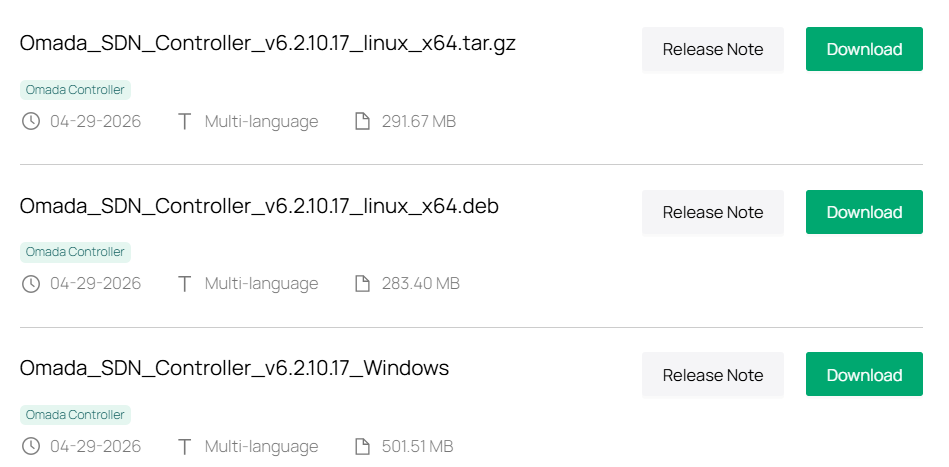
BTW, we have released a newer official firmware 6.2.10.17; you may update it and see if it persists.
https://support.omadanetworks.com/en/product/omada-software-controller/?resourceType=download
h3llrais3r wrote
@NeilR_M Sorry, I'm not getting any email. Not in spam either. :(
- Copy Link
- Report Inappropriate Content

After applying a minor Ubuntu update, the dark theme issue seemed to disappear for me, but I cannot confirm what specifically did it. However, I came across several other issues with the Omada Software Controller that were also specific to this update to version 6.2.0.17. I won't details that here as they are irrelevant to this specific topic and I do not wish to hijack the conversation.
I updated to version 6.2.10.17 within several days of its release and it appears most of my issues have since resolved. My system has been stable for a little over one week, with no problems with dark theme usage.
- Copy Link
- Report Inappropriate Content
Hi @NorthHill
Thanks for the feedback.
If you need to discuss the other issues, don't hesitate to start a new thread.
NorthHill wrote
After applying a minor Ubuntu update, the dark theme issue seemed to disappear for me, but I cannot confirm what specifically did it. However, I came across several other issues with the Omada Software Controller that were also specific to this update to version 6.2.0.17. I won't details that here as they are irrelevant to this specific topic and I do not wish to hijack the conversation.
I updated to version 6.2.10.17 within several days of its release and it appears most of my issues have since resolved. My system has been stable for a little over one week, with no problems with dark theme usage.
- Copy Link
- Report Inappropriate Content
Information
Helpful: 0
Views: 1125
Replies: 19
Voters 0
No one has voted for it yet.