
ER8411 not showing wireguard option under latest OC200 controller

I have latest stable update for ER8411 and OC200 (1.40.18 Build 20260506 Rel.74003)... BUT I can't see Wireguard option under VPN... I know it exist since i have used it in the past.
What do i need to enable the wireguard for er8411 and oc200 combination?
Thank you.
- Copy Link
- Subscribe
- Bookmark
- Report Inappropriate Content


- Copy Link
- Report Inappropriate Content

Hello,
I’m seeing the same issue with an ER8411 V1 adopted by an OC200.
My current versions are:
ER8411 V1: 1.3.6 Build 20251028 Rel.12399
OC200: 1.40.18 Build 20260506 Rel.74003
WireGuard was available before, but after updating to the latest stable firmware/controller combination, the WireGuard option is no longer visible under VPN. I have checked the VPN menu, site settings, and controller view, but I cannot find the WireGuard server/client configuration anymore.
Since the ER8411 supports WireGuard and I have used it previously, this looks like a firmware/controller compatibility issue or a UI bug, not a missing feature.
Could TP-Link please confirm:
-
Is WireGuard currently supported on ER8411 V1 firmware 1.3.6 with OC200 1.40.18?
-
Is there a known issue where WireGuard disappears after updating the OC200/controller?
-
Is there a workaround, beta firmware, downgrade path, or controller version required to restore WireGuard?
-
Should WireGuard appear under the legacy VPN page or the newer reorganized VPN page?
I would appreciate confirmation from TP-Link support, because WireGuard is an important feature for secure remote access and lab/enterprise testing.
Thank you.
- Copy Link
- Report Inappropriate Content

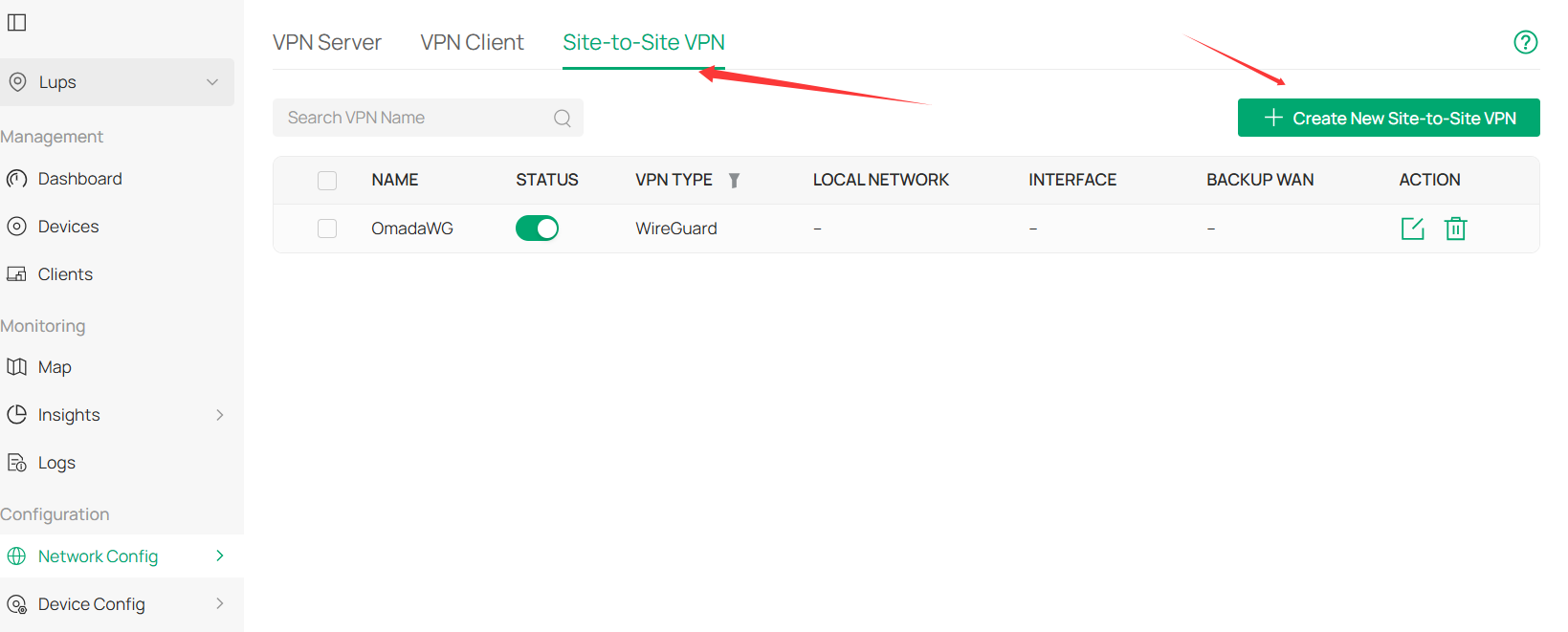
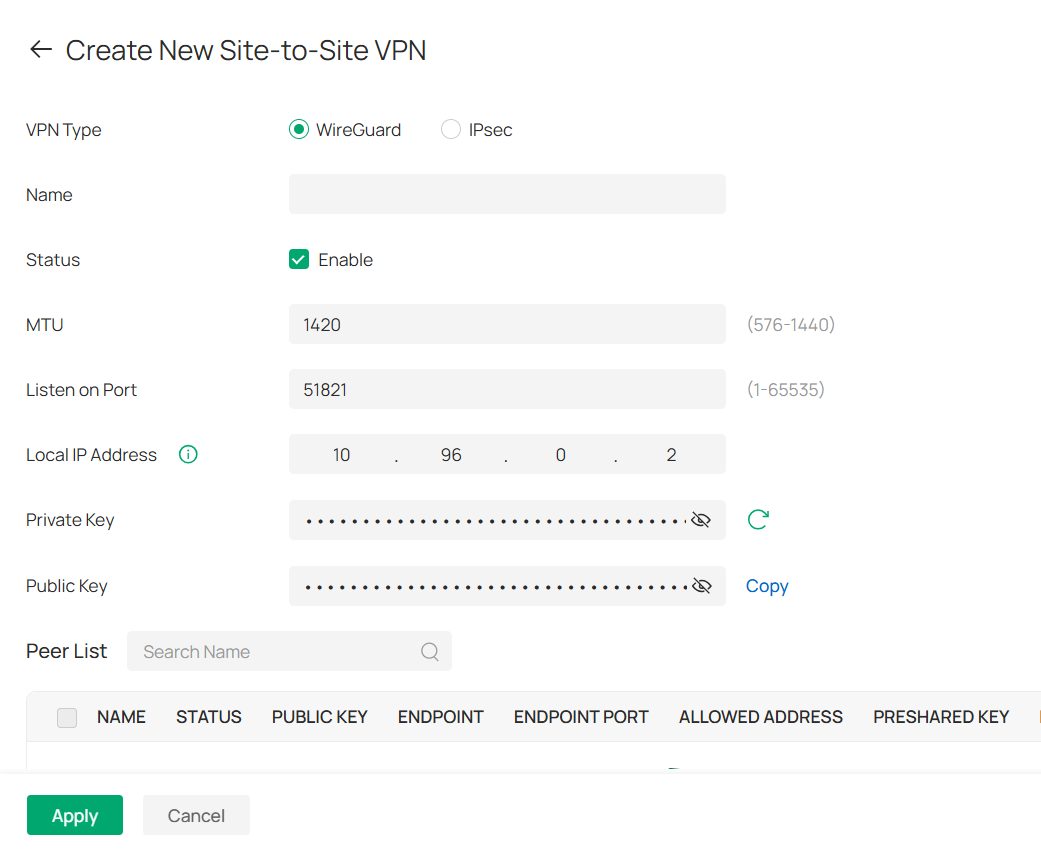
you will find wireguard under site to site vpn. when the router is upgraded to support omada controller version 6.2 there will be some more choices on wireguard and openvpn
- Copy Link
- Report Inappropriate Content
- Copy Link
- Report Inappropriate Content
Information
Helpful: 0
Views: 67
Replies: 3
Voters 0
No one has voted for it yet.