
Internet led doesn’t display
 This thread has been locked for further replies. You can start a new thread to share your ideas or ask questions.
Hi I just got my 4g router to day but when I plug it in and insert the SIM card the power and WiFi leds light up but the internet led dosnt light up and I can’t access the internet yet can connect to the signal if reset it numerous times but its the same  each time?
- Copy Link
- Subscribe
- Bookmark
- Report Inappropriate Content


What is the model number of your TP-Link router?
Please login to the web UI of the router and show us a screenshot of the status page.
Try to create the network profile manually with the APN related information. Instruction as below: https://www.tp-link.com/support/faq/1663/
Any updates, please let us know.
Best regards.
- Copy Link
- Report Inappropriate Content
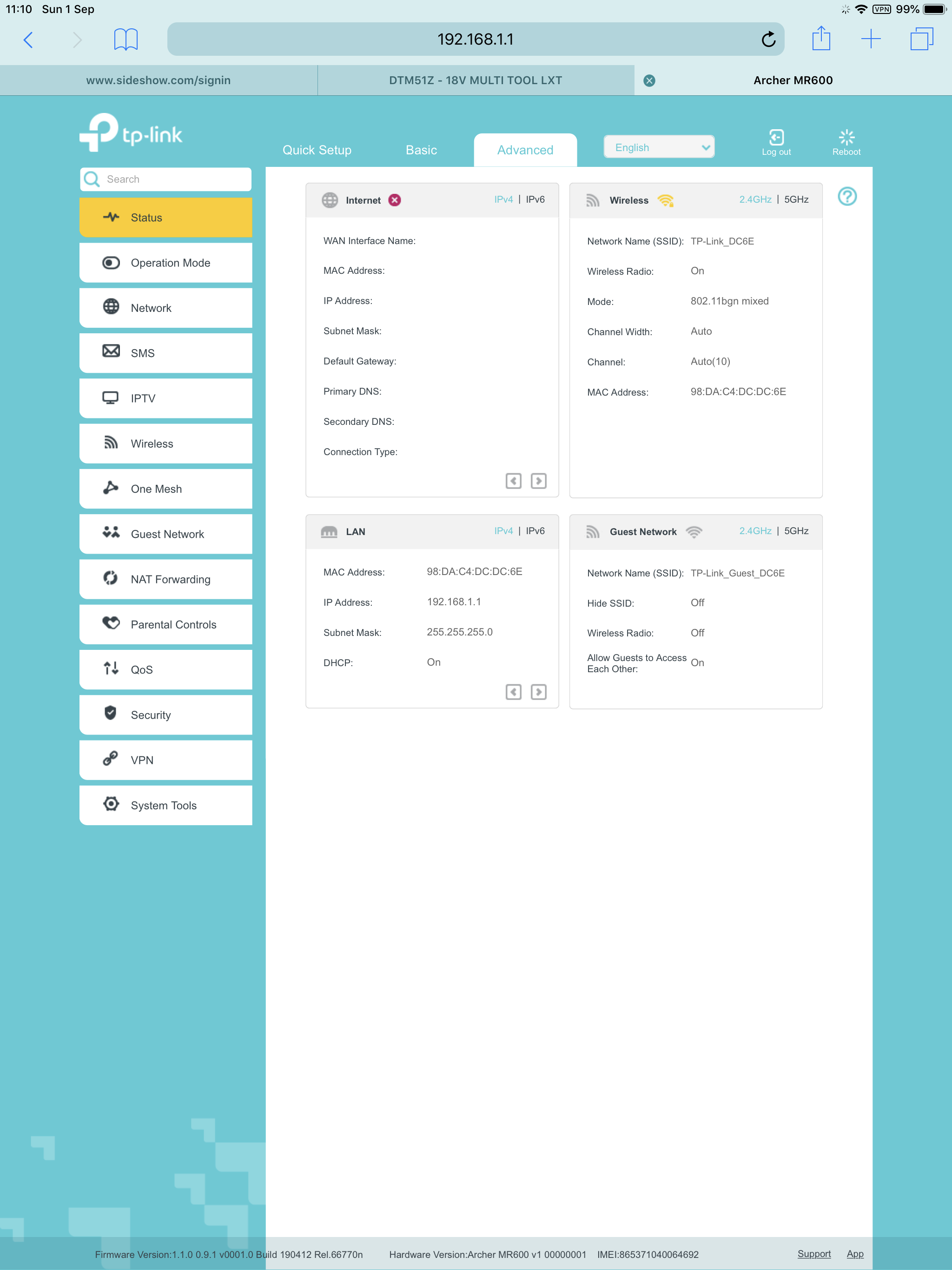 Is this what you mean ?
and it’s also saying now that the SIM card cannot be detected and tells me to make sure it’s inserted correctly which it is.
model no: archer MR600(EU) 6935364086152
- Copy Link
- Report Inappropriate Content
According to the error message, try to unplug the sim card and insert it into the SIM card slot again and verify that it matches well. Then please confirm whether it can be detected by the Archer MR600.
Meanwhile, you can change another SIM card to put it intothe slot to do a comparison analysis.
Besides, please ensure that the SIM card can be detected by the mobile phone directly.
Any updates, please let us know.
- Copy Link
- Report Inappropriate Content
Information
Helpful: 0
Views: 1248
Replies: 3
Voters 0
No one has voted for it yet.