
Deco X50 - High CPU Usage
 This thread has been locked for further replies. You can start a new thread to share your ideas or ask questions.
Hi,
I have observed consistently high CPU usage, frequently reaching 100%. This significantly impacts my network performance, causing slow speeds and unstable connections.
I would appreciate technical support to identify the root cause of this problem and find a solution.
I have already tried basic troubleshooting steps, such as rebooting the system and checking for firmware updates, but the issue persists.
Please find some additional information that may be helpful:
- Deco Model: X50 (both devices)
- Firmware Version: 1.6.1 Build 20241010 Rel. 65389

- Copy Link
- Subscribe
- Bookmark
- Report Inappropriate Content

Hi, Thanks for the message.
Would there be a lot of smart home devices connected to the Mesh network?
By the way, how are the three Deco X55 connected to the Mesh network, via WiFi or Ethernet Backhaul?
The beta 1.6.4 or official 1.6.3 could revert to the official 1.6.1 directly via web UI if the reported issue here just started since the 1.6.3 upgrade.
Wait for your reply and best regards.
- Copy Link
- Report Inappropriate Content
Hello @David-TP,
I am writing to express my continued frustration that the issue discussed in this thread (topic 730866) remains unresolved to this day. It is disappointing that a company like TP-Link has been unable to find a solution to this problem. We are still awaiting a resolution.
Sincerely,
Charles
- Copy Link
- Report Inappropriate Content
Hi, have you tested the latest 1.6.7 version mentioned here:
Deco X50/X55_V1_1.6.7 Optimized the Client Network Stability
Wait for your reply.
Best regards.
- Copy Link
- Report Inappropriate Content
Hi @David-TP ,
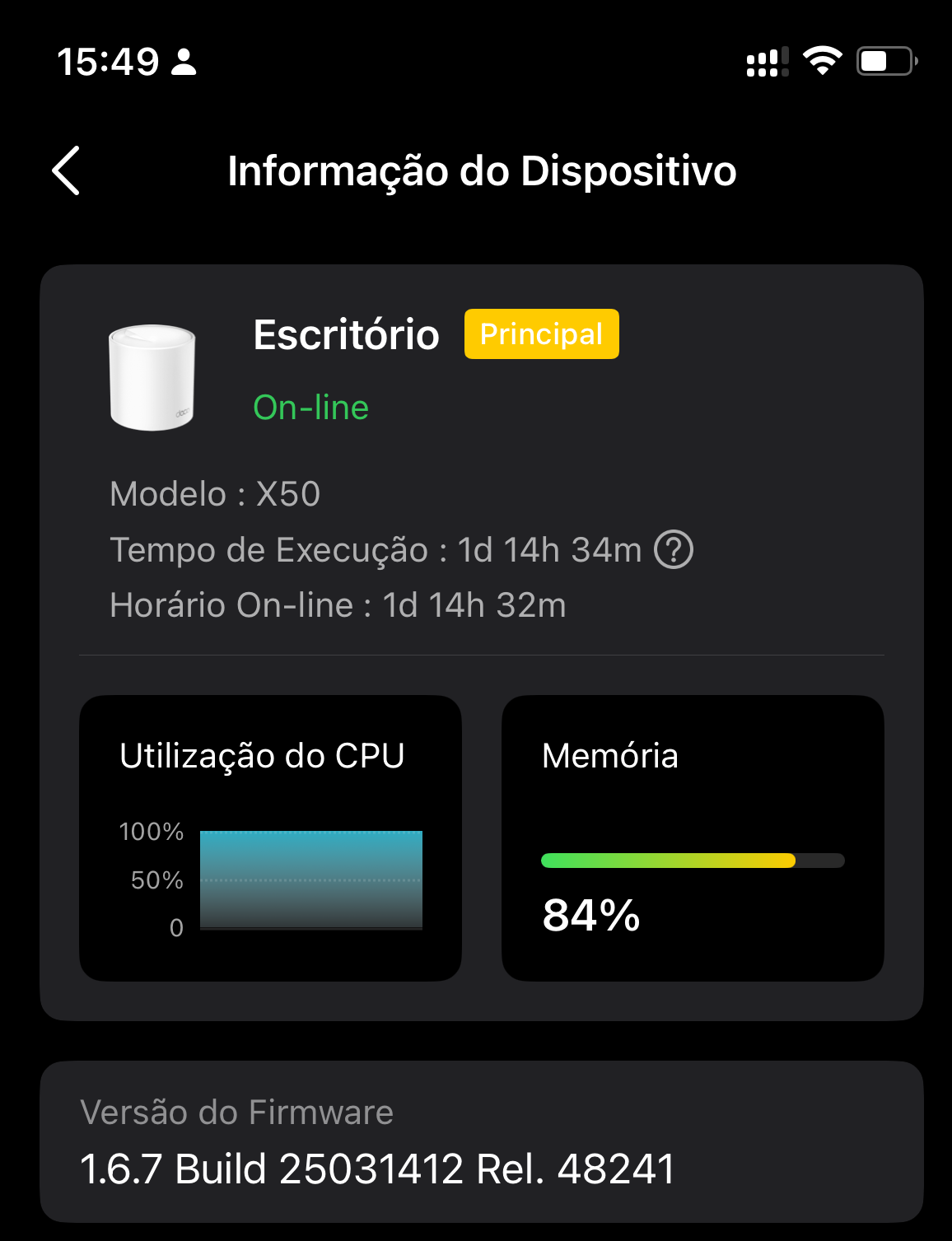
It's still hitting 100% spikes and is now disconnecting.
It continues to spike to 100% and is now experiencing disconnections.
- Copy Link
- Report Inappropriate Content
Hi, Thanks for the update.
I saw that a similar case was escalated to the senior engineer before. If it repeated on the latest 1.6.7 version, could you please give a direct update to the support ticket #TKID241257781 so that the engineer could help us further check what happened?
Thank you very much.
Best regards.
- Copy Link
- Report Inappropriate Content

I am continuing to have the same issues with 1.6.7 as well. High CPU spikes in extended intervals.
- Copy Link
- Report Inappropriate Content
Hi, did the 1.6.7 make any improvement to the system stability?
Many new features have been introduced to Deco X50_V1 via firmware upgrades. With mobile clients and satellite Deco units connected, when the network/clients status is synchronized from the Cloud server, it is expected to notice an increase in CPU and Memory usage on the app. The main concern would be whether this uptick in resource consumption could lead to performance issues. As long as the Mesh system keeps working well, the main Deco could effectively handle the network flow.
Thank you very much.
Best regards.
- Copy Link
- Report Inappropriate Content

I have thesame issue sunce 2024. October but no answer feom TP-Link, but they closed my thread. LOL
- Copy Link
- Report Inappropriate Content
Hi, Many features have been introduced to Deco X50-V1.0, and it is expected to see a rise in CPU usage.
Did you run into any performance issues with the "High CPU Usage"?
By the way, can you share a screenshot of the CPU and memory usage on the Deco APP?
Wait for your reply.
Best regards.
- Copy Link
- Report Inappropriate Content

Hi @Charles_Andre,
I’ve also experienced similar high CPU usage issues on the Deco X50. In my case, it happened when multiple devices were heavily utilizing bandwidth at the same time. One workaround that helped me was disabling some background services and checking for QoS (Quality of Service) settings, though this may vary depending on your setup.
If you’re troubleshooting, sometimes identifying whether the bottleneck comes from the router or connected devices can be useful. I personally used this to analyze device performance and narrow down potential causes.
Hope this helps!
- Copy Link
- Report Inappropriate Content
Information
Helpful: 1
Views: 11596
Replies: 33
Voters 1
