
Knowledge Base How to migrate Tapo SubGHz devices to another Tapo Hub?


This Article Applies To
Tapo H200 (US/EU/JP) 1.0 - Firmware 1.4.0 Build 20250109 rel.40191
Tapo H500 (US/EU) 1.0 - Firmware 1.0.5 Build 20241218 rel.59744
Tapo T100 V1
Tapo D230
Tapo C420 V1/V1.60
*The migration feature is only available when the sub-device's firmware adds relevant updates.
Introduction
If you need to replace a new Tapo smart hub or migrate the sub-devices to a hub with a stronger signal, now, you can do so without having to reset the devices and reconfigure them one by one! Migrate connected sub-devices between Tapo hubs is available for the Tapo H200 in the latest firmware 1.4.0 Build 20250109 rel.40191.
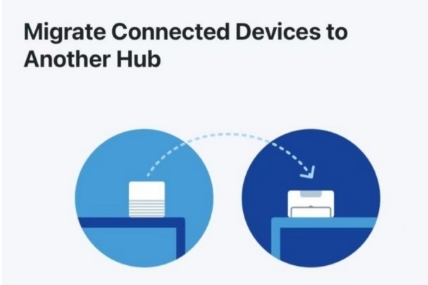
How to migrate devices between Tapo hubs?
- Enter Tapo hub's device page in the Tapo app, click Device Settings, choose 'Migrate Connected Devices'.
- Select a hub that you need to migrate your devices to.
- Select the devices you want to migrate to another hub.
- Click 'Migrate' to start migration.
Important notes
1. Keep the original hub, the new hub, and the connected devices close to one another.
2. The original hub should be connected to a stable network with internet access.
3. Before the transfer, make sure the connected devices have sufficient battery or are properly powered up.
4. The Smart Action settings cannot be transferred. Please reconfigure these settings on the new hub after the transfer.
5. The number of supported devices of the new hub should not be less than the new hub. If the number of certain device types exceeds the limit, the migration may fail. How many devices can connect to a Tapo Hub at the same time?
Q&A
1. Will the migration transfer the non-SubGHz camera's connection (WiFi backup & Video storage)?
No. You can set up the WiFi backup and storage location for the non-SubGHz cameras after the migration is done. How to connect Tapo Wi-Fi Cameras/doorbells with Tapo Hub
Related Articles
New Release: Tapo H200 V1.0_1.4.0 Build 20250109 rel.40191_Support Local Smart & Migrate Sub-devices
FAQs about migrating devices between Tapo Hubs
How many devices can connect to a Tapo Hub at the same time?